Introduction
Сатып алганыңыз үчүн рахматasing the Fenton Core160 Bluetooth Party Speaker. This powerful and versatile speaker is designed to deliver high-quality audio with deep bass and clear highs, perfect for any occasion. Featuring Bluetooth 5.3 for stable wireless streaming, a long-lasting battery, and a vibrant LED light show, the Core160 offers an immersive audio experience. This manual provides essential information for safe operation, setup, and maintenance of your device. Please read it thoroughly before use.
Коопсуздук нускамалары
- Кубат булагы: Only use the provided power adapter. Ensure the voltage сиздин аймактын талаптарына дал келет.
- Суу жана ным: Do not expose the speaker to rain, moisture, or liquids. Keep it away from water sources.
- Вентиляция: Туура желдетүүнү камсыз кылыңыз. Эч кандай желдетүүчү тешиктерди жаап албаңыз.
- Жылуулук: Динамикти радиаторлор, жылуулук регистрлери, мештер же башка аппараттар (анын ичинде) сыяктуу жылуулук булактарынан алыс кармаңыз. ampкөтөргүчтөр) жылуулукту пайда кылуучу.
- Тазалоо: Кургак чүпүрөк менен гана тазалаңыз. суюк тазалагычтар же аэрозолдук тазалагычтар колдонгон жок.
- Тейлөө: Бул продуктту өзүңүз тейлөөгө аракет кылбаңыз. Бардык тейлөөнү квалификациялуу тейлөө кызматкерлерине тапшырыңыз.
- Батарея: The built-in battery should not be exposed to excessive heat such as sunshine, fire or the like. Do not attempt to replace the battery yourself.
Пакеттин мазмуну
Сураныч, төмөнкү нерселер үчүн кутучаны белгилеңиз:
- Fenton Core160 Party Speaker
- Микрофон
- Алыстан башкаруу
- Кубаттуу адаптер

Image: The Fenton Core160 Party Speaker shown with its accessories: a wired microphone, a remote control, and a power adapter. This image illustrates all items included in the package.
Продукт бүттүview: Башкаруу каражаттары жана байланыштар
Familiarize yourself with the various controls and connection ports on your Core160 speaker.

Сүрөт: деталдуу view of the top control panel of the Fenton Core160 speaker. It features knobs for ECHO, GUITAR, MIC, BASS, TREBLE, and MASTER volume, along with buttons for LED lighting, equalizer presets, and media playback controls. Input ports for GUITAR, MIC, AUX, USB, MicroSD, and DC IN are also visible.
Башкаруу панелинин функциялары:
- ECHO баскычы: Микрофон үчүн жаңырык эффектин тууралайт.
- GUITAR Knob: Adjusts the volume for the guitar input.
- MIC баскычы: Adjusts the volume for the microphone input.
- BASS баскычы: Аудио чыгышынын басс деңгээлин тууралайт.
- TREBLE баскычы: Аудио чыгышынын жогорку деңгээлин тууралайт.
- МАСТЕР баскычы: Controls the overall master volume of the speaker.
- LED баскычы: Toggles the LED light show on/off and cycles through modes.
- EQ баскычы: Selects different equalizer presets.
- Ойнотуу башкаруулары: Play/Pause, Previous Track, Next Track, Mode selection.
Киргизүү порттору:
- GUITAR (6.3mm Jack): Гитараны туташтыруу үчүн.
- Микрофон (6.3 мм уяча): Микрофонду туташтыруу үчүн.
- AUX (3.5mm Jack): For connecting external audio devices via an AUX cable.
- USB порт: USB флэш-дискинен аудио ойнотуу үчүн.
- MicroSD картасынын уячасы: For playing audio from a MicroSD card.
- DC IN (15V/2A): Динамикти кубаттоо жана иштетүү үчүн кубат киргизүү.
Жайгашуу
1. Батареяны заряддоо
Before first use, fully charge the speaker's built-in battery. Connect the provided power adapter to the DC IN port on the speaker and plug it into a wall outlet. The charging indicator will show the charging status. A full charge provides up to 12 hours of continuous playback.

Image: The Fenton Core160 speaker positioned outdoors, with a battery icon overlaid, emphasizing its long battery life for non-stop music playback.
2. Күйгүзүү / Өчүрүү
Locate the power switch on the control panel. Toggle it to the "ON" position to power on the speaker. Toggle it to "OFF" to power off the speaker.
3. Connecting Microphone/Guitar
Plug your microphone into the MIC (6.3mm) input and your guitar into the GUITAR (6.3mm) input. Adjust their respective volume knobs on the control panel to achieve the desired sound level. Use the ECHO knob for microphone effects.
Иштөө нускамалары
1. Bluetooth Жупташтыруу
- Power on the Core160 speaker. It will automatically enter Bluetooth pairing mode, indicated by a flashing Bluetooth icon on the display.
- On your smartphone or other Bluetooth device, enable Bluetooth and search for "Fenton Core160" in the list of available devices.
- Select "Fenton Core160" to pair. Once connected, you will hear a confirmation sound, and the Bluetooth icon will stop flashing.
- Эми сиз аудиону түзмөгүңүздөн динамикке зымсыз агылта аласыз.
2. Stereo-Pairing (TWS Function)
For an enhanced stereo experience, you can pair two Core160 speakers together.
- Ensure both Core160 speakers are powered on and not connected to any Bluetooth device.
- On one speaker (this will be the primary speaker), press and hold the TWS button (if available, otherwise refer to the manual for specific TWS pairing instructions, typically a dedicated button or a long press on the Mode button).
- Динамиктер бири-бирине туташууга аракет кылышат. Ийгиликтүү жупташтырылгандан кийин, сиз ырастоо үнүн угасыз.
- Now, connect your Bluetooth device to the primary speaker as described in the "Bluetooth Pairing" section. Audio will play in stereo through both speakers.

Image: Two Fenton Core160 speakers are shown side-by-side, with arrows indicating their ability to connect for stereo sound. This illustrates the True Wireless Stereo (TWS) pairing feature.
3. USB/MicroSD ойнотуу
Insert a USB flash drive or MicroSD card (with supported audio files) into the respective port. The speaker will automatically switch to USB/MicroSD mode and begin playback. Use the playback controls (Play/Pause, Previous/Next) on the speaker or remote control.
4. AUX киргизүү
Connect an external audio device (e.g., MP3 player, laptop) to the AUX (3.5mm) input using an audio cable. Press the "Mode" button on the speaker or remote control to switch to AUX mode. Audio will play from the connected device.
5. Караоке функциясы
With a microphone connected to the MIC input, you can sing along to your music. Adjust the MIC volume and ECHO effect to your preference. The speaker's powerful output makes it ideal for karaoke sessions.
6. LED жарыктар көргөзмөсү
The Core160 features a dynamic multi-color LED light show. Press the "LED" button on the control panel or remote control to turn the lights on/off or cycle through different light modes and patterns.

Сүрөт: жакын план view of the Fenton Core160 speaker's front panel, showcasing its vibrant, multi-colored LED light rings. This highlights the speaker's party atmosphere feature.
7. Алыстан башкарууну колдонуу
The included remote control allows you to conveniently manage playback, volume, mode selection, and LED lights from a distance. Ensure the remote control has working batteries and is pointed towards the speaker's IR receiver.
Техникалык тейлөө
- Тазалоо: Динамиктин сыртын тазалоо үчүн жумшак, кургак чүпүрөктү колдонуңуз. Абразивдүү тазалагычтарды, момдорду же эриткичтерди колдонбоңуз.
- Батареяга кам көрүү: To prolong battery life, avoid fully discharging the battery frequently. If storing the speaker for a long period, charge it to about 50% every few months.
- Сактагыч: Динамикти түз күн нурунан жана өтө температурадан алыс салкын, кургак жерде сактаңыз.
- Транспорт: When transporting the speaker, ensure it is securely packed to prevent damage.
Проблемаларды чечүү
| Көйгөй | Мүмкүн себеп | Чечим |
|---|---|---|
| Күч жок | Battery is depleted; Power adapter not connected or faulty. | Charge the speaker; Check power adapter connection and wall outlet. |
| Үн жок | Volume too low; Incorrect input mode; Device not paired (Bluetooth). | Increase master volume; Select correct input mode (Bluetooth, AUX, USB/MicroSD); Re-pair Bluetooth device. |
| Bluetooth туташпай жатат | Динамик жупташтыруу режиминде эмес; Аппарат өтө алыс; Интерференция. | Ensure speaker is in pairing mode; Move device closer; Turn off other Bluetooth devices. |
| Микрофон иштебей жатат | Microphone not plugged in correctly; MIC volume too low. | Ensure microphone is fully inserted; Increase MIC volume knob. |
| LED жарыктары иштебейт | LED function turned off. | Press the LED button to turn on or cycle modes. |
Техникалык шарттар
| Өзгөчөлүк | Деталь |
|---|---|
| Бренд | Фентон |
| Модель аты | Core160 |
| Продукциянын өлчөмдөрү | 38 x 41 x 84.5 см |
| Салмагы | 13.35 килограмм |
| Байланыш технологиясы | Bluetooth 5.3 |
| Аудио чыгаруу режими | Стерео |
| Динамик түрү | Woofer (2x 8") |
| Power Output | 240 Ватт |
| Батареянын иштөө мөөнөтү | 12 саатка чейин |
| Өзгөчөлүктөр | LED Light Show, Stereo Pairing (TWS), Karaoke Function |
| Киргизүү порттору | USB, MicroSD, AUX (3.5mm), Microphone (6.3mm), Guitar (6.3mm) |
| Өндүрүүчү | Tronios BV |
| Келип чыккан өлкө | Кытай |
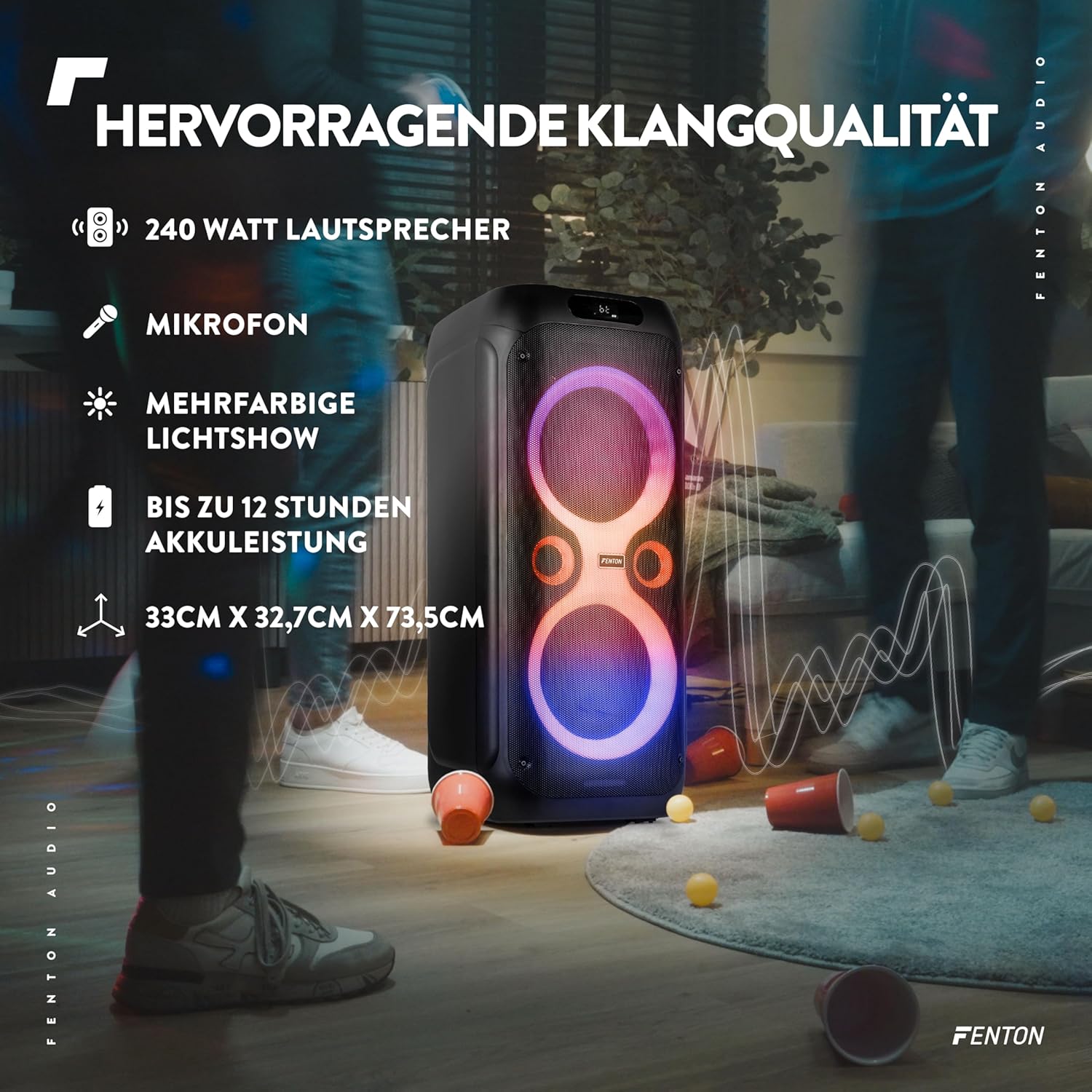
Image: The Fenton Core160 speaker with text overlays highlighting its 240 Watt output, microphone inclusion, multi-color light show, up to 12 hours of battery life, and dimensions (33cm x 32.7cm x 73.5cm).
Кепилдик жана колдоо
For warranty information and technical support, please refer to the warranty card included with your product or visit the official Fenton webсайт. Сатып алуу квитанциясын кепилдик дооматтары үчүн сатып алуунун далили катары сактаңыз.


