1. Киришүү
This manual provides detailed instructions for the safe and proper installation, operation, and maintenance of your MOUNTUP MU0057-L Full Motion TV Wall Mount. Please read all instructions carefully before installation to ensure correct setup and to prevent damage or injury. Keep this manual for future reference.
The MOUNTUP MU0057-L is designed to securely mount most 42-75 inch flat or curved screen televisions weighing up to 99 lbs (45 kg). It features a 30-inch extension arm, +/-90° swivel, +5°/-10° tilt, and +/-3° leveling for optimal viewийкемдүүлүк.
2. Коопсуздук маалыматы
ЭСКЕРТҮҮ: Бул көрсөтмөлөрдү окуп чыкпасаңыз жана аткарбасаңыз, олуттуу жеке жаракат алууга, мүлккө зыян келтирүүгө же кепилдиктин жокко чыгарылышына алып келиши мүмкүн.
- Салмак сыйымдуулугу: 99 фунттан (45 кг) ашпаңыз. Бул орнотуу көрсөтүлгөн максималдуу салмактар менен гана колдонууга арналган. Көрсөтүлгөн максималдуу салмактан оор буюмдар менен колдонуу туруксуздукка алып келип, жаракат алууга алып келиши мүмкүн.
- TV өлчөмү: This mount is compatible with TVs from 42 to 75 inches.
- VESA шайкештиги: Ensure your TV's VESA pattern (mounting hole spacing) is within the range of 150x100mm to 600x400mm.
- Дубал түрү: This mount is designed for installation on solid concrete/brick walls or single wood studs. Жалгыз гипсокартонго ОРНОТПОЙТ.
- Кесиптик орнотуу: If you have any doubts about your ability to safely install this mount, consult a qualified professional.
- Компонентти текшерүү: Before installation, verify that all components are present and undamaged. Do not use damaged or defective parts.
- Куралдар: Орнотуу үчүн тиешелүү куралдарды колдонуңуз.
3. Пакеттин мазмуну
Please check the package to ensure all parts are included and undamaged. If any parts are missing or damaged, contact MOUNTUP customer service.
- Дубал плитасынын жыйындысы
- ТВ кашаа (2)
- Монтаждоочу аппараттык комплект (ар кандай бурамалар, шайбалар, бөлгүчтөр, анкерлер)
- көбүк деңгээли
- Бургулоо шаблону
- Instruction Manual
4. Техникалык шарттар
| Спецификация | Нарк |
|---|---|
| Модел | MU0057-L |
| TV өлчөмү шайкештиги | 42 - 75 дюйм |
| Салмак сыйымдуулугу | 99 фунтка чейин (45 кг) |
| VESA шайкештиги | 150x100ммден 600x400ммге чейин |
| Дубалдан узартуу | 3 дюймдан (жыйынтыкталган) 30 дюймга чейин (узартылган) |
| Айналма тоо | +/-90° |
| Тилтүү диапазону | +5° / -10° |
| Деңгээлди тууралоо | +/-3° |
| Материал | Металл |
| Түс | Кара |
| Элемент Салмагы | 13.77 фунт |
Эскертүү: The TV plate is offset approximately 8.5 inches (215mm) from the wall plate center. Consider this when positioning your TV on the wall.

Image: TV Plate Offset Diagram
5. Орнотуу боюнча нускамалар
5.1 Орнотууга чейинки текшерүүлөр
- Сыналгы шайкештигин текшерүү: Check your TV's size, weight, and VESA mounting pattern. The VESA pattern refers to the four mounting holes on the back of your TV.
- Дубал түрүн аныктоо: Determine if your wall is solid concrete/brick or a single wood stud.
- Check TV Ports: Ensure the mount will not block any necessary ports on your TV.

Image: Available VESA Patterns and TV Mounting Holes

Image: Diverse Wall Compatibility

Image: Ensure Mount Won't Block Ports
5.2 Этап-этабы менен орнотуу
The installation process involves three main steps:
- Mount Brackets to TV: Attach the TV brackets to the back of your television using the appropriate screws, washers, and spacers from the hardware kit. Ensure they are securely fastened.
- Дубал плитасын орнотуу: Using the provided drilling template and bubble level, mark and drill pilot holes in your wall. Secure the wall plate assembly to the wall with the appropriate anchors and lag bolts.
- Hang TV onto Wall Plate: Carefully lift your TV with the attached brackets and hook them onto the wall plate. Secure the TV to the wall plate using the safety screws or locking mechanisms.


Image: Easy & Quick 3-Step Installation Overview
6. Иштөө жана тууралоо
6.1 Кеңейтүү жана артка тартуу
The mount allows your TV to extend up to 30 inches from the wall and retract to approximately 3 inches, providing flexibility for various viewing positions and saving space when not in use.
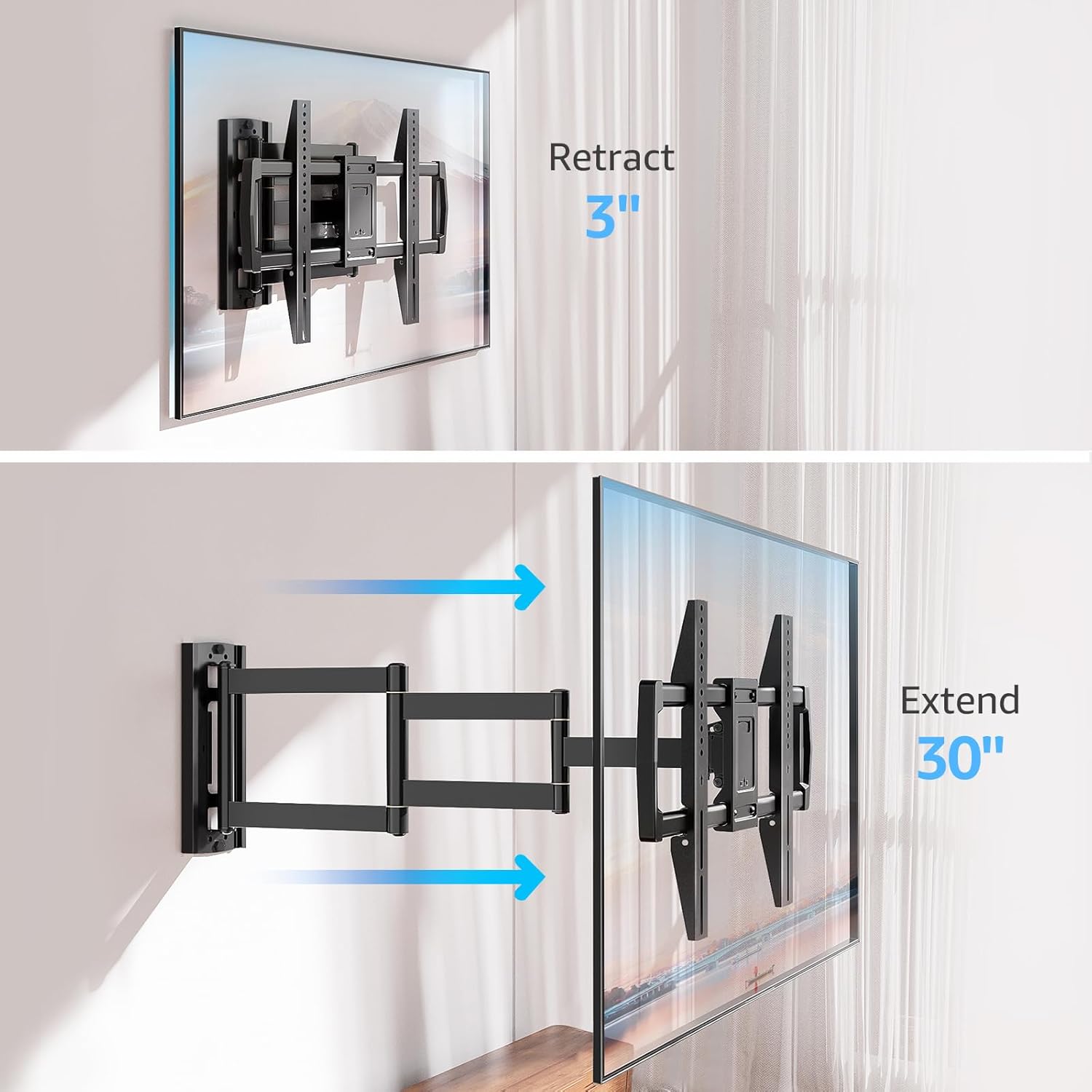
Image: Mount Extension and Retraction
6.2 Айланууну жөндөө
The articulating arm allows for a smooth +/-90° swivel, enabling you to adjust the TV's angle to suit different viewing areas within a room, including corner mounting scenarios.
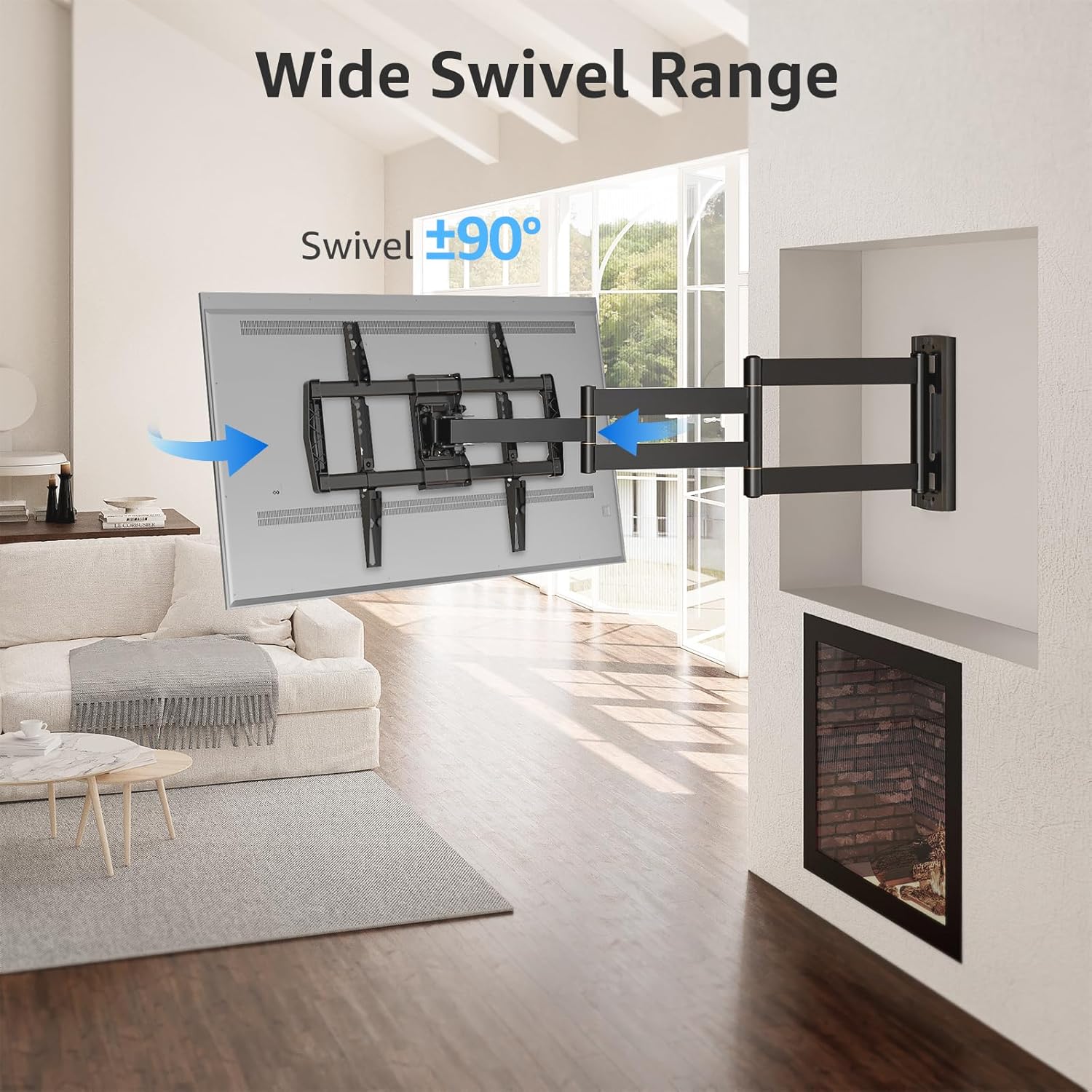
Image: Wide Swivel Range for Corner Mounting
6.3 Эңкейүүнү тууралоо
Adjust the TV's vertical angle with a +5°/-10° tilt range. This feature helps reduce glare from lights or windows and provides a comfortable viewбурч.
6.4 Тегиздөөнү тууралоо
After installation, you can make minor horizontal adjustments of +/-3° to ensure the TV is perfectly level.

Image: Level and Tilt Adjustments
7. Техникалык тейлөө
Үзгүлтүксүз техникалык тейлөө телевизоруңуздун дубалга орнотулган жабдыгынын узак мөөнөттүү жана коопсуз иштешин камсыздайт.
- Тазалоо: Орноткучту жумшак, кургак чүпүрөк менен сүртүңүз. Каптамага зыян келтире турган абразивдүү тазалоочу каражаттардан же эриткичтерден алыс болуңуз.
- Бекер текшерүү: Periodically check all screws and bolts to ensure they remain tight and secure. Re-tighten if necessary.
- Кыймылды текшерүү: Test the mount's full range of motion (extension, retraction, swivel, tilt) occasionally to ensure smooth operation.
8. Кыйынчылыктарды
Эгерде сиз орнотуу учурунда же андан кийин көйгөйлөргө туш болсоңуз, төмөнкү кеңири таралган көйгөйлөрдү жана чечимдерди караңыз:
- ТВ деңгээл эмес: Use the +/-3° post-installation leveling feature to adjust the TV's horizontal position.
- Тоо бошоп калгандай сезилет: Re-check all wall and TV fasteners to ensure they are securely tightened. Do not overtighten.
- Difficulty moving the arm: The mount's joints may be stiff initially. Apply gentle force. If persistent, ensure no cables are snagged.
- TV not fitting VESA pattern: Double-check your TV's VESA pattern against the mount's specifications (150x100mm to 600x400mm). If incompatible, the mount cannot be used.
9. Кепилдик жана колдоо
MOUNTUP is dedicated to providing quality products and customer satisfaction. While specific warranty details are not provided in this document, MOUNTUP offers comprehensive support.
If you have any questions, require assistance with installation, or need to report a missing/damaged part, please contact MOUNTUP customer service. Experts are available 7 days a week to provide support and advanced technology solutions.
For more information or to contact support, please visit the official MOUNTUP store or webсайт.


