Introduction
This manual provides detailed instructions for the safe and effective use of your Picun B8 Bluetooth Headphones. Please read this manual thoroughly before using the product and retain it for future reference.

Image: Picun B8 Bluetooth Headphones, showcasing their sleek black over-ear design with metallic earcups and a visible blue indicator light.
Кутуда эмне бар
- 1 x Picun B8 Headphone
- 1 x 3.5 мм аудио кабель
- 1 x USB заряддоо кабели
- 1 x User Manual
Продукт өзгөчөлүктөрү
- Ультра узак батареянын иштөө мөөнөтү: Equipped with a 1000mAh battery, providing up to 120 hours of playtime on a single charge. Supports wired mode via 3.5mm audio cable for continuous use.

Image: Headphones next to a smartphone, highlighting the 120-hour battery life for extended music, movie, and meeting playback.
- Hi-Fi Sound & 3 EQ Modes: Features 40mm dynamic drivers for high-resolution stereo sound. Includes Pop, Rock, and Bass Boost EQ modes for customized audio experience.

Image: A woman enjoying music with the headphones, demonstrating the availability of Pop, Bass-Boost, and Rock equalizer modes.
- Күн бою ыңгайлуу жана бүктөлүүчү дизайн: Constructed with skin-friendly PU leather and high-elastic memory cotton for breathable comfort. Adjustable headband and ergonomic design ensure a pressure-free fit. Foldable for easy storage.

Сүрөт: деталдуу view of the headphones' comfort features, including 60-degree adjustable earcups, an adjustable headband, and a foldable design for portability.
- Bluetooth 5.4 & Smart Control: Equipped with a Bluetooth 5.4 chip for fast and stable connections up to 33 feet. Features touch controls and a built-in microphone for hands-free calls and voice assistant activation. Supports dual-device connectivity.

Image: A visual representation of the advanced Bluetooth 5.4 chip, highlighting its benefits of lower latency and extended battery life.
- Камтылган микрофон: Таза үнсүз байланышты иштетет.
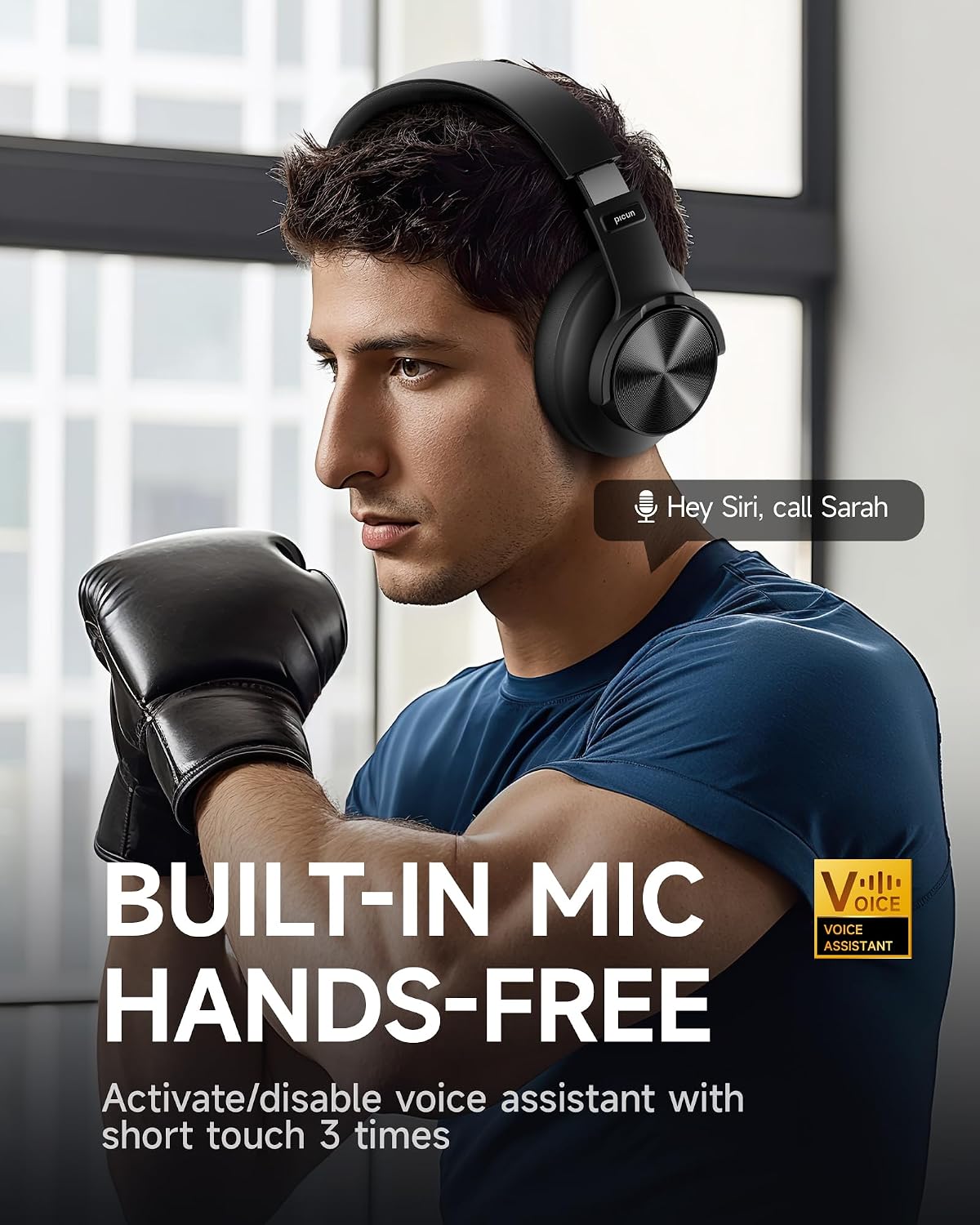
Image: A man using the headphones, demonstrating the built-in microphone and hands-free voice assistant capabilities.
- Төмөн күтүү режими: Offers 50ms ultra-low latency for a smoother gaming and video experience.

Image: Headphones depicted with a gaming theme, emphasizing the 50ms ultra-low latency for an enhanced gaming and video experience.
Жайгашуу
1. Наушниктерди заряддоо
Before first use, fully charge your Picun B8 headphones. Connect the provided USB charging cable to the USB-C charging port on the headphones and the other end to a compatible USB power source (e.g., computer USB port, wall adapter). The indicator light will show charging status and turn off when fully charged.
2. Күйгүзүү / Өчүрүү
- Күйгүзүү: Press and hold the Power/EQ button for approximately 3 seconds until the indicator light illuminates.
- Өчүрүү: Press and hold the Power/EQ button for approximately 3 seconds until the indicator light turns off.
3. Bluetooth Жупташтыруу
- Наушниктердин өчүрүлгөнүн текшериңиз.
- Press and hold the Power/EQ button for approximately 5 seconds until the indicator light flashes blue and red, indicating pairing mode.
- Түзмөгүңүздө (смартфон, планшет, ноутбук) Bluetooth иштетиңиз жана жеткиликтүү түзмөктөрдү издеңиз.
- Select "Picun B8" from the list of found devices.
- Once connected, the indicator light on the headphones will turn solid blue.
4. Зымдуу туташуу
To use the headphones in wired mode, connect one end of the provided 3.5mm audio cable to the 3.5mm audio port on the headphones and the other end to the audio output jack of your device. The headphones will automatically switch to wired mode, and Bluetooth will be disabled.
Иштөө нускамалары

Image: A detailed diagram illustrating the location and function of all controls on the Picun B8 headphones, including touch controls, ports, and buttons.
Музыка ойнотууну башкаруу
- Ойнотуу/тындыруу: Tap the Touch Area once.
- Кийинки ыр: Swipe forward on the Touch Area or press the 'Next Song' button.
- Мурунку ыр: Swipe backward on the Touch Area or press the 'Previous Song' button.
- Көлөмү: Көлөм + баскычын басыңыз.
- Үнүн азайтуу: Үн көлөмү - баскычын басыңыз.
Чалууларды башкаруу
- Чалууга жооп берүү/аяктоо: Tap the Touch Area once.
- Чакырууну четке кагуу: Press and hold the Touch Area for 3 seconds.
EQ режимин которуу
Double-tap the Power/EQ button to cycle through the 3 available EQ modes: Pop, Rock, and Bass Boost. Select the mode that best suits your audio preference.
Үн жардамчысын иштетүү
Triple-tap the Touch Area to activate your device's voice assistant (e.g., Siri, Google Assistant).
Кош түзмөк байланышы
The Picun B8 headphones can connect to two Bluetooth devices simultaneously. After pairing with the first device, put the headphones back into pairing mode and connect to the second device. The headphones will intelligently switch between devices for calls and audio playback.

Image: Headphones shown connected to both a smartphone and a tablet, illustrating simultaneous Bluetooth connectivity.
Техникалык тейлөө
- Тазалоо: Наушниктерди тазалоо үчүн жумшак, кургак чүпүрөктү колдонуңуз. Абразивдүү тазалагычтарды же эриткичтерди колдонбоңуз.
- Сактагыч: Колдонулбаганда, наушниктерди салкын, кургак жерде, тике күндүн нурунан жана өтө температурадан алыс сактаңыз. Ыкчам сактоо үчүн бүктөлүүчү дизайнды колдонуңуз.
- Батареяга кам көрүү: Батареянын иштөө мөөнөтүн узартуу үчүн, кулакчындарды бат-баттан толук кубаттап турбаңыз. Аларды дайыма колдонууда болбосо да, үзгүлтүксүз заряддаңыз.
- Нымдуулуктан качыңыз: Кулакчындар суу өткөрбөйт. Сууга, жамгырга же ашыкча нымдуулукка дуушар кылбаңыз.
Проблемаларды чечүү
| Көйгөй | Мүмкүн себеп | Чечим |
|---|---|---|
| Кулакчындар күйбөйт. | Батарея аз. | Наушниктерди толук заряддаңыз. |
| Түзмөк менен жупташтыруу мүмкүн эмес. | Наушник жупташтыруу режиминде эмес; түзмөктө Bluetooth өчүк; аппарат өтө алыс. | Ensure headphones are in pairing mode (flashing blue/red). Turn on Bluetooth on your device. Move device closer to headphones (within 33 feet). |
| Үн жок же үнү төмөн. | Үнү өтө төмөн; аудио булагы туура эмес; кулакчындар туташтырылган эмес. | Increase volume on headphones and connected device. Ensure headphones are properly paired or 3.5mm cable is fully inserted. Check audio output settings on your device. |
| Чалуу сапаты начар. | Weak signal; microphone obstruction. | Move closer to your connected device. Ensure the microphone is not covered. |
Техникалык шарттар
| Өзгөчөлүк | Деталь |
|---|---|
| Модель аты | PC-B8 PRO |
| Байланыш технологиясы | Зымдуу, Зымсыз (Bluetooth) |
| Bluetooth версиясы | 5.4 |
| Bluetooth диапазону | 33 Фут (болжол менен 10 метр) |
| Батареянын иштөө мөөнөтү | 120 саат |
| Батарея сыйымдуулугу | 1000mAh |
| Аудио драйверинин өлчөмү | 40мм динамикалык айдоочулар |
| Frequency Response | 20 Hz - 20000 Hz (20 KHz) |
| Сезимталдуулук | 42 дБ |
| Импеданс | 32 Ом |
| Наушник уясы | 3.5 мм Джек |
| Noise Control | Үн изоляциясы |
| Башкаруу түрү | Volume Control, Touch Control |
| Материал | Acrylonitrile Butadiene Styrene (ABS), Stainless Steel, PU Leather, Memory Cotton |
| Элемент Салмагы | 0.34 килограмм (12 унция) |
| Сууга туруктуулук деңгээли | Сууга чыдамдуу эмес |
Кепилдик жана колдоо
Picun offers the following support for your B8 Bluetooth Headphones:
- 30 күндүк кайтаруу саясаты: For returns within 30 days of purchase.
- 1 жылдык кепилдик: Сатып алынган күндөн тартып бир жыл өндүрүштүк кемчиликтерди камтыйт.
- Lifetime Worry-Free User Support: For any product-related questions or assistance, please contact Picun customer service. They aim to reply within 12 hours.
For support, please refer to the contact information provided in the packaging or visit the official Picun webсайт.


