Introduction
Thank you for choosing the FLEXISPOT EC5 Plus Electric Sit-Stand Desk Frame. This manual provides essential information for the safe and efficient assembly, operation, and maintenance of your new desk frame. Designed with ergonomics in mind, this dual-motor frame offers smooth and quiet height adjustment, allowing you to effortlessly switch between sitting and standing positions for a healthier work environment.
Маанилүү коопсуздук нускамалары
Сураныч, чогултуу жана колдонуу алдында бардык нускамаларды кунт коюп окуп чыгыңыз. Бул нускамаларды аткарбоо жаракатка же буюмдун бузулушуна алып келиши мүмкүн.
- Ensure all components are present and undamaged before assembly. Do not use if any parts are missing or damaged.
- Кыймылдуу бөлүктөрдөн жаракат албаш үчүн иш учурунда балдарды жана үй жаныбарларын столдон алыс кармаңыз.
- Do not place hands or other body parts near the lifting columns or crossbar during height adjustment to avoid pinching.
- Ensure the desk is placed on a level surface to prevent tipping.
- Үстөлдү ашыкча жүктөбөңүз. Максималдуу жүк көтөрүмдүүлүгү 120 кг (265 фунт).
- Берилген кубат адаптерин жана кабелдерди гана колдонуңуз.
- Тазалоо же тейлөө алдында электр энергиясын өчүрүңүз.
- The anti-collision system is designed to prevent damage, but always exercise caution during operation.
Пакеттин мазмуну
Сиздин пакетте төмөнкү компоненттердин бардыгы камтылганын текшериңиз:
- Үстөлдүн буттары (2)
- кайчылаш тилке (1)
- Каптал кашаалар (2)
- Башкаруу кутучасы (1)
- Телефон/Башкаруу панели (1)
- Кубат адаптери (1)
- Кубат кабели (1)
- Кабель башкаруу лоток (1)
- Аппараттык комплект (бурамалар, шаймандар ж.б.)
- Колдонуучунун Колдонмосу (бул документ)

Орнотуу колдонмосу
Монтаждоо көрсөтмөлөрү
Assembly typically requires two people. Follow the steps below for a successful setup. Refer to the detailed diagrams in the included printed manual for visual guidance.
- Компоненттерди таңгактан чыгаруу: Таңгактан кылдаттык менен бардык бөлүктөрүн алып салыңыз жана чийилип калбаш үчүн таза, жумшак бетке жаткызыңыз.
- Каптал кашааларды буттарга бекитүү: Secure the side brackets to the top of each lifting column (leg) using the provided screws.
- Арка тилкесин чогултуңуз: Connect the two halves of the crossbar, ensuring the motor cables are properly routed.
- Connect Legs to Crossbar: Attach the assembled legs to the crossbar. Ensure all connections are secure.
- Башкаруу кутучасын орнотуу: Mount the control box to the designated area on the crossbar using the provided screws.
- Connect Motors and Handset: Plug the motor cables from each leg into the control box. Connect the handset/control panel cable to the control box.
- Кубат адаптерин тиркөө: Connect the power adapter to the control box and then to the power cable.
- Үстөлгө орнотуу: Carefully place your chosen tabletop (not included) onto the assembled frame. Ensure it is centered and aligned. Secure the tabletop to the frame using appropriate screws (ensure screw length is suitable for your tabletop thickness to avoid piercing through). The frame is compatible with tabletops from 120 to 180 cm in length and 60 to 80 cm in width.
- Кабелдик башкаруу: Use the included cable management tray and ties to organize all cables neatly.
- Баштапкы кубаттоо: Plug the power cable into a wall outlet. The desk should be ready for initial calibration or operation.

Иштөө нускамалары
Башкаруу панелиview
The EC5 Plus features an intuitive control panel with an LED display and memory functions.
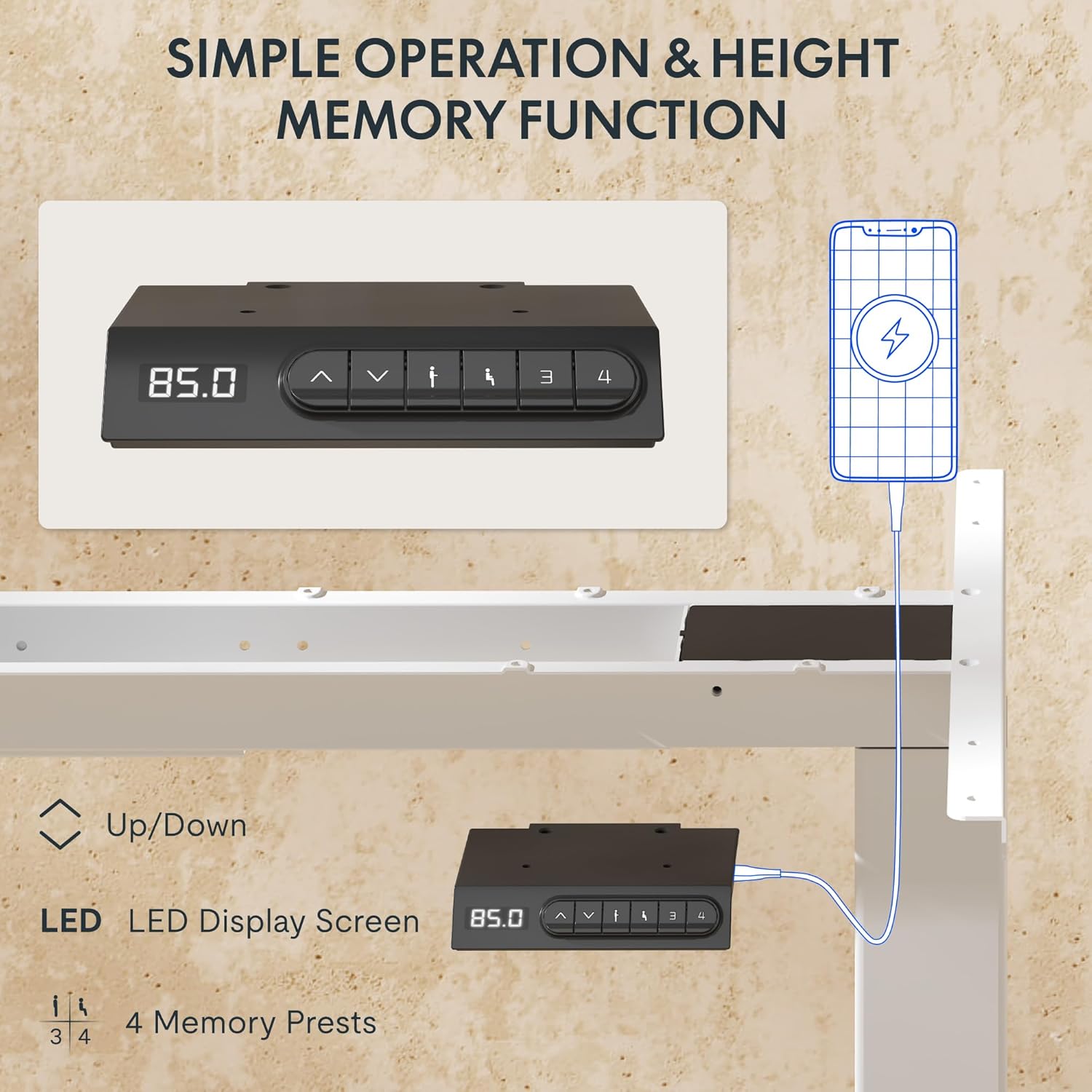
- LED дисплей: Shows the current height of the desk in centimeters.
- Өйдө/төмөн жебелер (▲ / ▼): Столдун бийиктигин кол менен тууралоо үчүн басып, кармап туруңуз.
- Эстутум алдын ала орнотуулары (1, 2, 3, 4): Каалаган бийиктик жөндөөлөрүн сактап, кайра чакырып алыңыз.
- USB-A жана USB-C порттору: Integrated charging ports for your devices.
Бийиктигин тууралоо
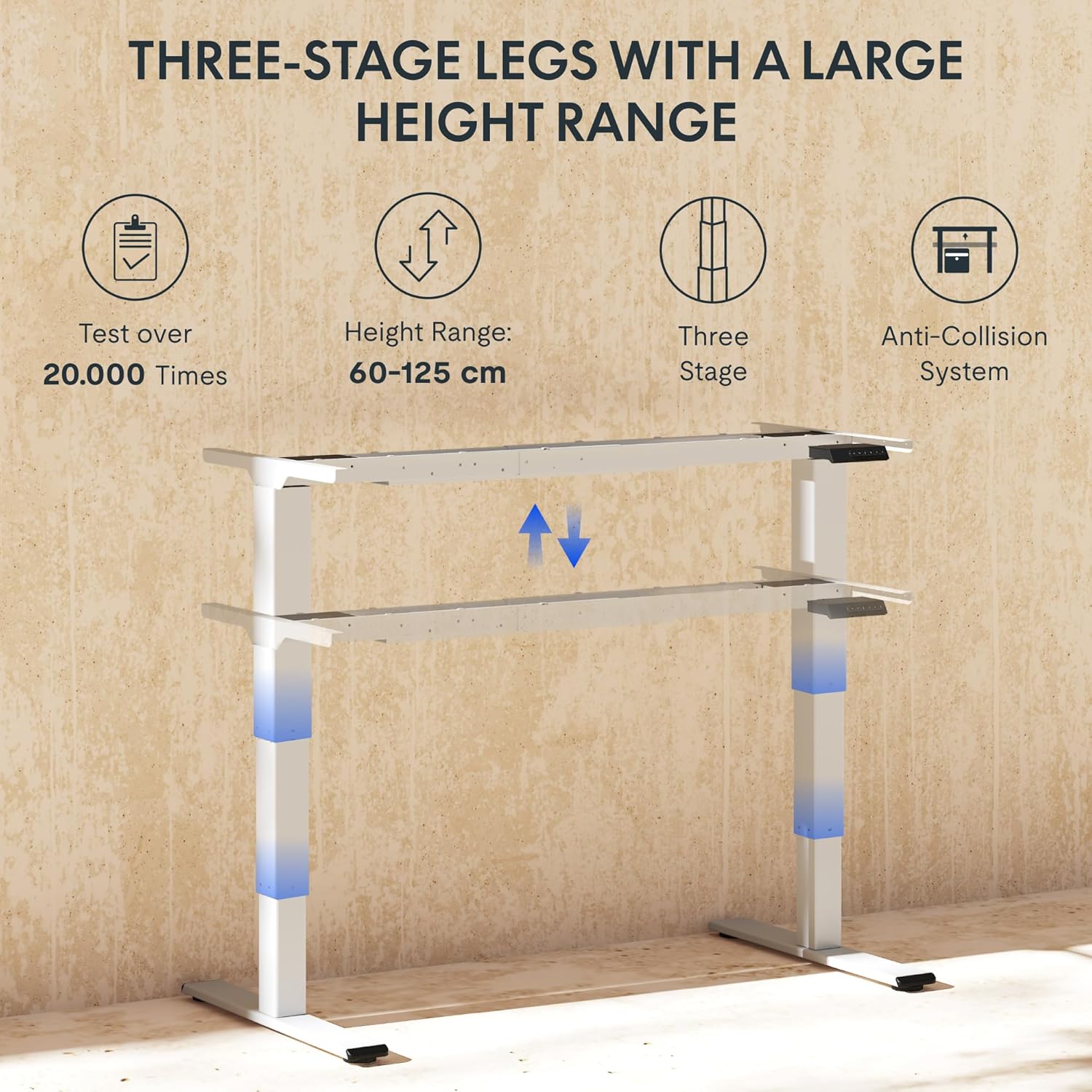
Столдун бийиктигин тууралоо үчүн, баскычын басып кармап туруңуз ▲ (Жогору) же ▼ (Down) arrow button until the desk reaches your desired height. The LED display will show the current height in real-time. The desk frame supports a height range of 60 cm to 125 cm.
Memory Presets
The desk allows you to save up to four preferred height settings for quick recall:
- Өйдө/Төмөн жебелери аркылуу үстөлдү каалаган бийиктикке тууралаңыз.
- Press the "M" or "SET" button (if available, otherwise proceed to step 3).
- Press one of the numbered memory preset buttons (1, 2, 3, or 4) within 3 seconds. The LED display will show "S-" followed by the number, indicating the height has been saved.
- To recall a saved height, simply press the corresponding numbered memory preset button. The desk will automatically move to the saved position.
Кагылышууга каршы система
The EC5 Plus is equipped with an intelligent anti-collision system. If the desk encounters an obstacle during height adjustment, it will automatically stop and reverse slightly to prevent damage or injury. This system has adjustable sensitivity levels. Refer to the detailed manual for instructions on adjusting sensitivity.
USB заряддоо порттору
The control panel includes integrated USB-A and USB-C charging ports. Simply connect your smartphone, tablet, or other compatible devices to these ports for convenient charging directly from your desk.
Техникалык тейлөө
Regular maintenance ensures the longevity and optimal performance of your FLEXISPOT EC5 Plus desk frame.
- Тазалоо: Үстөлдүн алкагын жумшак менен сүртүңүз, гamp cloth. Avoid using abrasive cleaners or solvents that may damage the finish. Ensure the desk is unplugged before cleaning.
- Текшерүү: Мезгил-мезгили менен бардык бурамалар менен байланыштарды текшерип, алардын бекемдигин текшерип туруңуз. Керек болсо кайра тартыңыз.
- Кабелдик башкаруу: Кабелдердин кысылып же чаташып калбагандыгын текшериңиз, анткени алар столдун иштешине таасир этиши же зыян келтириши мүмкүн.
- Майлоо: The lifting columns are designed to be maintenance-free and do not require lubrication.
Проблемаларды чечүү
If you encounter any issues with your desk frame, refer to the table below for common problems and solutions.
| Көйгөй | Мүмкүн себеп | Чечим |
|---|---|---|
| Иш стол кыймылдабайт. | Power cable disconnected; control box not connected; motor cables loose. | Check all power and motor connections. Ensure the power outlet is functional. |
| Үстел бир калыпта эмес кыймылдайт же адаттан тыш үн чыгарат. | Overload; loose connections; obstruction. | Reduce weight on the desk. Check all screws and connections. Ensure no obstructions are present. Perform a reset (refer to manual for specific reset procedure). |
| Anti-collision system triggers too often or not at all. | Sensitivity setting incorrect. | Adjust the anti-collision sensitivity via the control panel (refer to manual for specific steps). |
| LED дисплей ката кодун көрсөтөт. | Өзгөчө бузулуу. | Ката коддорунун тизмеси жана алардын тиешелүү чечимдери үчүн толук колдонуучу нускаманы караңыз. Эгер маселе чечилбесе, кардарларды колдоо менен байланышыңыз. |
Техникалык шарттар
Detailed technical specifications for the FLEXISPOT EC5 Plus Desk Frame:
| Өзгөчөлүк | Деталь |
|---|---|
| Бренд | FLEXISPOT |
| Модель номери | EC5W-PL-IE |
| Түс | Ак |
| Продукциянын өлчөмдөрү (L x W x Y) | 80 x 180 x 125 cm (frame dimensions, adaptable to tabletop) |
| Элемент Салмагы | 22.6 килограмм |
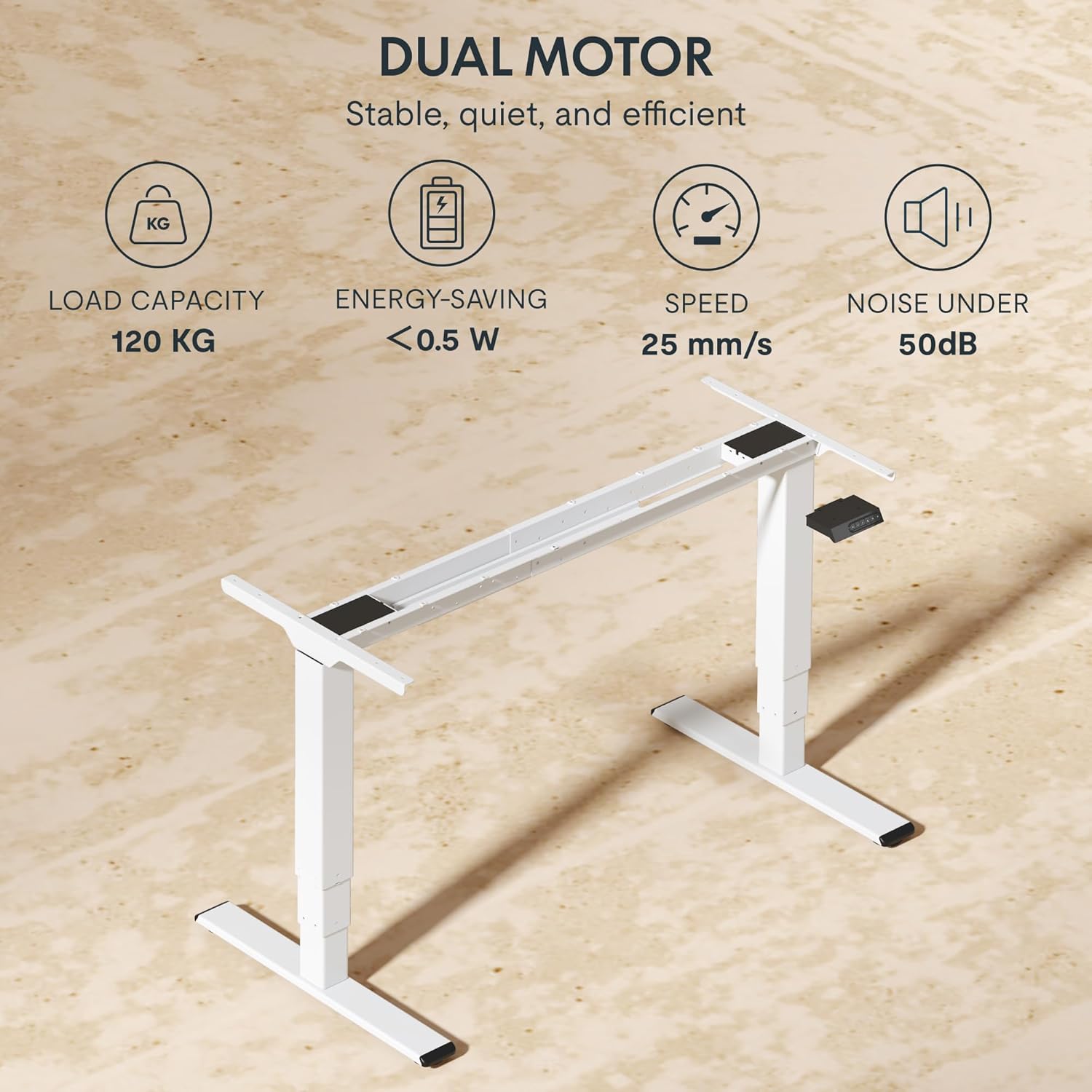
| Жүктөө жөндөмдүүлүгү | 120 кг (265 фунт) |
| Мотор түрү | Кош мотор системасы |
| Бийиктигин тууралоо диапазону | 60 см - 125 см (23.6 дюйм - 49.2 дюйм) |
| Көтөрүү ылдамдыгы | 25 мм/с |
| Ызы-чуу деңгээли | 50 дБ төмөн |
| Бут Сtages | Үчtage telescopic legs |
| Башкаруу панели | LED display, 4 memory presets, Up/Down buttons |
| Заряддоо порттору | Integrated USB-A and USB-C ports |
| Өзгөчөлүктөр | Ergonomic design, Anti-Collision System, Energy-saving (<0.5W standby) |
| Compatible Tabletop Sizes | Length: 120-180 cm; Width: 60-80 cm |
| Негизги материал | Металл |
Кепилдик жана колдоо
FLEXISPOT stands behind the quality of its products. Your EC5 Plus Desk Frame comes with the following warranty:
- Frame Кепилдиги: 5 жыл
- Мотор Кепилдиги: 3 жыл
This warranty covers defects in materials and workmanship under normal use. For warranty claims or technical assistance, please contact FLEXISPOT customer support. Lifetime free technical support is provided.
For the most up-to-date contact information, please visit the official FLEXISPOT webсайтка же сатып алуу документтериңизге кайрылыңыз.
Webсайт: www.flexispot.com


