Introduction
The HMD Pulse Pro is an advanced unlocked smartphone designed for global use, featuring a powerful 50 MP dual rear camera and an equally impressive 50 MP front camera. It runs on Android 14, offers extended battery life, and boasts a repair-at-home design for user convenience. This manual provides essential information for setting up, operating, maintaining, and troubleshooting your device.
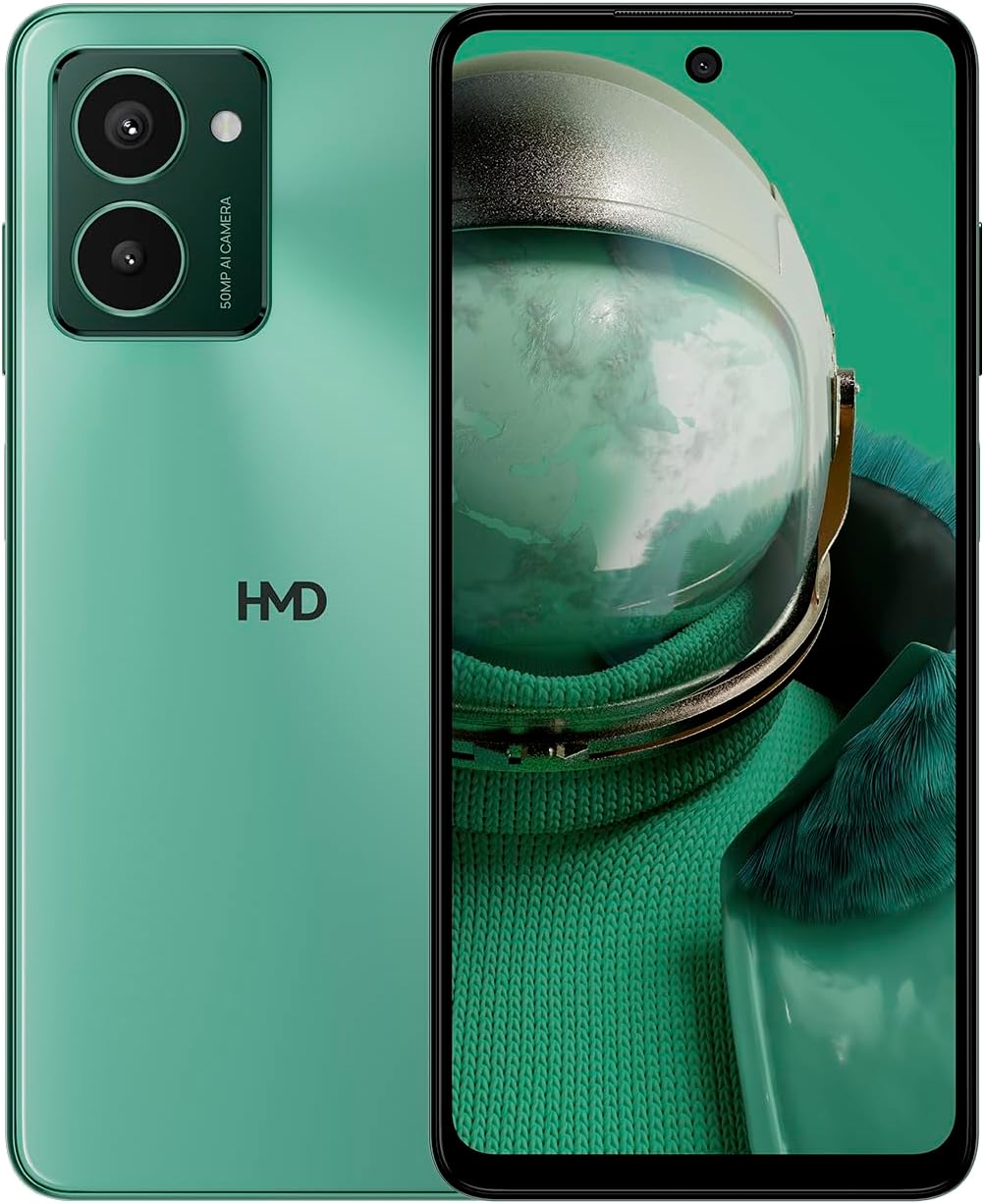
The HMD Pulse Pro smartphone in Glacier Green, showcasing its sleek design and dual camera system on the rear, alongside its vibrant display.
Негизги өзгөчөлүктөрү:
- Striking design with refined lines and a cutting-edge aesthetic.
- Equipped with 50 MP rear and 50 MP front cameras for balanced and high-quality photography.
- Innovative selfie gesture function for easier and more dynamic self-portraits.
- Extended battery life providing up to 59 hours of usage on a single charge.
- International version, unlocked for compatibility with various carriers worldwide.
Кутуда эмне бар
Upon unboxing your HMD Pulse Pro, please ensure all the following items are present:
- HMD Pulse Pro смартфону
- USB кабели
- SIM лоток чыгаруучу курал
- Тез баштоо боюнча колдонмо (өзүнчө же интеграцияланган болушу мүмкүн)
Жайгашуу
1. Баштапкы заряддоо
Before first use, it is recommended to fully charge your HMD Pulse Pro. Connect the provided USB cable to the phone's charging port and the other end to a compatible USB power adapter (not always included) or a computer USB port. The device supports fast charging.
2. SIM карталарды жана MicroSD картасын салуу
The HMD Pulse Pro supports dual SIM cards and expandable memory via a microSD card.
- Телефонуңуздун капталындагы SIM салгычты табыңыз.
- SIM карта лоток чыгаргыч куралын лотоктун жанындагы кичинекей тешикке салып, лоток чыгып кеткенче акырын басыңыз.
- Nano-SIM карталарыңызды белгиленген уячаларга салыңыз. Алтын контакттары ылдый караганын текшериңиз.
- If using a microSD card for additional storage, place it into its dedicated slot on the tray.
- Табаны телефондун ичине кылдаттык менен түртүңүз, ал чыкылдагыча.
3. Күйгүзүү жана баштапкы конфигурация
Press and hold the Power button until the HMD logo appears. Follow the on-screen instructions to complete the initial setup, including language selection, Wi-Fi connection, Google account setup, and security settings.
Иштөө нускамалары
Негизги навигация
- Сенсордук экран: Navigate by tapping, swiping, pinching, and spreading on the 6.65-inch display.
- Кубат баскычы: Экранды ойготуу/уктатуу үчүн басыңыз. Өчүрүү же өчүрүү үчүн басып туруңуз.
- Үн баскычтары: Медиа үнүн, чалуунун үнүн жана эскертме үнүн тууралаңыз.
Камераны колдонуу
The HMD Pulse Pro features a 50 MP dual rear camera and a 50 MP front camera, enhanced with AI capabilities.

A user demonstrating the innovative selfie gesture feature of the HMD Pulse Pro, allowing for hands-free photo capture.

Жакын план view of the HMD Pulse Pro's 50 MP front-facing camera, highlighting its AI-powered capabilities for enhanced selfies.
- Камераны ишке киргизүү: Tap the Camera app icon or use a quick gesture (if enabled in settings).
- Сүрөткө тартуу: Tap the shutter button. Use pinch-to-zoom for optical or digital zoom.
- Selfie Gestures: Utilize pre-defined hand gestures to trigger the front camera shutter without touching the screen. Refer to the in-app camera settings for available gestures.
- Режимдер: Switch between various modes like Portrait, Night, Panorama, and Video.
Батарея башкаруу
The HMD Pulse Pro is equipped with a 5000 mAh battery, offering up to 59 hours of usage.

Two HMD Pulse Pro smartphones standing upright, with text emphasizing the impressive battery life of up to 59 hours.
- Заряддоо: Use the provided USB cable. A full charge takes approximately 2.5 hours.
- Батареяны үнөмдөгүч: Enable Battery Saver mode in Settings > Battery to extend usage time.
- Optimizing Usage: Reduce screen brightness, disable unused connectivity (Bluetooth, Wi-Fi, GPS), and close background apps to conserve battery.
Техникалык тейлөө
Аппаратыңызды тазалоо
To keep your HMD Pulse Pro in optimal condition:
- Экранды жана корпусту сүртүү үчүн жумшак, түксүз чүпүрөктү колдонуңуз.
- Катуу химиялык заттарды, абразивдүү тазалагычтарды же аэрозолдук спрейлерди колдонуудан алыс болуңуз.
- The device is water resistant; however, avoid submerging it in water.
Программалык камсыздоо жаңыртуулары
Түзмөгүңүздө эң акыркы функциялар, коопсуздук жаңыртуулары жана иштин натыйжалуулугун жакшыртуулар бар экенине ынануу үчүн программалык камсыздоонун жаңыртууларын үзгүлтүксүз текшерип жана орнотуп туруңуз. Орнотуулар > Система > Системаны жаңыртуу бөлүмүнө өтүңүз.
Сактагычты башкаруу
With 256 GB of internal storage, you have ampге орун. Бирок, үзгүлтүксүз башкарыңыз files and apps to maintain performance. You can also expand storage using a microSD card.
Проблемаларды чечүү
This section addresses common issues you might encounter with your HMD Pulse Pro.
| Көйгөй | Мүмкүн чечим |
|---|---|
| Түзмөк күйбөйт | Батарея заряддалганын текшериңиз. Кубаттоочу түзүлүшкө кеминде 30 мүнөт туташтырыңыз. Кубат баскычын 10-15 секунд басып туруңуз. |
| Колдонмолор бузулуп же катып жатат | Clear the app's cache (Settings > Apps > [App Name] > Storage > Clear cache). Restart the phone. Update the app or the phone's software. |
| Батареянын иштөө мөөнөтү начар | Check background app usage (Settings > Battery). Reduce screen brightness. Disable unused connectivity features (Wi-Fi, Bluetooth, GPS, NFC). Enable Battery Saver mode. |
| Wi-Fi/Bluetooth менен туташуу мүмкүн эмес | Toggle Wi-Fi/Bluetooth off and on. Restart your phone and the router/device. Forget the network/device and reconnect. |
| SIM карта табылган жок | Ensure the SIM card is correctly inserted in the tray. Restart the phone. Check with your carrier for network issues. |
Заводдук абалга кайтаруу
Туруктуу көйгөйлөр пайда болсо, баштапкы абалга кайтаруу зарыл болушу мүмкүн. Эскертүү: Бул телефонуңуздагы бардык дайындарды жок кылат. Улантуудан мурун маанилүү маалыматтардын камдык көчүрмөсүн сактаңыз.
- Орнотуулар > Система > Калыбына келтирүү параметрлерине өтүңүз.
- "Бардык маалыматтарды өчүрүү (заводдук абалга кайтаруу)" тандаңыз.
- Чечимиңизди ырастаңыз жана суралса, PIN/үлгү/сырсөзүңүздү киргизиңиз.
- Телефон кайра күйүп, баштапкы абалга келтирүү процессин баштайт.
Техникалык шарттар
Detailed technical specifications for the HMD Pulse Pro smartphone:

The HMD Pulse Pro highlighting its stylish and cutting-edge design, dual SIM support, and 6.56" HD+ HID display with a 90Hz refresh rate. Note: While the image mentions 8GB/128GB, this specific model features 8GB RAM and 256GB internal storage.
| Өзгөчөлүк | Деталь |
|---|---|
| Модель аты | Pulse Pro (TA-1606) |
| Операция системасы | Android 14 |
| Дисплей өлчөмү | 6.65 дюйм |
| Резолюция | 720 x 1612 |
| Жаңыртуу ылдамдыгы | 90 Гц |
| RAM эс тутуму | 8 ГБ |
| Сактоо сыйымдуулугу | 256 ГБ (кеңейтүүчү) |
| Арткы камера | 50 MP Dual Camera |
| Алдыңкы камера | 50 депутат |
| Батарея сыйымдуулугу | 5000 мАч |
| Заряддоо убактысы | Болжол менен 2.5 саат |
| CPU ылдамдыгы | 1.6 ГГц |
| Байланыш | Bluetooth, Wi-Fi, USB, NFC |
| Өзгөчөлүктөр | Fast Charging Support, Dual SIM, Expandable Memory, Built-In GPS, Water Resistant |
| Өлчөмдөр | 6.43 x 2.95 x 0.34 дюйм |
| Элемент Салмагы | 0.249 унция (7.06 грамм) |
| Аудио Jack | 3.5 мм |
| Түс | Glacier Green |
Кепилдик жана колдоо
Өндүрүүчүнүн Кепилдиги
Your HMD Pulse Pro smartphone is covered by a manufacturer's warranty against defects in materials and workmanship. The specific terms and duration of the warranty may vary by region. Please refer to the warranty card included with your product or visit the official HMD webтолук кепилдик маалымат алуу үчүн сайт.
Кардарларды колдоо
For technical assistance, troubleshooting beyond this manual, or warranty claims, please contact HMD customer support. You can typically find contact information (phone numbers, email, support portals) on the official HMD webсайтынан же түзмөгүңүздүн жөндөөлөрүнүн колдоо бөлүмү аркылуу.
Онлайн ресурстар: For the latest FAQs, software downloads, and support articles, visit the official HMD support page. (Specific URL not provided in input, so a generic statement is used).


