Introduction
Thank you for choosing the BORUIT V Series Powerful Small Flashlight and Portable Clip Light. This manual provides essential information for the safe and effective use of your new device. Please read it thoroughly before operation and retain it for future reference.

Image: The BORUIT V Series flashlight set, including two compact flashlights, charging cables, and lanyards.
Packing List
Кутучаны ачканда, төмөндө көрсөтүлгөн бардык буюмдар таңгагыңызда бар экенин текшериңиз:

Image: Contents of the package, including the flashlight, lanyard, lampshade, keychain, color box, charging cable, and user manual.
- BORUIT V Series Flashlight (V30 + V20 models)
- USB-C заряддоо кабели
- Lanyard
- Lampshade (diffuser)
- Брелок
- User Manual
Орнотуу жана баштапкы колдонуу
1. Аппаратты заряддоо
Before first use, fully charge your BORUIT flashlight. Connect the provided USB-C charging cable to the flashlight's charging port and a suitable USB power source (e.g., computer, wall adapter). The indicator lights will show charging status.
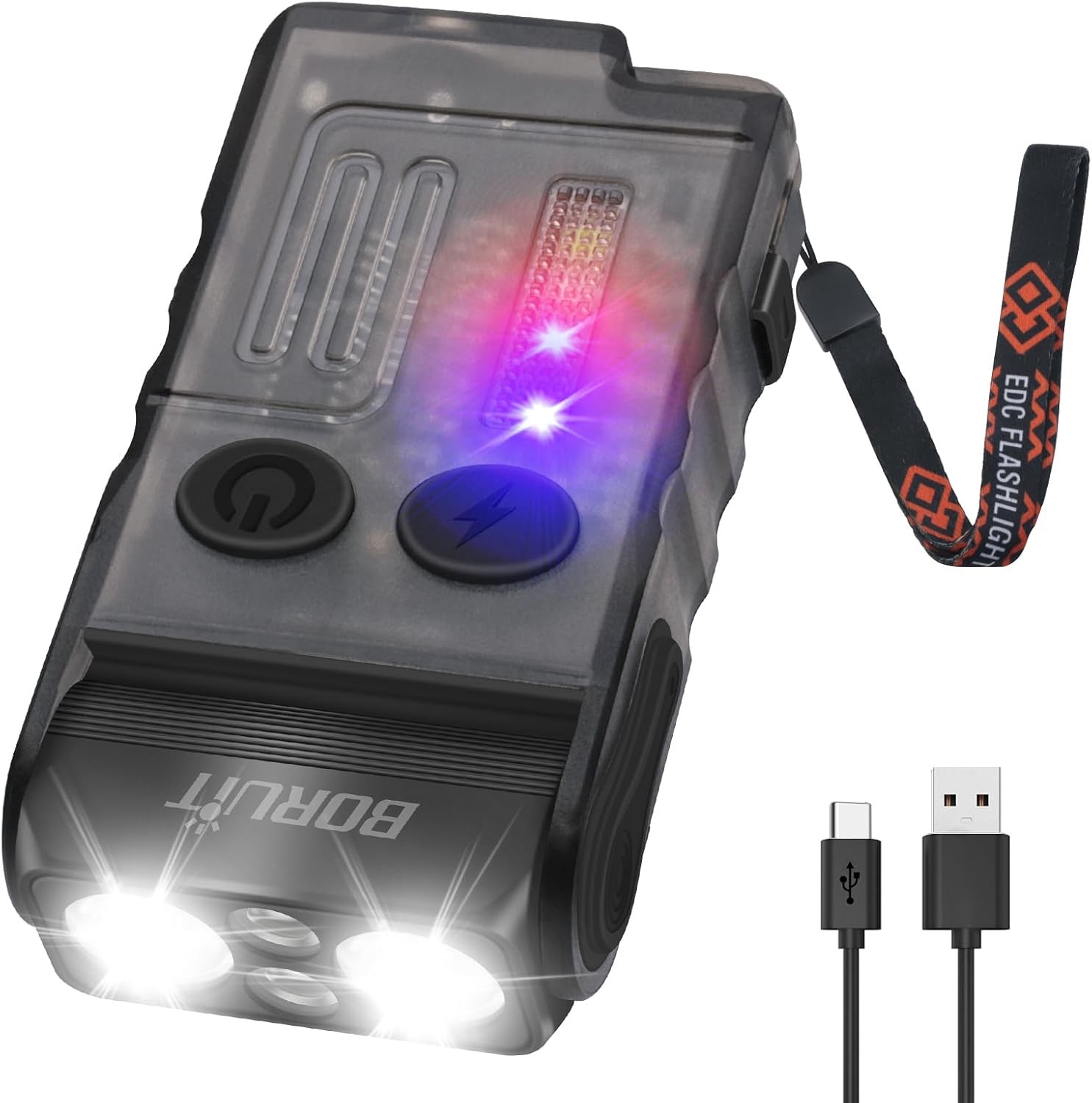
Image: The flashlight being charged via its USB-C port.
2. Attaching Lanyard and Clip
Attach the lanyard to the designated loop on the flashlight for secure carrying. The integrated clip allows for attachment to pockets, belts, or other gear. The flashlight also features a 180° rotatable magnetic base for hands-free use on metallic surfaces.
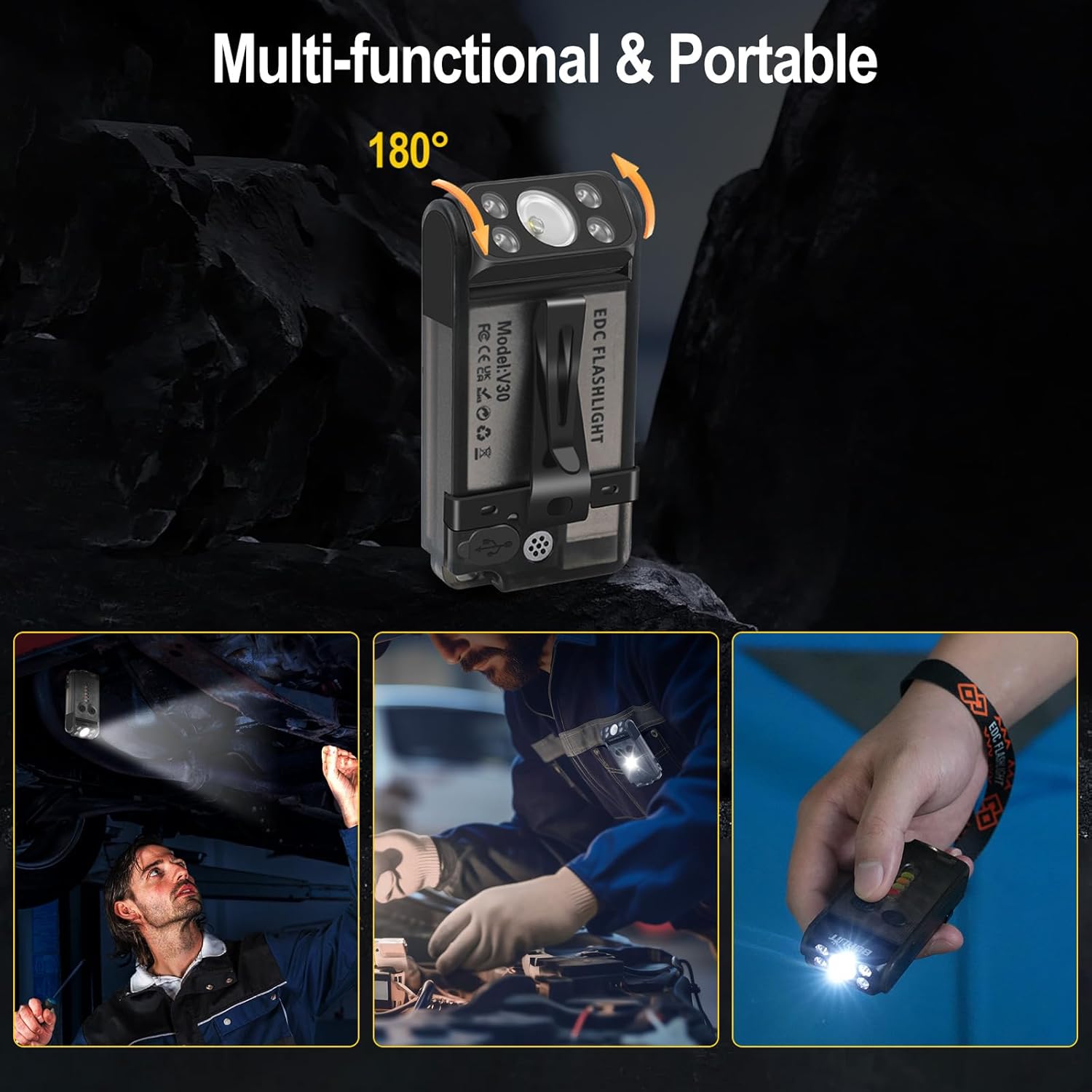
Image: Demonstrating the multi-functional clip and magnetic base for various hands-free applications.
Иштөө нускамалары
The BORUIT V Series flashlight features multiple lighting modes and functions controlled by two main buttons: the Main Light Button (power symbol) and the Side Light Button (lightning bolt symbol).
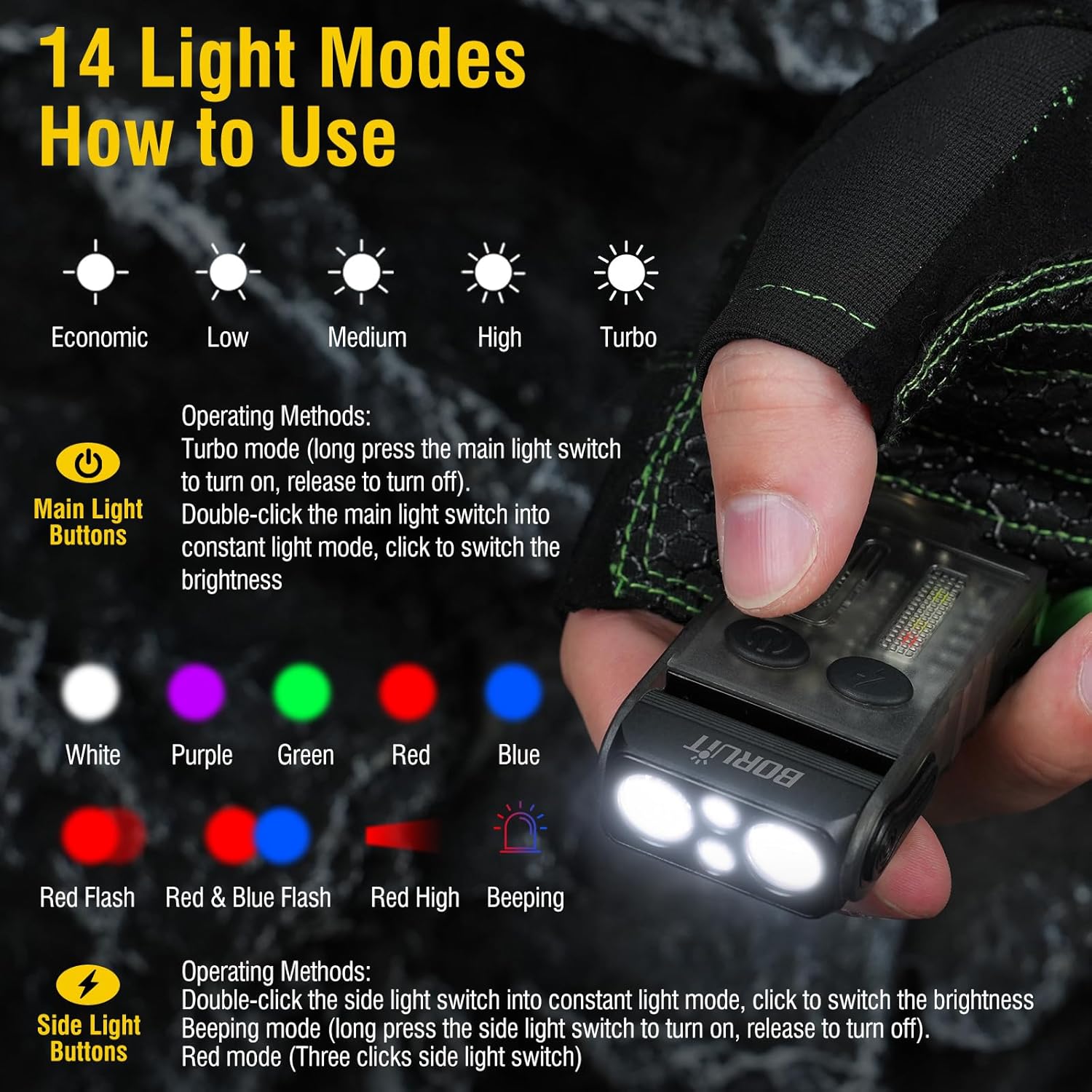
Image: Visual guide to the 14 light modes and their activation methods.
Main Light Operations (Front LEDs)
- Turn On/Off (Constant Light Mode): Double-click the Main Light Button.
- Цикл жарыктыгы: Once in constant light mode, click the Main Light Button to cycle through Low, Medium, and High brightness levels. The flashlight has a memory function for the last used brightness.
- Турбо режими: Long press the Main Light Button from the off state to activate Turbo mode. Release the button to turn off.
- Red Light - Purple Light Cycle: Triple-click the Main Light Button to activate red light, then click again to cycle to purple light. Long press to turn off.
Side Light Operations (Side LEDs)
- Turn On/Off (Constant Light Mode): Double-click the Side Light Button.
- Цикл түстөрү: Once in constant light mode, click the Side Light Button to cycle through White, Red, Yellow, Green, Red & Blue Flashing.
- Warning Mode (Beeping): Long press the Side Light Button to enter warning mode, which includes a beeping sound. Release to turn off.
- Discharge Mode (Power Bank Function): Triple-click the Side Light Button to activate the power bank function. Triple-click again to exit this mode.
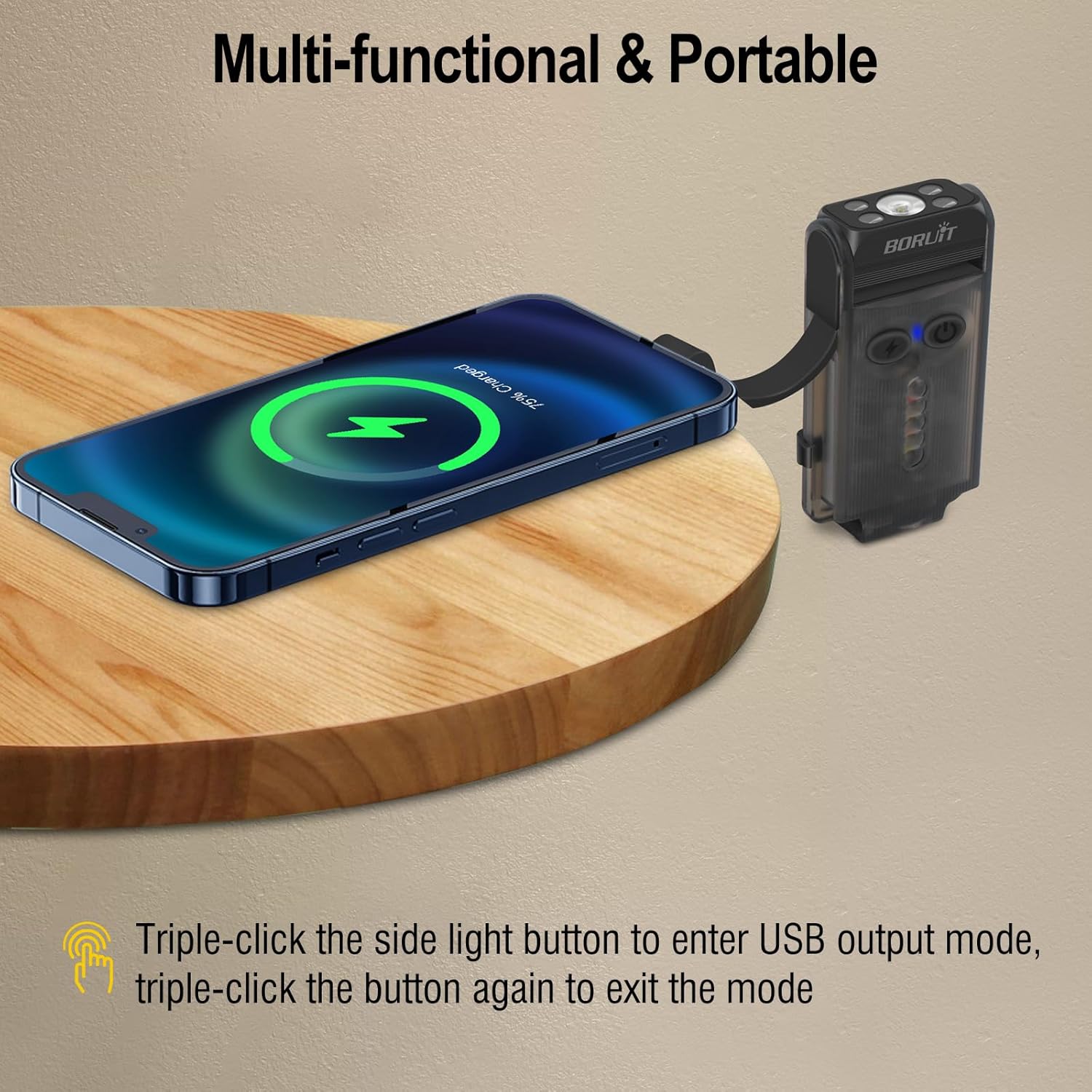
Image: The flashlight acting as a portable power bank to charge a smartphone.
Техникалык шарттар
| Бренд | BORUIT |
| Модел | V30 + V20 Flashlight |
| Материал | Алюминий эритмеси + PC |
| Өзгөчөлүктөр | Rechargeable, 3 Light Sources (White, Red, UV), 180° Rotatable Magnetic Base, Portable Clip, Power Bank Function, Buzzer |
| Өлчөмдөрү (болжол менен) | 3.3 дюйм (узундугу) |
| Салмагы (болжол менен) | 3.5 унция |
Техникалык тейлөө жана кам көрүү
- Тазалоо: Кол чыракты жумшак менен сүртүңүз, гamp кездеме. Катуу химиялык заттарды же абразивдүү тазалагычтарды колдонбоңуз.
- Сактагыч: Кол чыракты салкын, кургак жерде күндүн тике тийген нурунан жана экстремалдык температурадан алыс сактаңыз.
- Батареяга кам көрүү: To prolong battery life, charge the flashlight regularly, even if not in frequent use. Avoid fully discharging the battery for extended periods.
- Суу каршылык: While durable, avoid submerging the flashlight in water. It is designed for everyday use and light splashes.
Проблемаларды чечүү
| Көйгөй | Мүмкүн себеп | Чечим |
|---|---|---|
| Кол чырак күйбөйт. | Батареянын кубаты аз же туура эмес иштөө. | Charge the flashlight fully. Ensure you are using the correct button presses (double-click for constant light, long press for turbo). |
| Кол чырак заряддалбай жатат. | Кабель, кубат булагы же кубаттоо порту бузулган. | Башка USB-C кабелин жана кубат адаптерин колдонуп көрүңүз. Кабелдин бекем туташканын текшериңиз. |
| Жарыктын чыгышы күңүрт. | Батареянын заряды аз же жарыктык туура эмес жөндөлгөн. | Charge the flashlight. Cycle through brightness levels to select a higher setting. |
| Power банк функциясы иштебей жатат. | Not activated or low flashlight battery. | Triple-click the Side Light Button to activate. Ensure the flashlight has sufficient charge. |
Кепилдик жана Кардарларды колдоо
BORUIT products come with excellent after-sales service. We are committed to addressing any issues to ensure your satisfaction. If you have any questions or require assistance with your product, please contact our customer support team. We aim to respond to all inquiries within 24 hours.
Колдоо үчүн, кириңиз BORUIT Store on Amazon же продуктунун таңгагында көрсөтүлгөн байланыш маалыматына кайрылыңыз.


