1. Киришүү
This manual provides detailed instructions for the setup, operation, and maintenance of your ATTACK SHARK X98PRO Wireless Mechanical Keyboard. The X98PRO features tri-mode connectivity (Bluetooth, 2.4GHz wireless, USB-C wired), hot-swappable switches, a customizable TFT screen, and a multi-function CNC knob, designed for both gaming and productivity across various operating systems.
2. Пакеттин мазмуну
- ATTACK SHARK X98PRO Mechanical Keyboard
- USB-C to USB-A Braided Cable
- 2.4 ГГц зымсыз алуучу
- Баскыч капкагын тарткыч
- Switch Puller
- Колдонуучунун Колдонмосу (бул документ)
3. Keyboard Layout and Components
The X98PRO features a compact 98-key layout, integrating a numeric keypad while maintaining a smaller footprint than a full-size keyboard. Key components include:
- 1.14 дюймдук TFT экран: Located above the numeric keypad, this screen displays various information and allows for customization.
- CNC Multi-Function Knob: Positioned next to the TFT screen, this knob controls volume, brightness, RGB effects, and connection modes.
- USB-C порту: Зымдуу туташуу жана кубаттоо үчүн.
- 2.4GHz Wireless Receiver Storage: Typically located in a dedicated slot on the keyboard for safekeeping.


4. Орнотуу
4.1. Баскычтопту заряддоо
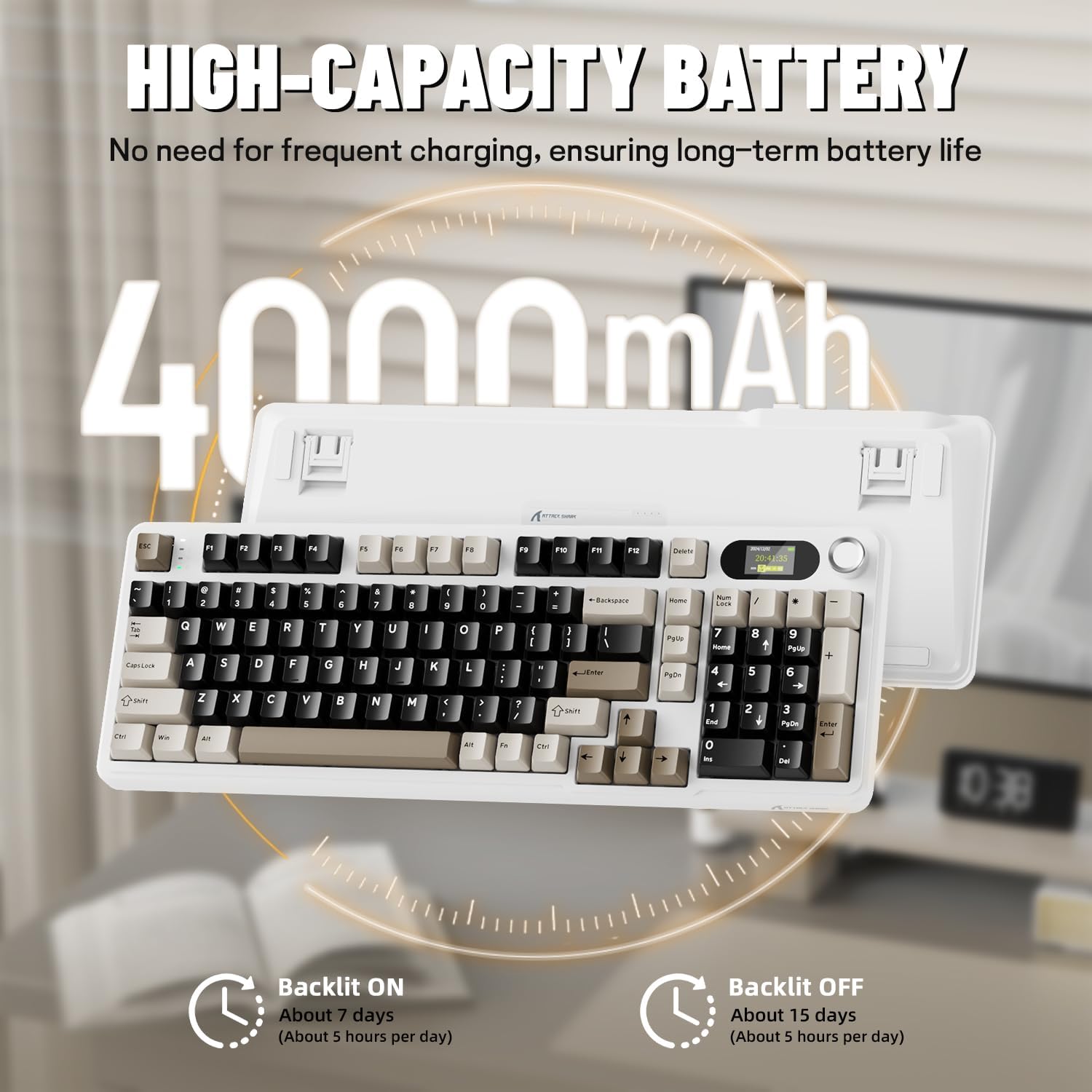
Before first use, it is recommended to fully charge the keyboard. Connect the provided USB-C cable to the keyboard's USB-C port and the other end to a USB-A power source (e.g., computer, wall adapter). The TFT screen will indicate charging status. The keyboard features a 4000mAh battery for extended wireless use.
4.2. Байланыш режимдери
The X98PRO supports three connection modes:
- USB-C зымдуу режими: Баскычтопту USB-C кабели аркылуу түзмөгүңүзгө түз туташтырыңыз. Бул режим ошондой эле баскычтопту кубаттайт.
- 2.4 ГГц зымсыз режими:
- 2.4 ГГц зымсыз кабыл алгычты компьютериңиздеги жеткиликтүү USB портуна сайыңыз.
- Switch the keyboard's mode selector to 2.4G. The keyboard should automatically connect.
- Bluetooth 5.0 режими: Баскычтоп үчкө чейин Bluetooth түзмөктөрү менен жупташа алат.
- Баскычтоптун режим тандагычын Bluetooth'га которуңуз.
- Басып кармап туруңуз fn+1, fn+2, же fn+3 for 3-5 seconds until the indicator light flashes, indicating pairing mode.
- On your device (PC, Mac, Tablet), search for Bluetooth devices and select "ATTACK SHARK X98PRO" to pair.
- Жупташтырылган Bluetooth түзмөктөрүнүн ортосунда которулуу үчүн басыңыз fn+1, fn+2, же fn+3 кыскача.

4.3. Баштапкы конфигурация (Web-based Driver)
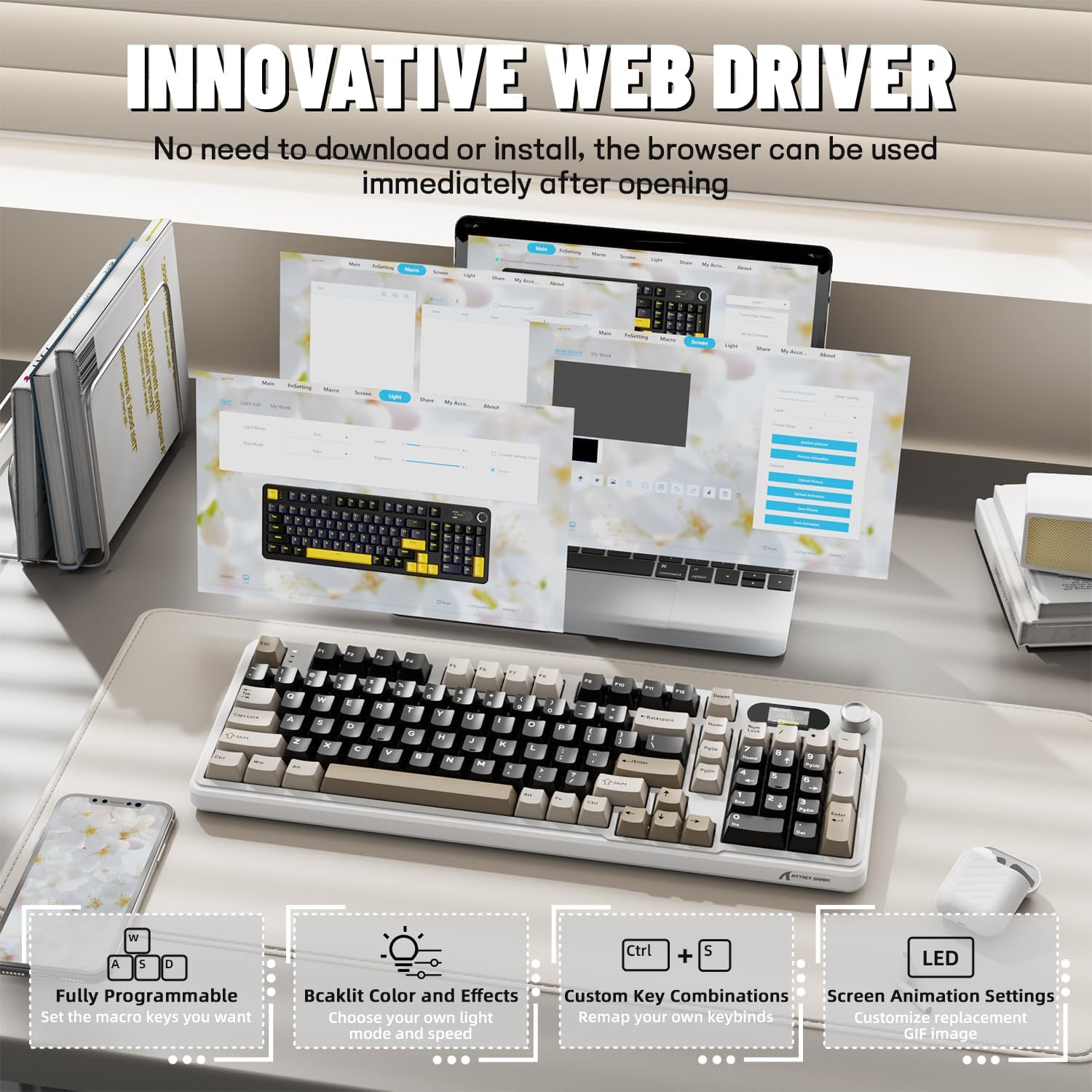
The X98PRO utilizes an intuitive web-based driver for advanced customization. This allows you to edit, upload, and switch display content for the TFT screen, customize RGB lighting, remap keys, and set macros without installing dedicated software. Access the official ATTACK SHARK webүчүн сайт web драйвер интерфейси.
5. Иштөө нускамалары
5.1. TFT Screen Functions
The 1.14-inch TFT screen can display various information:
- Системанын абалы: Connection mode (wired, 2.4G, BT1/2/3), operating system (Win/Mac).
- Батареянын иштөө мөөнөтү: Real-time battery level.
- Убакыт: Учурдагы убакыт.
- Custom GIFs: Upload personalized animations via the web айдоочу.
To navigate the TFT screen menu, rotate the CNC knob to scroll through options and press the knob to confirm a selection.
5.2. CNC Multi-Function Knob
The CNC knob provides intuitive control over several keyboard features:
- Үндү көзөмөлдөө: By default or after switching, rotate to adjust system volume.
- Жарыктыкты көзөмөлдөө: Арткы жарыктын жарыктыгын тууралаңыз.
- RGB эффекттери: Cycle through different RGB lighting effects.
- Туташуу режимдери: Switch between wired, 2.4GHz, and Bluetooth modes.
To switch the knob's function (e.g., between volume and RGB control), press Fn + баскыч (press the knob down).
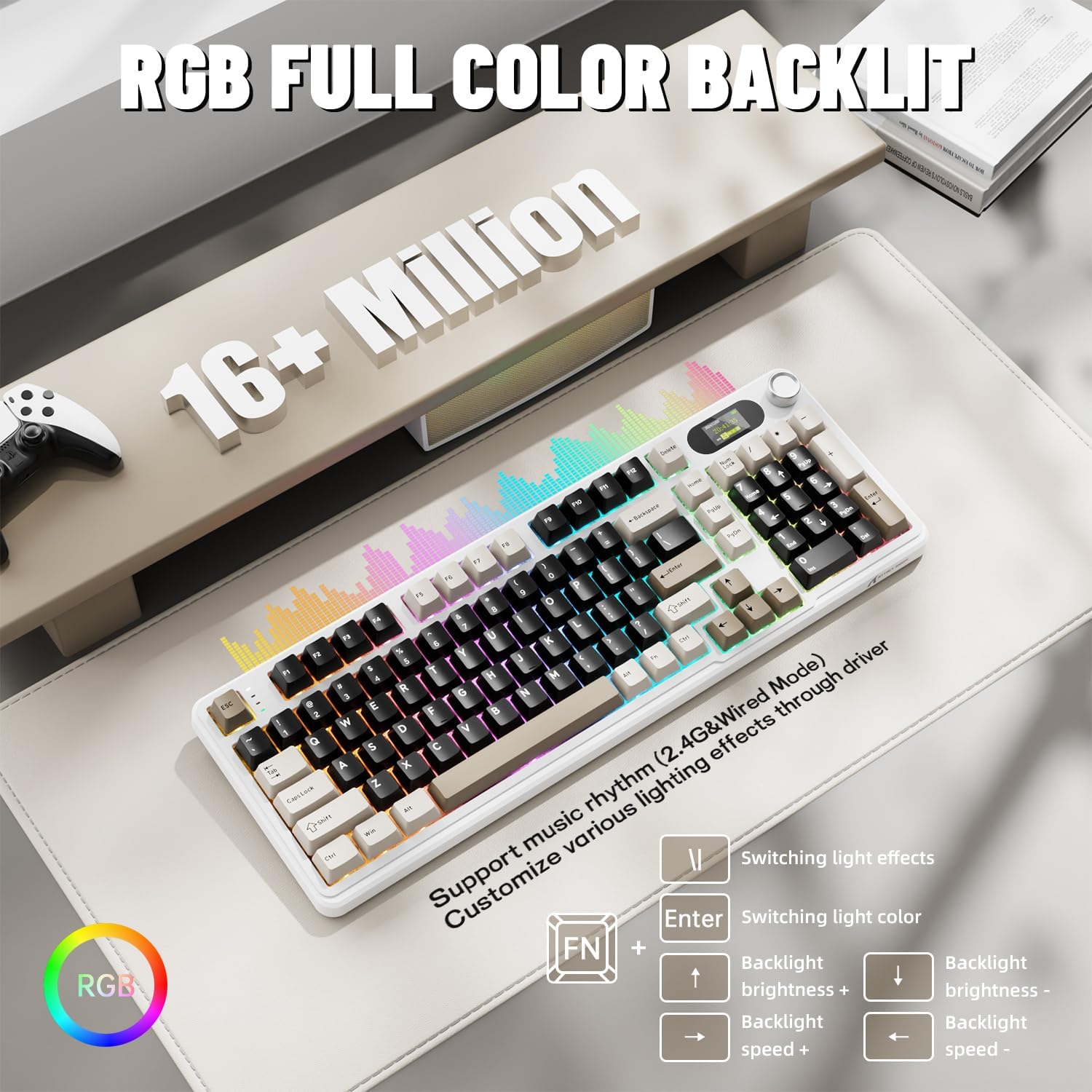
5.3. RGB арткы жарыктандыруу
The X98PRO features full RGB backlighting with multiple effects. Control options include:
- Жарык эффекттерин которуу: Басыңыз Fn + Enter.
- Switching Light Color: Басыңыз Fn + \|.
- Арткы жарыктын жарыктыгы: Басыңыз Fn + Өйдө жебе (көбөйтүү) же Fn + Төмөн жебе (төмөндөө).
- Арткы жарык ылдамдыгы: Басыңыз Fn + Сол жебе (төмөндөө) же Fn + Оңго жебе (көбөйтүү).
Further customization of RGB lighting, including per-key lighting and custom profiles, is available through the web-based driver.
5.4. Ыкчам алмаштыруучу которгучтар
The X98PRO features a hot-swappable PCB, allowing you to easily change mechanical switches without soldering. It is compatible with most 3-pin and 5-pin mechanical switches.
- Using the provided switch puller, carefully grip the switch and pull it straight up to remove it.
- Жаңы өчүргүчтүн төөнөгүчтөрүн платадагы тешиктер менен тегиздеңиз. Төөнөгүчтөрдүн түз экенин текшериңиз.
- Gently press the new switch into place until it clicks. Do not force it.

6. Техникалык тейлөө
6.1. Тазалоо
- Тазалоодон мурун клавиатураны бардык кубат булактарынан ажыратыңыз.
- Use a keycap puller to remove keycaps for thorough cleaning.
- Wipe the keyboard surface with a soft, damp кездеме. Катуу химиялык заттардан алыс болуңуз.
- Ачкычтардын ортосундагы чаңды жана калдыктарды тазалоо үчүн кысылган абаны колдонуңуз.
6.2. Которуу жана клавиатура алмаштыруу
Refer to Section 5.4 for instructions on replacing switches. Keycaps can be removed using the provided keycap puller and replaced with compatible sets.
7. Кыйынчылыктарды
- Баскычтоп жооп бербей жатат: Ensure the keyboard is charged. Check the connection mode (wired, 2.4G, BT) and ensure it matches your device. For 2.4GHz, ensure the receiver is properly inserted. For Bluetooth, re-pair if necessary.
- TFT screen not updating/syncing: Ensure the keyboard is connected to a device. For time synchronization or custom GIFs, use the web-based driver.
- Батарейканын кыска мөөнөтү: Ensure the keyboard is fully charged. Reduce backlight brightness or disable RGB effects to conserve battery.
- Катталбай жаткан ачкычтар: If a specific key is not working, try removing and re-inserting its switch. If the issue persists, consider replacing the switch.
- Customization issues: Ensure you are using the official web-based driver. Clear browser cache or try a different browser if experiencing issues.
8. Техникалык шарттар
| Бренд | ATTACK SHARK |
| Модел | X98PRO |
| Байланыш технологиясы | 2.4GHz, Bluetooth 5.0, USB-C Wired |
| Keyboard Description | Механикалык |
| Которуу түрү | Linear (Blueberry switches) |
| Ыкчам алмаштырылуучу | Yes (3-pin and 5-pin compatible) |
| Батарея сыйымдуулугу | 4000mAh |
| Өзгөчөлүктөр | Customizable TFT Display, Multi-Function CNC Knob, RGB Backlit, Gasket Mount |
| Шайкеш түзмөктөр | Laptop, PC, Tablet (Windows, Mac, Linux) |
| Өлчөмдөр | 16.4 x 5.8 x 1.8 дюйм (болжол менен) |
| Элемент Салмагы | 2.9 фунт |
9. Кепилдик жана колдоо
Кепилдик жөнүндө маалымат жана техникалык колдоо алуу үчүн, расмий ATTACK SHARK сайтына кайрылыңыз webсайтка же кардарларды тейлөөгө кайрылыңыз. Кепилдик дооматтар үчүн сатып алуу дүмүрчөгүңүздү сактаңыз.


