Introduction
Thank you for choosing the ProtoArc XK01 TP Foldable Keyboard with Touchpad. This portable Bluetooth keyboard is designed for convenience and productivity on the go, offering a full-size typing experience with an integrated multi-touch trackpad. Please read this manual carefully to ensure proper setup and operation of your device.
Пакеттин мазмуну
Пакетиңизде бардык буюмдар бар экенин текшериңиз:
- Folding keyboard with touchpad
- PU Leather Bag
- Телефон стенд
- USB C Charge Cable
- User Manual

Image: The ProtoArc XK01 TP keyboard shown with its included accessories: a phone stand, USB-C charging cable, and a protective PU leather bag.
Орнотуу & Жупташтыруу
Follow these steps to connect your keyboard to your device:
- Клавиатураны кубаттоо: Before first use, connect the keyboard to a power source using the provided USB-C cable. The charging indicator will show its status.
- Күйгүзүү: Unfold the keyboard to automatically power it on.
- Жупташтыруу режимине кирүү: Press and hold one of the Bluetooth channel keys (BT1, BT2, or BT3) for 3 seconds until the corresponding indicator light flashes, indicating it's in pairing mode.
- Түзмөгүңүздө Bluetooth иштетүү: On your laptop, PC, smartphone, or tablet, go to Bluetooth settings and turn on Bluetooth.
- Баскычтопту тандоо: Look for 'ProtoArc XK01 TP' in the list of available devices and select it to pair.
- Байланышты ырастоо: Once paired, the indicator light for the selected Bluetooth channel will stop flashing and remain solid.
- Түзмөктөрдү которуштуруу: To switch between paired devices, simply short press the corresponding Bluetooth channel key (BT1, BT2, or BT3).
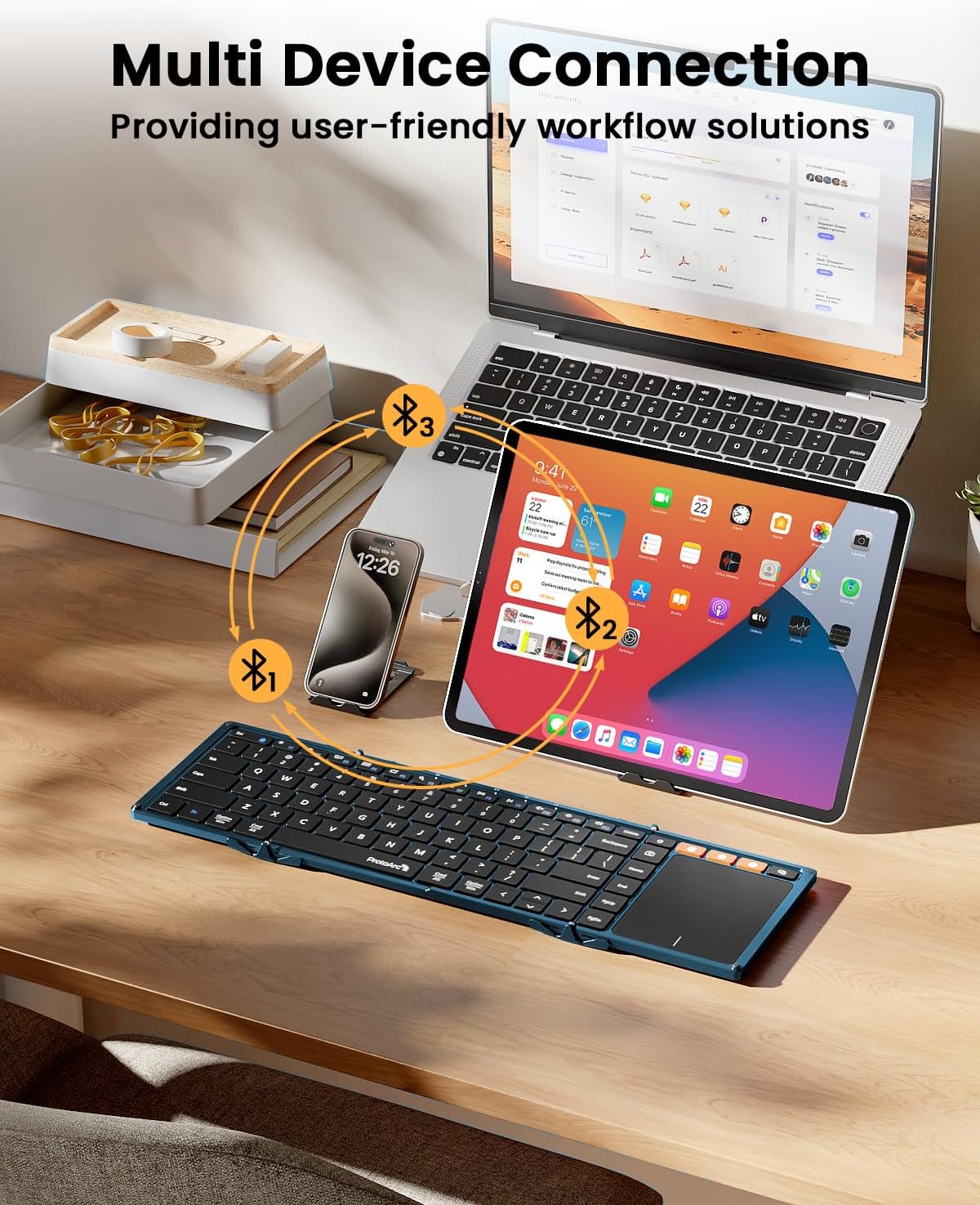
Image: The keyboard demonstrating multi-device Bluetooth connectivity to a smartphone, tablet, and laptop.
Video: A demonstration of the ProtoArc XK01 TP keyboard's portability and ease of setup for travel and business use.
Иштөө нускамалары
Баскычтоптун жайгашуусу жана баскычтар
The XK01 TP features an 88-key QWERTY layout with 16.5mm keycaps, providing a comfortable and familiar typing experience similar to a full-size laptop keyboard. It includes a full row of shortcut keys for various functions.

Image: User's hands typing on the ProtoArc XK01 TP keyboard, highlighting its standard full-size keys and integrated trackpad.
Trackpad жаңсоолор
The multi-touch trackpad supports various gestures for efficient navigation:
- Бир манжа менен таптоо: Чычкан сол чыкылдатуу
- Эки манжа менен таптаңыз: Чычкандын оң баскычын басыңыз
- Pinch with Two Fingers: Zoom In or Out
- Three Fingers Tap: Windows 10/11 Search
Note: For iPad users, please enable "AssistiveTouch" in your device settings for full trackpad functionality. Some gestures may not be available depending on the application. You can adjust scroll direction in your device settings.

Сүрөт: жакын план view of the keyboard's large, smooth trackpad, demonstrating precise navigation and scrolling.
Заряддоо
The keyboard has a built-in 300mAh battery. It takes approximately 2 hours for a full charge and offers up to 120 days of standby time. It will enter sleep mode after 60 minutes of inactivity to conserve power. Press any key to reactivate. To power off, simply fold the keyboard. Unfolding it will power it on.

Image: Visual representation of the keyboard's 300mAh battery, 2-hour charge time, and 150-day standby time.
Техникалык тейлөө
To ensure the longevity and optimal performance of your ProtoArc XK01 TP keyboard, please follow these maintenance guidelines:
- Тазалоо: Use a soft, dry cloth to wipe the keyboard surface and trackpad. For stubborn dirt, slightly dampчүпүрөктү суу же жумшак, абразивдүү тазалагыч менен жууп салыңыз. Ашыкча нымдуулуктан сактаныңыз.
- Сактагыч: When not in use, fold the keyboard to protect the keys and trackpad. Store it in the provided PU leather bag to prevent scratches and dust accumulation.
- Экстремалдуу шарттарды болтурбоо: Do not expose the keyboard to extreme temperatures, direct sunlight, or high humidity. Keep it away from liquids and corrosive substances.
- Этияттык менен мамиле кылуу: Avoid dropping the keyboard or applying excessive force to the keys or hinges. While durable, rough handling can cause damage.
- Заряддоо: Use only the provided USB-C cable for charging. Do not use damaged cables or chargers.
Проблемаларды чечүү
Эгерде сиз клавиатураңызда көйгөйлөргө туш болсоңуз, төмөнкү чечимдерди колдонуп көрүңүз:
- Баскычтоп туташпай жатат:
- Ensure the keyboard is charged and powered on (unfolded).
- Түзмөгүңүздө Bluetooth иштетилгенин текшериңиз.
- Put the keyboard into pairing mode by long-pressing a BT channel key.
- Түзмөгүңүздүн Bluetooth жөндөөлөрүнөн түзмөктү унутуп, кайра жупташтырып көрүңүз.
- Trackpad not responding or gestures not working:
- For iPad users, ensure "AssistiveTouch" is enabled in Accessibility settings.
- Some applications may not fully support all trackpad gestures.
- Ensure the trackpad surface is clean and dry.
- Ачкычтар жооп бербейт:
- Батареянын деңгээлин текшерип, керек болсо кайра заряддаңыз.
- Ensure the keyboard is properly unfolded and locked into position.
- Bluetooth байланышын кайра туташтырыңыз.
- Unstable typing experience:
- The keyboard is designed for use on flat surfaces. Using it on uneven surfaces may affect stability due to the fold hinge.
Техникалык шарттар
| Модель номери | XK01 TP |
| Бренд | ProtoArc |
| Байланыш | Bluetooth 5.1 (3 канал) |
| Ачылган өлчөмдөр | 15.19"L x 4.68"W x 0.78"H |
| Катталган өлчөмдөр | 8.46"L x 4.68"W x 0.78"H |
| Элемент Салмагы | 10.5 унция |
| Батарея сыйымдуулугу | 300mAh |
| Күтүү убактысы | 120 күнгө чейин |
| Заряддоо убактысы | Болжол менен 2 саат |
| Баскыч капкактары | 16.5mm, 88-key QWERTY layout |
| Материал | Пластик |
| Шайкеш түзмөктөр | Laptop, PC, Smartphone, Tablet (Android, Windows, iOS) |

Image: The keyboard shown in both folded and unfolded states, illustrating its compact design for portability.
Кепилдик жана колдоо
The ProtoArc XK01 TP keyboard comes with a 5-year warranty. For any product inquiries, technical support, or warranty claims, please contact ProtoArc customer service. Contact information is typically provided in the included warranty card or user manual.
You can also visit the official ProtoArc webкошумча колдоо ресурстары жана көп берилүүчү суроолор үчүн сайт: ProtoArc Store