Introduction
This manual provides detailed instructions for the assembly, operation, and maintenance of your FLEXISPOT E6 Electric Height Adjustable Standing Desk. Please read this manual thoroughly before assembly and use to ensure proper function and safety. Keep this manual for future reference.

Image: The FLEXISPOT E6 standing desk in a home office setting.
Коопсуздук маалыматы
To prevent injury or damage to the desk, please observe the following safety guidelines:
- Колдонуудан мурун ар дайым үстөлдүн туура чогултулганын жана туруктуу экендигин текшериңиз.
- 220 фунт (100 кг) деген максималдуу салмак чегинен ашпаңыз.
- Keep the work area clear of obstacles to prevent accidents during height adjustment.
- Always use both hands when adjusting the desk height to maintain stability.
- Never leave children unattended near the desk.
- Ensure all cables are properly managed to avoid entanglement during movement.
- Суюктуктарды түздөн-түз башкаруу панелине же электрдик тетиктердин жанына коюудан алыс болуңуз.

Image: Anti-collision system diagram.
Орнотуу жана чогултуу
Follow these steps to assemble your FLEXISPOT E6 standing desk. It is recommended to have assistance for certain steps due to the weight of components.
1. Компоненттерди таңгактан чыгарыңыз
Carefully unpack all components and verify against the parts list provided in your packaging. Ensure all parts are present and undamaged.
2. Алкакты чогултуңуз
Begin by assembling the crossbeams and pedestals. Ensure screws are aligned with square holes in the cross member and pressed tightly. Pre-tighten all screws for installing the cross beams, then tighten them simultaneously.
Видео: FLEXISPOT E6 Туруучу столду орнотуу боюнча колдонмо. Бул видеодо столдун алкагын жана столдун бекиткичин этап-этабы менен чогултуу процесси көрсөтүлгөн.
3. Attach the Desktop
Carefully place the desktop upside down on a soft, clean surface. Position the assembled frame onto the desktop, ensuring proper alignment. The distance between the supporting bracket and the edge of the tabletop should not exceed 200mm. Secure the frame to the desktop using the provided screws. Use a drill for efficiency, but ensure not to overtighten.

Image: The assembled desk with a light wood top and white frame.
4. Install Keypad and Cable Management
Attach the intelligent keypad to the underside of the desktop. Ensure the keypad is on the same side as the adapter bracket and its curved edge is flush with the edge of the table top. Connect all necessary cables (AC power cable, power adaptor, extension cord) to the control box and motors. Utilize the cable clips for organized cable management.
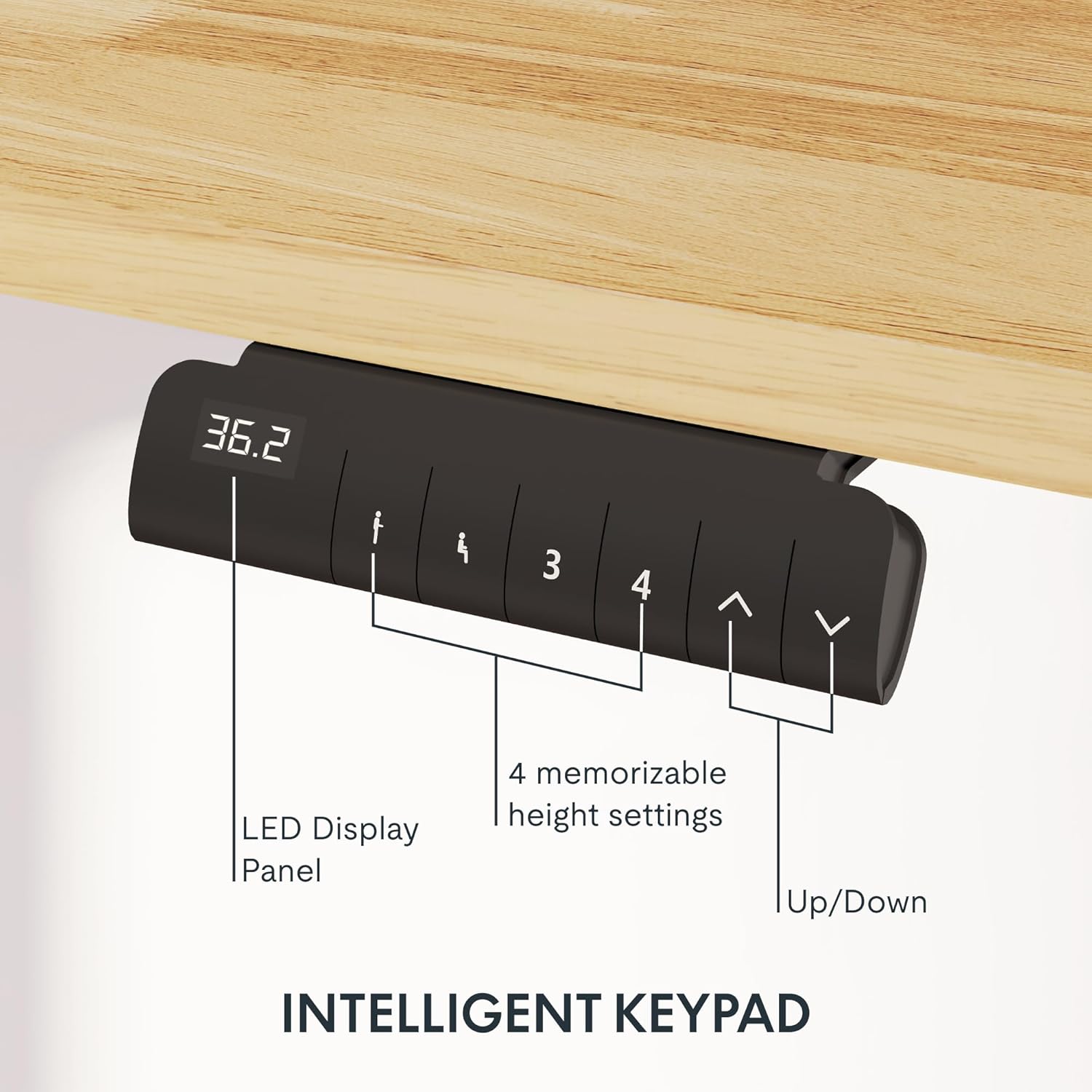
Image: Close-up of the intelligent keypad for height adjustment.
Иштөө нускамалары
Your FLEXISPOT E6 desk features a dual-motor system for smooth and quiet height adjustments.
Бийиктигин тууралоо
- колдонуу Up жана Төмөн arrows on the keypad to manually adjust the desk height.
- The LED display panel will show the current height.
Memory Presets
The keypad includes four memorizable height settings for convenience:
- Өйдө/Төмөн жебелери аркылуу үстөлдү каалаган бийиктикке тууралаңыз.
- басыңыз M button (or similar memory set button) followed by a number button (1, 2, 3, or 4) to save the current height to that preset.
- Сакталган бийиктикти кайра чакырып алуу үчүн, жөн гана тиешелүү сан баскычын басыңыз.

Image: Illustration of the desk's height adjustment range.
Техникалык тейлөө
Үзгүлтүксүз тейлөө сиздин үстөлүңүздүн узак мөөнөттүү жана оптималдуу иштешин камсыз кылат.
- Тазалоо: Иш тактасын жана алкакты жумшак менен сүртүңүз, гamp кездеме. Абразивдүү тазалагычтардан же финишке зыян келтирүүчү катаал химиялык заттардан алыс болуңуз.
- Кабелдик башкаруу: Periodically check and reorganize cables to prevent tangling or damage, especially after moving the desk.
- Бурама тыгыздыгы: Occasionally check all screws and bolts to ensure they are securely tightened. Retighten if necessary.
- Салмагын бөлүштүрүү: Distribute weight evenly across the desktop to prevent strain on the motors and frame.
Проблемаларды чечүү
If you encounter issues with your FLEXISPOT E6 desk, refer to the following common solutions:
- Үстөл кыймылдабайт: Check all power connections. Ensure the power adapter is securely plugged into both the wall outlet and the control box.
- Тегиз эмес кыймыл: Perform a reset procedure (refer to the specific reset instructions in your packaged manual, as procedures can vary). Ensure no obstacles are impeding movement.
- Ката коддору: If an error code appears on the LED display, consult the full product manual for specific code meanings and solutions.
- Иш учурундагы ызы-чуу: A slight hum is normal for dual motors. Excessive or unusual noise may indicate loose components; check all connections and screws.
Эгерде көйгөйлөр чечилбесе, FLEXISPOT кардарларды колдоо кызматына кайрылыңыз.
Техникалык шарттар
Key specifications for the FLEXISPOT E6 Electric Height Adjustable Standing Desk:
| Өзгөчөлүк | Деталь |
|---|---|
| Бренд | FLEXISPOT |
| Модель номери | E6 |
| Иш столунун материалы | Rubber Solid Wood (FSC-Certified) |
| Frame Material | Металл |
| Продукциянын өлчөмдөрү (D x W x Y) | 55.1" x 23.6" x 23.6" (at minimum height) |
| Иш тактасынын көлөмү | 55"x24" (Whole-piece) |
| Минималдуу бийиктик | 23.6 дюйм |
| Максималдуу бийиктик | 48.8 дюйм |
| Максималдуу Салмак сыйымдуулугу | 220 фунт |
| Мотор түрү | Dual Motors |
| Ызы-чуу деңгээли | 45дБден аз |
| Башкаруу панели | Intelligent Keypad with LED Display and 4 Memory Presets |
| Өзгөчөлүктөр | Anti-collision system, Finger Joint Design |
| Ассамблея талап кылынат | Ооба |
| Куралдар Ассамблеяга сунушталат | Screwdriver |
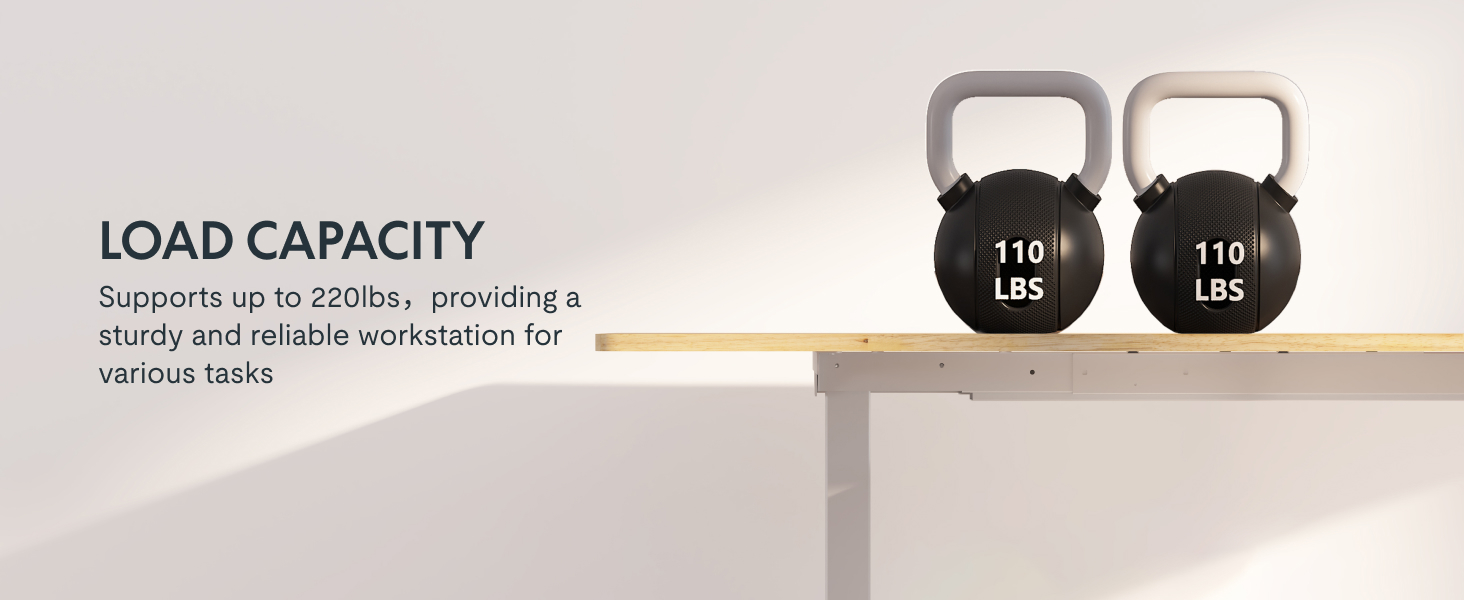
Image: Desk illustrating its 220 lbs maximum load capacity.
Кепилдик жана колдоо
FLEXISPOT сиздин тынчтыгыңыз үчүн ар тараптуу кепилдикти камсыз кылат:
- 5 жылдык камтуу: Applies to the desk frame and motors.
- 2 жылдык камтуу: Башкаруу панелине жана электроникага тиешелүү.
For any assistance, warranty claims, or product inquiries, please contact FLEXISPOT customer support. You can find contact information on the official FLEXISPOT webсайт же сатып алуу платформасы аркылуу.
Returnable until January 31, 2026.


