1. Киришүү
This user manual provides detailed instructions for the setup, operation, and maintenance of your AOBOCAM 4K Mini Wireless WiFi Security Camera (Model A12). Please read this manual thoroughly before using the product to ensure proper functionality and safety. This camera is designed for indoor home security and surveillance, offering high-definition video, motion detection, and app control.
2. Продукт бүтүп калдыview
2.1 Пакеттин мазмуну
Пакетти ачкандан кийин, төмөнкү нерселердин бардыгы камтылганын текшериңиз:
- AOBOCAM 4K Mini Wireless WiFi Security Camera (Model A12)
- USB кабели
- User Manual
2.2 Негизги өзгөчөлүктөрү
- Компакт дизайн: Small and unobtrusive, allowing for discreet placement in various indoor environments.
- 4K HD видео сапаты: Provides clear and vivid images with precise detail capture.
- Автоматтык түнкү көрүнүш: Automatically switches to night vision mode in low-light conditions, ensuring continuous monitoring.
- Мобилдик колдонмону башкаруу: Камера жөндөөлөрүн башкаруу, view live feeds, and control recording remotely via a smartphone application.
- Батареянын узак иштөө мөөнөтү: Built-in 1500mAh battery for extended continuous operation, reducing the need for frequent recharging.
- Кыймылды аныктоо: Sends instant notifications to your phone upon detecting movement within its range.
- Ар тараптуу жайгаштыруу: Can be placed freestanding, wall-mounted, or attached via its magnetic body.

Figure 2.1: AOBOCAM 4K Mini Camera and its 4K live feed on a smartphone.
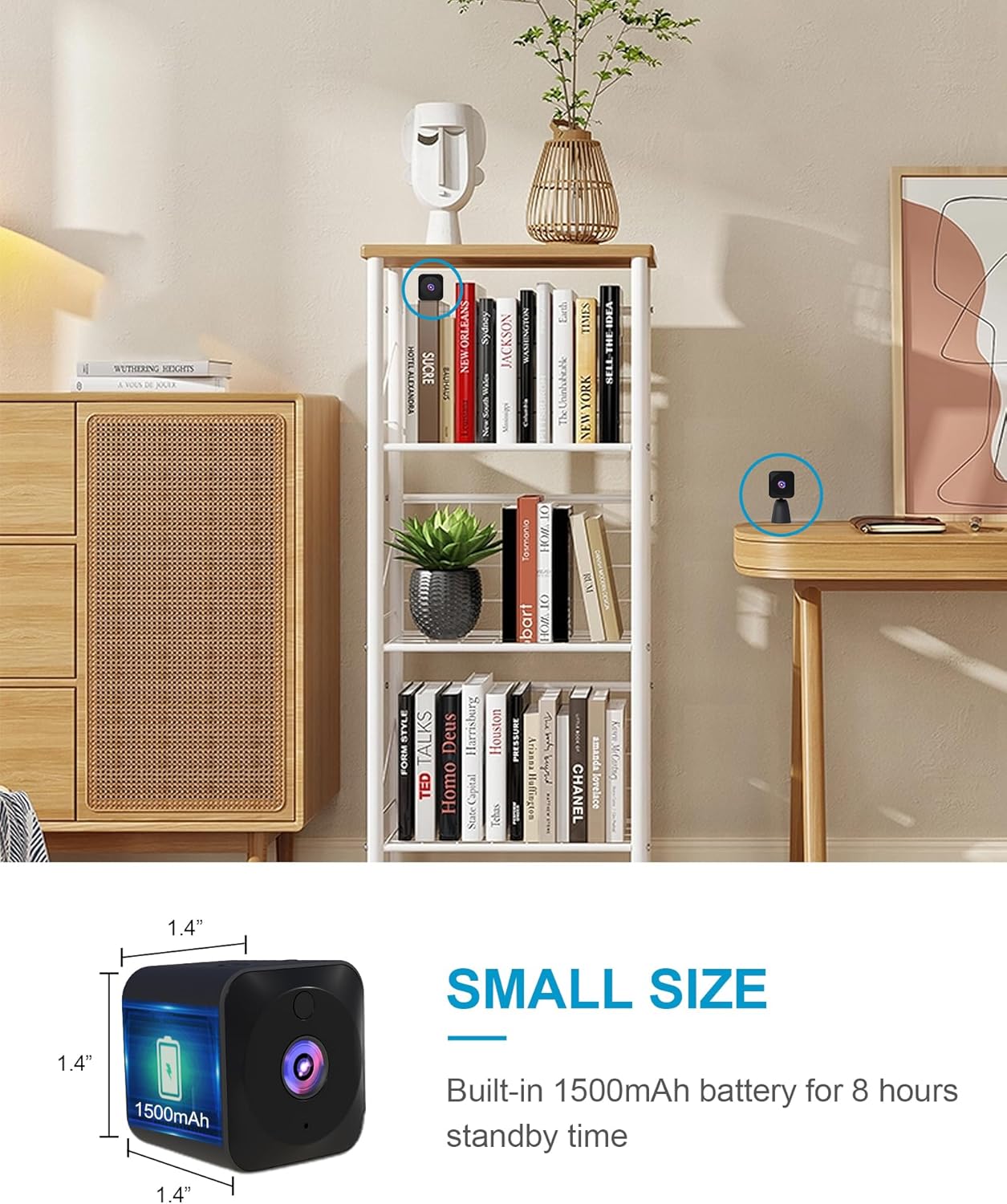
Figure 2.2: The compact dimensions of the AOBOCAM Mini Camera, approximately 1.4 x 1.4 x 0.91 inches.
3. Орнотуу колдонмосу
Follow these steps to set up your AOBOCAM 4K Mini Wireless WiFi Security Camera:
- Камераны заряддоо: Before first use, fully charge the camera using the provided USB cable. Connect the USB cable to the camera's charging port and a standard USB power adapter (not included). The charging indicator light will show the charging status.
- Колдонмону жүктөп алыңыз: Издөө the official AOBOCAM application in your smartphone's app store (iOS or Android) and install it.
- Күйгүзүү: Press and hold the power button on the camera until the indicator light turns on.
- Wi-Fi'га туташуу: Open the AOBOCAM app on your smartphone. Follow the in-app instructions to add a new device and connect the camera to your 2.4GHz Wi-Fi network. Ensure your phone is connected to the same Wi-Fi network during the initial setup.
- Жайгашкан жери: Position the camera in your desired indoor location. Its small size and included bracket allow for versatile placement options, such as on a shelf, desk, or wall-mounted.

3.1-сүрөт: Мисamples of camera placement in different indoor environments.
4. Иштөө нускамалары
4.1 App Control and Live Viewing
Once connected, you can control and monitor your camera remotely through the AOBOCAM app:
- Тирүү жем: Access the live video stream from your camera anytime, anywhere.
- Орнотууларды тууралоо: Modify camera settings such as video resolution, recording modes, and notification preferences.
- Zoom and Angle: Adjust the digital zoom and viewing angle directly from the app.
- Жаздыруу: Start or stop video recording manually, or set up continuous recording or event-triggered recording.
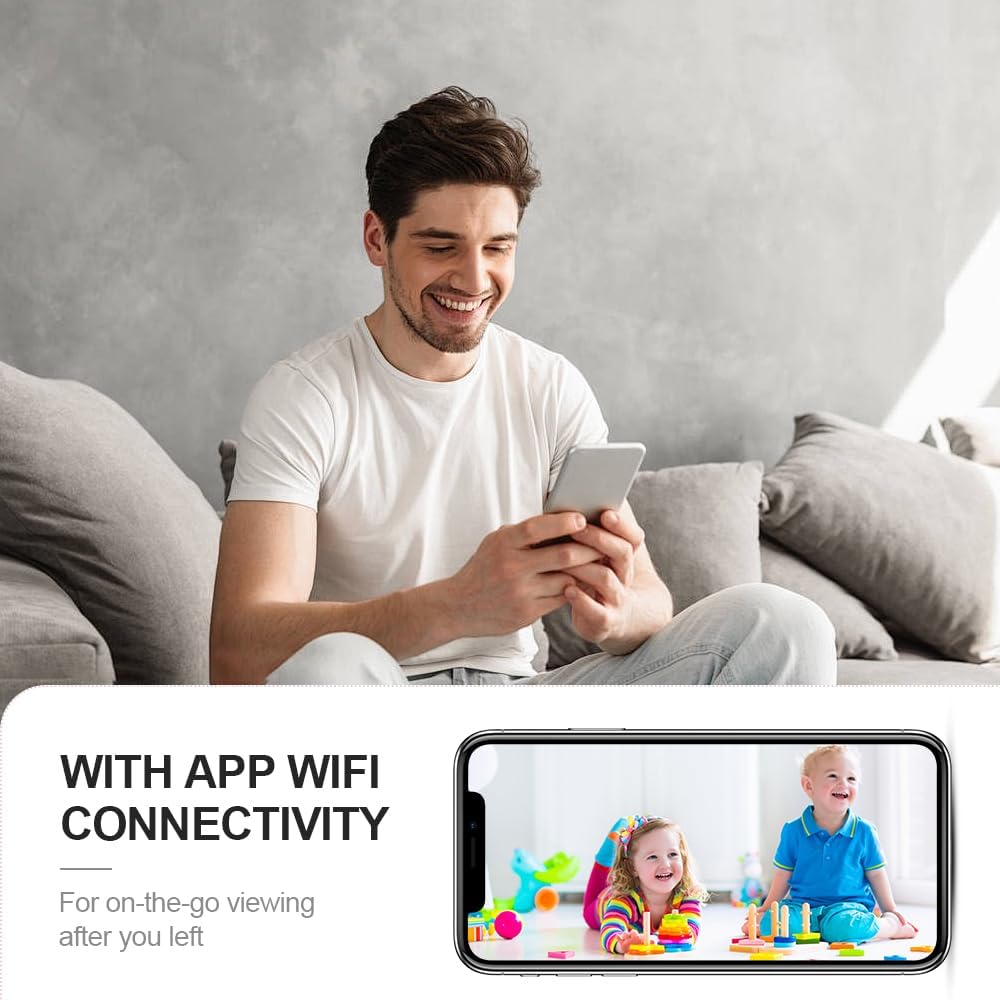
Сүрөт 4.1: Алыстан viewing of live camera feed via the mobile app.
4.2 Кыймылды аныктоо жана эскертүүлөр
The camera features an advanced motion detection system:
- Автоматтык эскертүүлөр: When motion is detected, the camera will automatically send a notification to your smartphone.
- Окуяны жаздыруу: Motion-triggered events can be recorded and stored, allowing you to review окуялар.
- Сезимталдыкты жөндөө: Adjust the motion detection sensitivity in the app to minimize false alarms.

Figure 4.2: Motion detection alerts sent to your smartphone.
4.3 Түнкү көрүнүш
The camera is equipped with automatic night vision for 24-hour surveillance:
- Инфракызыл диоддор: Integrated infrared lights enable clear black-and-white video recording in complete darkness.
- Автоматтык которуу: The camera automatically switches between day and night modes based on ambient light conditions.

4.3-сүрөт: Күндүз жана түнкү көрүнүштү салыштыруу.
4.4 Video Playback and Storage
The camera supports local storage via a MicroSD card (up to 128GB, not included) and cloud storage (subscription may be required):
- MicroSD картасы: Insert a formatted MicroSD card into the designated slot for continuous or event-based recording.
- Ойнотуу: View foo жазылганtagэ түздөн-түз колдонмодон.
4.5 Расмий продукт Video
Video 4.1: An official product video demonstrating the AOBOCAM Mini Home Security Camera's features, including its compact design, ease of use, battery life, app connectivity for live viewing of pets and babies, alarm messages, and various customer usage scenarios.
5. Техникалык тейлөө
To ensure optimal performance and longevity of your AOBOCAM camera, follow these maintenance guidelines:
- Тазалоо: Камера линзасын жана корпусун тазалоо үчүн жумшак, кургак чүпүрөктү колдонуңуз. Суюк тазалоочу каражаттарды же абразивдүү материалдарды колдонуудан алыс болуңуз.
- Батареяга кам көрүү: Recharge the camera regularly, especially if it will be stored for an extended period. Avoid extreme temperatures that can affect battery life.
- Программалык камсыздоонун жаңыртуулары: Check the app periodically for available firmware updates to ensure your camera has the latest features and security enhancements.
- Жайгашкан жери: Ensure the camera is placed in a stable location to prevent accidental falls. Avoid direct exposure to water or excessive humidity.
6. Кыйынчылыктарды
If you encounter issues with your AOBOCAM camera, refer to the following common problems and solutions:
| Көйгөй | Мүмкүн себеп | Чечим |
|---|---|---|
| Камера Wi-Fi'га туташа албай жатат. | Incorrect Wi-Fi password, 5GHz network, weak signal, or router issues. | Ensure correct password. Verify your Wi-Fi is 2.4GHz. Move camera closer to router. Restart router and camera. |
| Видеонун сапаты начар. | Insufficient lighting, dirty lens, or weak Wi-Fi signal. | Ensure adequate lighting. Clean the camera lens. Improve Wi-Fi signal strength. |
| Кыймылды аныктоо иштебей жатат же жалган сигналдар өтө көп. | Incorrect sensitivity settings, or camera placement. | Adjust motion detection sensitivity in the app. Ensure camera is placed correctly to avoid unnecessary triggers. |
| Батарея бат эле түгөнөт. | Көп түз эфирде viewing, continuous recording, or extreme temperatures. | Reduce live viewing time. Use event-triggered recording instead of continuous. Avoid extreme temperatures. |
| App not responding. | Outdated app version, network issues, or phone memory. | Update the app to the latest version. Check your phone's network connection. Close other apps to free up memory. |
If the issue persists after trying these solutions, please contact AOBOCAM customer support for further assistance.
7. Техникалык шарттар
Detailed technical specifications for the AOBOCAM 4K Mini Wireless WiFi Security Camera (Model A12):
| Өзгөчөлүк | Спецификация |
|---|---|
| Модель аты | Q18 Pro (A12) |
| Ички/тышкы колдонуу | Indoor |
| Байланыш технологиясы | 2.4G WiFi |
| Power Source | Батарея менен иштейт (1 А батарейка камтылган) |
| Видео тартуунун резолюциясы | 4K (Effective Video Resolution: 4000) |
| Viewбурч | 120 градус |
| Түнкү көрүү диапазону | 20 метр |
| Флэш эс тутумдун максималдуу өлчөмү | 128 ГБ |
| Башкаруу ыкмасы | Колдонмо |
| Эскертүү түрү | Кыймыл гана |
| Материал | Пластик |
| Элементтин өлчөмдөрү (L x W x Y) | 1.73 x 1.73 x 0.91 дюйм |
| Элемент Салмагы | 5.9 унция |
8. Кепилдик жана колдоо
For warranty information and customer support, please refer to the contact details provided with your product packaging or visit the official AOBOCAM webсайт. Сатып алуу квитанциясын кепилдик дооматтары үчүн сатып алуунун далили катары сактаңыз.


