1. Коопсуздук боюнча маанилүү маалымат
Please read all safety instructions carefully before using your COLORROOM A30 tablet. Keep this manual for future reference.
- Аппаратты экстремалдык температурага, түз күндүн нуруна же жогорку нымдуулукка дуушар кылбаңыз.
- Планшетті түшүрүп алуудан же катуу соккуга кабылтуудан алыс болуңуз.
- Зыяндын алдын алуу жана коопсуздукту камсыз кылуу үчүн бекитилген кубаттагычтарды жана аксессуарларды гана колдонуңуз.
- Аппаратты өз алдынча бөлүүгө же оңдоого аракет кылбаңыз. Жардам алуу үчүн кардарларды колдоо бөлүмүнө кайрылыңыз.
- Keep the tablet away from children and pets to prevent accidental ingestion of small parts.
2. Пакеттин мазмуну
Пакетте бардык буюмдар бар экенин текшериңиз:
- COLORROOM A30 Tablet
- USB Type-C кабели
- Power Adapter (18W PD compatible)
- User Manual
- Коргоочу кап
- Экран коргоочусу (алдын ала колдонулган же кошулган)
- SIM Ejector Tool (SD pin)

Image: The COLORROOM A30 tablet and its included accessories, such as the USB-C cable, power adapter, and documentation, neatly arranged in the product box.
3. Түзмөк бүттүview
Familiarize yourself with the physical components of your COLORROOM A30 tablet.
- Алдыңкы камера: Located at the top center when held horizontally, used for video calls and selfies.
- Дисплей: 10.1-inch IPS screen for clear visuals.
- Кубат баскычы: Typically on the side, used to turn the device on/off or wake/sleep the screen.
- Үн баскычтары: Үн деңгээлин тууралоо үчүн кубат баскычынын жанында жайгашкан.
- USB Type-C порту: Заряддоо жана маалыматтарды өткөрүү үчүн.
- MicroSD картасынын уячасы: Сактагычты 2 ТБ чейин кеңейтүү үчүн.
- Арткы камера: Арткы жагында жайгашкан, сүрөткө жана видеого тартуу үчүн колдонулат.
- Баяндамачылар: Dual speakers for enhanced audio experience.
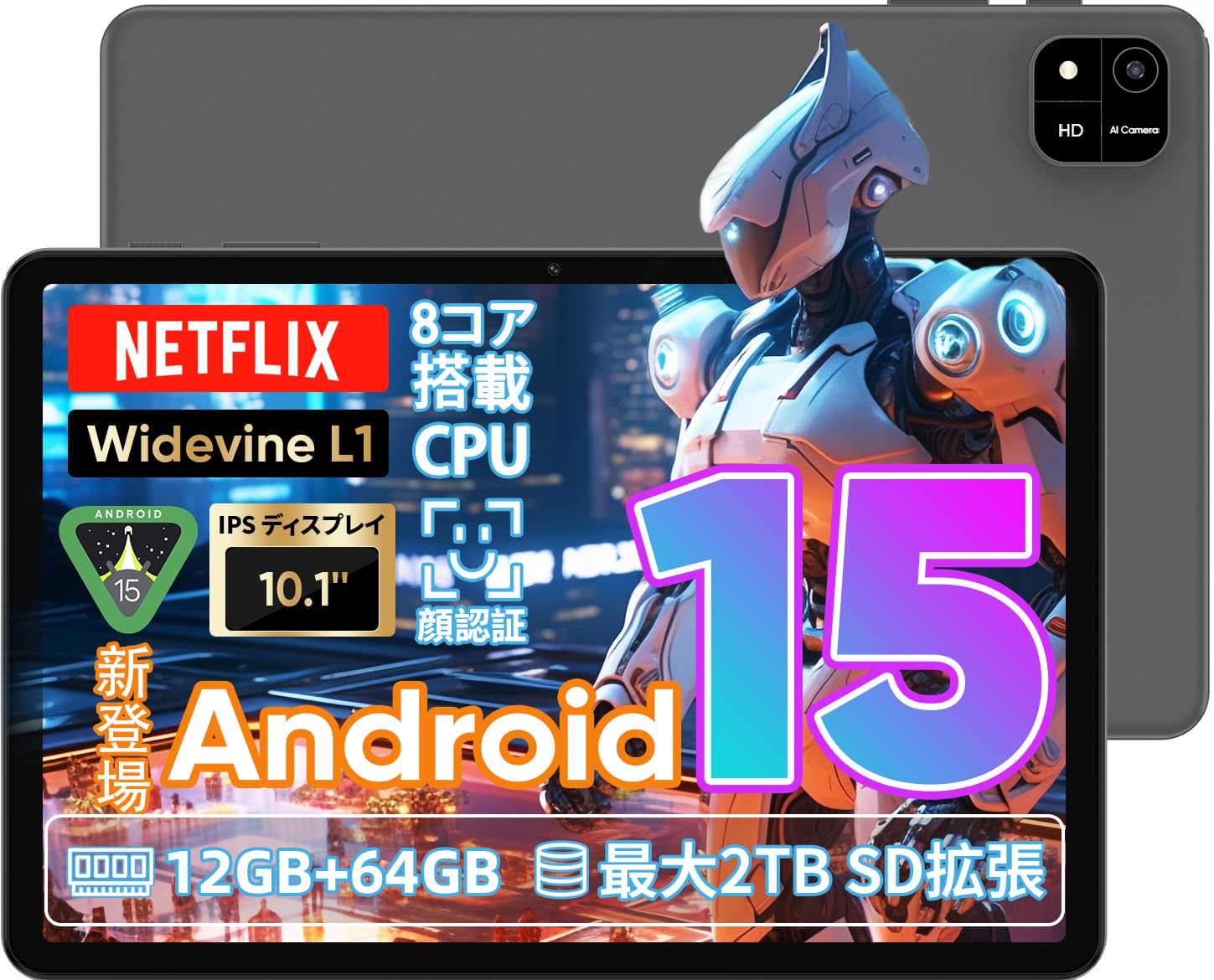
Image: A visual representation of the COLORROOM A30 tablet, highlighting its 10.1-inch display, Android 15 OS, T606 8-core CPU, 12GB RAM, 64GB ROM, 6000mAh battery, 5MP front camera, 8MP rear camera, 2.4G/5G WiFi, Bluetooth 5.0, GPS, and Widevine L1 support.
4. Орнотуу
4.1 Баштапкы күйгүзүү жана тилди тандоо
- Press and hold the Power button until the COLORROOM logo appears.
- Follow the on-screen prompts to select your preferred language (e.g., Japanese).
- Tap 'Start' or 'Next' to proceed.
4.2 Wi-Fi туташуусу
- Тизмеден каалаган Wi-Fi тармагын тандаңыз.
- Суралган болсо, Wi-Fi сырсөзүн киргизиңиз.
- Tap 'Connect'.
4.3 Google Каттоо эсебин орнотуу
- Google аккаунтуңуз менен кириңиз же жаңысын түзүңүз. Бул Google Play Дүкөнүнөн колдонмолорду жүктөп алуу үчүн керек.
- Review жана Google Тейлөө шарттарын жана Купуялык саясатын кабыл алыңыз.
4.4 Set Screen Lock (PIN/Pattern/Password)
- For security, set a screen lock method (PIN, pattern, or password). A 6-digit PIN is recommended.
- You may choose to skip this step, but it is not recommended for device security.
Video: This video demonstrates the initial setup process for an Android 15 tablet, including language selection, Wi-Fi connection, Google account setup, and setting a screen lock. While the video features an M30 tablet, the setup steps are generally applicable to the COLORROOM A30.
5. Иштөө нускамалары
5.1 Негизги операциялар
- Виджеттер: Long-press on an empty area of the home screen to add widgets like a clock or calendar for quick access to information.
- Экранды күйгүзүү/өчүрүү: The tablet can be configured to turn on the screen automatically when lifted, allowing you to quickly check notifications. This setting can be found under System > Gestures.
Video: This video illustrates basic Android tablet functions, including adding and removing widgets from the home screen, and enabling the 'lift to wake' feature for notifications. Although shown on an M30 tablet, these features are common to Android 15 devices like the COLORROOM A30.
5.2 Дисплейдин өзгөчөлүктөрү
The COLORROOM A30 features a 10.1-inch IPS display with 1280x800 resolution, offering clear and vibrant visuals for all your content. It supports Widevine L1, enabling high-definition streaming from platforms like Netflix and Hulu.

Image: The COLORROOM A30 tablet showcasing its 10.1-inch IPS display with vivid colors and sharp details, ideal for watching movies and reading e-books.
5.3 Аткаруу
Powered by an 8-core T606 CPU, the COLORROOM A30 delivers smooth performance for multitasking, gaming, and media consumption. It comes with 12GB (virtual) RAM and 64GB of internal storage, expandable up to 2TB via a TF (MicroSD) card.

Сүрөт: деталдуу view of the COLORROOM A30 tablet's internal components, emphasizing the T606 8-core CPU and the 6000mAh large-capacity battery, indicating high performance and extended usage.
5.4 Камера
The tablet is equipped with an 8MP rear camera for capturing photos and videos, and a 5MP front camera for video calls and selfies. Face recognition is supported for convenient unlocking.

Image: The COLORROOM A30 tablet displayed from the front and back, showcasing its 8MP rear camera and 5MP front camera, designed for capturing moments and facilitating video communication.
5.5 Байланыш
Enjoy seamless connectivity with 2.4G/5G dual-band Wi-Fi, Bluetooth 5.0, and built-in GPS for navigation and location services.
5.6 Батареяны башкаруу
The 6000mAh battery provides extended usage, and with Type-C and 18W PD fast charging, you can quickly recharge your device.
5.7 Kids Space
The tablet includes a Kids Space feature, offering a safe and curated environment for children. Parents can manage content, set usage limits, and monitor activities remotely.
Video: This video demonstrates the Kids Space feature on a tablet, showing how children can access age-appropriate content and how parents can manage settings like usage time and content restrictions remotely. While shown on a T10 tablet, the functionality is similar for the COLORROOM A30.
5.8 Көп тапшырмалуулук жана экранды бөлүү
Android 15 enhances multitasking capabilities. You can use the split-screen feature to run two applications simultaneously, improving productivity. For example, watch a video while browsing the web.
Video: This video showcases the unboxing of an Android 15 tablet and demonstrates various features including reading comics, watching videos, using split-screen mode for multitasking, and taking screenshots. While the video features an AvidPad S60, the demonstrated features are applicable to the COLORROOM A30.
6. Техникалык тейлөө
- Тазалоо: Планшеттин экранын жана корпусун тазалоо үчүн жумшак, түксүз чүпүрөктү колдонуңуз. Катуу химиялык заттарды же абразивдүү материалдарды колдонуудан алыс болуңуз.
- Программалык камсыздоо жаңыртуулары: Оптималдуу аткарууну, коопсуздукту жана жаңы функцияларга жетүүнү камсыз кылуу үчүн системанын жаңыртууларын дайыма текшерип, орнотуп алыңыз. Орнотуулар > Система > Системанын жаңыртууларына өтүңүз.
- Сактагычты башкаруу: Мезгил-мезгили менен ачык-айкын керексиз fileсактагыч мейкиндигин бошотуп, түзмөктүн ылдамдыгын кармап туруу үчүн колдонмолорду колдонуңуз.
7. Кыйынчылыктарды
| Көйгөй | Чечим |
|---|---|
| Планшет күйбөйт | Батарея заряддалганын текшериңиз. Заряддагычты туташтырыңыз жана кайра күйгүзүү аракетинен мурун бир нече мүнөт күтүңүз. Эгер жооп бербесе, кубат баскычын 10-15 секунд кармап туруу менен мажбурлап өчүрүп күйгүзүңүз. |
| Wi-Fi туташуу маселелери | Жөндөөлөрдө Wi-Fi иштетилгенин текшериңиз. Роутериңизди жана планшетиңизди өчүрүп-күйгүзүңүз. Wi-Fi сигналынын диапазонунда экениңизди текшериңиз. |
| Колдонмолор бузулуп же катып жатат | Close and reopen the app. Clear the app's cache (Settings > Apps > [App Name] > Storage > Clear cache). Ensure the app is updated to the latest version. Restart the tablet. |
| Жай аткаруу | Колдонулбаган колдонмолорду жабыңыз. Кэшти жана убактылуу колдонмолорду тазалаңыз files. Check for system updates. Consider a factory reset if the issue persists (backup data first). |
8. Техникалык шарттар
| Өзгөчөлүк | Деталь |
|---|---|
| Бренд | ТҮШ БӨЛМӨ |
| Модел | A30 |
| Операция системасы | Android 15 |
| Процессор | Unisoc T606 8-core CPU |
| RAM | 12GB (Virtual) |
| ROM | 64 ГБ |
| Кеңейтүүчү сактагыч | Up to 2TB via TF (MicroSD) card |
| Дисплей | 10.1-inch IPS, 1280x800 resolution, Widevine L1 support |
| Батарея сыйымдуулугу | 6000mAh |
| Заряддоо | Type-C, 18W PD |
| Арткы камера | 8MP |
| Алдыңкы камера | 5MP |
| Байланыш | 2.4G/5G WiFi, Bluetooth 5.0, GPS |
| Өлчөмдөр | 32.29 x 19.8 x 3.7 см (Пакеттин өлчөмү) |
| Салмагы | 1.04 кг (Пакет Салмагы) |
9. Кепилдик жана колдоо
Your COLORROOM A30 tablet comes with a manufacturer's warranty. Please refer to the warranty card included in your package for specific terms and conditions.
For technical support, troubleshooting, or warranty claims, please contact COLORROOM customer service through the retailer where you purchased the product or visit the official COLORROOM webбайланыш маалыматы үчүн сайт.
Always provide your product model (A30) and purchase details when seeking support.


