Introduction
Welcome to the BOYA BOYALINK 2 A2 wireless microphone system. This comprehensive user manual provides detailed instructions for the proper setup, operation, and maintenance of your device. Please read this manual thoroughly before using the product to ensure optimal performance and longevity.
Пакеттин мазмуну
Төмөндө тизмеленген нерселердин баары пакетиңизге камтылганын текшериңиз:
- 2 × BOYALINK 2 Transmitters (TX)
- 1 × BOYALINK 2 Receiver (RX)
- 1 × USB Type-C Adapter
- 1 × Lightning Adapter
- 1 × 3.5 мм TRS адаптери
- 1 × One-to-Three Charging Cable
- 2 × Fur Windshields
- 1 × Ташуу сумкасы

Продукт бүттүview
The BOYALINK 2 A2 system is a versatile wireless microphone solution designed for various recording scenarios. It features two compact transmitters and a receiver with interchangeable adapters for broad compatibility.

Жайгашуу
1. Түзмөктөрдү заряддоо
Before initial use, ensure all transmitters and the receiver are fully charged. Place them in the charging case and connect the case to a power source using the provided charging cable. The charging time is approximately 1.5 hours for a full charge, providing up to 10 hours of operating time per transmitter.

2. Connecting the Receiver to Your Device
The BOYALINK 2 A2 receiver offers universal compatibility through its interchangeable adapters:
- Identify Adapter: Choose the appropriate adapter for your recording device:
- Lightning Adapter for iPhone (14/13/12/XR/X/8/7/6 series)
- USB-C Adapter for Android smartphones, Mac, iPad, and iPhone (15/16 series)
- 3.5mm TRS Adapter for cameras and some action cameras
- Адаптерди тиркөө: Securely attach the selected adapter to the receiver unit.
- Плагин: Тиркелген адаптери бар ресиверди жаздыруучу түзмөгүңүздүн тиешелүү портуна сайыңыз.

Эскертүү: This system does not support Android phones with a 3.5mm round headphone jack.
3. Автоматтык жупташтыруу
The BOYALINK 2 A2 system is designed for effortless pairing. The transmitters and receiver will automatically connect once powered on.
- Күйгүзүү: Press and hold the power button on each transmitter and the receiver until the indicator lights illuminate.
- Байланышты текшерүү: A solid blue indicator light on both the transmitters and receiver signifies a successful connection and readiness for use.
Иштөө нускамалары
Күйгүзүү/өчүрүү
To power on or off any unit (transmitter or receiver), press and hold its respective power button for a few seconds until the indicator lights respond.
Noise Cancellation
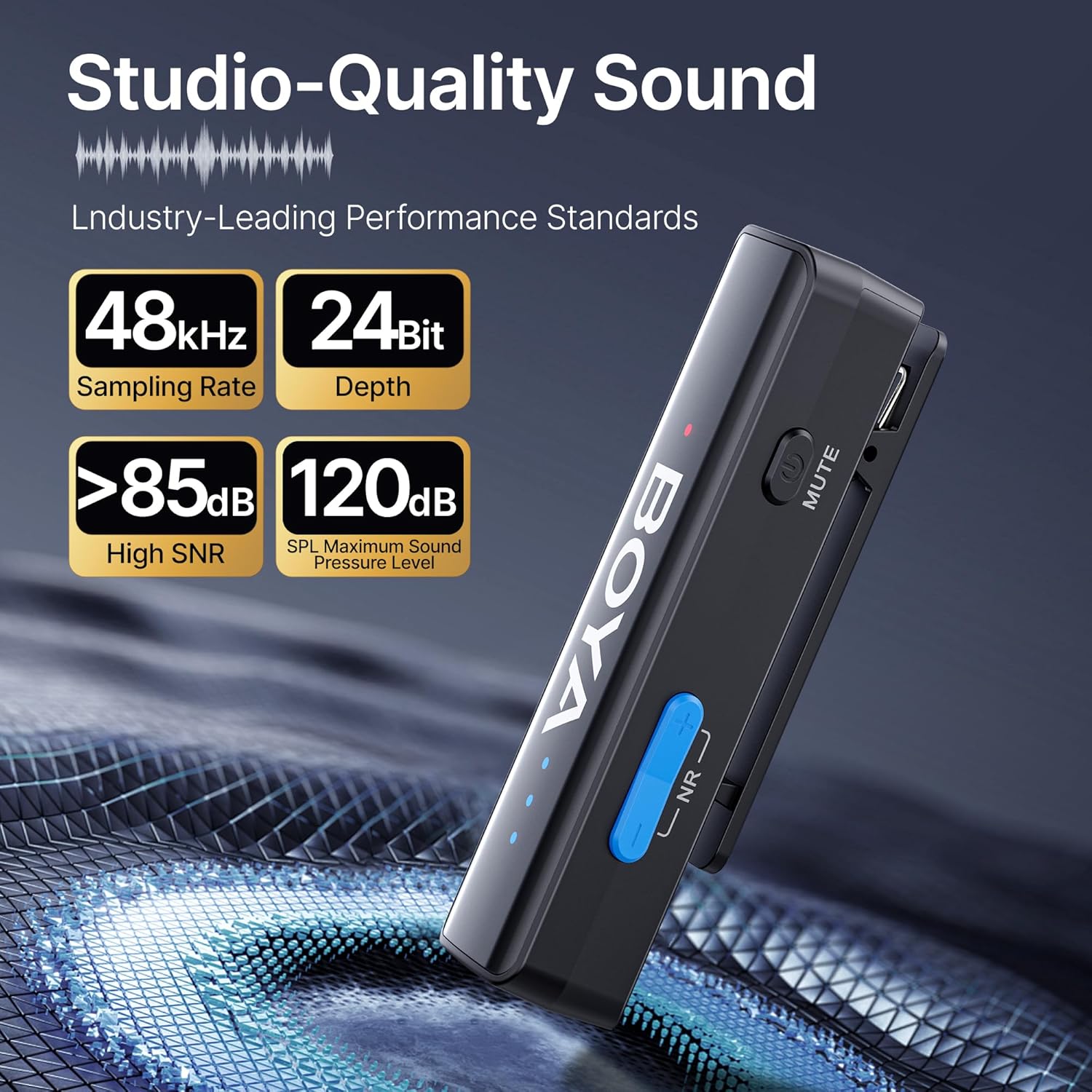
The BOYALINK 2 A2 features a 2-level smart noise cancellation function to reduce ambient noise. Press the "NR" button on the transmitter to toggle between strong noise reduction, weak noise reduction, and no noise reduction modes.

For outdoor use or in windy conditions, attach the provided fur windshields to the transmitters to further minimize wind noise.
Башкаруу
Adjust the audio input level (gain) to suit your recording environment. The system offers 6 volume control levels, each providing a 6dB boost, for a total range of 0-36dB. Use the volume control buttons on the transmitter to increase or decrease the gain. LED indicators will display the current volume level.

Үнсүз функция
To temporarily mute a transmitter, press the mute button located on the side of the transmitter. Press it again to unmute.
App Control (BOYA Central)
Enhance your control over the BOYALINK 2 A2 system by downloading the BOYA Central app. The app provides access to advanced functions including external playback, noise reduction settings, mute control, gain adjustments, and power management. It also allows for firmware updates.

Моно/Стерео режими
The system supports both mono and stereo recording modes. In mono mode, both transmitters' audio is combined into a single channel. In stereo mode, each transmitter's audio is recorded on a separate channel, offering greater flexibility in post-production. Эскертүү: When using the BOYALINK 2 A2 with a smartphone, only mono mode is available.

Жазып жатканда заряддоо
The receiver unit allows for pass-through charging of your connected device (e.g., smartphone) while the microphone system is in use. This feature ensures that your recording sessions are not interrupted by low device battery.

Playback Without Unplugging
Сиз кайра аласызview your recorded audio or video directly from your device without needing to disconnect the BOYALINK 2 A2 receiver. This prevents wear and tear on your device's port and offers convenience.

Техникалык тейлөө
- Тазалоо: Түзмөктөрдү тазалоо үчүн жумшак, кургак чүпүрөктү колдонуңуз. Катуу химиялык заттарды же абразивдүү материалдарды колдонуудан алыс болуңуз.
- Сактагыч: When not in use, store the BOYALINK 2 A2 system in its provided carrying bag to protect it from dust, moisture, and physical damage.
- Экологиялык шарттар: Түзмөктөрдү өтө жогорку температурага, түз күн нуруна же жогорку нымдуулукка дуушар кылбаңыз.
- Батареяга кам көрүү: For optimal battery life, avoid fully discharging the batteries frequently. Charge them regularly, even if the device is not in active use for extended periods.
Проблемаларды чечүү
Үн жок же аз үн чыгышы
- Ensure the receiver is securely connected to your recording device and the correct adapter is used.
- Verify that both transmitters and the receiver are powered on and successfully paired (solid blue indicator lights).
- Check the gain control levels on the transmitters and adjust them as necessary.
- Confirm your recording device's audio input settings are correctly configured to use the external microphone.
- Ensure the transmitters are not muted.
Interference or Poor Audio Quality
- Ensure transmitters and receiver are within the optimal operating range (up to 1000ft / 300m line-of-sight).
- Activate the appropriate noise cancellation mode (strong or weak) via the "NR" button on the transmitter.
- Use the provided fur windshields when recording in windy or outdoor environments.
- Avoid placing the system near strong electromagnetic interference sources (e.g., Wi-Fi routers, other wireless devices).
Түзмөк заряддалбай жатат
- Check that the charging cable is securely connected to both the charging case and a working power source.
- Ensure the transmitters and receiver are correctly seated in the charging case.
- Башка заряддоо кабелин же кубат адаптерин колдонуп көрүңүз.
Техникалык мүнөздөмөлөр
| Өзгөчөлүк | Деталь |
|---|---|
| Модель аты | BOYALINK 2 A2 (2TX+ 3-in-1 RX) |
| Микрофон форма фактору | Lavalier |
| Полярдык үлгү | Көп багыттуу |
| Байланыш технологиясы | 2.4GHz Зымсыз |
| Туташтыргыч түрү | 3.5 mm Jack, Lightning, Type-C |
| Шайкеш түзмөктөр | Camera, Smartphone, Tablet (iPhone, Android, Mac, iPad) |
| Frequency Response | 20Гц - 20КГц |
| Ызы-чуунун катышы | >85 дБ |
| Max SPL | 120дБ |
| Аудио формат | 48кГц/24бит |
| Берүүнүн диапазону | Up to 1000ft (300m) Line-of-Sight |
| Кечигип калуу | 25ms |
| Батареянын иштөө мөөнөтү (өткөргүч) | 10 саатка чейин |
| Заряддоо убактысы | Болжол менен 1.5 саат |
| Элемент Салмагы | 1.45 Ounces (per unit, approximate) |
| Өлчөмдөрү (L x W x Y) | 4.41 x 2.87 x 1.3 inches (overall package/case) |
| Өзгөчөлүктөр | 2-Level Noise Reduction, 6-Level Volume Control, 6mm Tiny Mic, 3-in-1 RX, APP Control & Firmware Updates, Metal Clip, Mute Function, Charging While In Use, Playback Without Unplugging |
Кепилдик жана колдоо
BOYA products are covered by a limited warranty. For detailed warranty terms, conditions, and registration, please visit the official BOYA website or contact your authorized BOYA dealer. Please retain your proof of purchase for any warranty claims or technical support inquiries.
For technical assistance, troubleshooting, or further information, please visit the BOYA support page or contact customer service through the official webсайт.


