1. Киришүү
The Retevis Ailunce HA1G is a robust GMRS two-way radio designed for reliable communication in various environments. It features IP67 waterproofing, a long-lasting 2800mAh battery, NOAA weather alerts, and multiple channels including GMRS repeater channels. This manual provides essential information for the proper setup, operation, and maintenance of your HA1G radio.
2. Пакеттин мазмуну
Сураныч, пакетте төмөнкү нерселерди текшериңиз:
- 1 x HA1G GMRS two-way radio
- 1 х Батарея
- 1 x USB-C заряддоо кабели
- 1 x Desk charger
- 1 x Белдик клип
- 1 x Lanyard
- 1 x Колдонуучунун колдонмосу

3. Продукциянын өзгөчөлүктөрү
- IP67 суу өткөрбөйт рейтинги: The HA1G radio is designed to withstand submersion in water up to 1 meter for 30 minutes, making it suitable for outdoor and water-related activities.
- Узак аралыкка байланыш: Includes 8 GMRS repeater channels and 256 memory channels, allowing for extended communication distances.
- 2800 мАч Батарея: Equipped with a high-capacity battery for extended use, providing approximately 17 hours of working time and 5 days of standby time.
- USB-C заряддоо: Convenient charging via USB-C, compatible with power banks, vehicle chargers, and computers.
- NOAA аба ырайы боюнча эскертүүлөр: Features 12 NOAA channels for receiving weather information and alerts, enhancing safety during outdoor activities.
- Таза үн: Incorporates squelch function and microphone gain for clear and accurate audio transmission.
- VFO Mode & CHIRP Support: Offers VFO mode for flexible frequency tuning and supports CHIRP software for easy programming.
- Шашылыш сигнализация: Multiple alarm modes for quick assistance in emergency situations.
- 1.77 дюймдук түстүү экран: Provides clear display of channel and battery information, with excellent readability even in sunlight.
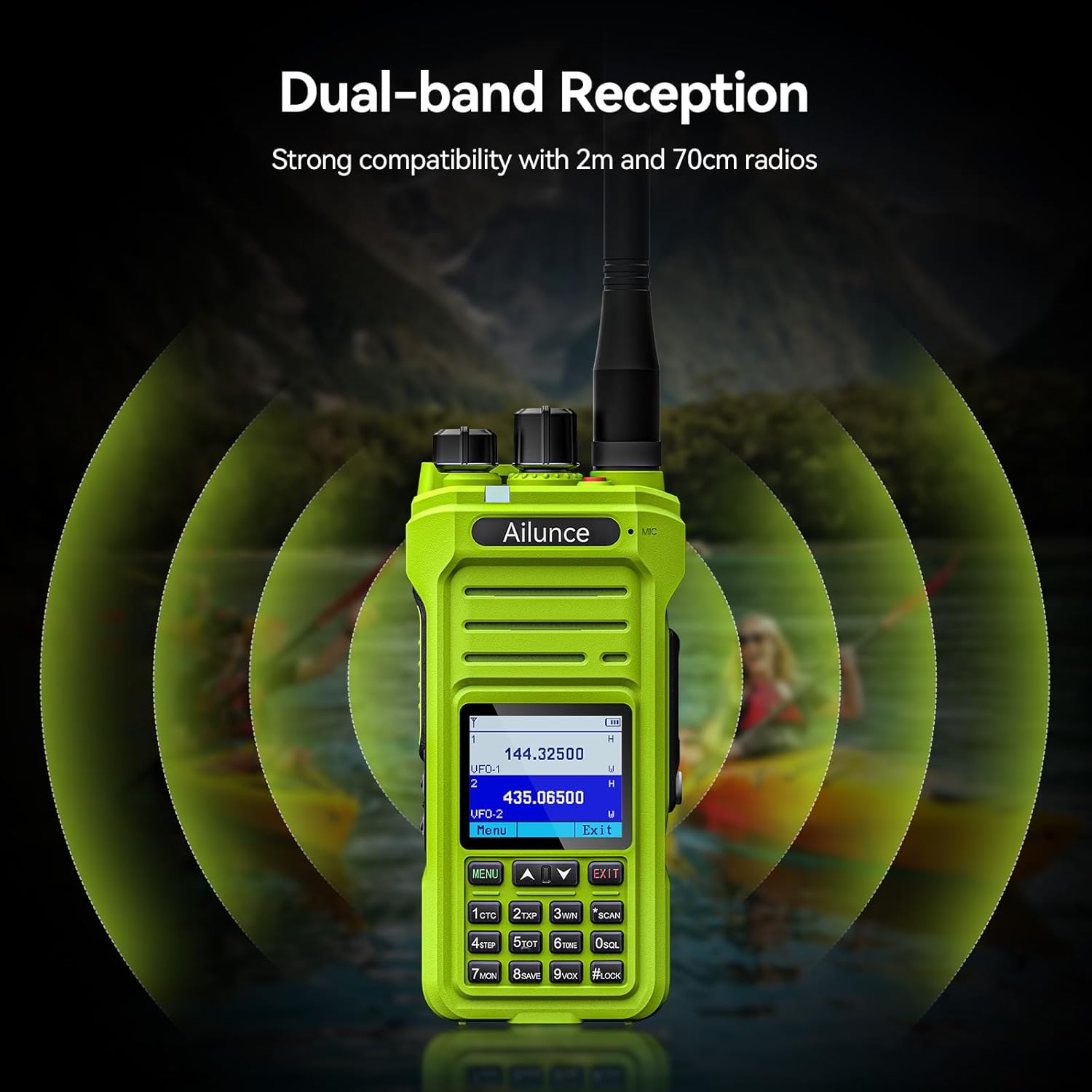
- Dual-band Reception: Strong compatibility with 2m and 70cm radios.




Video: NOAA Function and Usage Scenarios
This video demonstrates the NOAA weather alert function and various usage scenarios for the Retevis Ailunce HA1G GMRS Radio, including its application for hikers and campлүү.
Video: Screen Readability in Sunlight
This video compares the screen readability of the Retevis Ailunce HA1G GMRS Radio in direct sunlight against another radio, highlighting its superior legibility.
4. Орнотуу
4.1 Батареяны орнотуу
- Радио өчүрүлгөнүн текшериңиз.
- Батареяны радионун артындагы батарея отсеги менен тууралаңыз.
- Батареяны акырын чыкылдатмайынча ордуна түртүңүз.
4.2 Антеннаны бекитүү
- Screw the antenna clockwise onto the connector at the top of the radio until it is finger-tight. Do not overtighten.
4.3 Батареяны заряддоо
Биринчи жолу колдонуудан мурун, батарейканы 4-6 саат бою толук заряддаңыз.
- Connect the USB-C charging cable to the desk charger.
- Place the radio with the battery installed into the desk charger. Ensure the charging contacts align.
- The charging indicator on the charger will show the charging status.

5. Иштөө нускамалары
5.1 Күйгүзүү/өчүрүү жана үндү башкаруу
- To power on, rotate the power/volume knob clockwise until you hear a "click" and the screen illuminates.
- To adjust volume, continue rotating the knob clockwise to increase volume or counter-clockwise to decrease.
- To power off, rotate the knob counter-clockwise until you hear a "click".
5.2 Канал тандоо
The HA1G supports GMRS channels and memory channels.
- Use the Up/Down arrow buttons on the keypad to navigate through available channels.
- The radio includes 8 pre-programmed GMRS repeater channels and 256 memory channels for custom programming.
5.3 Берүү жана кабыл алуу
- To transmit, press and hold the Push-To-Talk (PTT) button on the side of the radio. Speak clearly into the microphone.
- Өткөрүүнү токтотуу жана кабыл алуу режимине кайтуу үчүн PTT баскычын бошотуңуз.
- The radio also features a programmable sub-PTT button for quick communication.

5.4 Privacy Codes (CTCSS/DCS) and Split Tones
Privacy codes (CTCSS/DCS) filter out unwanted transmissions, allowing you to only hear communications from radios using the same code. When connecting to repeaters, you may need to use different privacy codes for transmission and reception, known as split tones. The HA1G supports these features, which can be configured through the radio's menu or programming software.
5.5 NOAA Weather Alerts
The HA1G can receive NOAA weather channels and provide alerts for severe weather conditions. You can set up one of the dual channels to continuously monitor NOAA alerts while using the other for regular communication.
5.6 VFO Mode
VFO (Variable Frequency Oscillator) mode allows for direct frequency input and tuning, providing flexibility for advanced users to access specific frequencies not stored in memory channels.
5.7 FM радиосу
The HA1G includes an FM radio function for entertainment or receiving local broadcasts when not actively using the two-way radio features.
6. Техникалык тейлөө
6.1 Батареяга кам көрүү
- Батареяны ашыкча заряддоодон же толугу менен жарактан чыгаруудан сактаныңыз.
- Батареяны колдонбогондо салкын, кургак жерде сактаңыз.
- Радио узак убакыт бою колдонулбаса, батареяны чыгарып алыңыз.
6.2 Тазалоо
- Радиону жумшак менен сүртүңүз, гamp кездеме. Катуу химиялык заттарды же абразивдүү тазалагычтарды колдонбоңуз.
- Ensure all port covers are securely closed to maintain waterproof integrity.
6.3 Сактоо
- Радиону кургак, чаңсыз чөйрөдө сактаңыз.
- Күндүн түз нурунан жана экстремалдуу температурадан алыс болуңуз.
7. Кыйынчылыктарды
| Көйгөй | Чечимдер |
|---|---|
| Бул иштебейт |
|
| Will not take programming |
|
| Kept cutting out (Audio is choppy or drops) |
|
| It doesn't receive signals properly |
|
8. Техникалык шарттар
| Өзгөчөлүк | Деталь |
|---|---|
| Бренд | Retevis |
| Модель номери | HA1G |
| Түс | Жашыл |
| Каналдардын саны | 256 |
| Жыштык диапазону | GMRS |
| Сүйлөшүү диапазону максималдуу | 5 миль |
| Сууга туруктуулук деңгээли | IP67 суу өткөрбөйт |
| Батарея сыйымдуулугу | 2800 мАч (1 CR5 батареясы кошулган) |
| Батареянын орточо иштөө мөөнөтү | 20 саат |
| Заряддоо түрү | USB-C Rechargable |
| Элемент Салмагы | 300 грамм |
| Тtage | 7.4 вольт |
| Уккулуктуу ызы-чуу | 40 децибел |
| Шайкеш түзмөктөр | FRS radios, GMRS radios, USB-C charging accessories |
| Температура диапазону | -10°C ~ 55°C |
| Импеданс | 50 Ом |
| Тюнер түрү | GMRS |
| Connectivity Protocol | GMRS |
9. Кепилдик жана колдоо
Retevis provides a 2-year warranty for the radio body and a 1-year warranty for accessories. Additionally, there is a 30-day no-reason return policy. For any issues or support inquiries, please contact Retevis customer service on Amazon. They aim to respond within 12 hours.
Кошумча жардам алуу үчүн расмий иш сапары менен Retevis Store on Amazon.


