Introduction
Thank you for choosing the Kamon K40 Wireless Earbuds. These earbuds are designed to provide a high-quality audio experience with advanced features such as Bluetooth 5.3 connectivity, AI Environmental Noise Cancellation (ENC), smart touch controls, and a portable charging case with an LED display. This manual will guide you through the setup, operation, and maintenance of your new earbuds to ensure optimal performance.

Image: Kamon K40 Wireless Earbuds in their charging case, displaying battery levels on the LED screen.
Пакеттин мазмуну
Пакетиңизде бардык буюмдар бар экенин текшериңиз:
- 2 Wireless Earbuds (Left and Right)
- 1 LED Display Charging Case
- 1 USB-C заряддоо кабели
- 3 Pairs of Silicone Ear Tips (S/M/L)
- 1 Колдонуучунун колдонмосу
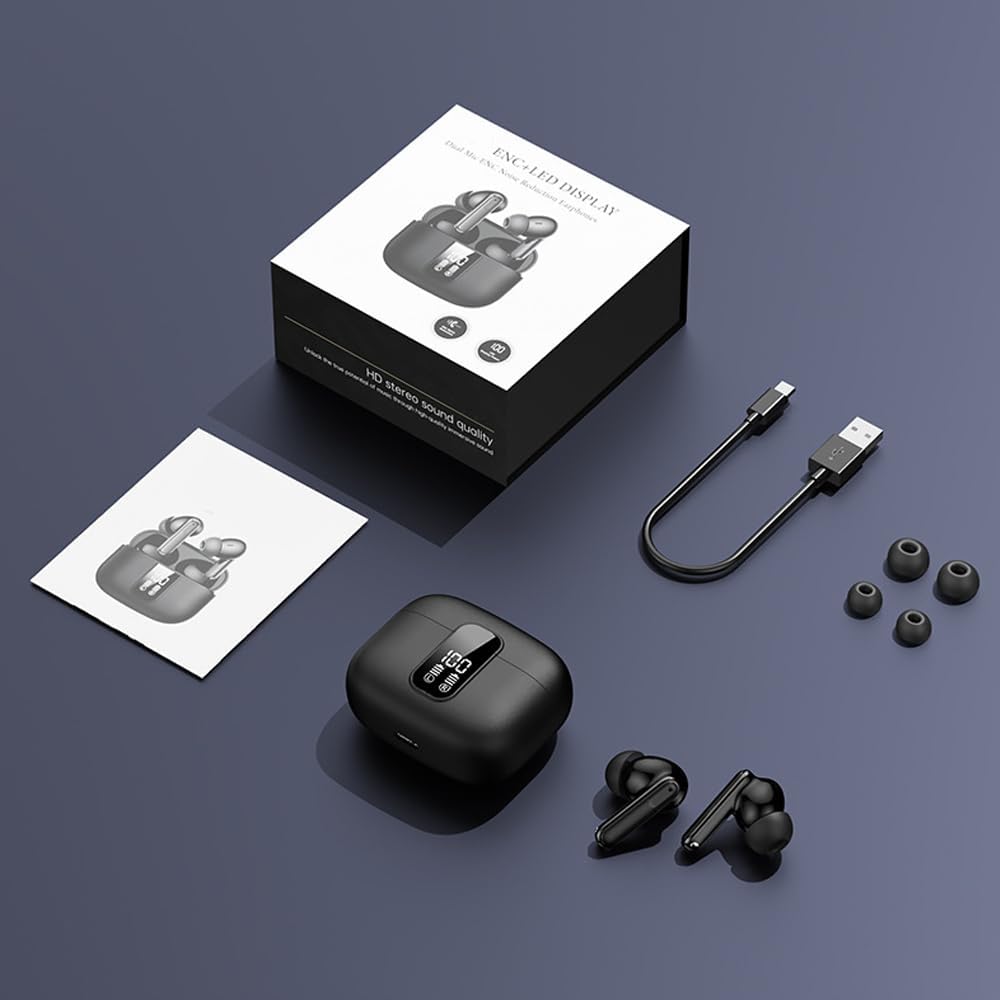
Image: All components included in the Kamon K40 Wireless Earbuds package: earbuds, charging case, USB-C cable, and three sizes of ear tips.
Продукт бүттүview
The Kamon K40 earbuds feature an ergonomic in-ear design for secure and comfortable fit. The charging case includes an LED display to show battery levels for both the case and individual earbuds. Key features include:
- Bluetooth 5.3: Provides stable and fast wireless connection up to 15 meters.
- AI ENC Noise Reduction: Enhances call clarity by filtering ambient noise.
- Smart Touch Control: Intuitive controls for music, calls, and voice assistant.
- Узак ойноо убактысы: Up to 5 hours per charge, extended to 20 hours total with the charging case.
- Суу өткөрбөйт дизайн: Resistant to sweat and light rain, suitable for workouts.
- HiFi Stereo Bass: Equipped with 13mm speakers for immersive audio.

Image: The Kamon K40 charging case open, revealing the earbuds and an LED display indicating the charge percentage and individual earbud battery status.
Жайгашуу
1. Кулакчындарды жана кутуну кубаттоо
Биринчи колдонуудан мурун, кулакчындарды жана заряддоо кутучасын толук заряддаңыз.
- Place the earbuds into the charging case. Ensure they are correctly seated; the LED indicators on the earbuds will light up.
- Connect the USB-C charging cable to the charging port on the case and the other end to a USB power adapter (not included).
- The LED display on the case will show the charging progress. A full charge for the case takes approximately 1.5 hours.
Video: An official product video demonstrating the features of the Kamon K40 Wireless Earbuds, including charging and touch controls.
2. Түзмөгүңүз менен жупташтыруу
The Kamon K40 earbuds feature one-step pairing for convenience.
- Open the charging case. The earbuds will automatically enter pairing mode, indicated by flashing lights (if applicable, refer to specific earbud light patterns).
- Түзмөгүңүздө (смартфон, планшет, ноутбук) Bluetooth иштетиңиз.
- Издөө жеткиликтүү Bluetooth түзмөктөрүн тандап, тизмеден "K40" тандаңыз.
- Once connected, you will hear a confirmation tone, and the earbuds' indicator lights will stop flashing.
The earbuds will automatically reconnect to the last paired device when removed from the case, provided Bluetooth is enabled on the device.
3. Кулакчын тагынуу
For optimal sound quality and comfort, choose the correct size ear tips and ensure a proper fit.
- Select the silicone ear tips that best fit your ear canal. Experiment with different sizes (S/M/L) for the most secure and comfortable seal.
- Gently insert each earbud into your ear canal and twist slightly to secure it. The ergonomic design helps them stay in place during various activities.

Image: A Kamon K40 Wireless Earbud correctly positioned in a human ear, demonstrating its ergonomic fit.
Иштөө нускамалары
Smart Touch Controls
The Kamon K40 earbuds feature intuitive touch controls on each earbud. The following table outlines the functions:

Image: A visual guide to the smart touch controls on the Kamon K40 earbuds, detailing actions for various taps and holds.
| Акция | Функция |
|---|---|
| Hold for 3 seconds (either earbud) | Күйгүзүү |
| Tap & Hold for 3 seconds (either earbud) | Өчүрүү |
| Бир таптоо (сол/оң) | Play/Pause Music / Answer/End Call |
| Double click left earbud | Мурунку трек |
| Double click right earbud | Кийинки трек |
| Сол кулакчынга үч жолу басыңыз | Көлөм + |
| Оң кулакчынга үч жолу басыңыз | Көлөмү - |
| Four strikes (L/R) | Үн жардамчысын жандырыңыз |
| Tap & Hold for 1.5 seconds (either earbud) | Чакырууну четке кагуу |
| FTouch (either earbud) | Transparent/ANC Mode - Normal Mode Switch |
Master-Slave Switch
The Kamon K40 earbuds support a master-slave switch function, allowing you to use either earbud independently or both simultaneously. This provides flexibility for various scenarios, such as taking calls with one earbud while the other charges, or sharing audio with a friend.
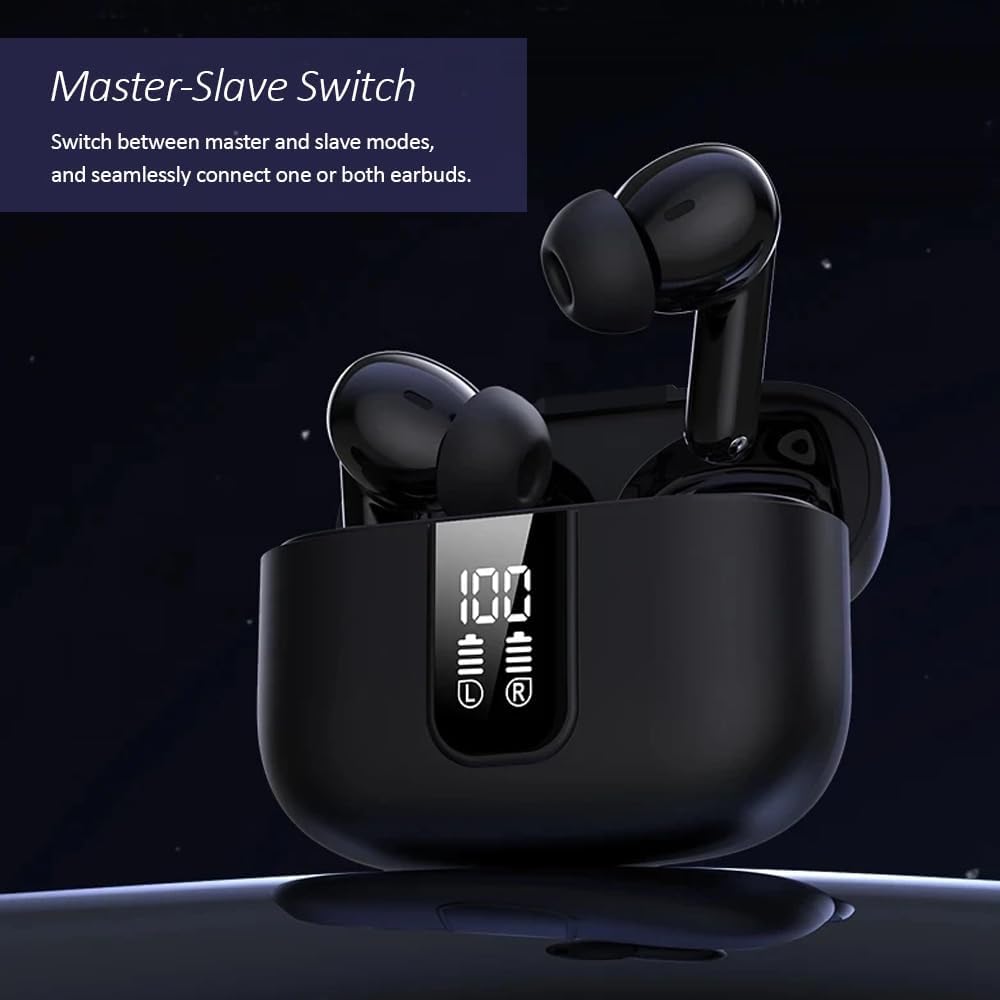
Image: The Kamon K40 earbuds in their charging case, highlighting the ability to use either earbud independently or together.
Техникалык тейлөө
Тазалоо
- Кулакчындарды жана заряддоо кутусун жумшак, кургак, түксүз чүпүрөк менен дайыма тазалап туруңуз.
- Кулагынын учтарын алып салып, жумшак самын жана суу менен тазалаңыз, анан кайра кийер алдында жакшылап кургатып алыңыз.
- Наушниктеги жана корпустун ичиндеги заряддоо контакттарын акырын тазалоо үчүн кебез тампонду колдонуңуз.
Сактагыч
- Колдонулбай турганда, кулакчындарды коргоо жана кубаттоо үчүн аларды кубаттоо кутучасында сактаңыз.
- Аппаратты салкын, кургак жерде, экстремалдык температурадан жана тике күн нурунан алыс сактаңыз.
Проблемаларды чечүү
Кулакчындар жупташпай/туташпай жатат
- Эки кулакчындын тең кубатталганын текшериңиз.
- Түзмөгүңүздөгү Bluetooth'ду өчүрүп, кайра күйгүзүңүз.
- Forget/delete "K40" from your device's Bluetooth list and attempt to pair again.
- Эки кулакчынды тең кубаттоочу кутуга кайра салыңыз, капкакты жаап, бир нече секунд күтүңүз, андан кийин жупташтыруу режимин кайра баштоо үчүн капкакты ачыңыз.
Үн жок же үнү төмөн
- Түзмөгүңүздөгү жана кулакчындардын үнүнүн деңгээлин текшериңиз.
- Ensure the earbuds are properly seated in your ears and the ear tips provide a good seal.
- Кулакчын динамиктериндеги калдыктарды тазалаңыз.
- Кулакчындарды түзмөгүңүзгө кайра туташтырыңыз.
Заряддоо маселелери
- USB-C кабели корпуска да, кубат булагына да бекем туташып турганын текшериңиз.
- Башка USB-C кабелин же кубат адаптерин колдонуп көрүңүз.
- Кулакчындардагы жана корпустун ичиндеги заряддоо контакттарын тазалаңыз.
Техникалык шарттар
| Өзгөчөлүк | Деталь |
|---|---|
| Модель аты | K40 |
| Бренд | Камон |
| Байланыш технологиясы | Зымсыз (Bluetooth) |
| Bluetooth версиясы | 5.3 |
| Bluetooth диапазону | 15 метр |
| Noise Control | Экологиялык ызы -чууну жокко чыгаруу (ENC) |
| Башкаруу түрү | Smart Touch Control |
| Кулак жайгаштыруу | Кулакта |
| Батареянын иштөө мөөнөтү (наушник) | 5 саатка чейин |
| Жалпы ойноо убактысы (Кеп менен) | 20 саатка чейин |
| Заряддоо интерфейси | USB-C |
| Сууга туруктуулук деңгээли | Суу өткөрбөйт |
| Аудио драйвер түрү | Балансталган арматура айдоочусу |
| Элемент Салмагы | 2 унция |
| Материал | Акрилонитрил бутадиен стирол (ABS) |
| Шайкеш түзмөктөр | Cellphones, Tablets, Laptops, Televisions |
Коопсуздук маалыматы
- Продукцияны ажыратпаңыз же өзгөртпөңүз.
- Keep the earbuds and charging case away from water, moisture, and extreme temperatures.
- Укуунун бузулушуна жол бербөө үчүн жогорку үн деңгээлинин узакка созулушунан качыңыз.
- Балдар жана үй жаныбарлары жетпеген жерде сактаңыз.
- Берилген заряддоо кабелин же тастыкталган эквивалентти гана колдонуңуз.
Кепилдик жана колдоо
Kamon products are designed for reliability and performance. For warranty information, technical support, or customer service inquiries, please refer to the contact details provided with your purchase or visit the official Kamon webсайт. Кепилдик дооматтары үчүн сатып алганыңыздын далилин сактап коюңуз.


