1. Киришүү
Thank you for choosing the InnoVibe 28" Color Changing Wall Light Bar. This RGB LED wall sconce is designed to provide versatile and customizable lighting for various indoor spaces such as living rooms, bedrooms, offices, and gaming rooms. This manual provides essential information for safe installation, operation, and maintenance of your new light bar.
2. Коопсуздук маалыматы
- Орнотуудан жана колдонуудан мурун бардык нускамаларды кылдат окуп чыгыңыз.
- Бул продукт имараттын ичинде гана колдонууга арналган. Сууга же жогорку нымдуулукка дуушар кылбаңыз.
- Ensure the power source is compatible with the product's voltage талаптары (5V DC).
- Do not attempt to disassemble or modify the light bar. This may void the warranty and pose a safety risk.
- Балдар жетпеген жерде сактаңыз.
- Clean the light bar with a soft, dry cloth. Do not use abrasive cleaners or solvents.
- If any damage occurs, discontinue use immediately and contact customer support.
3. Пакеттин мазмуну
Сураныч, бардык буюмдар бар экенин текшерүү үчүн пакетти текшериңиз:
- InnoVibe 28" Color Changing Wall Light Bar
- Алыстан башкаруу
- Монтаждоочу жабдуулар (буроолор, дубал анкерлери)
- USB кубат кабели
- Колдонуучунун Колдонмосу (бул документ)
4. Продукт бүтүп калдыview
The InnoVibe Wall Light Bar features a sleek design with RGB LED lighting capabilities. It is designed for easy wall mounting and offers adjustable rotation for directing light. The included remote control allows for convenient adjustment of colors, modes, and brightness.
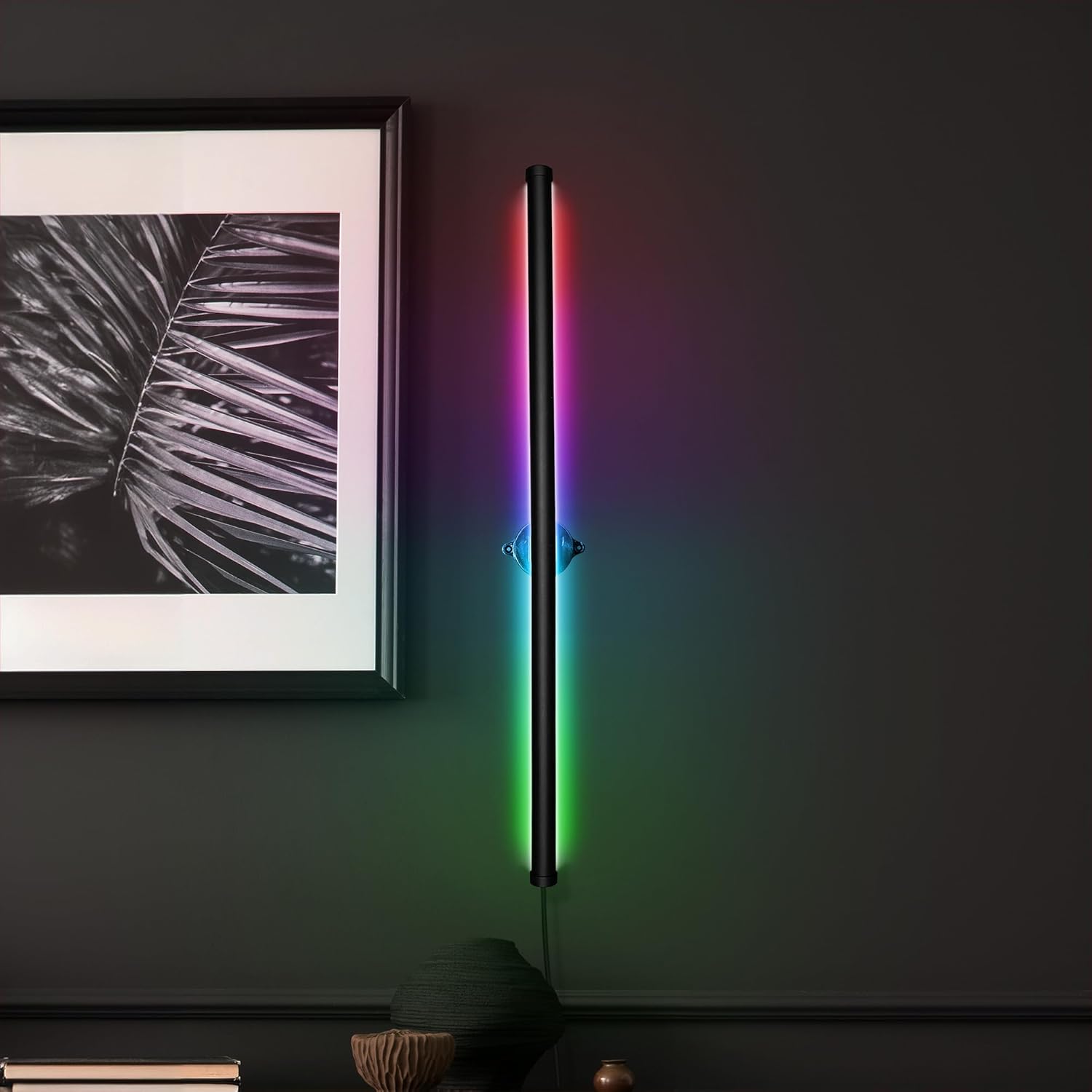
Figure 4.1: InnoVibe Wall Light Bar in operation, showcasing color-changing capabilities.

Figure 4.2: The light bar's adjustable rotation feature, allowing for directional lighting.
5. Орнотуу жана орнотуу
Follow these steps to install your InnoVibe Wall Light Bar:
- Жайгашкан жерди тандаңыз: Select a suitable indoor wall location for mounting. Ensure it is near a USB power source.
- Орнотуу пункттарын белгилөө: Hold the light bar's mounting bracket against the wall at your desired height and orientation. Use a pencil to mark the positions for the mounting screws.
- Бургулоочу тешиктер: Using an appropriate drill bit for your wall type, drill pilot holes at the marked positions. If installing into drywall, insert the provided wall anchors.
- Коопсуз монтаждык кронштейн: Align the mounting bracket with the pilot holes/anchors and secure it to the wall using the provided screws. Ensure it is firmly attached.
- Жарык тилкесин бекитүү: Gently snap the light bar into the secured mounting bracket. The light bar is designed to rotate within the bracket for directional adjustment.
- Туташуу кубаты: Plug the USB power cable into the light bar and then into a compatible USB power adapter (not included) or USB port.

Figure 5.1: The light bar in its unlit state, ready for installation or showing a white light setting.

Figure 5.2: Illustrates the light bar's rotational capability after mounting.
6. Иштөө нускамалары
The InnoVibe Wall Light Bar is controlled using the included remote control. Ensure the remote has working batteries (if applicable, check for plastic tab to remove) and is pointed towards the light bar for optimal response.
6.1 Алыстан башкаруу функциялары
- Кубат баскычы: Turns the light bar On or Off.
- Түс тандоо баскычтары: Directly select from 15 static colors.
- Жарыктык +/-: Тандалган түстүн же режимдин жарыктык деңгээлин тууралайт.
- Mode Buttons (4 Dynamic Modes):
- Жаркыроо режими: Colors cycle through quickly with flashing transitions.
- Strobe режими: Colors cycle through with a strobe effect.
- Өнүгүү режими: Түстөр биринен экинчисине жылмакай өтөт.
- Жылмакай режим: Provides a gradual and continuous color change.
- Ылдамдык +/-: Adjusts the speed of the dynamic light modes.
6.2 Эстутум функциясы
The light bar features a built-in memory function. When the light is turned off and then back on, it will recall the last used color or dynamic mode and brightness setting.
7. Техникалык тейлөө
- Тазалоо: Disconnect the power before cleaning. Use a soft, dry, lint-free cloth to wipe the surface of the light bar. Do not use liquid cleaners, sprays, or abrasive materials.
- Сактагыч: If storing the light bar for an extended period, ensure it is clean and dry. Store it in a cool, dry place away from direct sunlight.
8. Кыйынчылыктарды
| Көйгөй | Мүмкүн себеп | Чечим |
|---|---|---|
| Жарык тилкеси күйбөйт. | No power, loose connection, faulty USB adapter. | Check USB cable connection. Ensure USB adapter is working and plugged into a live outlet. Try a different USB adapter or port. |
| Пульт иштебей жатат. | Dead battery, remote not pointed at sensor, obstruction. | Replace remote battery. Ensure remote is pointed directly at the light bar's sensor. Remove any obstructions between the remote and the light bar. |
| Colors or modes are not changing. | Remote issue, light bar malfunction. | Verify remote functionality (see above). Power cycle the light bar (unplug and replug). If problem persists, contact customer support. |
9. Техникалык шарттар
- Модел: IVWL1693
- Өлчөмдөрү: 1"L x 1"W x 28"H
- Салмагы: 1.45 фунт
- Материал: Пластик
- Жарык булагы: RGB LED
- Кубат булагы: Зымдуу электр (USB менен иштейт)
- Тtage: 5V DC
- Башкаруу ыкмасы: Алыстан башкаруу
- Орнотуу түрү: Surface-Mounted (Wall Mount)
- Өзгөчөлүктөр: Color Changing, Adjustable Rotation, Memory Function
- Ички/тышкы колдонуу: Ичинде гана
10. Кепилдик жана колдоо
InnoVibe products are designed for quality and reliability. For warranty information, technical support, or any questions regarding your product, please contact the retailer or manufacturer directly. Please have your model number (IVWL1693) and purchase date available when contacting support.
Адатта, байланыш маалыматын продуктунун таңгагынан же чекене сатуучунун өзүнөн таба аласыз webбуюмду сатып алган сайт.
