1. Киришүү
This manual provides essential information for the proper installation, operation, and maintenance of your LaView 2K Solar Camera Outdoor Wireless Security System. Please read this manual thoroughly before using the product to ensure optimal performance and safety. This system includes four (4) 2K QHD wireless cameras with integrated solar panels for continuous power.
2. Продукт бүтүп калдыview
The LaView 2K Solar Camera is a high-performance outdoor security solution designed for ease of use and comprehensive surveillance. Key features include:
- 2K QHD жана түстүү түнкү көрүү: Captures ultra-clear color images day and night.
- 100% Wireless & Solar-Powered: Eliminates wiring and manual recharging.
- 360° панорамалоо жана 120° эңкейтүү: Provides full coverage with no blind spots.
- Smart PIR Detection: Reduces false alarms by accurately detecting people, vehicles, and pets.
- Эки тараптуу аудио: Enables communication with visitors or deterring intruders.
- IP65 аба ырайы: Designed to withstand harsh outdoor conditions.
- Көп колдонуучу менен бөлүшүү: Supports up to 20 simultaneous viewлүү.
- Smart Home шайкештиги: Amazon Alexa жана Google Assistant менен иштейт.

1-сүрөт: ЛаView 2K Solar Camera Outdoor Wireless Security System (4 Pack)
3. Кутуда эмне бар
Сиздин ЛаView 2K Solar Camera system includes the following components:
- 4 x LaView 2K Solar Camera Bodies
- 4 x Solar Panels (integrated or separate, depending on model variant)
- Mounting Hardware (screws, anchors, mounting brackets)
- USB-C заряддоо кабели
- Ыкчам баштоо колдонмосу / Колдонуучунун колдонмосу

Figure 2: Typical box contents for LaView 2K Solar Camera.
4. Орнотуу
4.1 Камераны баштапкы орнотуу
- Камераны заряддоо: Fully charge the camera battery using the provided USB-C cable before installation.
- Колдонмону жүктөп алыңыз: "Wans" жүктөп алып, орнотуңузView Cloud" app from your smartphone's app store (available for Android and iOS).
- Күйгүзүү: Open the waterproof cover on the bottom of the camera. Press and hold the power button for approximately 5 seconds until you hear a chime and the camera begins its self-test rotation.
- Жупташтыруу: Wans ачыңызView Cloud app, create an account, and log in. Tap the "+" or "Add Device" button. The app should automatically detect nearby devices via Bluetooth. Follow the in-app instructions to complete the pairing process. Ensure your smartphone is connected to a 2.4GHz Wi-Fi network.
4.2 Физикалык орнотуу
- Жайгашкан жерди тандаңыз: Select an outdoor location with good Wi-Fi signal strength and sufficient sunlight exposure for the solar panel. The camera is IP65 weatherproof.
- Камераны орнотуу: Use the provided mounting template to mark drill holes on your wall. Drill holes, insert anchors, and secure the camera's mounting bracket with screws. Attach the camera body to the bracket.
- Күн панелин орнотуу: If the solar panel is separate, mount it in a location that receives maximum direct sunlight throughout the day. Connect the solar panel cable to the camera's 5V charging port.
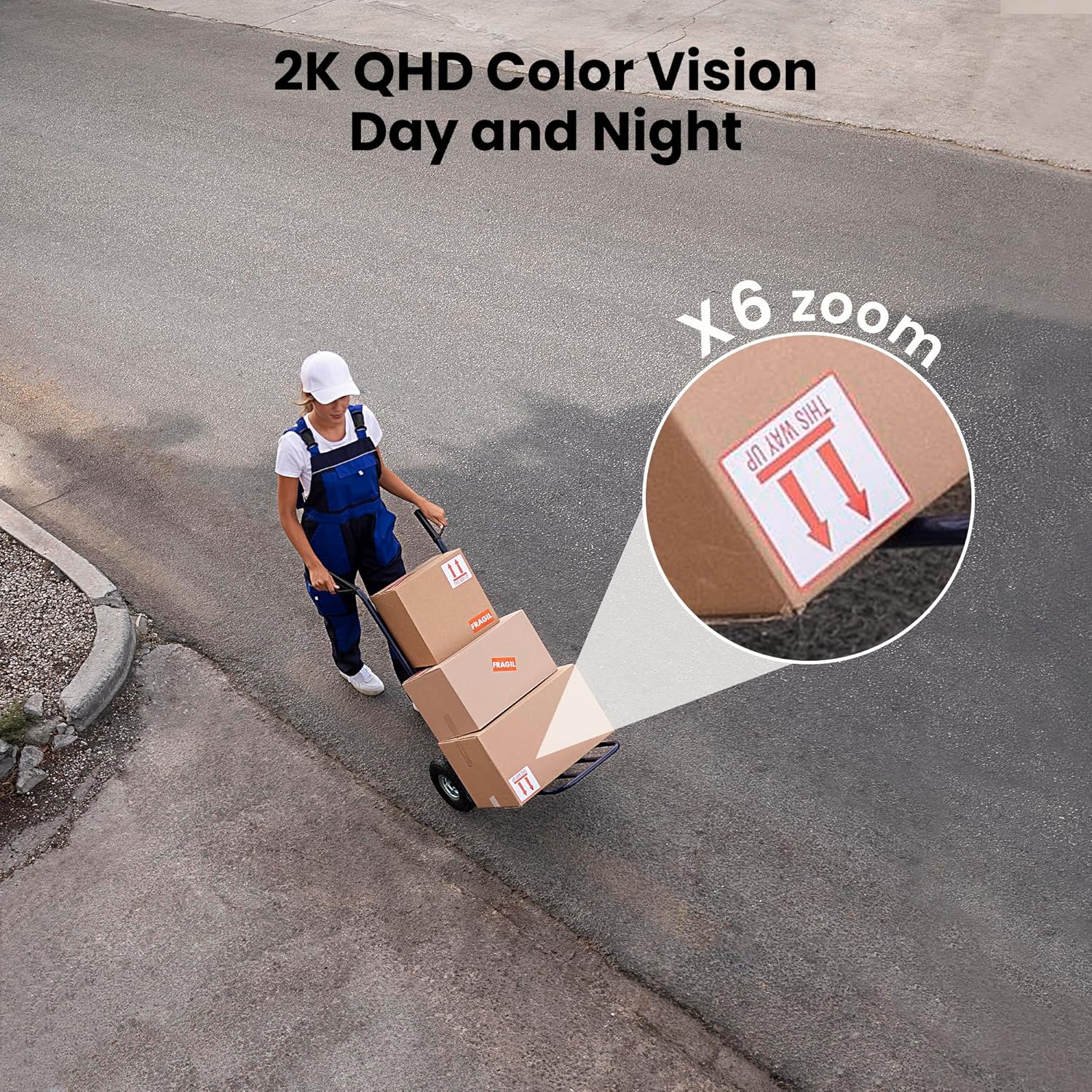
Figure 3: Flexible installation options for the LaView 2K Solar Camera.
5. Иштөө нускамалары
5.1 Live View and Camera Control
- Wans ачыңызView Cloud app to access the live feed from your camera.
- Use the on-screen controls to pan the camera 360° horizontally and tilt it 120° vertically for full coverage.
- Utilize the 6X digital zoom feature to view details in the 2K QHD resolution.

Figure 4: Control 360° pan and 120° tilt directly from your phone.
5.2 Видеонун сапаты жана түнкү көрүнүш
- The camera provides 2K QHD video resolution for clear images.
- Түнкү көрүнүш: With an F/1.6 aperture, the camera captures clear color images even in low-light conditions.
- Инфракызыл түнкү көрүнүш: For complete darkness, the camera automatically switches to infrared mode for black and white video.
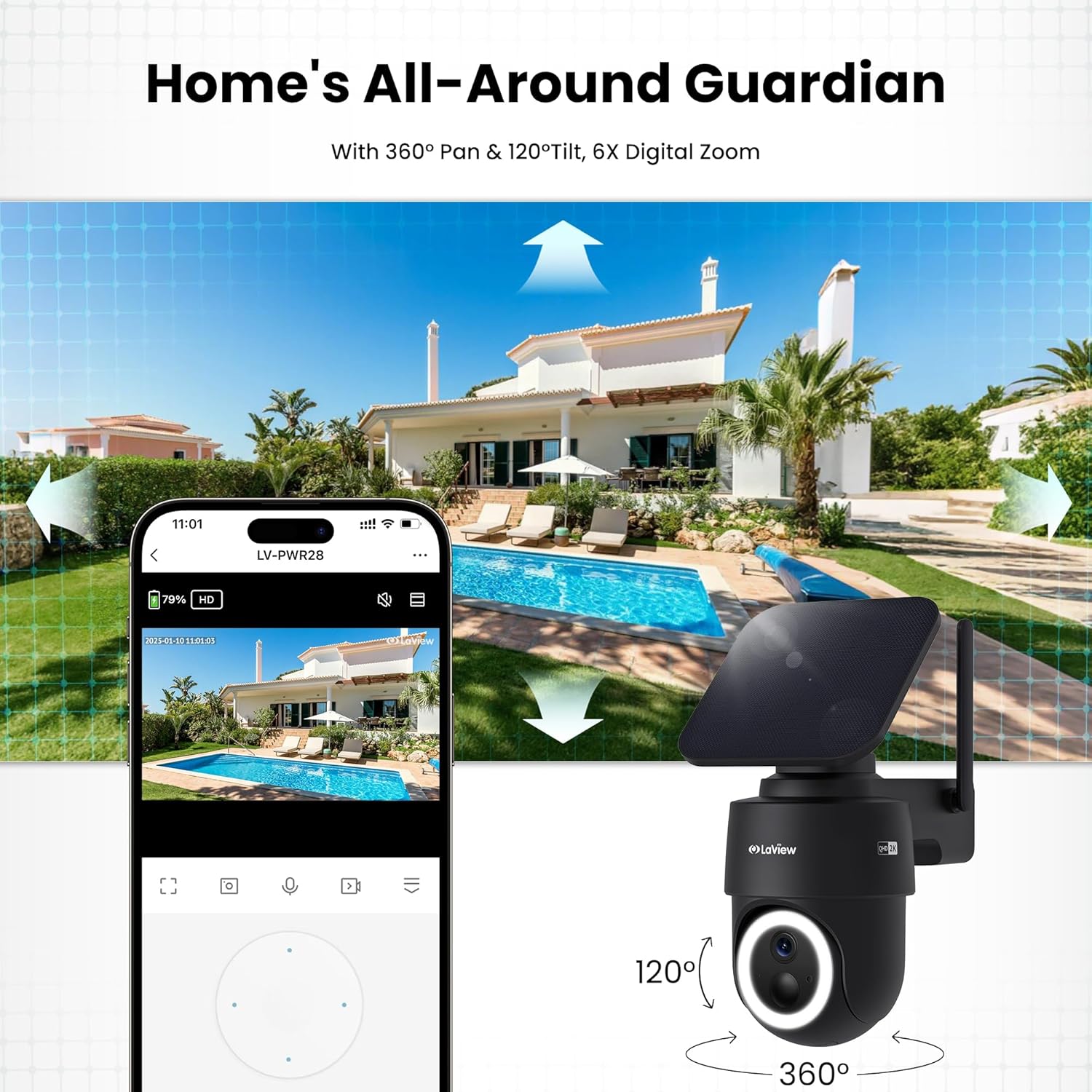
Figure 5: Experience 2K QHD color vision day and night with 6X zoom.
5.3 Кыймылды аныктоо жана эскертүүлөр
- PIR аныктоо: The advanced PIR sensor and intelligent algorithms accurately detect human, vehicle, and pet motion, reducing false alarms.
- Ыңгайлаштырылуучу зоналар: Set specific detection sensitivity and zones within the app.
- Ыкчам эскертүүлөр: Кыймыл аныкталганда смартфонуңузга push эскертмелерин алыңыз.
- Сирена жана прожектор: Configure the camera to trigger a siren and spotlight upon motion detection for deterrence.

Figure 6: Auto-record on motion detection, capturing movement paths for clear activity tracking.
5.4 Эки тараптуу аудио
- Use the microphone and speaker in the app to communicate with anyone near the camera.

Figure 7: Stay connected with two-way talk functionality.
5.5 Сактоо параметрлери
- Micro SD картасы: Insert a Micro SD card (up to 256GB, not included) into the designated slot for local storage of recordings.
- Булуттагы сактагыч: Optional cloud storage is available with a 30-day free trial. A subscription is required for continued cloud service.

Figure 8: Dual storage options: Micro SD card and Cloud Storage.
5.6 Smart Home интеграциясы
- The camera is compatible with Amazon Alexa and Google Assistant. Follow the instructions in your smart home app to connect the camera.

Figure 9: Works with smart home devices like Amazon Alexa and Google Assistant.
6. Техникалык тейлөө
6.1 Батареяны заряддоо
- The integrated solar panel continuously charges the camera's rechargeable battery. Ensure the solar panel is clean and free from obstructions for optimal charging.
- If necessary, the camera can also be charged directly via the USB-C port using the provided cable.
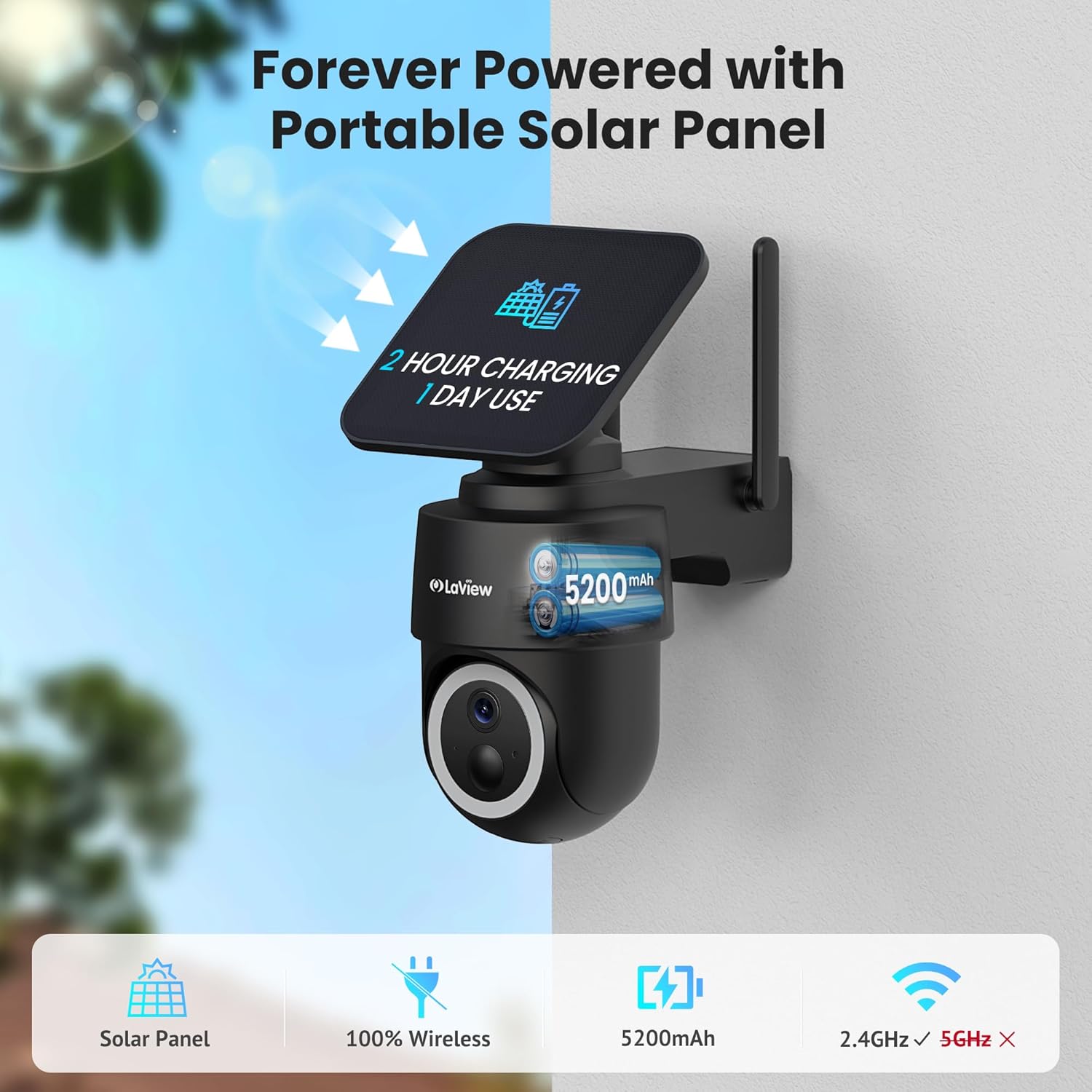
Figure 10: Forever powered with portable solar panel.
6.2 Аба ырайына туруктуулук
- The camera has an IP65 weatherproof rating, protecting it from dust and water jets. It operates in temperatures from 14°F to 122°F (-10°C to 50°C).

Figure 11: IP65 Weatherproof design for all conditions.
6.3 Тазалоо
- Камера линзасын жана күн батареясын жумшак, d менен үзгүлтүксүз тазалап туруңузamp cloth to ensure clear image quality and efficient charging.
7. Кыйынчылыктарды
- Камера Wi-Fiга туташпай жатат: Ensure your Wi-Fi network is 2.4GHz. Reboot your router and smartphone. Reset the camera by holding the reset button for 5 seconds until you hear a chime, then attempt pairing again.
- Көп кездешүүчү жалган сигналдар: Adjust the PIR detection sensitivity and customize detection zones within the app to minimize unwanted alerts from non-relevant motion sources.
- Сүрөттүн сапаты начар: Ensure the camera lens is clean and free from obstructions. Check Wi-Fi signal strength.
- Батарея заряддалбай жатат: Verify the solar panel is receiving direct sunlight and is free from dirt or obstructions. Ensure the solar panel cable is securely connected to the camera.
8. Техникалык шарттар
| Модель аты | LV-PWR28Q-B-4PK |
| Ички/тышкы колдонуу | Сыртта |
| Power Source | Күн энергиясы |
| Connectivity Protocol | Wi-Fi (2.4 ГГц гана) |
| Видео тартуунун резолюциясы | 2K QHD (3K mentioned in specs, but 2K QHD in features) |
| Controller Type | Amazon Alexa |
| Монтаж түрү | Дубалга орнотуу |
| Аба ырайына каршы рейтинг | IP65 |
| Иштөө температурасы | 14°F – 122°F (-10°C – 50°C) |
| Элементтин өлчөмдөрү (L x W x Y) | 10 x 13 x 9 дюйм |
| Элемент Салмагы | 7.88 фунт |
| UPC | 192728016859 |
9. Кепилдик жана колдоо
- 1 жылдык алмаштыруу кепилдиги: Сиздин ЛаView 2K Solar Camera system is covered by a 1-year replacement warranty.
- Өмүр бою техникалык колдоо: LaView offers lifetime technical support via phone for prompt and reliable solutions.
- 1-on-1 Customer Service: Dedicated customer service is available for personalized assistance.

12-сүрөт: ЛаView provides comprehensive after-sales support.


