Introduction
The BETOWEY S5 Motorcycle Bluetooth Intercom is designed to provide clear and stable communication for motorcycle riders. Equipped with advanced Bluetooth 5.3 technology and dual Bluetooth chips, it supports audio multitasking, allowing seamless integration of intercom, music, FM radio, and GPS navigation. This manual provides detailed instructions for installation, operation, and maintenance of your S5 intercom system.
Кутуда эмне бар
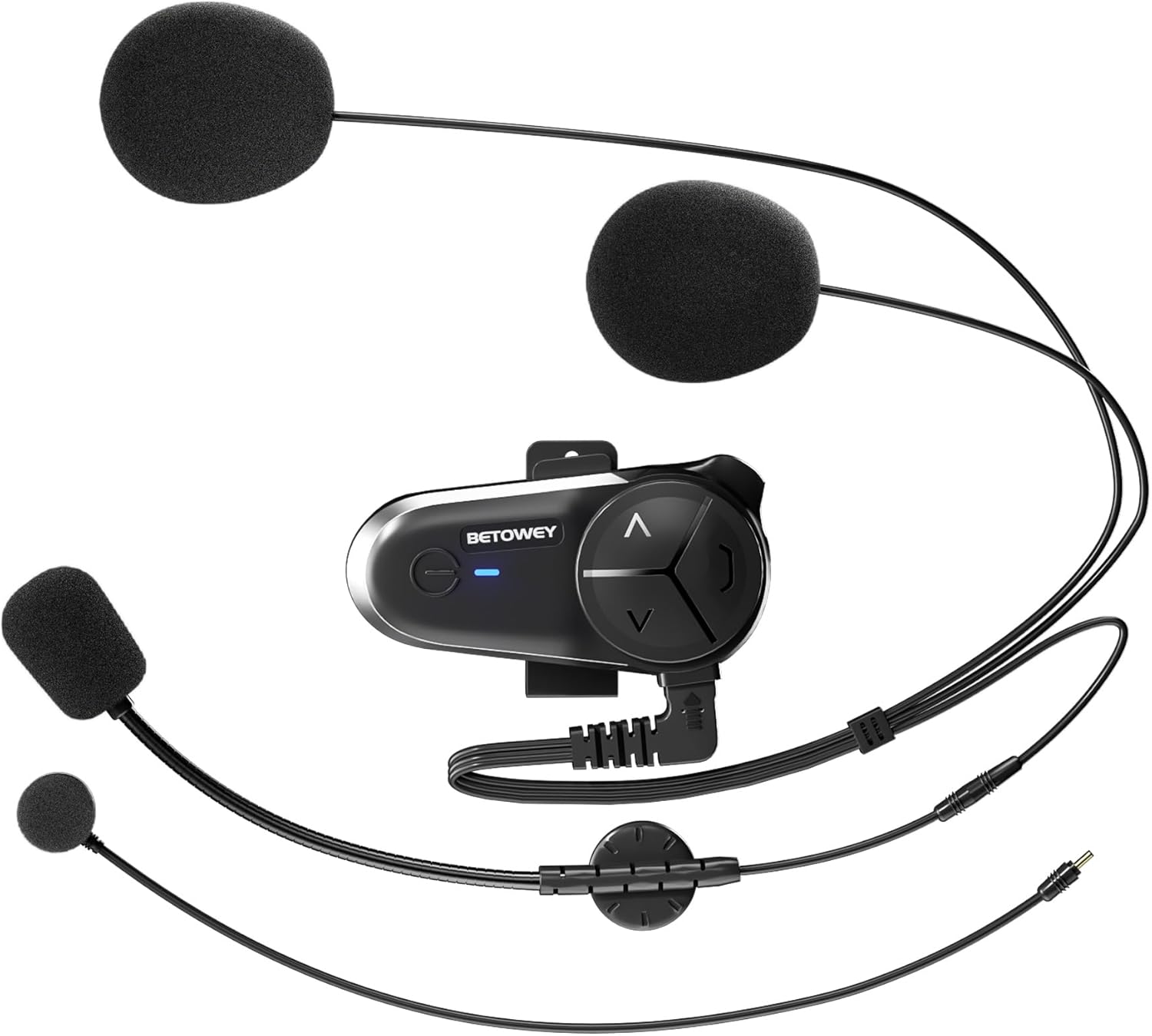
Image: The BETOWEY S5 intercom unit with its included accessories, such as the boom microphone, button microphone, and speakers.
- Intercom Device (BT-S5 Unit)
- Microphone & Headset (includes both boom mic and button mic options)
- Velcro Clamp (туулга тагуу үчүн)
- USB кабели (заряддоо үчүн)
- Screw Driver (for clamp орнотуу)
Орнотуу боюнча колдонмо
The BETOWEY S5 offers two primary installation methods: clamp mount and adhesive mount. Choose the method that best suits your helmet type and preference.
Метод 1: Clamp Монтаждоо
- Cl тиркеңизamp: Кл артындагы буроолорду бошотуңузamp. Классты жылдырыңызamp between the outer shell and the inner lining of your helmet, positioning it on the left side. Tighten the screws securely with the provided screwdriver.

Image: Illustration of the clamp mount installation process, showing the clamp being secured to the helmet.
- Mount the Intercom Unit: Slide the BT-S5 intercom unit onto the clamp until it clicks into place. Ensure it is firmly attached.
Method 2: Adhesive Mount Installation
- Бетти даярдоо: Clean the desired mounting area on the left side of your helmet with an alcohol wipe and let it dry completely.
- Attach Adhesive Base: Peel off the protective film from the adhesive pad on the back of the adhesive mount. Press the mount firmly onto the cleaned helmet surface for at least 30 seconds. Allow 24 hours for the adhesive to fully cure before use.

Image: Illustration of the adhesive mount installation process, showing the adhesive base being attached to the helmet.
- Mount the Intercom Unit: Slide the BT-S5 intercom unit onto the adhesive mount until it clicks into place.
Динамик жана микрофон орнотуу
- Спикердин жайгашуусу: Attach the speakers to the inside of your helmet using the Velcro pads, ensuring they are aligned with your ears for optimal sound.

Image: Diagram illustrating the optimal positioning of the speakers inside the helmet for clear audio.
- Microphone Selection and Placement:
- Бум микрофону: Ideal for open-face or flip-up helmets. Attach the boom mic to the inside of the helmet near your mouth.
- Баскычтуу микрофон: Suitable for full-face helmets. Attach the button mic to the inside of the chin bar, ensuring it is close to your mouth.

Image: Diagram illustrating the placement of both boom and button microphones within different helmet types.
- Кабелдерди туташтыруу: Plug the speaker and microphone cables into the corresponding ports on the BT-S5 intercom unit.
Иштөө нускамалары
Күйгүзүү/өчүрүү
- Күйгүзүү: Press and hold the Power button for 3 seconds until the indicator light turns blue.
- Өчүрүү: Press and hold the Power button for 3 seconds until the indicator light turns red and then off.
Bluetooth мобилдик телефон менен жупташууда
- Ensure the BT-S5 is powered off.
- Күйгүзүү баскычын болжол менен 5-7 секунд басып, индикатор жарыгы кызыл жана көк түстөр менен кезектешип күйүп-өчкөнгө чейин, жупташтыруу режимин көрсөткөнгө чейин кармап туруңуз.
- On your mobile phone, enable Bluetooth and search for "BETOWEY S5".
- Select "BETOWEY S5" to connect. Once paired, the indicator light will flash blue slowly.

Image: Visual representation of the universal pairing capability of the BT-S5 with other devices.
Intercom Function (Group Communication)
The S5 supports intercom communication for 2 to 10 riders. For optimal performance, ensure units are within range (up to 500m for two riders, up to 3000m for a group of 10).

Image: Depiction of multiple riders communicating using the BETOWEY S5 group intercom feature.
- Pairing Two Units: With both units off, press and hold the Power button on both units simultaneously for 5-7 seconds until they enter pairing mode (red and blue flashing). Briefly press the Power button on one unit to initiate pairing. Once connected, both units will flash blue slowly.
- Adding More Units: To add a third unit, pair it with one of the already connected units. Repeat the process for additional units.
- Домофонду баштоо: Once paired, a short press of the Intercom button (usually the large central button) will initiate or end the intercom conversation.
Аудио көп тапшырма
The S5 allows you to mix audio sources, such as intercom conversations with background music or GPS instructions, without interruption.

Image: Internal chip diagram illustrating the dual Bluetooth chip architecture that supports simultaneous audio functions like intercom and music or GPS.
- When an intercom conversation is active, music or GPS audio will automatically lower in volume and resume normal volume when the intercom call ends.
- No specific action is required to enable multitasking; it functions automatically once audio sources are connected.
Music Playback & FM Radio
- Музыканы ойнотуу/тындыруу: Кубат баскычын кыска басыңыз.
- Кийинки трек: Short press the "Next" button (usually the forward arrow).
- Мурунку трек: Short press the "Previous" button (usually the backward arrow).
- Үндү тууралоо: Use the volume up/down buttons (usually the up/down arrows).
- FM радиосу: Press and hold the "FM" button (if available, or a combination of buttons as per specific model instructions) to turn FM radio on/off. Short press to scan channels.

Сүрөт: бүттүview of the BT-S5 unit showcasing its key functionalities including multitasking audio and group intercom.
Телефон чалуулар
- Чакырууга жооп берүү: Кубат баскычын кыска басыңыз.
- Чакырууну аяктоо: Кубат баскычын кыска басыңыз.
- Чакырууну четке кагуу: Кубат баскычын 2 секунд басып, кармап туруңуз.
- Акыркы номерди кайра терүү: Күйгүзүү/өчүрүү баскычын эки жолу басыңыз.
Техникалык тейлөө
- Тазалоо: жумшак колдонуу, damp cloth to clean the intercom unit. Do not use harsh chemicals or abrasive cleaners.
- Заряддоо: Charge the device using the provided USB cable. Avoid overcharging. The battery indicator will show charging status.
- Сактагыч: Store the device in a cool, dry place when not in use. If storing for extended periods, charge the battery every 3 months to maintain its lifespan.
- Суу каршылык: The S5 is water-resistant (IP67 rated), but avoid submerging it in water. Ensure the USB port cover is securely closed.

Image: Visual representation of the BETOWEY S5's battery performance metrics.
Проблемаларды чечүү
| Көйгөй | Мүмкүн себеп | Чечим |
|---|---|---|
| Күч жок | Low battery; Device off. | Charge the device; Press and hold Power button for 3 seconds to turn on. |
| Bluetooth жупташтыруу мүмкүн эмес | Device not in pairing mode; Too far from phone/other unit. | Ensure device is in pairing mode (red/blue flashing); Bring devices closer; Restart both devices. |
| Үн жок/Үнү аз | Volume too low; Speakers not connected properly; Speakers misaligned. | Increase volume; Check speaker connections; Adjust speaker position in helmet. |
| Intercom Disconnects | диапазондон тышкары; тоскоолдуктар; Интерференция. | Move closer to other units; Avoid large obstructions; Re-establish connection. |
| Poor Sound Quality (Noise) | Microphone not positioned correctly; High wind noise. | Adjust microphone closer to mouth; Ensure microphone foam cover is in place. |
Техникалык шарттар
| Өзгөчөлүк | Деталь |
|---|---|
| Модель аты | BETOWEY BT-S5 |
| Байланыш технологиясы | Зымсыз (Bluetooth) |
| Bluetooth версиясы | 5.3 |
| Батарея сыйымдуулугу | 1000mAh |
| Батареянын иштөө мөөнөтү (иштеп жаткан) | 16 саатка чейин |
| Күтүү убактысы | 150 саатка чейин |
| Заряддоо убактысы | Болжол менен 2.5 саат |
| Intercom Range (2 Riders) | 500 метрге чейин |
| Intercom Range (10 Riders) | 3000 метрге чейин |
| Ызы-чууну азайтуу технологиясы | DSP and CVC |
| Динамик өлчөмү | 40mm High-Fidelity |
| Сууга туруктуулук деңгээли | Сууга чыдамдуу (IP67) |
| Элемент Салмагы | 48 грамм (1.69 унция) |
| Продукциянын өлчөмдөрү | 3.6 x 1.85 x 0.54 дюйм |
Кепилдик жана колдоо
BETOWEY products are designed for reliability and performance. For warranty information or technical support, please contact BETOWEY customer service directly. You can find contact details on the official BETOWEY webсайт же сатып алуу платформасы аркылуу.
Кошумча жардам алуу үчүн, сураныч, баш багыңыз BETOWEY Store on Amazon.


