1. Киришүү
This manual provides detailed instructions for the XBG B15pro Wireless Bluetooth Mouse. This device offers versatile connectivity options, an ergonomic design, and an intuitive LED display for enhanced user experience.
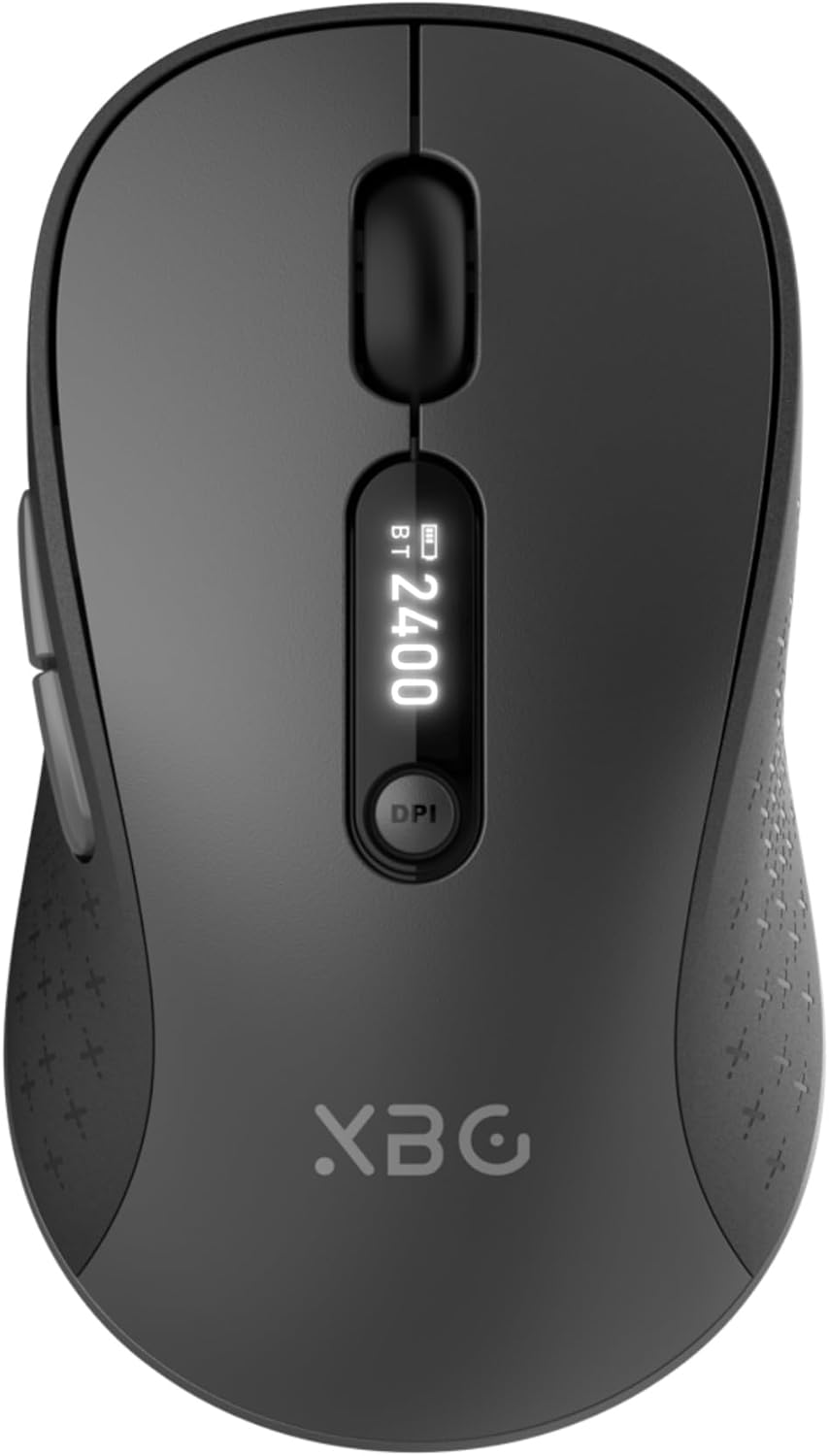
Image 1.1: The XBG B15pro Wireless Bluetooth Mouse, showcasinАнын кооз дизайны жана LED дисплейи.
Пакеттин мазмуну:
- 1 x XBG B15pro Wireless Bluetooth Mouse
- 1 x USB заряддоо кабели (Type-C)
- 1 x USB Receiver (2.4G)
- 1 x User Manual
2. Продукциянын өзгөчөлүктөрү
- Tri-Mode туташуу: Supports Bluetooth 5.0, Bluetooth 4.0, and 2.4GHz wireless connections, allowing seamless switching between up to three devices.
- LED экран дисплейи: Provides real-time information on battery percentage, DPI level, and current connection mode.
- Жөнгө салынуучу DPI: Five adjustable DPI levels (800/1000/1200/1600/2400) for precise cursor control.
- Кайра заряддалуучу батарея: Built-in 500 mAh lithium polymer battery, rechargeable via Type-C port.
- Үнсүз чыкылдатуу баскычтары: Main left and right buttons feature silent click technology, reducing noise in quiet environments.
- Эргономикалык дизайн: Contoured shape with a thumb rest and arched palm support for comfortable use during extended periods.
- Көп беттик шайкештик: Operates effectively on various surfaces including resin, wood, fabric, paper, and metal.

Image 2.1: The XBG B15pro mouse designed for multi-device use, highlighting its wireless capabilities.
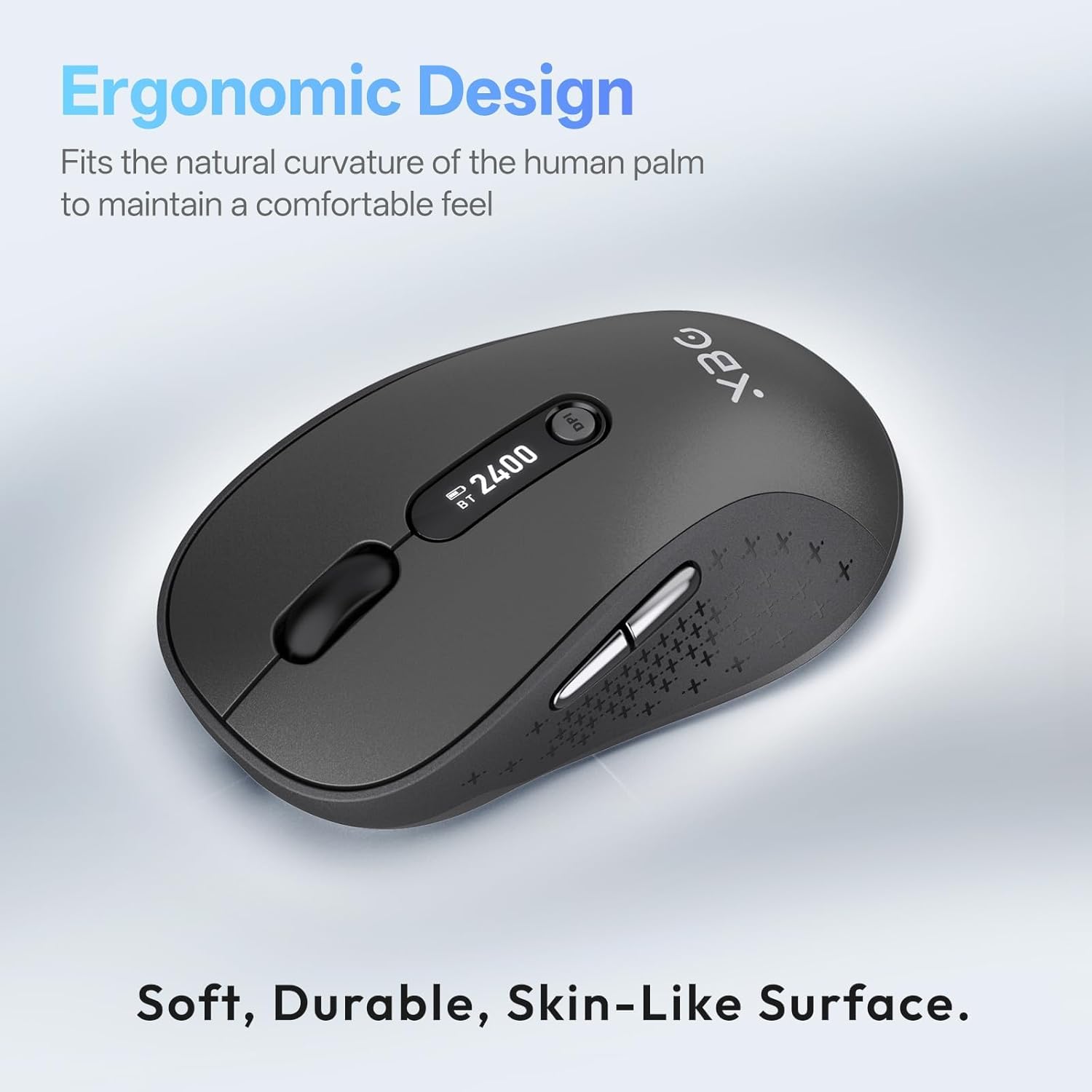
Image 2.2: The ergonomic contour of the XBG B15pro mouse, designed for comfortable hand fit.
3. Орнотуу
3.1 Чычканды заряддоо
Before first use, or when the battery indicator on the LED screen shows low power, charge the mouse using the provided Type-C USB cable. Connect the cable to the mouse's Type-C port and a USB power source (e.g., computer USB port, USB wall adapter).

Image 3.1: The XBG B15pro mouse connected for charging via its Type-C port.
3.2 Чычканды туташтыруу
The XBG B15pro mouse supports three connection modes: 2.4GHz wireless (via USB receiver) and two Bluetooth channels (BT1, BT2). The mode switch is located on the bottom of the mouse.

Image 3.2: The underside of the XBG B15pro mouse, showing the ON/OFF switch, mode switch button, and USB receiver storage.
2.4 ГГц зымсыз туташуу:
- Locate the USB receiver stored in the bottom compartment of the mouse.
- USB ресиверди компьютериңиздеги жеткиликтүү USB портуна сайыңыз.
- Төмөнкү жактагы КҮЙГҮЗҮҮ/ӨЧҮРҮҮ баскычын колдонуп, чычканды күйгүзүңүз.
- Press the Mode Switch button on the bottom until the LED indicator shows a Кызыл жарык, indicating 2.4G mode. The mouse should connect automatically.
Bluetooth туташуусу (BT1 / BT2):
- Төмөнкү жактагы КҮЙГҮЗҮҮ/ӨЧҮРҮҮ баскычын колдонуп, чычканды күйгүзүңүз.
- Press the Mode Switch button on the bottom to select either BT1 (Көк жарык) or BT2 (Жашыл жарык).
- Press and hold the Mode Switch button for 3-5 seconds until the corresponding Bluetooth indicator light (blue or green) starts flashing rapidly. This indicates pairing mode.
- On your device (laptop, tablet, PC), go to Bluetooth settings and search for new devices.
- Select "XBG B15pro" from the list of available devices to pair.
- Жупташкандан кийин индикатор жарыгын өчүрбөйт жана туруктуу бойдон калат.

Image 3.3: Illustration of the XBG B15pro mouse connecting to multiple devices via 2.4G and Bluetooth modes.
4. Иштөө нускамалары
4.1 LED экран дисплей
The integrated LED screen provides essential information at a glance:
- Батарея Персенtage: Учурдагы батареянын деңгээлин көрсөтөт.
- DPI деңгээли: Displays the active DPI setting (800/1000/1200/1600/2400).
- Туташуу режими: Indicates the active connection (2.4G, BT1, or BT2).
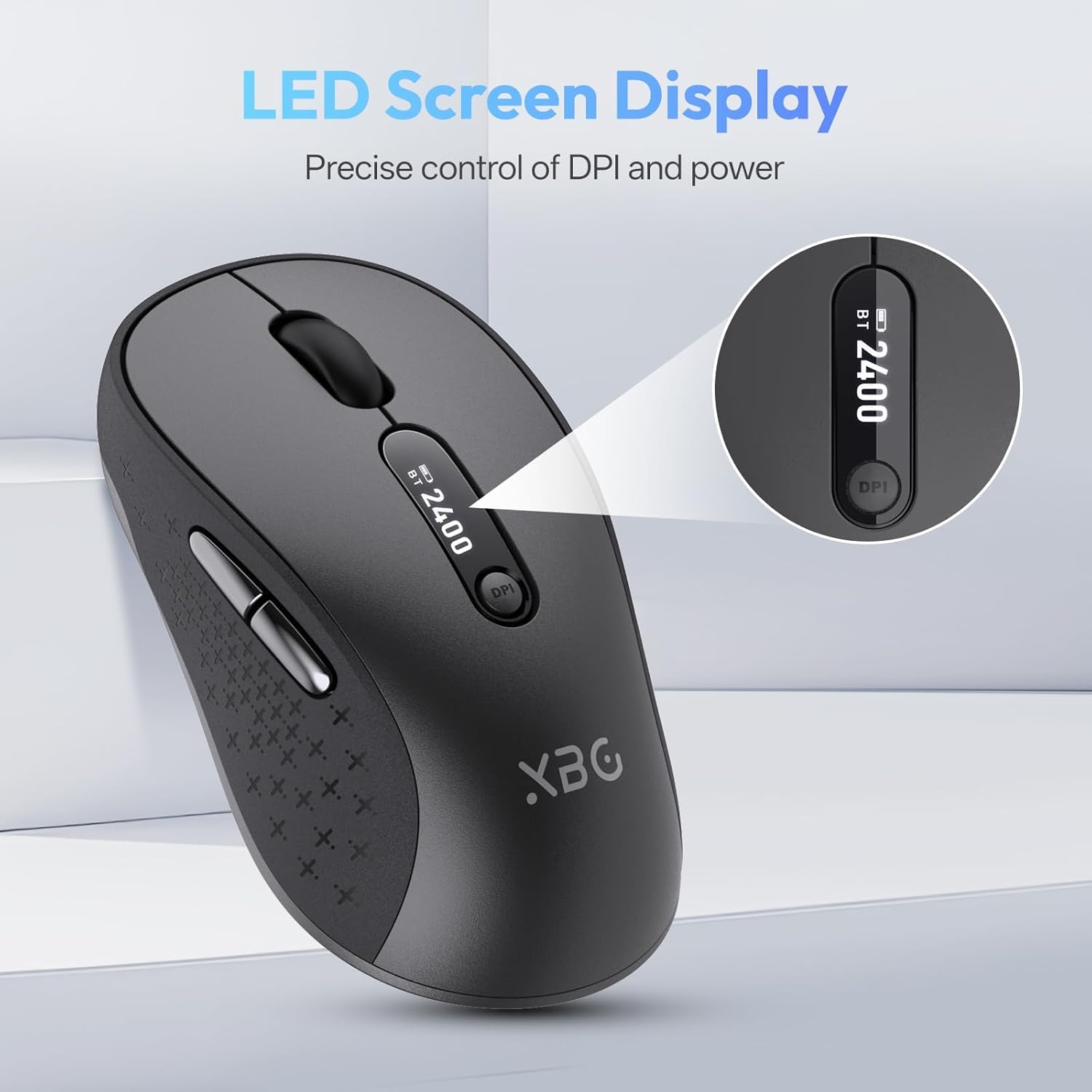
Сүрөт 4.1: деталдуу view of the mouse's LED screen, showing battery, DPI, and connection status.
4.2 DPI жөндөө
Press the DPI button located below the scroll wheel to cycle through the five available DPI settings (800, 1000, 1200, 1600, 2400). The current DPI level will be displayed on the LED screen.
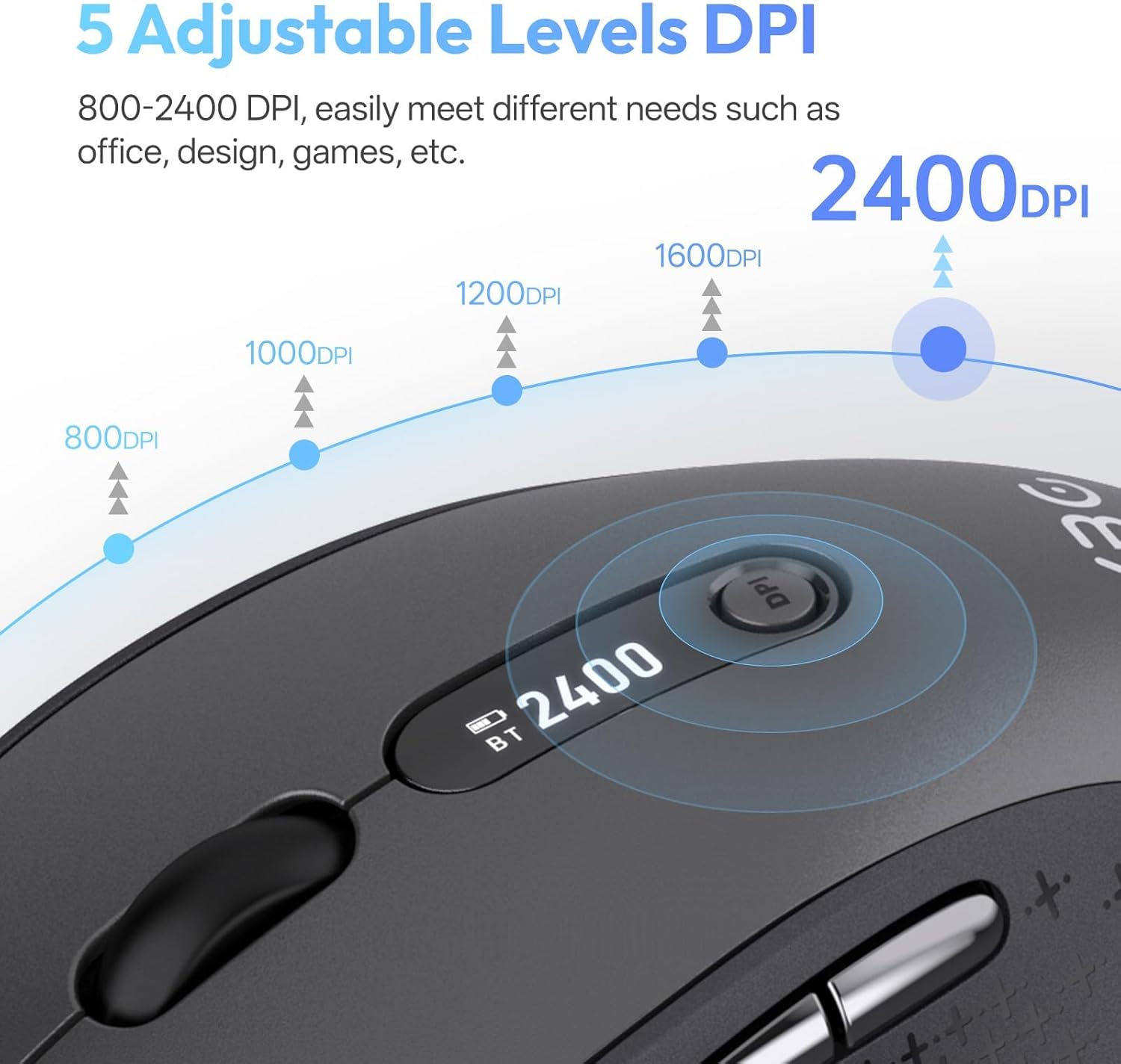
Image 4.2: Visual representation of the five adjustable DPI levels and how to change them.
4.3 Silent Click Functionality
The main left and right click buttons are designed for silent operation, providing a tactile click feel without audible noise. This feature is ideal for environments requiring minimal disturbance.

Image 4.3: A user operating the XBG B15pro mouse, illustrating its silent click feature in a quiet setting.
4.4 Автоматтык уйку режими
To conserve battery, the mouse will automatically enter sleep mode after 5 minutes of inactivity. To wake the mouse, simply move it or click any button.
5. Техникалык тейлөө
5.1 Батареяга кам көрүү
- Чычканды биринчи жолу колдонуудан мурун толук кубаттаңыз.
- Батареянын иштөө мөөнөтүн узартуу үчүн бат-баттан батареяны толугу менен түгөтпөңүз.
- Заряддоо үчүн берилген Type-C кабелин колдонуңуз.
- When not in use for extended periods, turn off the mouse using the ON/OFF switch on the bottom to prevent battery discharge.

Image 5.1: The XBG B15pro mouse being charged, illustrating its fast charging capability and long-lasting battery.
5.2 Тазалоо
Wipe the mouse with a soft, damp кездеме. Бетине зыян келтирүүчү катаал химиялык заттарды же абразивдүү материалдарды колдонуудан алыс болуңуз.
6. Кыйынчылыктарды
- Чычкан жооп бербей жатат:
- Чычкандын күйүп турганын текшериңиз.
- Check the battery level on the LED screen and charge if necessary.
- Verify the correct connection mode (2.4G, BT1, BT2) is selected and properly paired.
- For 2.4G mode, ensure the USB receiver is securely plugged into the computer.
- For Bluetooth mode, ensure Bluetooth is enabled on your device and re-pair if connection is lost.
- Курсордун кыймылы туруксуз же жай:
- DPI баскычын колдонуп DPI жөндөөсүн тууралаңыз.
- Ensure the mouse is used on a clean, suitable surface.
- Mouse disconnects frequently:
- Чычкан түзмөгүңүздүн натыйжалуу диапазонунда экенин текшериңиз (адатта Bluetooth/2.4G үчүн 10 метр).
- Башка зымсыз түзмөктөрдүн кийлигишүүсүн азайтыңыз.
- Батареянын деңгээлин текшериңиз.
- Mouse does not automatically enter sleep mode:
- While the mouse has an automatic sleep feature, it is recommended to manually turn off the mouse via the ON/OFF switch when not in use for extended periods to ensure maximum battery conservation.
7. Техникалык шарттар
| Өзгөчөлүк | Спецификация |
|---|---|
| Модель номери | B15 pro |
| Байланыш технологиясы | Bluetooth 5.0/4.0, 2.4 ГГц зымсыз байланыш |
| Кыймылды аныктоо | Оптикалык |
| DPI деңгээли | 800, 1000, 1200, 1600, 2400 |
| Батарея түрү | 1 Lithium Polymer (500 mAh, included) |
| Заряддоо порту | Type-C |
| Продукциянын өлчөмдөрү | 4.55 x 2.83 x 0.04 дюйм (11.56 x 7.19 x 0.1 см) |
| Элемент Салмагы | 2.65 унция (75 грамм) |
| Өзгөчөлүктөр | Ergonomic Design, Portable, Silent Click, LED Screen Display |

Image 7.1: A guide for recommended mouse size based on palm length and width.
8. Кепилдик жана колдоо
XBG offers a satisfaction guarantee for the B15pro Wireless Bluetooth Mouse.
- 30 күндүк кайтаруу саясаты: If you are not satisfied with the product, you may return it within 30 days of purchase.
- 1 жылдык алмаштыруу кепилдиги: The product is covered by a 1-year replacement warranty for manufacturing defects.
For further assistance or support, please refer to the contact information provided with your purchase or visit the official XBG webсайт.


