1. Киришүү
Thank you for choosing the Denash H Band Smart Watch. This device is designed to enhance your daily life with its advanced features, including a high-resolution display, long battery life, multiple sports modes, and convenient communication capabilities. This manual provides detailed instructions on how to set up, operate, and maintain your smartwatch to ensure optimal performance.

Figure 1.1: Denash H Band Smart Watch (Orange) with its magnetic charging cable.
2. Пакеттин мазмуну
Сураныч, кутудан чыгарганда пакеттин мазмунун текшерип, бардык буюмдар бар экенин текшериңиз:
- 1 x Denash H Band Smart Watch (Orange)
- 1 x User Manual
- 1 x заряддоо кабели
3. Орнотуу
3.1 Акылдуу саатты кубаттоо
Биринчи жолу колдонуудан мурун, акылдуу саатыңызды толугу менен кубаттаңыз. Магниттик кубаттоочу кабелди сааттын арткы жагындагы кубаттоочу чекиттерге туташтырып, USB учун стандарттуу USB кубат адаптерине (кошулмага кирбейт) же компьютердин USB портуна сайыңыз.

3.1-сүрөт: Арткы view of the smartwatch, highlighting the charging contacts and sensors.
The watch features a 380mAh high-capacity battery, ensuring long-lasting battery life after a full charge.
3.2 Күйгүзүү/өчүрүү
- Күйгүзүү: Press and hold the side button (crown) for a few seconds until the screen lights up.
- Өчүрүү: From the watch face, swipe down to access quick settings, or navigate to the settings menu. Locate the power off option and confirm. Alternatively, press and hold the side button and select "Power Off" from the options.
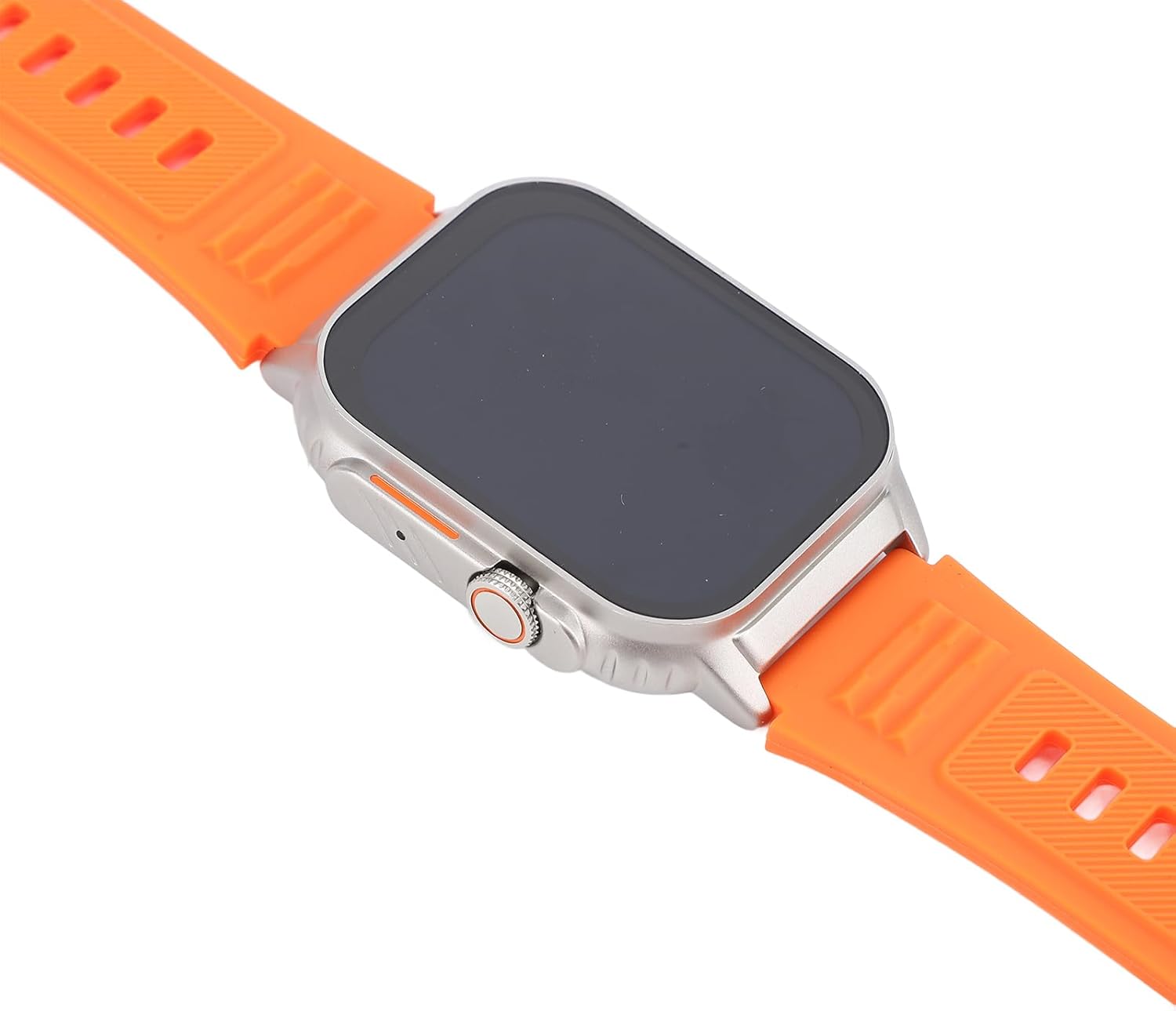
3.2-сүрөт: Каптал view of the smartwatch, showing the rotatable crown button used for navigation and power control.
3.3 App Installation (H Band)
To unlock the full potential of your smartwatch, download and install the "H Band" application on your smartphone. The app is available on both iOS and Android app stores. Scan the QR code provided in the physical user manual or search for "H Band" in your app store.
3.4 Смартфонуңуз менен жупташуу
- Смартфонуңузда Bluetooth иштетилгенин текшериңиз.
- Open the "H Band" app on your smartphone.
- Follow the in-app instructions to add a new device. The app will search for available smartwatches.
- Select your Denash H Band Smart Watch from the list of discovered devices.
- Суралган учурда смартфонуңуздагы жана акылдуу саатыңыздагы жупташтыруу өтүнүчүн ырастаңыз.
- Once paired, the watch will synchronize data with the app, including time, date, and notifications.
4. Иштөө нускамалары
4.1 Интерфейсте навигация
The smartwatch features a 2.01-inch full touch HD screen (240x296 resolution) for intuitive navigation.
- Өйдө/ылдый сүрүү: Менюларды жана эскертмелерди сыдырыңыз.
- Солго/Оңго сүрүү: Ар кандай виджеттерге же тез функцияларга кирүү.
- таптаңыз: Бир нерсени тандаңыз же колдонмону ачыңыз.
- Каптал баскыч (Таажы): Press to return to the watch face or open the app list. Rotate to scroll through lists or zoom in/out (functionality may vary by app).
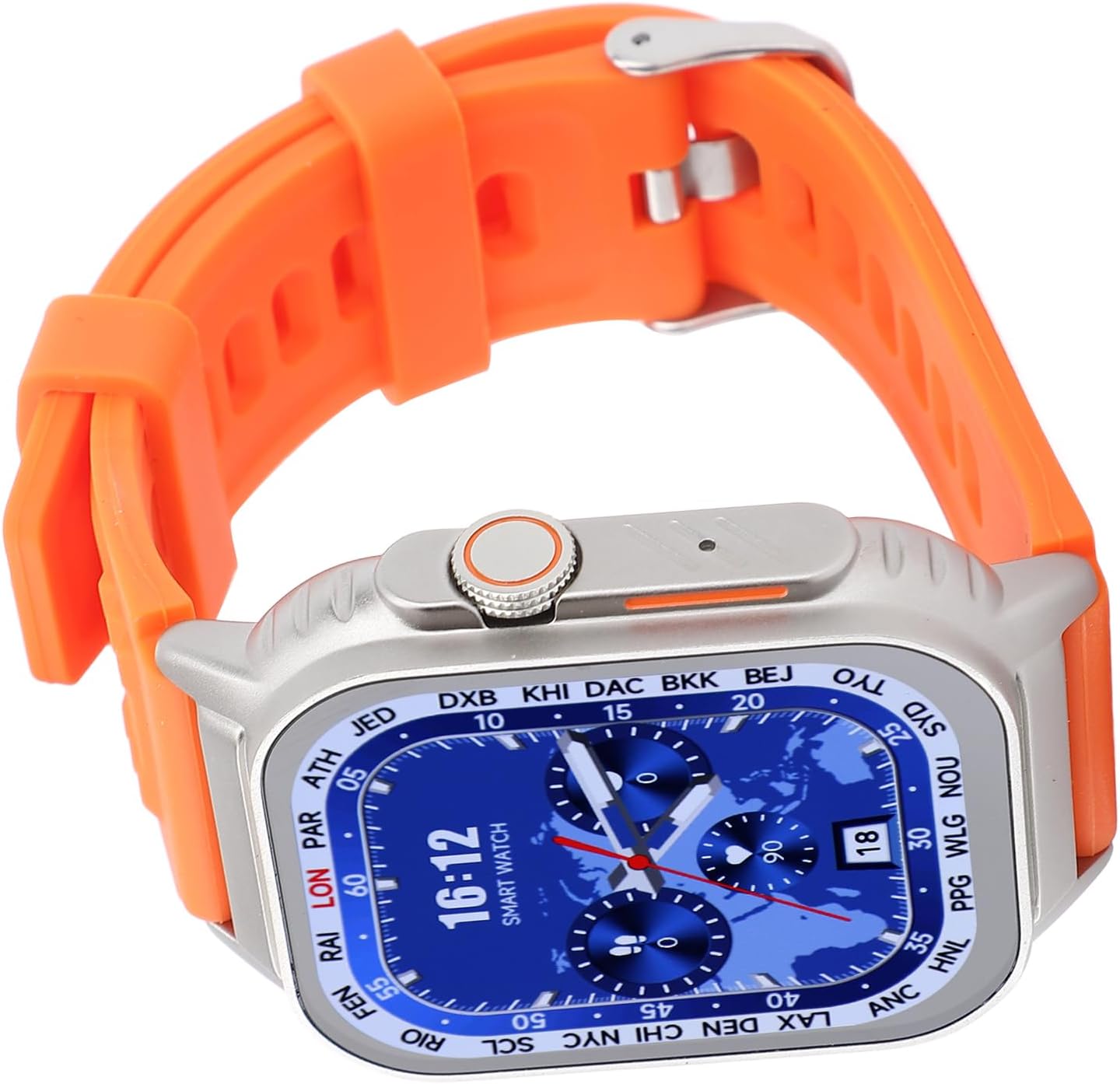
Figure 4.1: The smartwatch display showing a detailed watch face with time, date, and world map, demonstrating the high-resolution screen.
4.2 Bluetooth чалуу
Once paired with your smartphone, the smartwatch supports Bluetooth calling, allowing you to make and receive calls directly from your wrist.
- Чалууларга жооп берүү: Чалуу келгенде, саат экранындагы жашыл жооп берүү сүрөтчөсүн басыңыз.
- Чалууларды жасоо: Access the dialer or contacts list on your watch to initiate a call.
- Viewing Call Records: Check your recent call history directly on the watch.
4.3 Спорт режимдери жана фитнести көзөмөлдөө
The smartwatch accurately records your daily steps, mileage, and calorie consumption using built-in sensors. It offers multiple sports modes to track various activities.
- Жеткиликтүү режимдер: Walking, Running, Cycling, and more.
- Машыгууну баштоо: Navigate to the "Sports" or "Workout" app on your watch, select your desired activity, and tap to start.
- ViewМаалыматтар: Real-time data is displayed during your workout. After completion, detailed statistics are synced to the H Band app on your phone.

Figure 4.2: The smartwatch being worn during a running activity, demonstrating its use for fitness tracking.

Figure 4.3: The smartwatch on a user's wrist during a cycling session, highlighting its versatility for different sports modes.
4.4 Always On Display
The Always On Display feature allows you to quickly view essential information without fully waking the screen. Simply raise your wrist to see the date, time, message notifications, and fitness data.
4.5 Multifunctionality and IP67 Water Resistance
Your smartwatch offers a range of additional functions:
- WeChat Integration: Chat directly from your wrist.
- Үн жардамчысы: Ар кандай тапшырмалар үчүн үн буйруктарын колдонуңуз.
- Аба ырайы жаңыртуулары: Аба ырайынын божомолун реалдуу убакыт режиминде алыңыз.
- Башка өзгөчөлүктөр: Alarm, stopwatch, timer, find phone, remote camera control, and more.
The smartwatch is IP67 water resistant, meaning it can withstand splashes, rain, and brief immersion in water. It is suitable for daily use and light water-related activities, but not recommended for swimming or diving.

Сүрөт 4.4: An overview of the smartwatch's key features, including HD screen, multiple sports modes, and multifunctional capabilities.
5. Техникалык тейлөө
5.1 Тазалоо
- Wipe the screen and strap regularly with a soft, damp кездеме.
- Катуу химиялык заттарды, абразивдүү тазалагычтарды же эриткичтерди колдонуудан алыс болуңуз, анткени алар сааттын жасалгасына жана тетиктерине зыян келтириши мүмкүн.
- Заряддоодон мурун заряддоо контакттары таза жана кургак экенин текшериңиз.
5.2 Сактоо
- Акылдуу саатты салкын, кургак жерде, күндүн түз тийген нурларынан жана өтө жогорку температурадан алыс сактаңыз.
- Узак мөөнөткө сактасаңыз, анын иштөө мөөнөтүн узартуу үчүн батареянын жарым-жартылай заряддалганын (болжол менен 50%) текшериңиз.
5.3 Батареяга кам көрүү
- Батареяны бат-баттан толук түгөтүп коюудан алыс болуңуз.
- Do not expose the watch to temperatures below -10°C (14°F) or above 45°C (113°F), as this can affect battery performance and lifespan.
6. Кыйынчылыктарды
| Көйгөй | Мүмкүн себеп | Чечим |
|---|---|---|
| Саат күйбөйт. | Батареянын аздыгы; аппарат катып калган. | Charge the watch for at least 30 minutes. If still unresponsive, perform a forced restart by holding the side button for 10-15 seconds. |
| Смартфон менен жупташтыруу мүмкүн эмес. | Bluetooth off; watch not discoverable; app issue. | Ensure Bluetooth is on for both devices. Restart both the watch and phone. Clear Bluetooth cache on phone. Reinstall H Band app. |
| Эскертмелер алынган жок. | Колдонмо уруксаттары; эскертме жөндөөлөрү. | Check H Band app notification permissions on your phone. Ensure notifications are enabled within the H Band app for desired applications. Keep the app running in the background. |
| Дене тарбия маалыматтары туура эмес. | Improper wearing; sensor obstruction. | Саатты билегиңизге бекем тагып, билегиңизден бир манжадай бийиктикте кармаңыз. Сааттын арткы бетиндеги сенсорлорду тазалаңыз. |
7. Техникалык шарттар
| Өзгөчөлүк | Деталь |
|---|---|
| Модель аты | Denash8i5ha2bkfx-12 |
| Бренд | Денаш |
| Screen Size | 2.01 дюйм |
| Screen Resolution | 240x296 |
| Батарея сыйымдуулугу | 380mAh |
| Bluetooth версиясы | BLE5.3 |
| Сууга туруктуулук рейтинги | IP67 |
| Колдонмонун шайкештиги | H Band |
| Продукциянын өлчөмдөрү | 6.3 x 4.33 x 1.18 дюйм |
| Элемент Салмагы | 6.1 унция |
| Материал | Silicone + Alloy |
| Түс | Ачык күрөң |

Figure 7.1: Key dimensions of the smartwatch, showing its height and width.
8. Кепилдик жана колдоо
Denash products are manufactured to high quality standards. For information regarding warranty coverage, please refer to the warranty card included with your product or contact Denash customer support.
If you encounter any issues or have questions about your Denash H Band Smart Watch, please contact our customer support team. Details for support can typically be found on the product packaging or the official Denash webсайт.
Кепилдик дооматтары үчүн сатып алганыңыздын далилин сактап коюңуз.


