1. Киришүү
The Rubicon DX07 is a lightweight, foldable electric wheelchair designed for versatile mobility across various terrains. This manual provides essential information for safe operation, assembly, maintenance, and troubleshooting to ensure optimal performance and user safety.
2. Коопсуздук маалыматы
- Always fasten the adjustable safety belt before operating the wheelchair.
- Ensure the electromagnetic brake system is functioning correctly for smooth and safe stops.
- Verify anti-tip wheels are properly adjusted and secured to prevent tipping.
- Exercise caution on steep slopes, uneven terrain, and gravel. The all-terrain capability is designed to assist, but user vigilance is crucial.
- Do not operate the wheelchair if the battery is critically low or if any components appear damaged.
- Keep hands and clothing clear of moving parts, especially wheels and motors.
3. Пакеттин мазмуну
Upon unboxing your Rubicon DX07, please ensure all the following components are present:
- Rubicon DX07 Electric Wheelchair Frame
- Detachable 10AH Lithium Battery
- Батарея заряддагыч
- 360-degree Joystick Controller
- Арткы сактоочу себет
- Seat Cushion and Backrest Cover
- Cup Holder
- USB жарыгы
- Колдонуучунун Колдонмосу (бул документ)
4. Орнотуу жана чогултуу
4.1 Unfolding the Wheelchair
The Rubicon DX07 features a simple one-step folding mechanism for quick deployment.
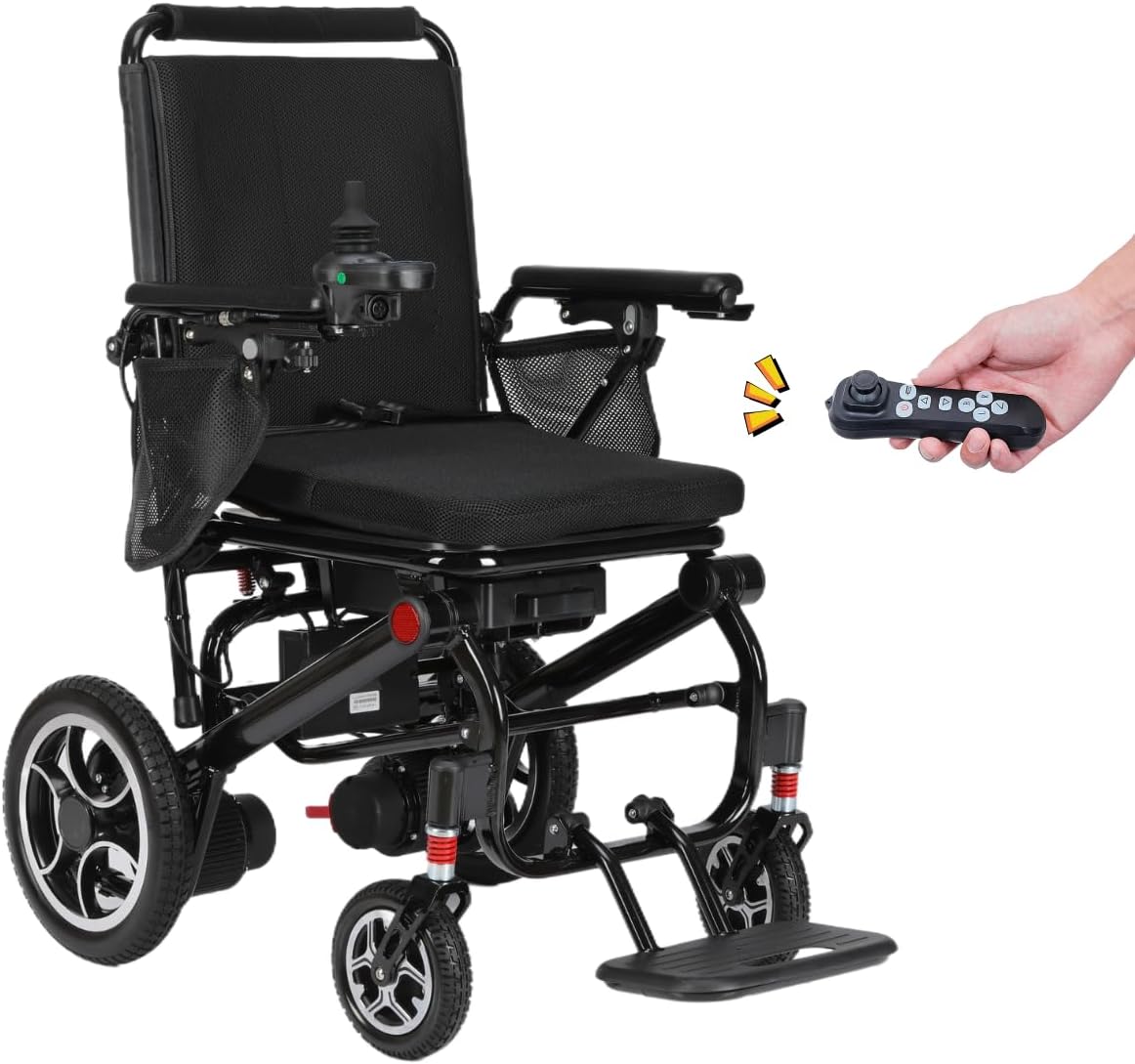
Image: The Rubicon DX07 Electric Wheelchair in its ready-to-use, unfolded state, with a remote control shown nearby.
4.2 Attaching the Joystick Controller
The joystick can be attached to either the left or right armrest for user preference. Securely tighten the bolt after attachment.
4.3 Installing the Seat Cushion and Backrest
Place the breathable seat cushion onto the seat frame and press down to secure. The backrest cover is typically pre-installed or easily attached via Velcro.
4.4 Батареяны туташтыруу
Locate the battery compartment beneath the seat. Insert the detachable battery and ensure it clicks securely into place. Connect the battery lead to the wheelchair's power system.
4.5 Securing Anti-Tip Wheels
The anti-tip wheels are crucial for stability. Ensure they are properly extended and secured with the provided pins at the desired height setting.
4.6 Visual Guide: Setup and Operation
Video: This video demonstrates the unfolding, battery connection, controller attachment, and basic operation of the Rubicon DX07 electric wheelchair.
5. Иштөө нускамалары
5.1 Күйгүзүү/өчүрүү
Press the power button on the joystick controller to turn the wheelchair on or off. The battery indicator lights will illuminate upon activation.
5.2 Джойстикти башкаруу
The 360-degree joystick provides precise control over movement. Gently push the joystick in the desired direction to move. The controller also features:
- Ылдамдыкты жөндөө: Use the '+' and '-' buttons to increase or decrease speed.
- Мүйүз: Башкаларга эскертүү берүү үчүн сигнал баскычын басыңыз.
- SOS чалуу: Activate the SOS function in emergencies.
Сүрөт: деталдуу view of the joystick controller, highlighting the power, speed, horn, and SOS buttons.
5.3 Switching Between Electric and Manual Mode
To switch to manual mode, disengage the motor clutches located near the rear wheels. To re-engage electric mode, push the clutches back into position.
5.4 Using the Safety Belt
Always fasten the adjustable safety belt securely across your lap before operating the wheelchair to ensure safety and stability.
5.5 Bluetooth алыстан башкаруу
The Rubicon DX07 can be operated remotely via Bluetooth, offering assistance options for caregivers or in situations where direct joystick control is not feasible.

Image: A hand holding the Bluetooth remote control, which can be used to operate the wheelchair from a distance.
6. Өзгөчөлүктөрү
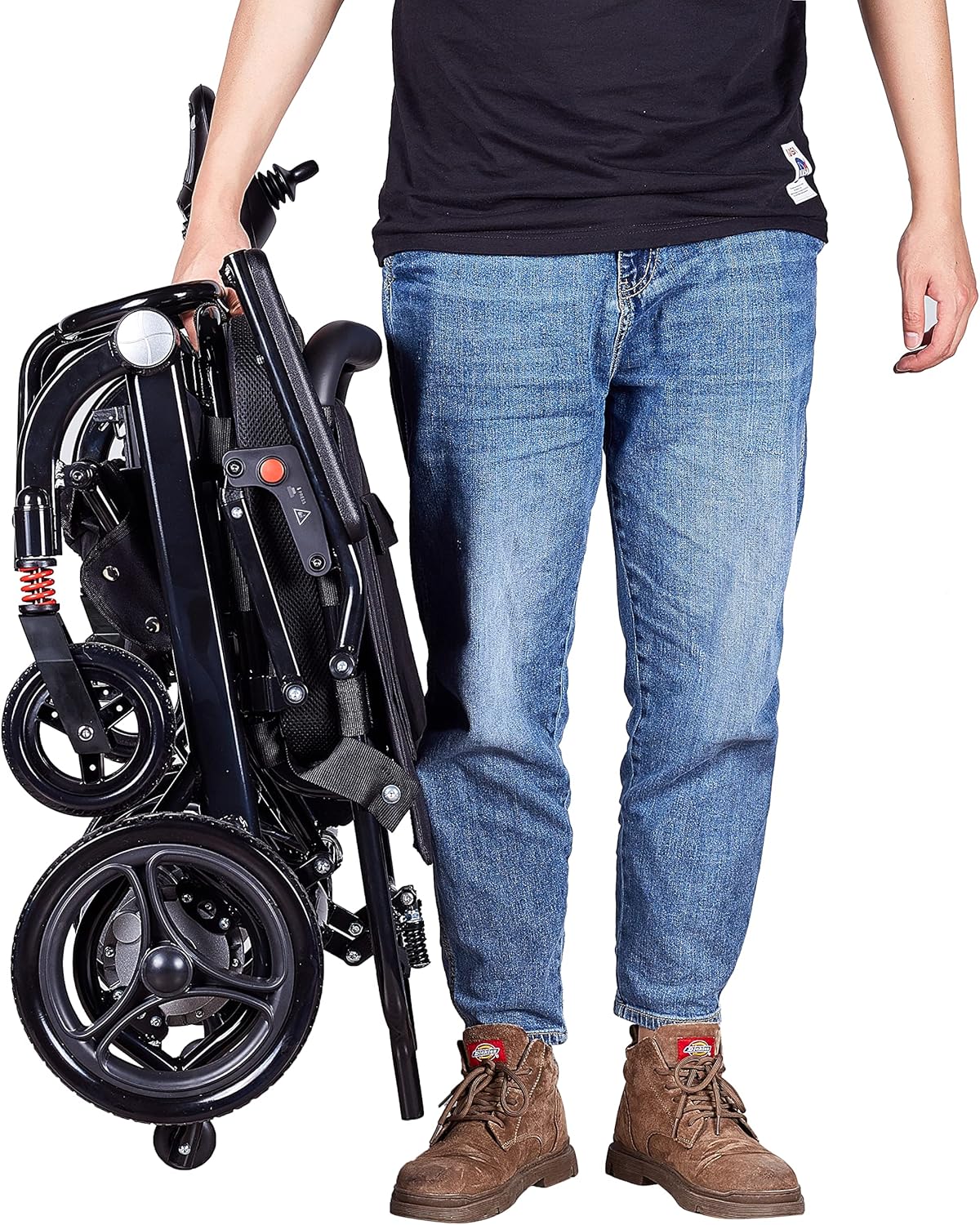
- Ultra-Lightweight & Foldable: Weighing approximately 40 lbs, the DX07 folds in 3 seconds for easy transport and storage, fitting into most car trunks.
- Күчтүү кош моторлор: Equipped with two 500W motors for superior traction and all-terrain capability, handling slopes and varied surfaces.
- Electromagnetic Brake System: Ensures smooth, reliable, and safe stopping.
- Extended Cruise Range: The detachable, airline-compliant 10AH battery provides a cruise range of up to 12 miles.
- Ыңгайлуулук жана ыңгайлуулук: Features a footrest that collapses inward for easier standing, double-joint armrests that lift for closer access to tables, hydraulic anti-tilt support, and breathable, detachable seat/backrest cushions for easy cleaning.
- Өркүндөтүлгөн коопсуздук жана туруктуулук: Includes puncture-free rubber wheels and a robust aluminum frame.

Image: The Rubicon DX07 showcasing its lightweight design and easy folding for portability.

Image: The Rubicon DX07 illustrating its easy access design for front or side entry.
7. Техникалык тейлөө
7.1 Батареяга кам көрүү
Charge the battery regularly. The detachable battery can be charged either while installed on the wheelchair or removed. A full charge takes approximately 6 hours.
7.2 Тазалоо
The seat cushion and backrest cover are made of air-breeze material and can be detached for washing. Wipe down the frame and other non-removable parts with a damp кездеме.
7.3 Үзгүлтүксүз текшерүүлөр
Periodically inspect tires for wear, check brake functionality, and ensure all connections and fasteners are secure.
8. Кыйынчылыктарды
- Кубат жок: Check if the battery is properly connected and charged. Ensure the power button on the joystick is pressed.
- Wheelchair Not Moving: Verify that the motor clutches are engaged (electric mode). Check for any obstructions around the wheels.
- Unresponsive Joystick: Ensure the joystick cable is securely connected.
- For persistent issues, please refer to the detailed troubleshooting section in the full manual or contact customer support.
9. Техникалык шарттар
| Өзгөчөлүк | Спецификация |
|---|---|
| Модел | DX07 |
| Мотор күчү | 500W (Dual Motors) |
| Cruise Range | 12 мильге чейин |
| Батарея түрү | 10AH Lithium (Airline Compliant) |
| Заряддоо убактысы | Болжол менен 6 саат |
| Салмагы | Болжол менен 40 фунт |
| Максималдуу жүктөө сыйымдуулугу | 265 фунт |
| Тормоз стили | Электромагниттик |
| Материал | Алюминий |
| Folding Time | 3 секунд |
10. Кепилдик жана колдоо
For warranty information, technical support, or service inquiries, please contact your retailer or the manufacturer directly. Keep your purchase receipt and product serial number handy for faster assistance.


