1. Продукт бүтүп калдыview
The Marantz AV10 is a high-performance AV Receiver designed to deliver an exceptional home theater experience. It features 15.4 channels, advanced HDMI connectivity, USB, Ethernet, multiroom capabilities, and support for immersive audio formats like Dolby Atmos and DTS:X. The unit is engineered for superior audio quality and seamless integration into modern home entertainment systems.
Негизги өзгөчөлүктөрү:
- Өзгөчө аудио сапаты: Immerse in rich, detailed sound with advanced processing.
- Үзгүлтүксүз интеграция: Connect all audio and video components effortlessly.
- Cutting-Edge Processing: Experience immersive sound with advanced technologies.
- Интуитивдик башкаруу: Fine-tune your audio experience with ease.
- Жагымдуу дизайн: Elegant and robust, complementing modern home theater setups.
- Келечектеги технология: Stay ahead with support for upcoming audio advancements.
2. Орнотуу
2.1 Пакеттен чыгаруу жана жайгаштыруу
Carefully remove the Marantz AV10 from its packaging. Ensure all accessories are present. Place the receiver on a stable, level surface with adequate ventilation to prevent overheating. Avoid placing it near heat sources or in enclosed cabinets without proper airflow.
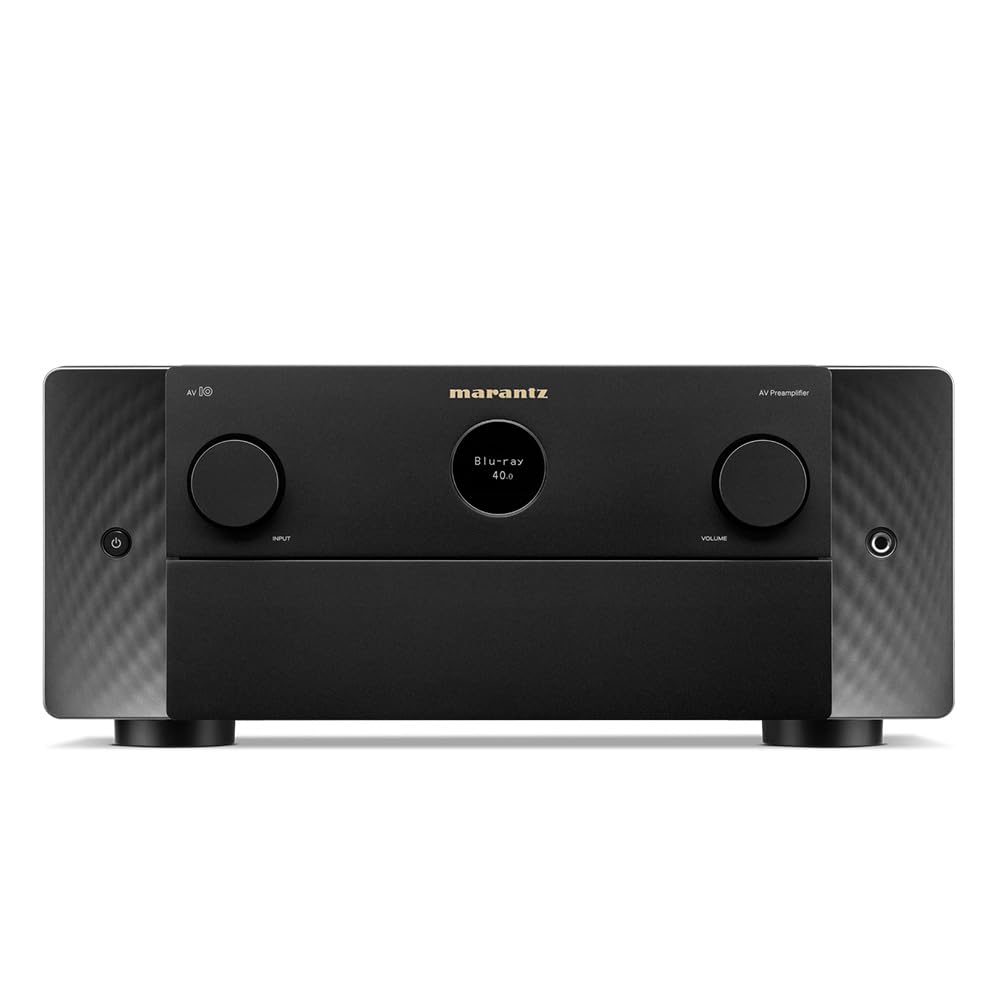
Фронт view of the Marantz AV10 AV Receiver, showcasing its sleek design with input and volume knobs, and a central display.
2.2 Байланыштар
Before making any connections, ensure the AV10 receiver and all connected devices are powered off and unplugged from the wall outlet.
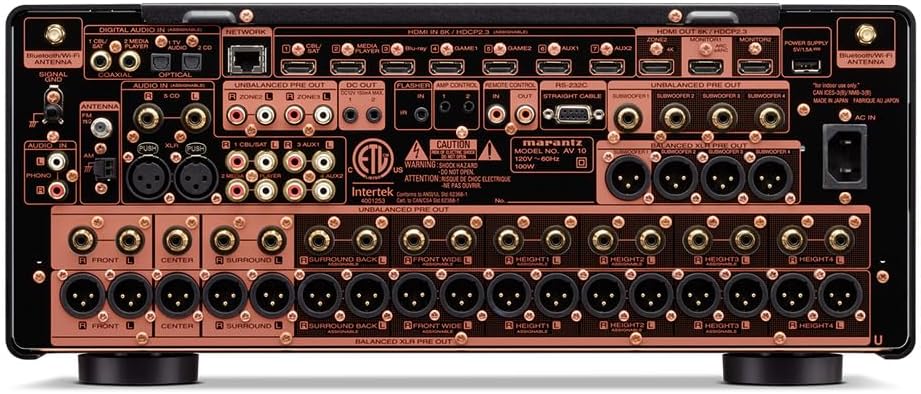
Rear panel of the Marantz AV10 AV Receiver, illustrating the comprehensive array of input and output ports including HDMI, XLR, RCA, Ethernet, and speaker terminals.
- HDMI туташуулары: Connect your video sources (Blu-ray player, game console, streaming device) to the HDMI IN ports. Connect your TV or projector to the HDMI OUT (MONITOR) port. The AV10 supports 8K/60Hz and 4K/120Hz with eARC.
- Аудио байланыштары: Use the appropriate analog or digital audio inputs for devices without HDMI. For high-quality audio, utilize the balanced XLR pre-outs for connecting to external power ampаман калгандар.
- Тармак туташуусу: Connect an Ethernet cable to the NETWORK port for wired internet access, or attach the included Wi-Fi antennas for wireless connectivity.
- USB: Use the USB port for media playback from compatible storage devices.
- Динамик байланыштары: Connect your speakers to the corresponding speaker terminals. Ensure correct polarity (+ to + and - to -) for optimal sound. The AV10 supports up to 15.4 channels.
2.3 Динамиктин конфигурациясы
The Marantz AV10 offers flexible speaker configuration options. Use the on-screen setup assistant (accessible via your TV connected to the HDMI OUT) to guide you through the process. This includes assigning channels, setting speaker sizes, and configuring crossover frequencies.
For optimal sound, utilize the Audyssey MultEQ XT32 room correction system. Connect the supplied setup microphone to the front panel's SETUP MIC jack and follow the on-screen instructions to calibrate your speakers to your room's acoustics.
3. Операция
3.1 Негизги башкаруу каражаттары
The front panel of the AV10 provides essential controls for daily operation:

Close-up of the input selector knob on the Marantz AV10, used to switch between various audio and video sources.
- Кубат баскычы: Агрегатты күйгүзөт же өчүрөт.
- Киргизүү тандагыч: Rotates to select the desired input source (e.g., Blu-ray, Game, Media Player).
- Үн баскычы: Башкы үн деңгээлин тууралайт.
- Дисплей: Shows current input, volume level, audio format, and other status information.
The included remote control provides full access to all functions and settings, including menu navigation, sound modes, and zone control.
3.2 Көп бөлмөлүү аудио
The AV10 supports multi-room audio playback, allowing you to enjoy different audio sources in various zones of your home. Utilize the built-in HEOS technology, Wi-Fi, Bluetooth, or Apple AirPlay 2 to stream music from popular services like Spotify, Pandora, and Amazon Music throughout your home.
3.3 Үн менен башкаруу
Control your Marantz AV10 effortlessly using voice commands. The receiver is compatible with major voice assistants, allowing you to adjust volume, change tracks, switch inputs, and more, hands-free.
4. Техникалык тейлөө
- Тазалоо: Regularly wipe the unit with a soft, dry cloth. Do not use abrasive cleaners or solvents.
- Вентиляция: Ашыкча ысып кетүүнүн алдын алуу үчүн аппараттын үстүнкү жана капталындагы желдетүү тешиктери жабылбагандыгын текшериңиз.
- Программалык камсыздоонун жаңыртуулары: Оптималдуу иштөөнү жана жаңы функцияларга жетүүнү камсыз кылуу үчүн, тармактык туташуу аркылуу микропрограмманын жаңыртууларын мезгил-мезгили менен текшерип туруңуз.
5. Кыйынчылыктарды
If you encounter issues with your Marantz AV10, refer to the following common troubleshooting steps:
- Кубат жок: Кубат шнуру бекем туташтырылганын жана розетканын иштеп турганын текшериңиз.
- Үн жок: Check all audio cable connections, ensure the correct input source is selected, and verify speaker connections and volume levels.
- Видео жок: Verify HDMI cable connections, ensure the correct input source is selected, and check your TV/projector input settings.
- Тармакка туташуу маселелери: Confirm your Ethernet cable is connected or Wi-Fi antennas are properly attached. Check your router and internet connection.
- Алыстан башкаруу иштебейт: Replace the batteries in the remote control. Ensure there are no obstructions between the remote and the receiver's IR sensor.
For more detailed troubleshooting, consult the full online manual or contact Marantz customer support.
6. Техникалык шарттар
| Өзгөчөлүк | Спецификация |
|---|---|
| Бренд | Marantz |
| Модель номери | AV10 |
| Каналдар | 15.4 |
| Байланыш технологиясы | HDMI |
| Жалпы HDMI порттору | 10 |
| Аудио чыгаруу режими | Стерео, айлана |
| Көлөмдүү үн каналынын конфигурациясы | 5.1 (Supports up to 15.4 with external ampбекитүү) |
| Видеону коддоо | H.264, H.265/HEVC |
| Өзгөчө өзгөчөлүк | Көп бөлмөлүү |
| Controller Type | Алыстан башкаруу |
| Шайкеш түзмөктөр | Speaker, Tablet, PC, Smartphone, Television, Personal Computer, Game Console |
| Элемент Салмагы | 37 фунт |
| Пакеттин өлчөмдөрү | 23 x 22 x 13 дюйм |
7. Кепилдик жана колдоо
The Marantz AV10 AV Receiver comes with a manufacturer's warranty. Please refer to the warranty card included in your product packaging for specific terms and conditions. For technical support, product registration, or service inquiries, visit the official Marantz webсайтка же кардарларды тейлөө бөлүмүнө кайрылыңыз.
Online resources, including a comprehensive user manual and FAQs, are available on the Marantz support page.