Introduction
This manual provides detailed instructions for the setup, operation, and maintenance of your Transformers TF-T31 Bluetooth TWS Wireless Earbuds. Please read this manual thoroughly before using the product to ensure proper function and longevity.
Продукт бүттүview
Пакеттин мазмуну
- Transformers TF-T31 Wireless Earbuds (Left and Right)
- Заряддоо кутусу
- USB Type-C кубаттоочу кабель
- Колдонуучунун колдонмосу (бул документ)
Негизги өзгөчөлүктөрү
- Bluetooth 5.4: Provides a stable, fast, and low-power connection.
- Кош режимдин функциясы: Switch between Gaming Mode for low latency audio and Music Mode for HiFi sound.
- Жогорку тактыктагы аудио: Features 13mm magnetically levitated drivers for rich, detailed sound with deep bass.
- Экологиялык чууну жокко чыгаруу (ENC): Enhances call clarity by reducing ambient noise.
- Интуитивдик сенсордук башкаруулар: Manage music playback, calls, and mode switching directly from the earbuds.
- Узартылган батареянын иштөө мөөнөтү: Up to 5 hours of playback per charge, with the charging case providing up to 50 hours total.
- Эргономикалык дизайн: Lightweight and comfortable for prolonged wear.
- Mechanical Shell Design: Unique aesthetic inspired by Transformers.

Image: The Transformers TF-T31 wireless earbuds and their distinctive mechanical shell charging case, shown in yellow.

Image: Close-up of the Transformers TF-T31 charging case, highlighting its unique mechanical shell design and the Transformers logo.
Жайгашуу
1. Кулакчындарды жана кутуну кубаттоо
Биринчи колдонуудан мурун, кулакчындарды жана заряддоо кутучасын толук заряддаңыз.
- Эки гарнитураны тең заряддоо кутусуна салыңыз. Алардын туура отурганын текшериңиз.
- Connect the provided USB Type-C cable to the charging port on the case and plug the other end into a USB power source (e.g., wall adapter, computer).
- The LED digital display on the charging case will indicate the battery status during charging.
- Толук заряддоо үчүн, адатта, болжол менен 1.5 саат талап кылынат.
Эскертүү: The charging case has a 3.7V/300mAh battery, and each earbud has a 3.7V/30mAh built-in battery.
2. Bluetooth Жупташтыруу
Кулакчыныңызды Bluetooth иштетилген түзмөк менен жупташтыруу үчүн төмөнкү кадамдарды аткарыңыз:
- Күйгүзүү: Кубаттоочу кутучаны ачыңыз. Кулакчындар автоматтык түрдө күйүп, жупташтыруу режимине өтөт. Сиз үн чыгаруучу сигналды уга аласыз.
- Bluetooth иштетүү: Түзмөгүңүздө (смартфон, планшет, компьютер) Bluetooth жөндөөлөрүнө өтүп, Bluetooth иштетилгенин текшериңиз.
- Түзмөктү тандоо: Look for "TF-T31" in the list of available Bluetooth devices and select it to connect.
- Ырастоо: Once connected, you will hear a confirmation sound from the earbuds, and your device will show "TF-T31" as connected.
Эскертүү: Эгер түзмөктө Bluetooth иштетилген болсо, кулакчындар кутудан чыгарылганда акыркы жупташтырылган түзмөккө автоматтык түрдө кайра туташат.

Image: Diagram illustrating the advanced Bluetooth 5.4 technology, emphasizing stable and fast connection.
Иштөө нускамалары
Күйгүзүү/өчүрүү
- Күйгүзүү: Кубаттоочу кутучаны ачыңыз же эки кулакчындын тең тийүү аймагын 3 секунд басып туруңуз.
- Өчүрүү: Кулакчындарды кайра кубаттоочу кутуга салып, капкагын жабыңыз же эки кулакчындын тең тийүүчү жерин 5 секунд басып туруңуз.
Touch Controls
The TF-T31 earbuds feature intuitive touch controls on the outer surface of each earbud. The functions are as follows:
| Акция | Функция |
|---|---|
| Бир таптоо (Сол/Оң) | Музыканы ойнотуу/тындыруу, Чалууга жооп берүү/Аяктоо |
| Эки жолу таптаңыз (оң кулакчын) | Кийинки трек |
| Эки жолу таптаңыз (Сол кулакчын) | Мурунку трек |
| Үч жолу таптап (Сол/Оң) | Switch between Gaming Mode and Music Mode |
| Long Press (Left/Right, 2 seconds) | Reject incoming call, Activate Voice Assistant |
Switching Modes (Gaming/Music)
The TF-T31 earbuds offer two distinct audio modes:
- Оюн режими: Provides ultra-low latency audio synchronization, ideal for gaming and video playback to minimize delay between audio and visuals.
- Музыка режими: Delivers rich HiFi sound with enhanced bass and clear highs, optimized for an immersive music listening experience.
To switch between modes, үч жолу тапта the touch area on either earbud. You will hear an audible prompt indicating the current mode.
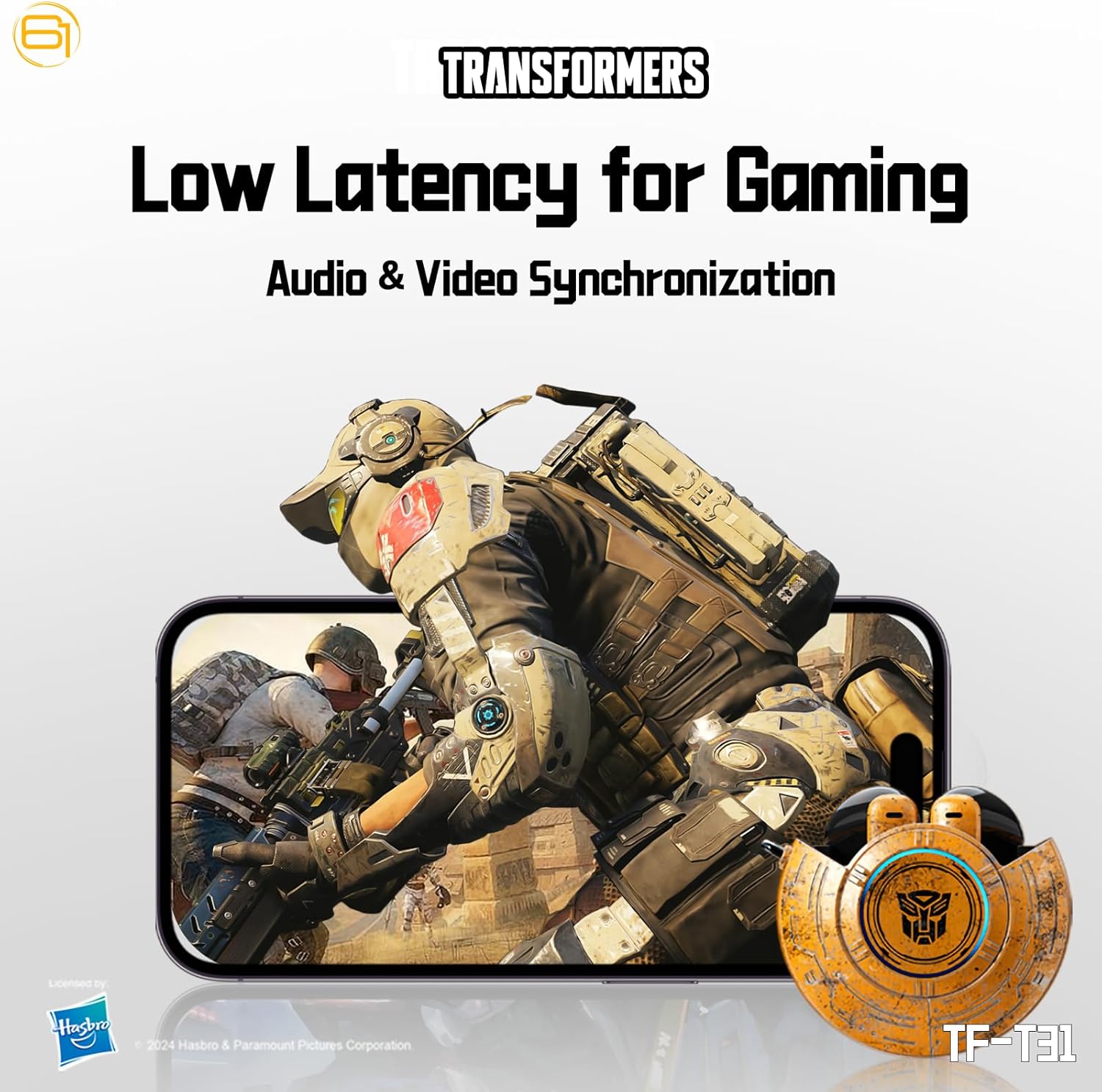
Image: Illustration of the earbuds providing low latency audio for gaming, showing a mobile gaming scenario.
Техникалык тейлөө
Тазалоо
- Кулакчындарды жана заряддоо кутусун жумшак, кургак, түксүз чүпүрөк менен дайыма тазалап туруңуз.
- Абразивдүү тазалагычтарды, спиртти же химиялык эриткичтерди колдонбоңуз.
- Кичинекей, жумшак щетка же кебез таякчасын колдонуп, кулакчындын торундагы кулактын момун же калдыктарды акырындык менен алып салыңыз.
- Ensure the charging contacts on both the earbuds and the case are clean and dry to maintain proper charging.
Сактагыч
- Колдонулбаганда, кулакчындарды коргоо жана кубаттоо үчүн кубаттоочу кутучага сактаңыз.
- Продукцияны салкын, кургак жерде, экстремалдык температурадан жана түз күндүн нурунан алыс сактаңыз.
- Avoid exposing the earbuds or case to water or excessive moisture. While the product is water-resistant, it is not waterproof.
Проблемаларды чечүү
If you encounter issues with your TF-T31 earbuds, please refer to the following common problems and solutions:
Кулакчындар жупташпай же туташпай жатат
- Эки кулакчындын тең кубатталганын текшериңиз.
- Түзмөгүңүздө Bluetooth иштетилгенин текшериңиз.
- Кулакчындарды кайра заряддоо кутусуна салып, капкагын жаап, бир нече секунд күтө туруңуз, анан жупташтыруу режимине кайра кирүү үчүн аны кайра ачыңыз.
- On your device, forget or delete "TF-T31" from your Bluetooth device list, then attempt to pair again.
- Түзмөккө тиешелүү маселелерди болтурбоо үчүн башка түзмөк менен жупташып көрүңүз.
Үн жок же үнү төмөн
- Туташкан түзмөгүңүздүн жана кулакчындардын үн деңгээлин текшериңиз.
- Кулакчындар кулагыңызга туура орноштурулганын текшериңиз.
- Clean any debris from the earbud mesh that might be obstructing sound.
- Кулакчындарды түзмөгүңүзгө кайра туташтырыңыз.
Заряддоо маселелери
- Заряддоо кабели корпуска да, кубат булагына да бекем туташтырылганын текшериңиз.
- Ensure the charging contacts on the earbuds and inside the case are clean and free of obstructions.
- Башка USB Type-C кабелин же кубат адаптерин колдонуп көрүңүз.
- Confirm the power source is active.
Earbuds Disconnect Frequently
- Ensure your device is within the Bluetooth transmission distance (26-32 feet or 8-10 meters) without significant obstacles.
- Күчтүү электромагниттик тоскоолдуктар бар чөйрөлөрдөн алыс болуңуз.
- Кулакчындарды да, кубаттагыч кутучаны да толугу менен кубаттаңыз.
Техникалык шарттар
| Өзгөчөлүк | Деталь |
|---|---|
| Модель аты | TF-T31 |
| Bluetooth версиясы | Bluetooth 5.4 |
| Bluetooth өткөрүү аралык | 26-32 фут (8-10 метр) |
| Гарнитуранын Батареясынын Жөндөмдүүлүгү | 3.7V/30mAh (each earbud) |
| Заряддоо корпусунун батареясынын сыйымдуулугу | 3.7V/300mAh |
| Заряддоо порту | Type-C |
| Заряддоо убактысы | Болжол менен 1.5 саат |
| Battery Talk/Music Time | 5 саатка чейин (наушник), 50 саатка чейин (заряддоо кутусу менен) |
| Frequency Response Range | 20Гц-20КГц |
| Динамик импедансы | 32Ω |
| Сезимталдуулук | 109дБ±3дБ |
| Башкаруу түрү | Touch Control |
| Сууга туруктуулук деңгээли | Сууга чыдамдуу |
| Продукциянын өлчөмдөрү | 3.15 x 3.15 x 4.72 дюйм |
| Элемент Салмагы | 5.3 унция (0.15 килограмм) |
Коопсуздук маалыматы
- Угуу коргоо: Угуу жөндөмүнө зыян келтирбөө үчүн узак убакыт бою жогорку үн деңгээлинде угуудан качыңыз.
- Айдоо коопсуздугу: Do not use earbuds while driving or operating machinery where the inability to hear ambient sounds could pose a danger.
- Суу таасири: The earbuds are water-resistant, not waterproof. Do not submerge them in water or expose them to heavy rain. Dry them thoroughly if they get wet.
- Балдар: Keep earbuds and small parts away from children to prevent choking hazards.
- Батареянын коопсуздугу: Do not attempt to replace the built-in batteries. Do not expose batteries to excessive heat or direct sunlight. Dispose of batteries according to local regulations.
- Тазалоо: Use only recommended cleaning methods. Avoid harsh chemicals.
Кепилдик жана колдоо
For warranty information or technical support, please refer to the documentation provided at the time of purchase or contact the retailer/manufacturer directly. Keep your proof of purchase for warranty claims.
You can visit the official Transformers store on Amazon for more product information: Трансформерлер дүкөнү


