1. Киришүү
Thank you for choosing the SABLUTE Wireless Keyboard and Mouse Combo. This product is designed to provide a comfortable and efficient computing experience with its ergonomic features, large print keys, and versatile backlight options. This manual will guide you through the setup, operation, maintenance, and troubleshooting of your new device.
2. Пакеттин мазмуну
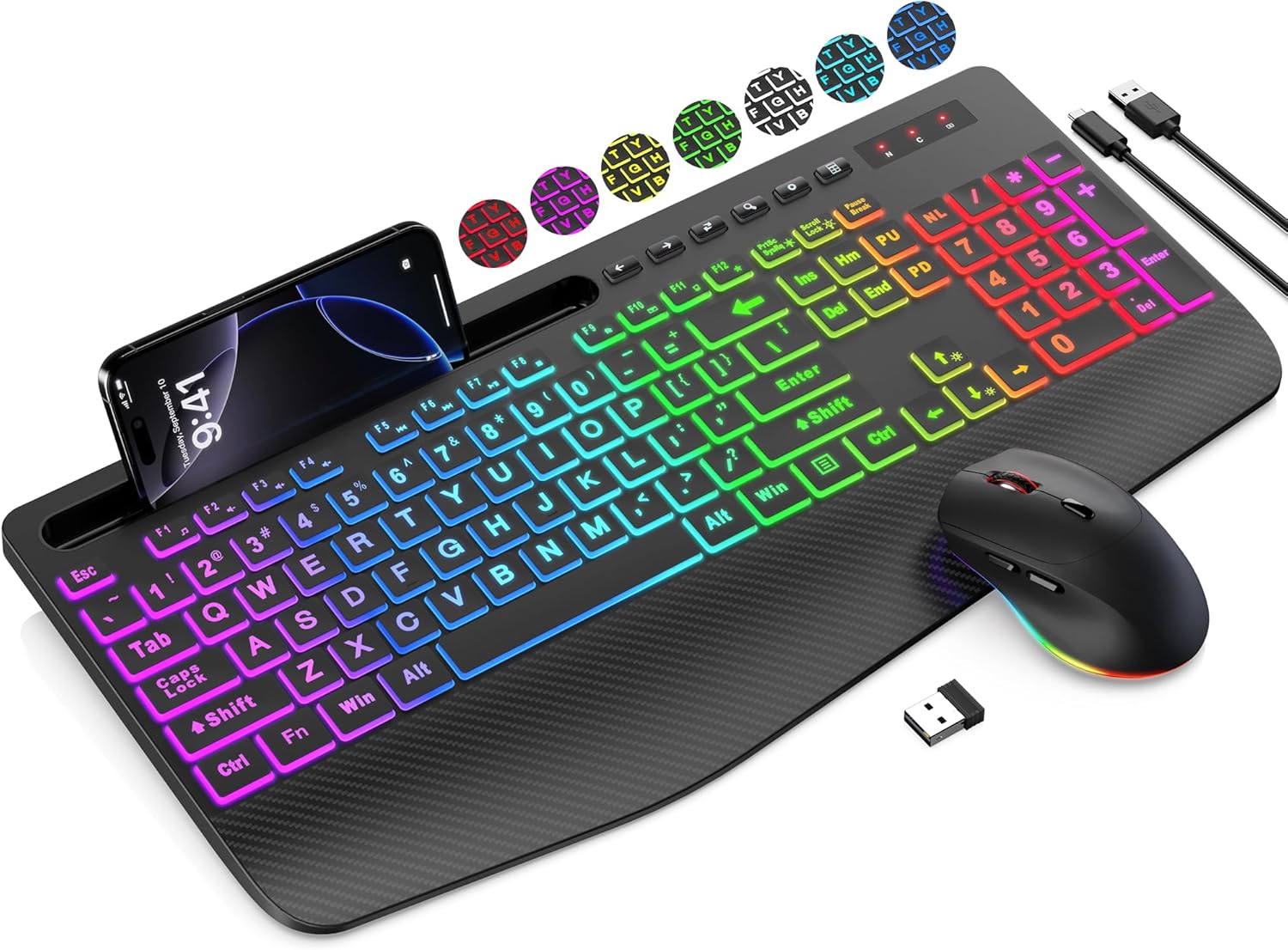
- Зымсыз клавиатура
- Зымсыз чычкан
- USB Receiver (stored in the mouse battery compartment)
- USB кубаттоочу кабели (А түрүнөн С түрүнө чейин)
- User Manual
3. Орнотуу колдонмосу
Follow these steps to set up your SABLUTE Wireless Keyboard and Mouse Combo:
- Түзмөктөрдү заряддоо: Before first use, ensure both the keyboard and mouse are fully charged. Connect the included USB charging cable to the charging ports on the keyboard and mouse, and then to a USB power source (e.g., computer USB port, USB wall adapter). The charging indicator will typically turn off or change color when fully charged.
- USB кабыл алгычты табыңыз: The 2.4G USB receiver is typically stored in the battery compartment of the mouse for safekeeping during transport. Carefully open the mouse's battery cover and remove the small USB receiver.
- USB кабыл алгычты туташтыруу: Insert the USB receiver into an available USB-A port on your computer, laptop, or compatible device.
- Күйгүзүү: Turn on the keyboard and mouse using their respective power switches. The power switch for the keyboard is usually located on the top edge, and for the mouse, it's on the bottom.
- Автоматтык туташуу: The keyboard and mouse should automatically connect to your device within a few seconds. No additional drivers are typically required for most operating systems.
Note: A USB-C dongle is not included. This keyboard and mouse combo cannot connect directly to tablets or phones that only have USB-C ports without an appropriate adapter (not supplied).
4. Иштөө нускамалары
4.1 Баскычтоптун өзгөчөлүктөрү
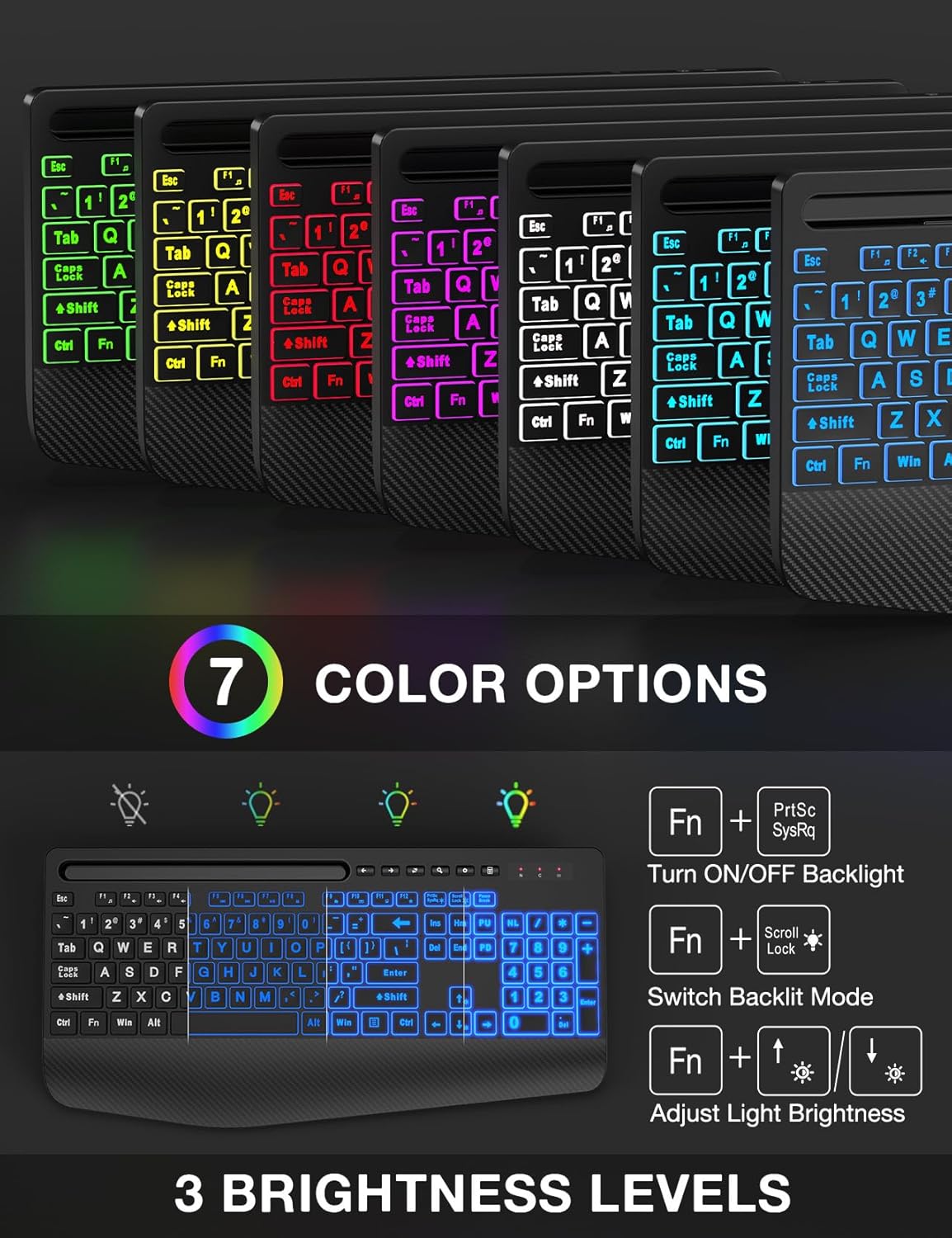
- Жарыкты башкаруу: The keyboard features 7 solid color lights and 1 rainbow backlight. You can switch between lighting effects using the FN + Scroll Lock keys. To turn off the backlight, press FN + PrtSc. менен жарыктыгын тууралаңыз FN + Up/Down Arrow ачкычтар.
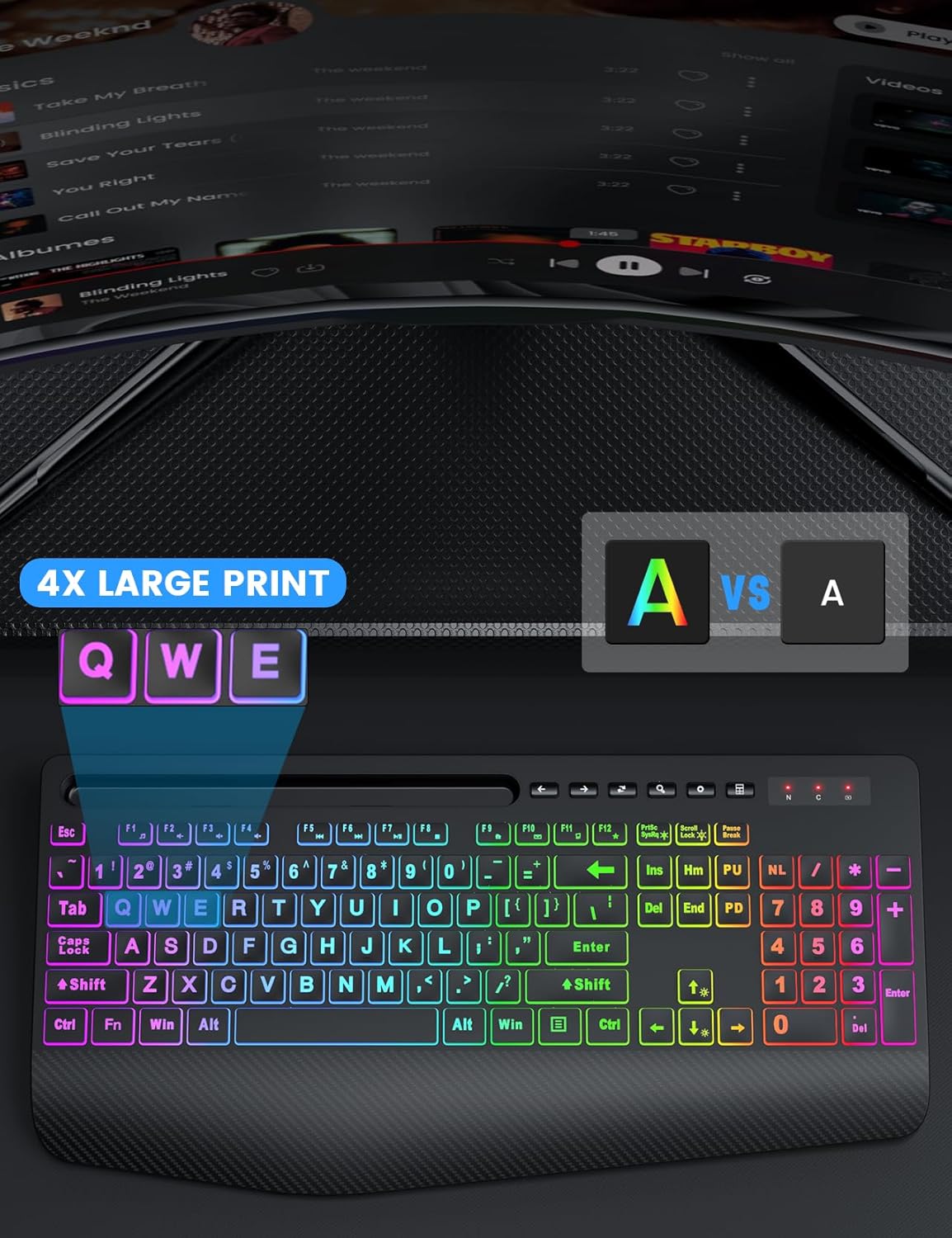
- Чоң басып чыгаруу ачкычтары: The keys feature characters that are 4 times larger than standard, enhancing readability and making typing easier for users with low vision, seniors, or beginners.
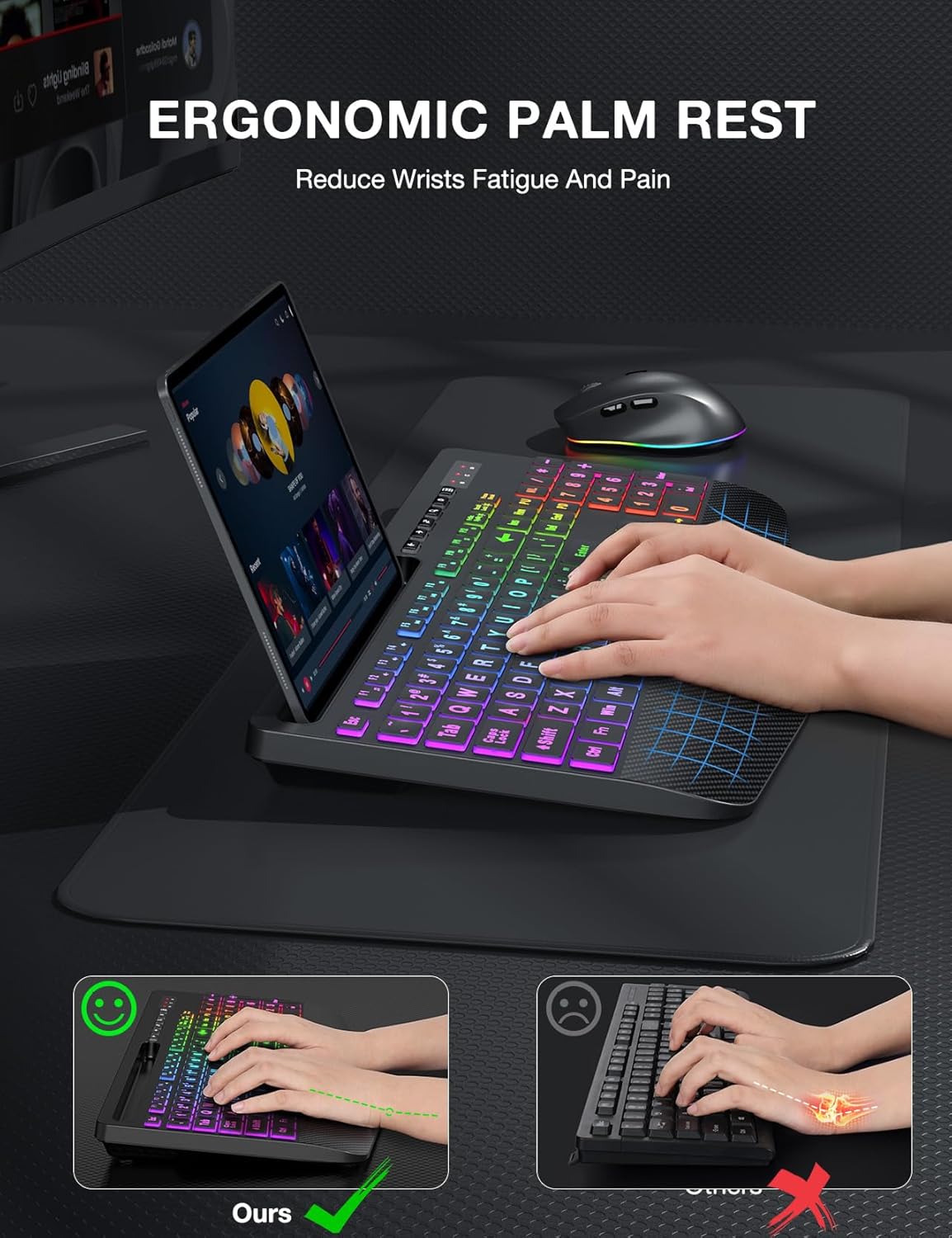
- Эргономикалык билек эс алуу: The keyboard is equipped with an extra-large wrist rest (2.8'' at its widest edge) to provide significant wrist support and reduce strain during prolonged use.
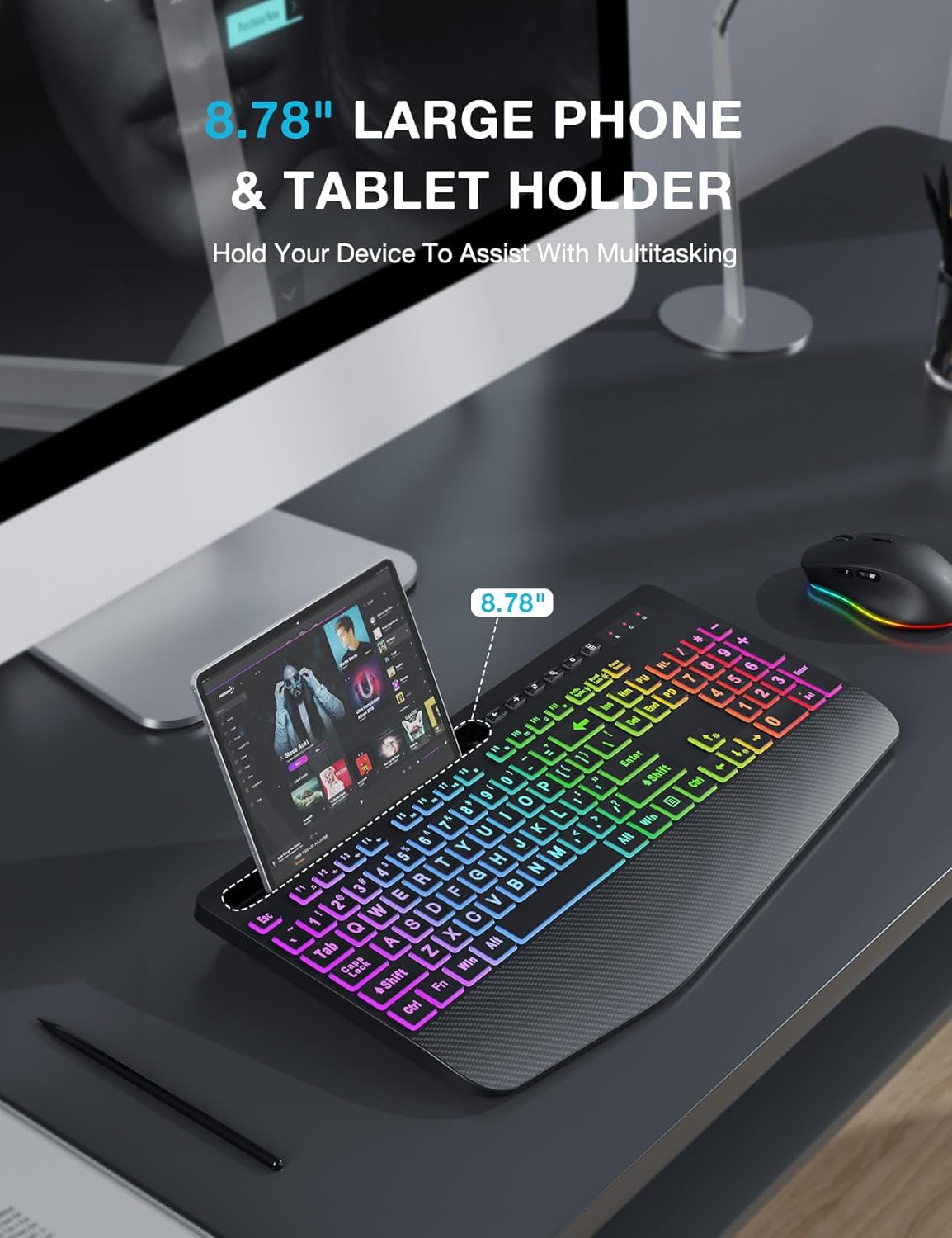
- Интеграцияланган түзмөк кармагычы: A built-in holder accommodates phones and tablets up to 11.9 inches, allowing for convenient multitasking.
- Efficient Hotkeys: In addition to standard F1-F12 shortcut keys, the keyboard includes 6 one-touch hotkeys for quick access to common functions.
4.2 Чычкандын өзгөчөлүктөрү
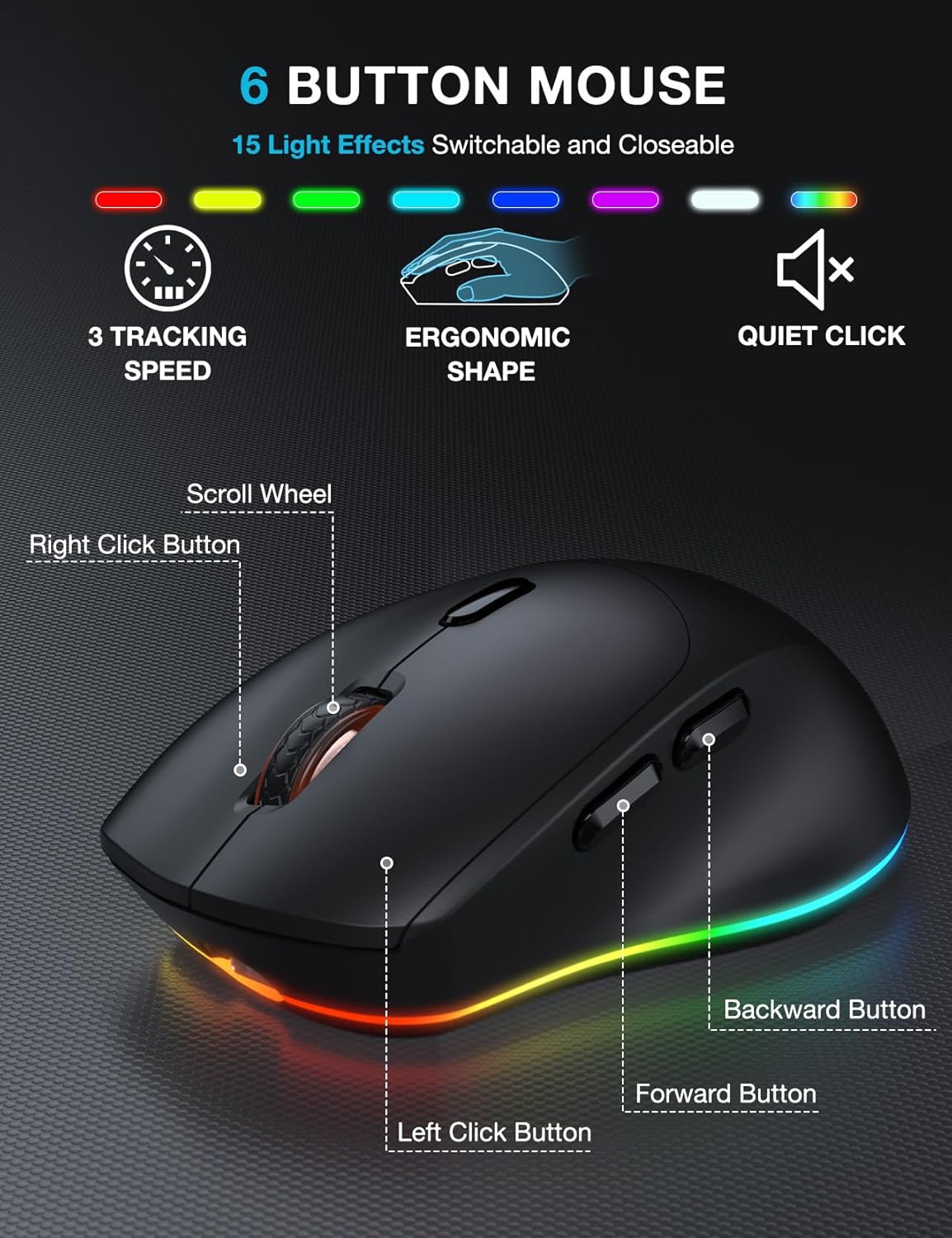
- 6 баскычтуу дизайн: The mouse features a standard left and right click, scroll wheel, and dedicated forward/backward buttons for enhanced navigation.
- Adjustable Tracking Speed: Cycle through 3 levels of tracking speed (DPI) to suit your preference for precision or speed.
- Унчукпай чыкылдатуулар: The mouse utilizes silent micro motion technology, significantly reducing click noise for a quieter working environment.
4.3 Электр энергиясын башкаруу
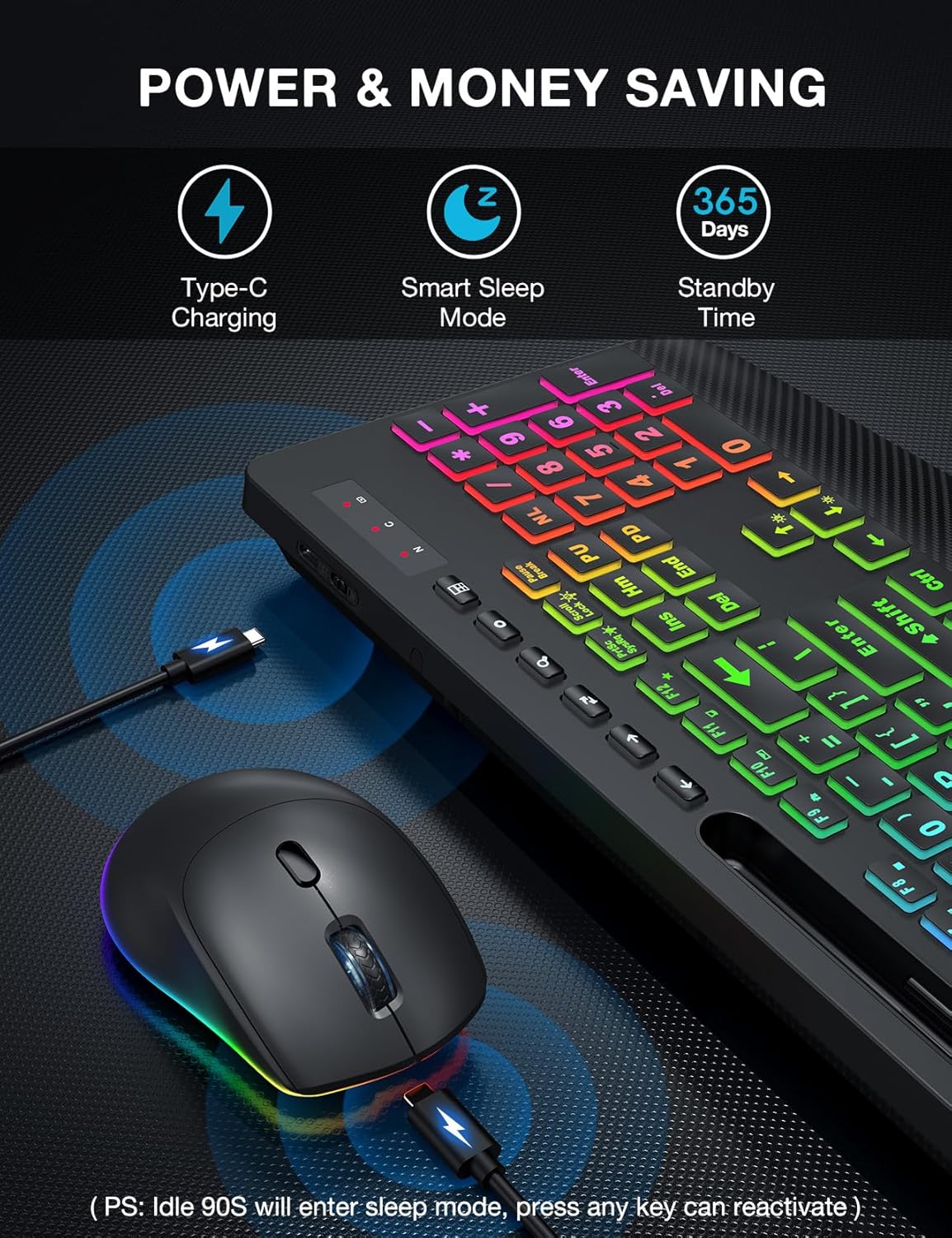
- Кайра заряддалуучу батарея: Both the keyboard and mouse have built-in rechargeable batteries. Use the provided USB charging cable to recharge them when the battery is low.
- Акылдуу уйку режими: To conserve energy, both devices will enter a smart sleep mode after 90 seconds of inactivity. To wake them up, simply press any button or key.
5. Техникалык тейлөө
To ensure the longevity and optimal performance of your keyboard and mouse combo, follow these maintenance tips:
- Тазалоо: Тергичтин жана чычкандын беттерин сүртүү үчүн жумшак, кургак чүпүрөктү колдонуңуз. өжөр кир үчүн, бир аз гamp cloth with mild soap can be used, but ensure no liquid enters the device. Do not use harsh chemicals or abrasive cleaners.
- Чаңды тазалоо: Use compressed air to remove dust and debris from between the keys and around the mouse sensor.
- Сактагыч: Узак мөөнөткө колдонулбаганда, аппараттарды күн тийбеген жана өтө температурадан алыс салкын, кургак жерде сактаңыз.
- Заряддоо: Avoid overcharging. Disconnect the charging cable once the devices are fully charged.
6. Кыйынчылыктарды
If you encounter any issues with your SABLUTE Wireless Keyboard and Mouse Combo, please refer to the following common problems and solutions:
- Байланыш жок/кечиктирүү жок:
- Ensure the USB receiver is securely plugged into a working USB-A port on your computer.
- Make sure both the keyboard and mouse are powered on and fully charged.
- Move the keyboard and mouse closer to the USB receiver. The effective range is approximately 33 feet (10 meters).
- USB ресиверди компьютериңиздин башка USB портуна сайып көрүңүз.
- Компьютериңизди өчүрүп күйгүзүңүз.
- Арткы жарык иштебейт:
- Баскычтоп кубатталганын текшериңиз.
- Басыңыз FN + PrtSc арткы жарыкты күйгүзүү/өчүрүү үчүн.
- жардамы менен жарыктыгын тууралаңыз FN + Up/Down Arrow ачкычтар.
- Mouse Cursor Jumps or is Unresponsive:
- Check the mouse battery level and recharge if necessary.
- Чычкан сенсорунун таза жана таштандылардан таза экенин текшериңиз.
- Чычканды ылайыктуу бетте колдонуңуз (өтө жарык чагылдырбаган же тунук эмес).
- Keyboard or Mouse Enters Sleep Mode Too Quickly:
- This is a power-saving feature. Simply press any key or button to wake the device.
- Cannot Connect to Tablet/Phone:
- This combo is designed for computers and laptops via the 2.4G USB receiver. It does not support direct Bluetooth connection to tablets or phones. A USB-C dongle is not included, and direct connection to USB-C only devices is not supported without an external adapter.
7. Техникалык шарттар
| Өзгөчөлүк | Description |
|---|---|
| Бренд | SABLUTE |
| Модел | B0DQ8LS43V |
| Түс | Текстураланган кара |
| Байланыш технологиясы | 2.4G USB зымсыз |
| Өзгөчөлүктөр | Large Print, Backlit, Ergonomic Wrist Rest, Phone Holder, Shortcut Keys, Low-profile баскычтоп капкагы, суу өткөрбөөчү каражат |
| Шайкеш түзмөктөр | Ноутбук, Жеке компьютер, Телевизор |
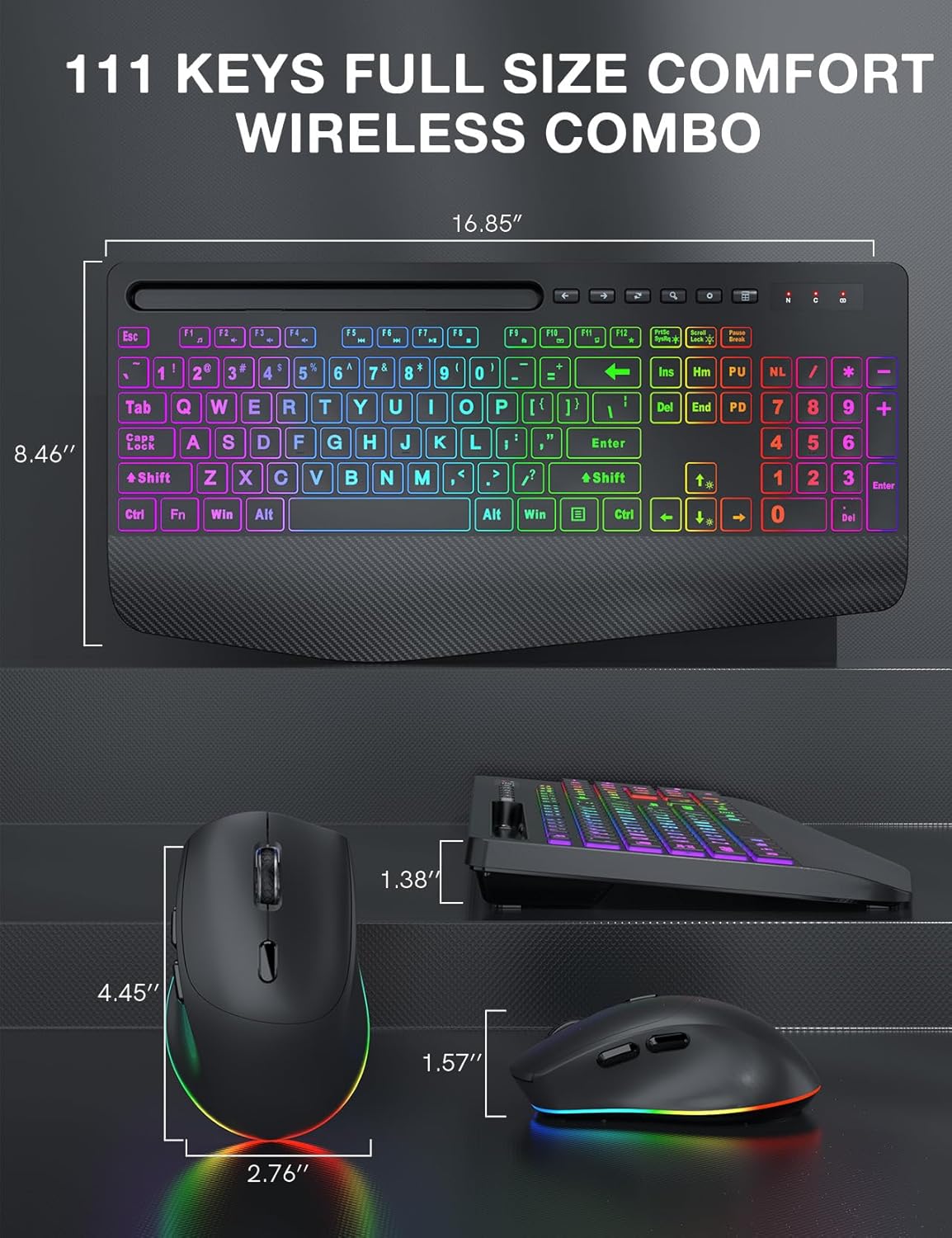
| Баскычтоптун өлчөмдөрү | Болжол менен 16.85" x 8.46" |
| Чычкандын өлчөмдөрү | Болжол менен 4.45" x 2.76" x 1.57" |
| Батарея түрү | Rechargeable (Built-in) |
| Зымсыз диапазон | 33 фут (10 метр) чейин |
8. Кепилдик жана колдоо
SABLUTE products are manufactured to high-quality standards. For information regarding warranty coverage, technical support, or any product-related inquiries, please refer to the contact information provided on the product packaging or the official SABLUTE webсайт. Кепилдик дооматтары үчүн сатып алганыңыздын далилин сактап коюңуз.


