1. Киришүү
This manual provides essential instructions for the proper installation, operation, and maintenance of your Insta360 Connect TV Mount. Please read this manual thoroughly before use to ensure safe and efficient operation. Keep this manual for future reference.
2. Продукт бүтүп калдыview
The Insta360 Connect TV Mount is designed to securely position your Insta360 Connect device either above or below your television. It features VESA-compatible support and a multifunctional arm for versatile placement and adjustment.

1-сүрөт: Толук view of the Insta360 Connect TV Mount, showcasing its V-shaped design and adjustable arms.
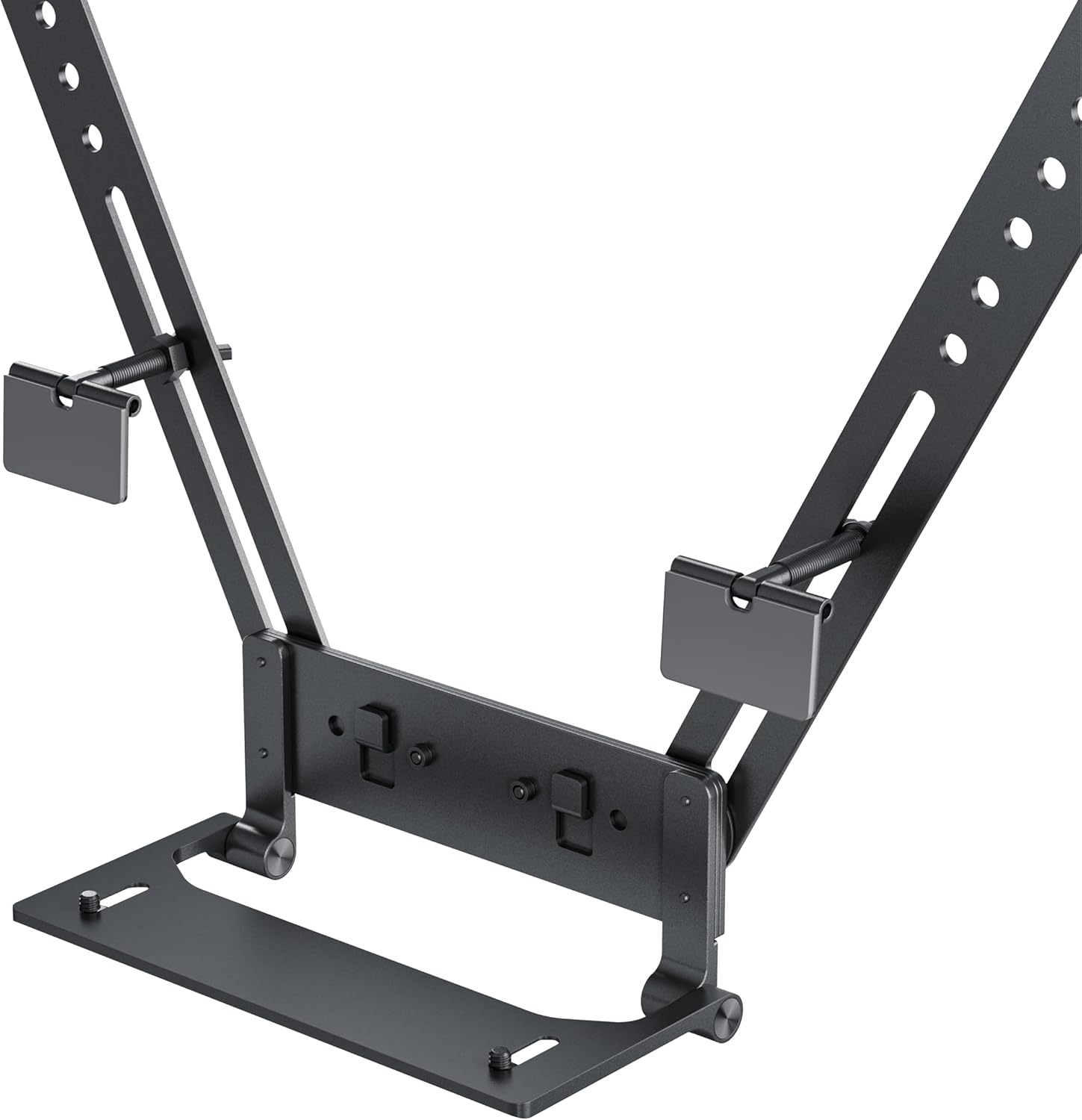
2-сүрөт: деталдуу view of the mount's base and connection points, highlighting the adjustable screws and VESA compatibility.
Негизги өзгөчөлүктөрү:
- Mounts your Insta360 Connect above or below your TV.
- VESA-compatible support with multifunctional arm.
- Swivel and depth adjustment for full-room coverage.
- Designed for quick installation and removal.
3. Пакеттин мазмуну
Орнотууну улантуудан мурун бардык компоненттердин бар экендигин текшериңиз:
- Insta360 Connect TV Mount assembly
- Монтаждоочу жабдыктар (бурамалар, шайбалар)
- Instruction Manual

Figure 3: Individual components of the mount, including the main arms and connection pieces, laid out for assembly.
4. Орнотуу жана орнотуу
Follow these steps to install your Insta360 Connect TV Mount:
4.1 Attaching to the TV
- Телевизоруңуздун артындагы VESA орнотуу тешиктерин аныктаңыз.
- Align the mount's arms with the VESA holes. The mount can be positioned to place the Insta360 Connect device either above or below the TV.
- Secure the mount to the TV using the provided screws and washers. Ensure the screws are tightened firmly but do not overtighten.

Figure 4: An illustration showing the Insta360 Connect TV Mount positioned above a television, with the device attached.
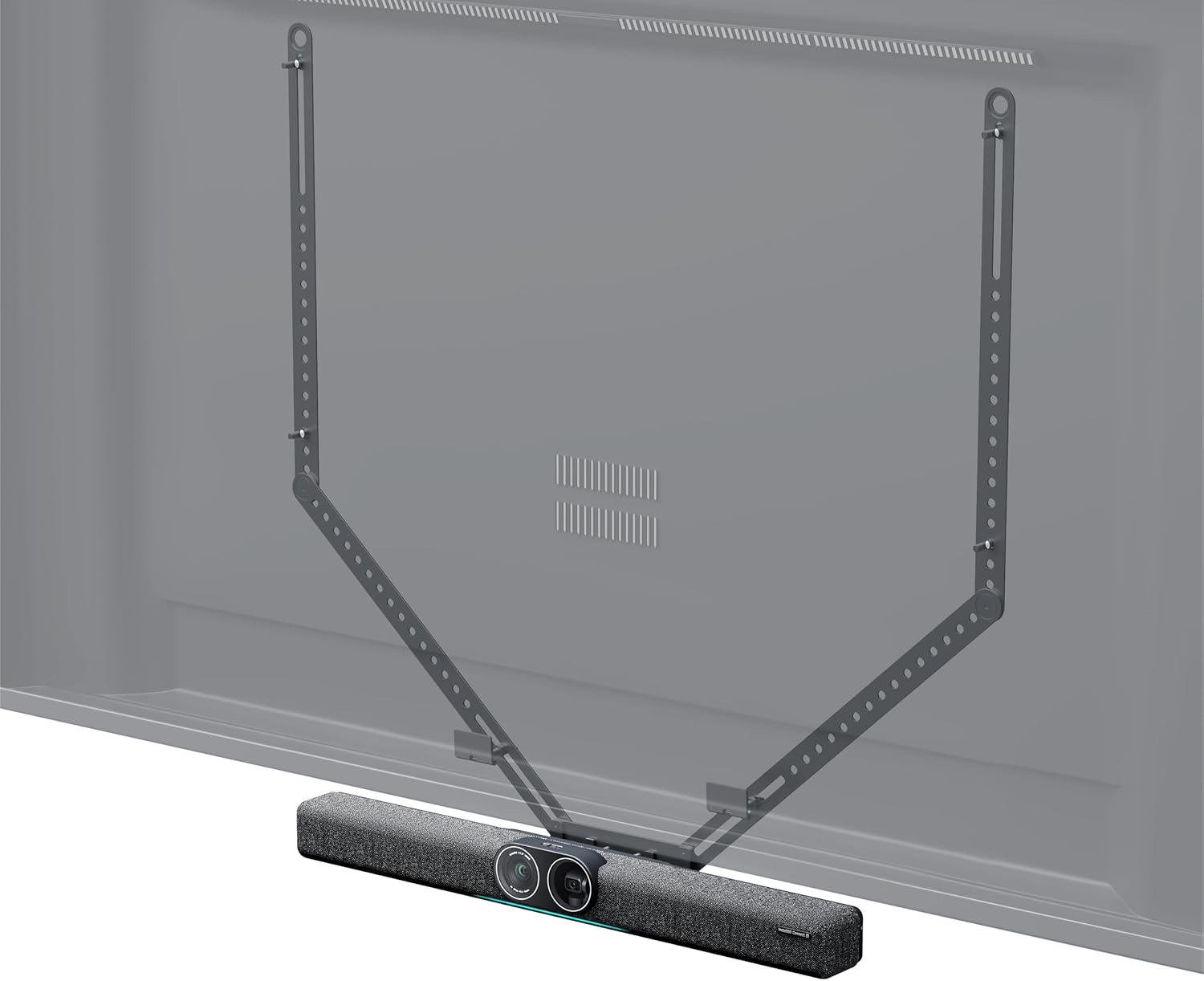
Figure 5: An illustration showing the Insta360 Connect TV Mount positioned below a television, with the device attached.
4.2 Attaching the Insta360 Connect Device
- Place your Insta360 Connect device onto the designated platform of the TV mount.
- Secure the device using its integrated mounting mechanism or any additional fasteners provided with your Insta360 Connect device.
5. Иштөө жана тууралоо
The Insta360 Connect TV Mount allows for flexible positioning of your device to achieve optimal room coverage.
5.1 Айланууну жөндөө
The mount features a swivel mechanism. Gently rotate the mounted device to adjust its horizontal angle for desired room coverage. Ensure the device is stable after adjustment.
5.2 Тереңдикти жөндөө
The mount offers 50mm (2.0in) depth and 15mm (0.6in) front-to-back adjustment capabilities. Loosen the adjustment screws, slide the device to the desired depth, and then re-tighten the screws to secure its position.

Figure 6: A diagram illustrating the 50mm depth and 15mm front-to-back adjustment capabilities of the mount.
6. Техникалык тейлөө
Телевизоруңуздун бекиткичинин узак убакытка кызмат кылышы жана туура иштеши үчүн, төмөнкү техникалык тейлөө көрсөтмөлөрүн аткарыңыз:
- Тазалоо: Wipe the mount with a soft, dry cloth. Avoid using abrasive cleaners or solvents that may damage the finish.
- Текшерүү: Мезгил-мезгили менен бардык бурамалар менен байланыштарды текшерип туруңуз, алар бекем жана бекем бойдон калууда. Керек болсо кайра тартыңыз.
- Сактагыч: If storing the mount for an extended period, ensure it is clean and dry, and store it in a cool, dry place away from direct sunlight.
7. Кыйынчылыктарды
If you encounter issues with your Insta360 Connect TV Mount, refer to the following common problems and solutions:
- Тоо туруксуз сезилет: Ensure all mounting screws attaching the mount to the TV are securely tightened. Verify that the TV's VESA holes are not stripped or damaged.
- Difficulty adjusting swivel or depth: Check if the adjustment screws are sufficiently loosened before attempting to move the mount. If resistance persists, inspect for any obstructions or debris in the mechanism.
- Device not sitting flush: Confirm that the Insta360 Connect device is correctly aligned and secured to the mount's platform according to its own instructions.
8. Техникалык шарттар
| Атрибут | Нарк |
|---|---|
| Бренд | Insta360 |
| Модель номери | CINSBABC |
| Элемент Салмагы | 2.2 фунт |
| Пакеттин өлчөмдөрү | 39.37 x 7.28 x 4.21 дюйм |
| Түс | Кара |
| Монтаж түрү | Дубалга орнотуу (VESA шайкеш) |
| Кыймыл түрү | Айлануучу |
| Материал | Пластик |
| Шайкеш түзмөктөр | Телевидение |
| Максималдуу кыйшаюу бурч | 15 градус |
| UPC | 842126108310 |
9. Кепилдик жана колдоо
Кепилдик жөнүндө маалымат жана кардарларды колдоо кызматы үчүн расмий Insta360 сайтына кайрылыңыз webсайтка же түздөн-түз кардарларды тейлөөгө кайрылыңыз. Кепилдик дооматтар үчүн сатып алганыңыздын далилин сактаңыз.