1. Киришүү
This manual provides essential information for setting up, operating, and maintaining your new HONOR Magic7 Pro smartphone. Please read this guide thoroughly to ensure optimal performance and longevity of your device.
The HONOR Magic7 Pro is a powerful 5G smartphone featuring a 4.32 GHz Octa-core processor, 12GB of RAM, and 512GB of internal storage. It operates on Android 15 with MagicOS 7.1 and is equipped with a 5850mAh non-removable battery. It supports Dual SIM functionality (SIM + eSIM) and is compatible with 2G, 3G, 4G LTE, and 5G SA/NSA networks.
2. Кутуда эмне бар
Бардык буюмдар кутудан чыгарылганда бар экенин текшериңиз:
- HONOR Magic7 Pro смартфону
- USB кабели (Type-A to Type-C)
- 66W SuperCharge Charger
- SIM чыгаруучу курал
- Quick Start Guide
- Кепилдик картасы
3. Түзмөк бүттүview
Familiarize yourself with the physical components of your HONOR Magic7 Pro.

3.1-сүрөт: Алдыңкы жана арткы View of HONOR Magic7 Pro. The device features a large display on the front and a distinctive circular camera module on the back.

3.2-сүрөт: Каптал View of HONOR Magic7 Pro. The right side of the device houses the power button and volume rocker for easy access.

Figure 3.3: Rear Camera Module. The back of the phone features a prominent circular camera module with multiple lenses, designed for advanced photography.
Физикалык өзгөчөлүктөрү:
- Дисплей: 6.8-inch LTPO OLED, 1B colors, 1280 x 2800 pixels.
- Баскычтар: Кубат баскычы жана үн баскычы капталында жайгашкан.
- Порттор: USB Type-C port for charging and data transfer.
- Камера модулу: Unique 'Dual Ring Axymmetric' design on the rear.
- Манжа сенсор: In-display optical fingerprint reader.
4. Орнотуу
4.1. SIM карталарды орнотуу
- Түзмөгүңүздүн капталындагы SIM карта салгычын табыңыз.
- Insert the SIM ejector tool into the small hole on the SIM card tray and push gently until the tray pops out.
- Place your Nano-SIM cards into the designated slots on the tray. The HONOR Magic7 Pro supports two 5G SIMs simultaneously.
- Carefully reinsert the SIM card tray into the device. Ensure it is fully seated to maintain water resistance.
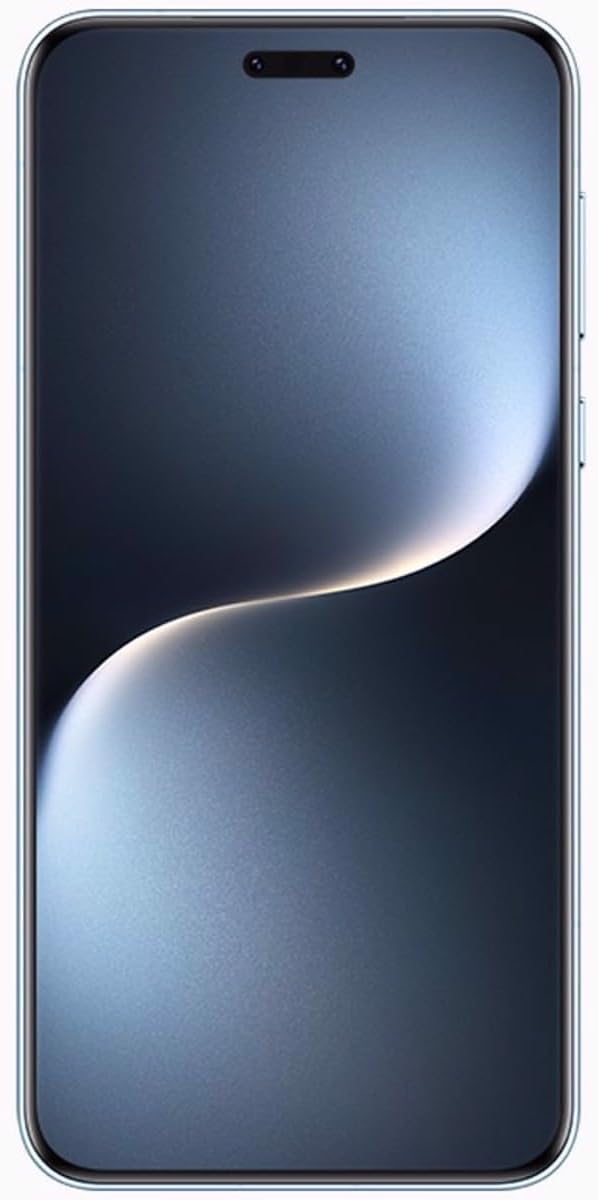
Сүрөт 4.1: Алдыңкы view of the HONOR Magic7 Pro. The device features a curved display with minimal bezels.
4.2. Баштапкы күйгүзүү жана конфигурация
- HONOR логотиби пайда болгонго чейин Кубат баскычын басып, кармап туруңуз.
- Тилиңизди тандоо, Wi-Fi тармагына туташуу жана Google аккаунтуңузду орнотуу үчүн экрандагы нускамаларды аткарыңыз.
- Configure your preferred security methods, including the in-display optical fingerprint reader.
5. Аппаратыңызды иштетүү
5.1. Дисплей өзгөчөлүктөрү
The 6.8-inch LTPO OLED display offers vibrant colors and a peak brightness of 1600 nits, ensuring excellent visibility even in bright conditions. The screen is curved on all four sides for an immersive viewтажрыйбасы.
5.2. Программалык камсыздоо жана колдонуучу интерфейси
Your HONOR Magic7 Pro runs on Android 15 with HONOR's custom MagicOS 7.1 interface. This combination provides a user-friendly experience with various customization options and enhanced privacy features.
5.3. Заряддоо
Utilize the included 66W SuperCharge charger and USB Type-A to Type-C cable for rapid charging. Ensure you use HONOR-approved accessories to prevent damage and maintain battery health.
6. Камеранын өзгөчөлүктөрү
The HONOR Magic7 Pro is equipped with an advanced camera system designed to capture high-quality photos and videos.
6.1. Арткы камера системасы
- Primary Camera: 50 MP, f/1.4-2.0, 24mm (wide), 1/1.3", 1.2µm, multi-directional PDAF, OIS.
- Periscope Telephoto: 200 MP, f/2.6, 72mm, 1/1.4", 0.56µm, multi-directional PDAF, OIS, 3x optical zoom.
- Ультра кең камера: 50 MP, f/2.0, 12mm, 122˚, 1/2.88", 0.61µm, PDAF.
The primary camera utilizes 16-in-1 pixel binning for improved light capture, especially in low-light conditions. The ultrawide lens also functions as a super macro lens for detailed close-up shots.
6.2. Алдыңкы камера
- Селфи камерасы: 50 MP, f/2.0, 21mm (wide), 1/2.93", 0.6µm, PDAF, TOF 3D (depth/biometrics sensor).
6.3. Видео жаздыруу
The device supports video recording up to 4K resolution at 30 frames per second, offering clear and stable footage.
7. Техникалык шарттар
| Өзгөчөлүк | Деталь |
|---|---|
| Модель аты | HONOR Magic7 Pro |
| Модель номери | 5109BQHH |
| Операция системасы | Android 15, MagicOS 7.1 |
| Процессор | Qualcomm SM8750-AB Snapdragon 8 Elite (3 nm), Octa-core (2x4.32 GHz Oryon V2 Phoenix L + 6x3.53 GHz Oryon V2 Phoenix M) |
| Дисплей | 6.8 inches, LTPO OLED, 1B colors, 1280 x 2800 pixels, 1600 nits (peak) |
| RAM | 12 ГБ |
| Ички сактагыч | 512 ГБ (кеңейтилбейт) |
| Арткы камера | 50 MP (wide) + 200 MP (periscope telephoto) + 50 MP (ultrawide) |
| Алдыңкы камера | 50 MP (wide) + TOF 3D |
| Батарея | 5850mAh (алынбай турган) |
| Заряддоо | 66W SuperCharge |
| SIM колдоо | Dual SIM (SIM + eSIM) |
| Тармактын шайкештиги | 2G, 3G, 4G LTE, 5G SA/NSA |
| Өлчөмдөр | 162.7 x 77.1 x 8.8 мм (6.41 x 3.04 x 0.35 дюйм) |
| Салмагы | 223 г (7.87 унция) |
| Түс | Breeze Blue |
8. Техникалык тейлөө
8.1. Аппаратыңызды тазалоо
Use a soft, lint-free cloth to clean the screen and body of your smartphone. Avoid using harsh chemicals or abrasive materials that could damage the finish or screen coating.
8.2. Программалык камсыздоону жаңыртуу
Regularly check for and install software updates to ensure your device has the latest security patches, features, and performance improvements. Navigate to Орнотуулар > Тутум жана жаңыртуулар > Программаны жаңыртуу жеткиликтүү жаңыртууларды текшерүү үчүн.
8.3. Батареяга кам көрүү
To prolong battery life, avoid exposing your device to extreme temperatures. It is recommended to keep the battery charge between 20% and 80% for optimal long-term health.
9. Кыйынчылыктарды
9.1. Түзмөк күйбөй жатат
- Батарея заряддалганын текшериңиз. Аппаратты заряддагычка туташтырыңыз жана кайра күйгүзүү аракетинен мурун бир нече мүнөт күтүңүз.
- Мажбурлап өчүрүп күйгүзүү үчүн Кубат баскычын жок дегенде 10-15 секунд басып туруңуз.
9.2. Тармакка туташуу маселелери
- SIM карталарыңыз туура салынганын жана иштетилгенин текшериңиз.
- Verify that mobile data is enabled in your device settings.
- Түзмөгүңүздү өчүрүп күйгүзүңүз.
- Аймагыңызда кызматтын жеткиликтүүлүгүн ырастоо үчүн тармак камсыздоочу менен байланышыңыз.
9.3. Манжа изинин сенсору иштебейт
- Манжаңыздын жана экрандын таза жана кургак экенин текшериңиз.
- Түзмөктүн жөндөөлөрүндө манжа издериңизди кайра каттаңыз.
9.4. Аппараттын ысып кетиши
If your device feels excessively warm, close any demanding applications, reduce screen brightness, and avoid direct sunlight. If the issue persists, contact customer support.
10. Кепилдик жана колдоо
Your HONOR Magic7 Pro is covered by a manufacturer's warranty. Please refer to the warranty card included in your product packaging for detailed terms and conditions, including coverage period and service procedures.
For technical assistance, troubleshooting beyond this manual, or warranty claims, please contact HONOR customer support through their official website or authorized service centers. Keep your proof of purchase and device serial number readily available when seeking support.


