Introduction
The Celly FLIP3WH are compact, wireless in-ear earbuds designed for comfortable use with mobile phones, tablets, and computers. They feature integrated microphones for calls and media control, utilizing Bluetooth 5.2 technology for a stable connection. This manual provides essential instructions for setting up, operating, and maintaining your earbuds.
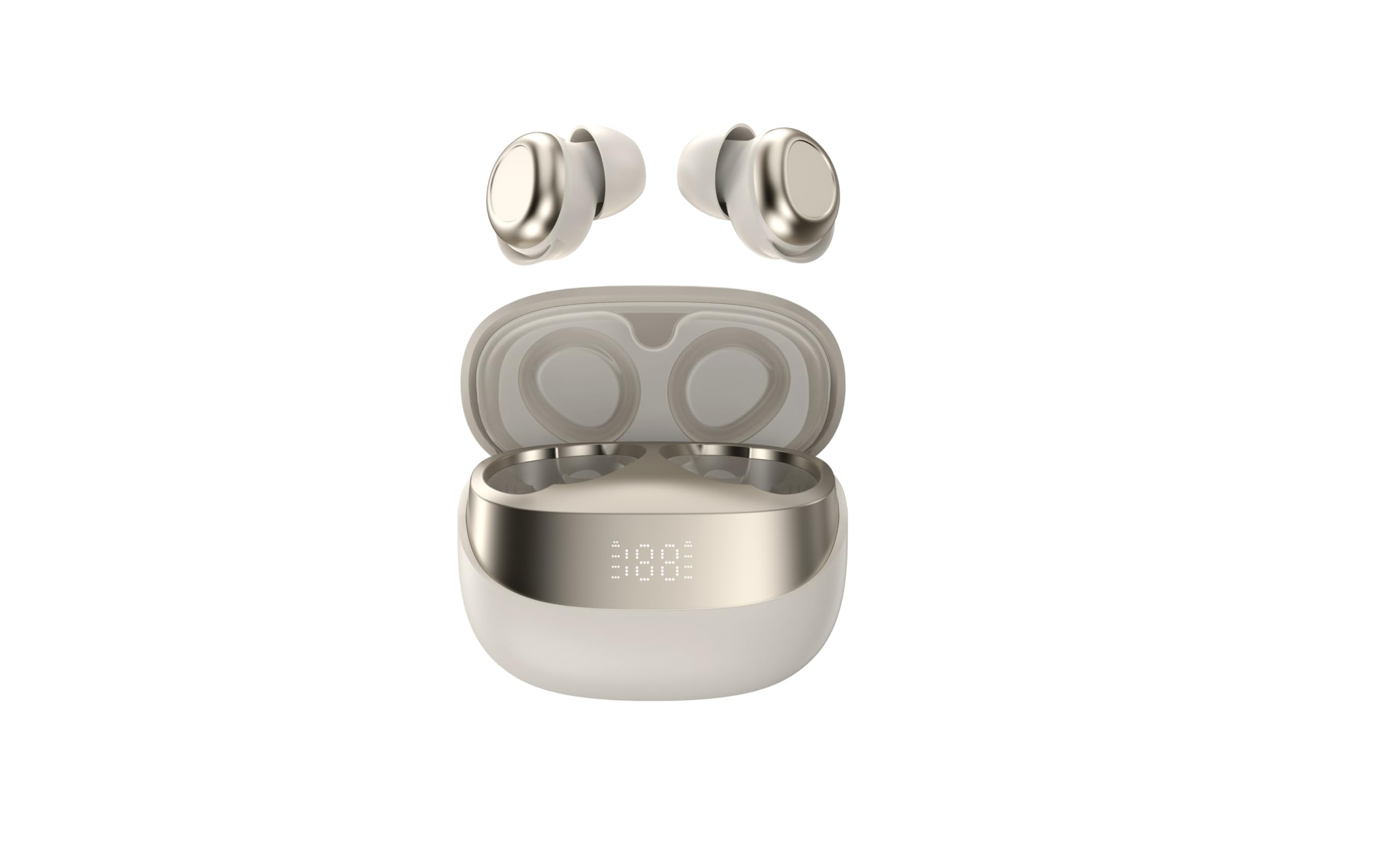
Image showing the Celly FLIP3WH wireless Bluetooth earbuds, highlighting their compact in-ear design and white color.
Продукт бүттүview
The Celly FLIP3WH earbuds offer a secure in-ear fit and connect wirelessly via Bluetooth 5.2, providing a stable connection up to 12 meters. They include an integrated microphone for hands-free calls and remote controls for volume and music playback. The lightweight design, weighing 33 grams, ensures comfort during extended use.
- Кулактын ичиндеги дизайн: Secure and comfortable fit.
- Bluetooth 5.2: Stable wireless connectivity up to 12 meters.
- Интегралдык микрофон: Үнсүз чалуулар үчүн.
- Алыстан башкаруу каражаттары: For calls, volume, and music playback.
- Жеңил салмак: Weighs 33 grams for extended comfort.
Жайгашуу
Кулакчындарды заряддоо
Before first use, fully charge your Celly FLIP3WH earbuds. Connect the charging cable to the earbuds and a compatible USB power source. The charging indicator will show the charging status. A full charge typically takes approximately 1.5 to 2 hours.
Түзмөк менен жупташтыруу
To connect your Celly FLIP3WH earbuds to a mobile phone, tablet, or computer:
- Ensure the earbuds are charged and powered on. They should automatically enter pairing mode, indicated by a flashing LED light.
- Activate Bluetooth on your mobile phone, tablet, or computer.
- Издөө түзмөгүңүздүн Bluetooth жөндөөлөрүндө жеткиликтүү Bluetooth түзмөктөрүн тандаңыз.
- Select 'Celly FLIP3WH' from the list of found devices to initiate pairing.
- Once connected, the earbuds will indicate successful pairing with an audible prompt or a solid LED light.
Иштеп жатат
Күйгүзүү/өчүрүү
- Күйгүзүү: Press and hold the multi-function button for approximately 3 seconds until you hear an audible prompt and the LED indicator lights up.
- Өчүрүү: Press and hold the multi-function button for approximately 5 seconds until you hear an audible prompt and the LED indicator turns off.
Музыканы ойнотуу
- Ойнотуу/тындыруу: Көп функциялуу баскычты бир жолу басыңыз.
- Кийинки трек: Көп функциялуу баскычты эки жолу басыңыз.
- Мурунку трек: Көп функциялуу баскычты үч жолу басыңыз.
Чалууларды башкаруу
- Чалууга жооп берүү/аяктоо: Көп функциялуу баскычты бир жолу басыңыз.
- Чакырууну четке кагуу: Көп функциялуу баскычты 2 секунд басып туруңуз.
Үндү көзөмөлдөө
Adjust the volume directly from your connected device. Some earbuds may feature dedicated volume buttons; refer to the product diagram for specific controls if available.
Техникалык тейлөө
Тазалоо
Gently wipe the earbuds with a soft, dry, lint-free cloth. Do not use abrasive cleaners, solvents, or immerse the earbuds in water, as they are not water-resistant. Regularly clean the ear tips to ensure optimal sound quality and hygiene.
Сактагыч
Store the earbuds in a cool, dry place away from direct sunlight, extreme temperatures, and humidity. When not in use for extended periods, charge them periodically (e.g., once every three months) to maintain battery health and prevent deep discharge.
Проблемаларды чечүү
- Кулакчындар жупташкан жок:
- Түзмөгүңүздө Bluetooth иштетилгенин жана кулакчындар жупташтыруу режиминде экенин текшериңиз.
- Check if the earbuds are sufficiently charged.
- Try restarting both the earbuds and your device.
- Кулакчындар башка түзмөккө туташып турбаганын текшериңиз.
- Үн жок:
- Кулакчындардагы жана туташкан түзмөгүңүздүн үнүнүн деңгээлин текшериңиз.
- Кулакчындар түзмөгүңүзгө туура жупташып, туташып турганын текшериңиз.
- Try playing different audio sources or applications.
- Үн сапатынын начардыгы же байланыш үзгүлтүккө учурашы:
- Ensure there are no physical obstructions between the earbuds and your device.
- Мүмкүн болгон тоскоолдуктарды азайтуу үчүн түзмөгүңүзгө жакыныраак жылыңыз.
- Check for other active Bluetooth devices in the vicinity that might cause interference.
Техникалык шарттар
| Бренд | Селли |
| Модел | FLIP3WH |
| Байланыш | Bluetooth 5.2 |
| Зымсыз диапазон | 12 метрге чейин |
| Батареянын иштөө мөөнөтү (музыканы ойнотуу) | 6 саатка чейин |
| Батареянын иштөө мөөнөтү (күтүү режими) | 30 саатка чейин |
| Frequency Response | 20-20,000 Гц |
| Салмагы | 33 грамм |
| Микрофон | Интеграцияланган |
| Суу каршылык | Жок |
| Түс | Ак |
Кепилдик жана колдоо
For detailed warranty information, technical support, and customer service, please refer to the documentation provided with your purchase or visit the official Celly webсайт. Ар кандай кепилдик дооматтары үчүн сатып алганыңыздын далилин сактаңыз.


