1. Introduction and Overview
The BOBLOV M7Pro is a high-performance 4K GPS body worn camera designed for reliable video and audio recording in various professional and personal settings. Its robust features, including a 180-degree rotatable lens, long battery life, and integrated GPS, make it suitable for law enforcement, security personnel, delivery services, and outdoor enthusiasts.

Сүрөт 1.1: Алдыңкы жана арткы view of the BOBLOV M7Pro body worn camera, showcasing its compact design and rear display.
2. Пакеттин мазмуну
Төмөндө тизмеленген нерселердин баары пакетиңизге камтылганын текшериңиз. Эгерде кандайдыр бир нерселер жок болсо же бузулса, кардарларды колдоо менен байланышыңыз.
- 1x BOBLOV M7Pro Body Worn Camera (128GB Internal Memory)
- 1x USB-C кабели
- 1x Fast Charger Plug
- 1x Short Rotate 360° Clip
- 1x Long Rotate 360° Clip
- 1x Колдонуучунун колдонмосу

Figure 2.1: Contents of the BOBLOV M7Pro package, including the camera, user manual, charger, USB-C cable, and two types of clips.
3. Продукциянын өзгөчөлүктөрү
3.1. 4K Video Resolution and 180° Rotatable Lens
The M7Pro captures video in stunning 4K resolution (3840x2160P) and photos at 40MP, ensuring crisp and clear footage. The unique 180-degree rotatable lens allows for flexible recording angles and automatically adjusts the image direction in both standby and video modes, ensuring your footage is always correctly oriented.

Figure 3.1: The BOBLOV M7Pro captures video in 4K (3840x2160P) and photos at 40MP with a 127° Field of View.
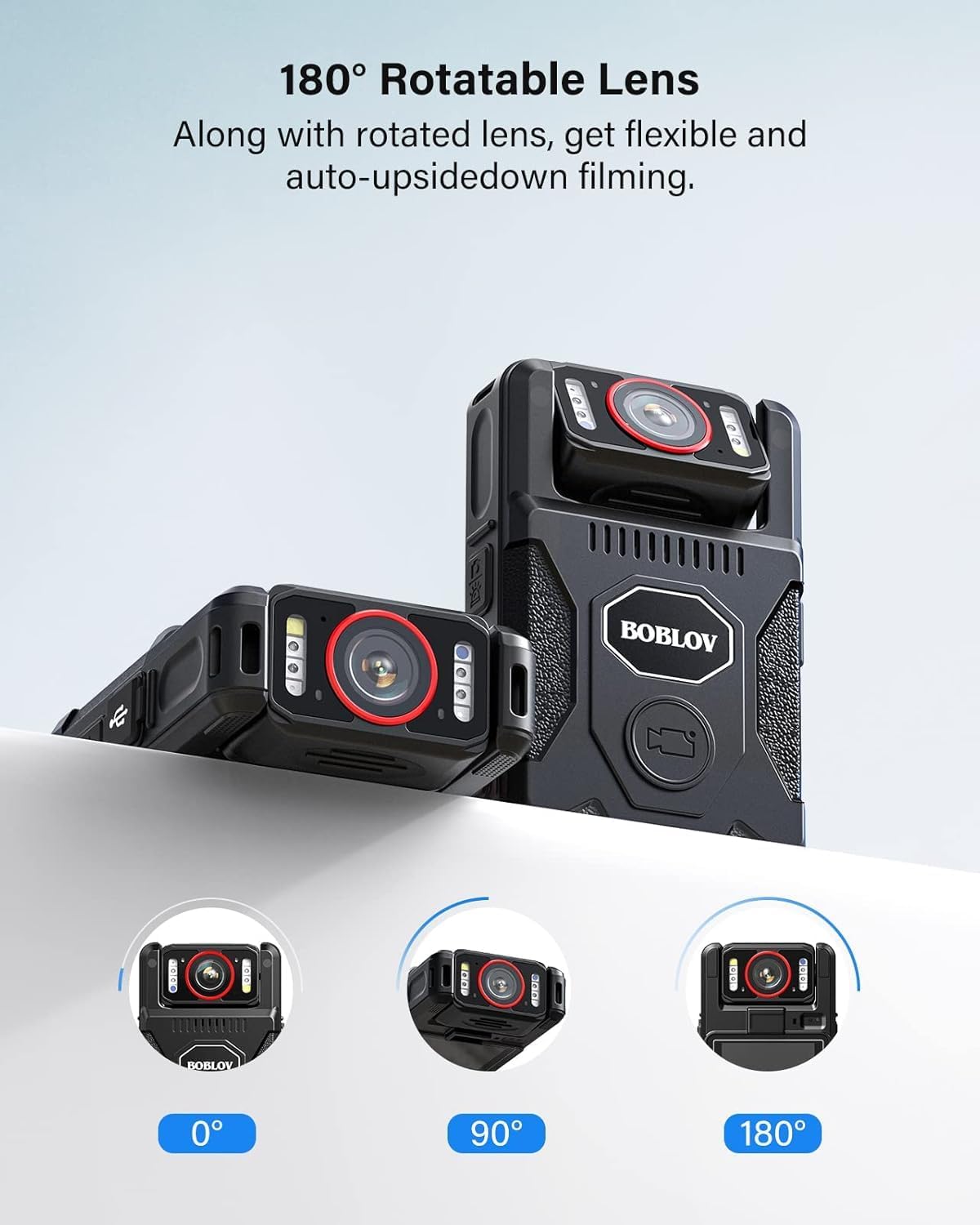
Figure 3.2: The 180° rotatable lens provides flexible filming options at 0°, 90°, and 180°.
3.2. Multi-functional Design
The M7Pro is designed for versatile attachment, allowing it to be clipped to your shoulder, chest, or belt. It can also be attached to a windshield with an optional suction mount (not included), making it ideal for recording daily work, car travel, or other activities.
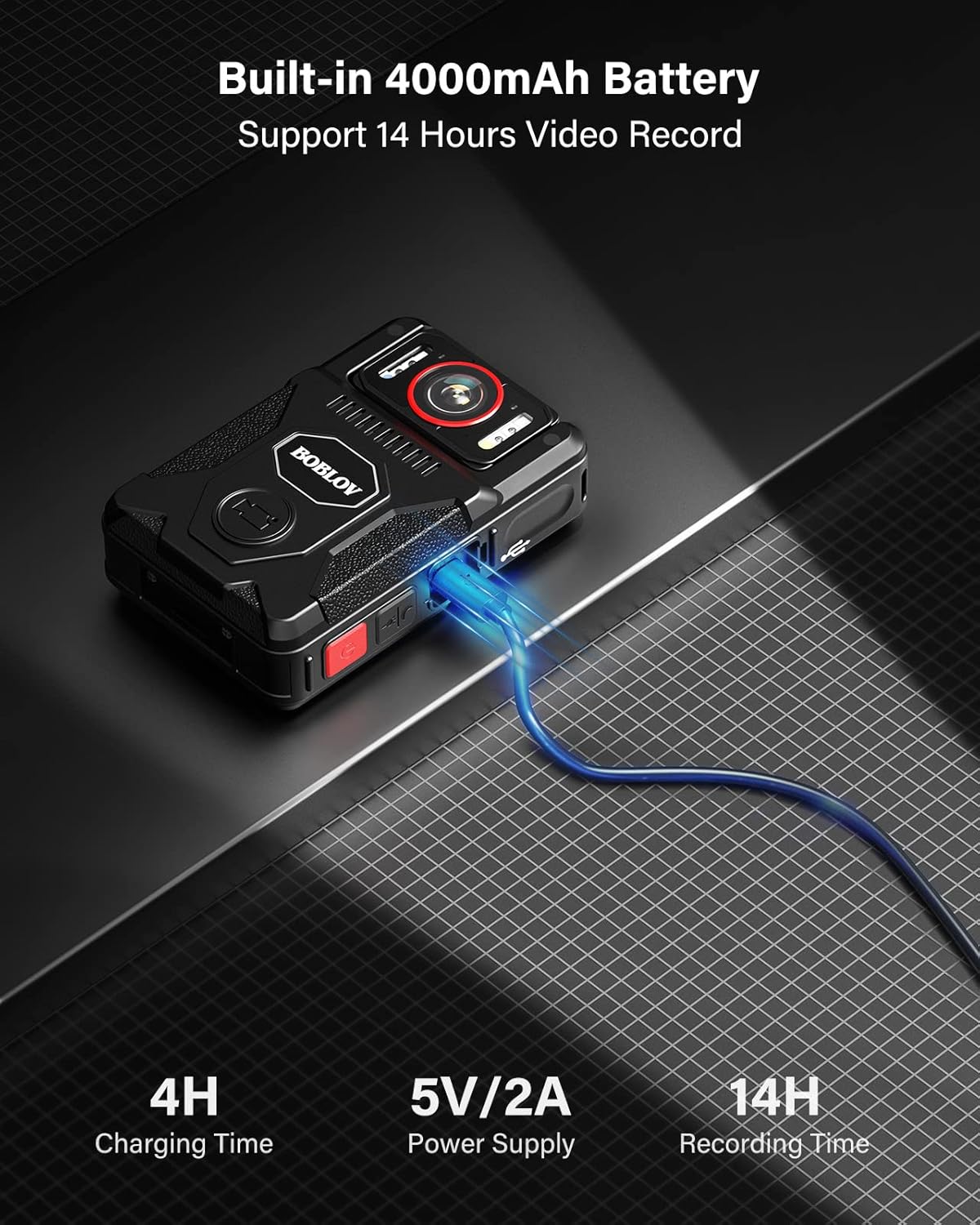
Figure 3.3: The BOBLOV M7Pro body camera can be securely clipped to a uniform for hands-free recording.
3.3. Узартылган батареянын иштөө мөөнөтү
Equipped with a built-in 4000mAh battery, the M7Pro supports up to 14 hours of continuous video recording, ensuring it lasts through long shifts or extended use. The included fast charger allows for a full charge in approximately 4-5 hours.
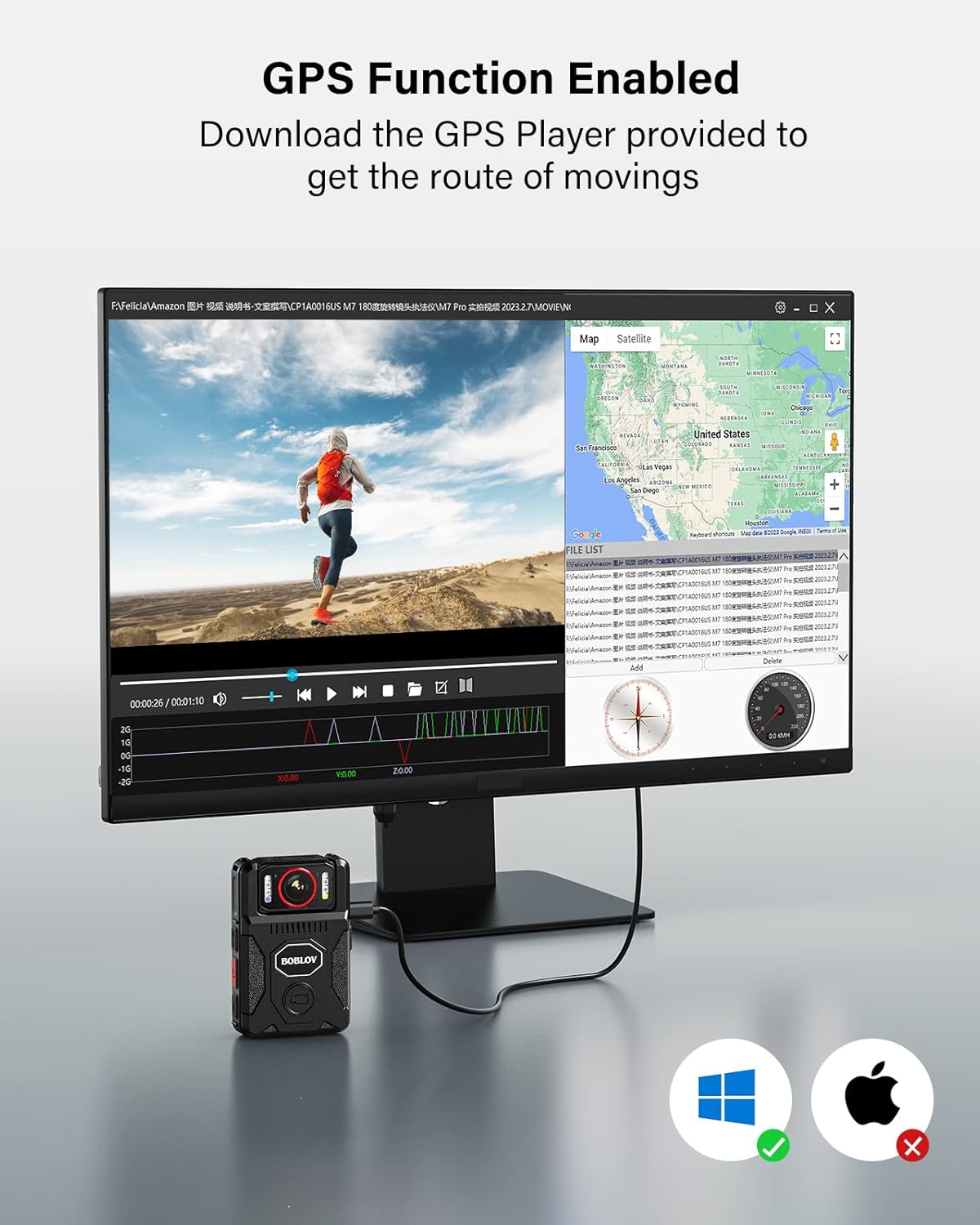
Figure 3.4: The M7Pro features a 4000mAh battery, providing up to 14 hours of recording time and fast charging in 4-5 hours.
3.4. GPS функциясы
The M7Pro includes GPS functionality, allowing you to track and record your routes. The recorded GPS data can be viewed and analyzed using the dedicated GPS Player software, which is provided separately.

Figure 3.5: The GPS function allows for route tracking, viewable with the provided GPS Player software (Windows compatible).
3.5. Night Vision and Loop Recording
The M7Pro is equipped with 4 IR lights, enabling clear recording in low-light conditions or complete darkness. It also supports loop recording, which automatically overwrites the oldest footage when the memory is full. You can set the video duration for loop recording to 5, 10, or 15 minutes.
3.6. M7 Pro vs. M7 Comparison
The M7 Pro offers several enhancements over the previous M7 model:

Figure 3.6: Comparison of key features between the BOBLOV M7 Pro and M7 models.
4. Орнотуу
4.1. Баштапкы заряддоо
Before first use, fully charge the M7Pro camera using the provided USB-C cable and fast charger plug. The charging indicator light will change once charging is complete.
4.2. Клипти бекитүү
Select either the short or long 360° rotatable clip based on your preference. Attach the clip securely to the back of the camera until it clicks into place. Ensure the clip is firmly attached before wearing the camera.
4.3. Күйгүзүү / Өчүрүү
To power on, press and hold the Power button until the screen illuminates. To power off, press and hold the Power button again until the device shuts down.
4.4. Негизги орнотуулар
Upon first power-on or after a factory reset, you may need to set the date, time, and language. Navigate through the on-screen menu using the control buttons to adjust these settings. Refer to the detailed user manual for specific menu navigation instructions.
5. Иштөө нускамалары
5.1. Видео жаздыруу
To start video recording, press the dedicated Video Record button (often marked in red). Press the button again to stop recording. The screen will indicate the recording status.
5.2. Сүрөт тартуу
To take a still photo, press the Photo button. The camera will capture an image and save it to the internal memory.
5.3. Ойнотуу
Enter playback mode through the camera's menu. Use the navigation buttons to browse through recorded videos and photos. Select a file чейин view it on the camera's display.
5.4. Түнкү көрүүнү активдештирүү
The M7Pro features automatic night vision. In low-light conditions, the IR lights will activate automatically. Manual activation/deactivation may also be available via the menu settings.
5.5. GPS Data Usage
After recording, connect the camera to a computer and use the BOBLOV GPS Player software to view your recorded routes and associated video footage. Ensure the GPS Player is installed on your computer.
5.6. Loop Recording Settings
Access the system settings to configure loop recording. You can choose video segment durations of 5, 10, or 15 minutes. When the memory is full, the oldest fileнын үстүнө жаңы жазуулар жазылат.
6. Техникалык тейлөө
Proper maintenance ensures the longevity and optimal performance of your BOBLOV M7Pro camera.
- Тазалоо: Камера корпусун тазалоо үчүн жумшак, кургак чүпүрөктү колдонуңуз. Линза үчүн, чийилип калбашы үчүн, линзаны тазалоочу атайын чүпүрөктү жана эритмени колдонуңуз.
- Батареяга кам көрүү: Avoid fully discharging the battery frequently. Charge the camera regularly, even if not in use, to maintain battery health. Store in a cool, dry place.
- Программалык камсыздоонун жаңыртуулары: Расмий BOBLOVду мезгил-мезгили менен текшерип туруңуз webжеткиликтүү болгон микропрограммалык камсыздоонун жаңыртуулары үчүн сайтты ачыңыз. Жаңыртуу менен кошо берилген көрсөтмөлөрдү кылдаттык менен аткарыңыз.
- Сактагыч: Store the camera in a protective case when not in use to prevent dust and physical damage. Avoid extreme temperatures.
7. Кыйынчылыктарды
If you encounter issues with your M7Pro camera, refer to the following common problems and solutions:
| Көйгөй | Мүмкүн себеп | Чечим |
|---|---|---|
| Камера күйбөйт. | Батареянын аздыгы; аппараттын бузулушу. | Камераны толук кубаттаңыз. Эгер көйгөй чечилбесе, колдоо кызматына кайрылыңыз. |
| Видео жаздыруу/сүрөткө тартуу мүмкүн эмес. | Internal memory full; incorrect mode. | Эскисин жок кылуу files or transfer them to a computer. Ensure camera is in video/photo mode. |
| GPS маалыматтары көрсөтүлбөй жатат. | GPS signal weak; GPS Player not installed/updated. | Камеранын ачык экенин текшериңиз view of sky. Install/update GPS Player software. |
| Poor video/image quality. | Кир линза; аз жарык шарттары; туура эмес орнотуулар. | Clean the lens. Ensure adequate lighting or activate night vision. Check resolution settings. |
For issues not covered here, please consult the full user manual or contact BOBLOV customer support.
8. Техникалык шарттар
Detailed technical specifications for the BOBLOV M7Pro camera:
- Бренд аты: БОБЛОВ
- Модель номери: M7PRO
- Видео тартуу токтому: 4K (3840x2160P)
- Фото сенсор технологиясы: CMOS
- Flash эстутум түрү: Internal 128GB
- Батарея: 4000mAh (1 A batteries required, included)
- Жаздыруу убактысы: Up to 14 hours (in 1080P, IR&GPS Off)
- Заряддоо убактысы: 4-5 hours (with fast charger)
- Өзгөчөлүктөр: GPS, Night Vision (4 IR lights), 180° Rotate Lens, Loop Recording
- Экрандын өлчөмү: 1.3 дюйм
- Видео тартуу форматы: MOV
- Элемент Салмагы: 15.2 унция
- Пакеттин өлчөмдөрү: 5.55 x 3.82 x 2.8 дюйм
9. Кепилдик жана колдоо
Specific warranty details are not provided within this manual. For information regarding product warranty, returns, or technical support, please refer to the warranty card included with your product, visit the official BOBLOV website, or contact BOBLOV customer service directly.


