Taiahiro Dual Wireless Gaming Headset User Manual
Model: Bundle-2
Introduction
Thank you for choosing the Taiahiro Dual Wireless Gaming Headset. This manual provides detailed instructions for setting up, operating, and maintaining your new headset. Please read this manual thoroughly before use to ensure optimal performance and longevity of your device.
This headset offers versatile connectivity options including 2.4GHz wireless, Bluetooth 5.2, and 3.5mm wired modes, making it compatible with a wide range of platforms such as PS5, PS4, PC, Switch, Xbox, Mac, Phone, and Tablet.
Коопсуздук маалыматы
- Do not expose the headset to extreme temperatures, humidity, or liquids.
- Гарнитураны түшүрүүдөн же катуу таасирлерге дуушар кылуудан качыңыз.
- Гарнитураны ажыратууга же өзгөртүүгө аракет кылбаңыз. Бул кепилдикти жокко чыгарат.
- Угуунун бузулушун алдын алуу үчүн орточо үн деңгээлинде угуңуз. Катуу үндөрдү узак убакыт бою угуу угуунун туруктуу жоголушуна алып келиши мүмкүн.
- Keep the headset and its accessories out of reach of children and pets.
- Берилген заряддоо кабелин же тастыкталган эквивалентти гана колдонуңуз.
Пакеттин мазмуну
Сураныч, пакетте төмөнкү нерселерди текшериңиз:
- Taiahiro Dual Wireless Gaming Headset (Black & White)
- 2.4 ГГц USB зымсыз Dongle
- Чууну жокко чыгаруучу микрофон
- USB-C заряддоо кабели
- 3.5 мм аудио кабель
- Колдонуучунун Колдонмосу (бул документ)
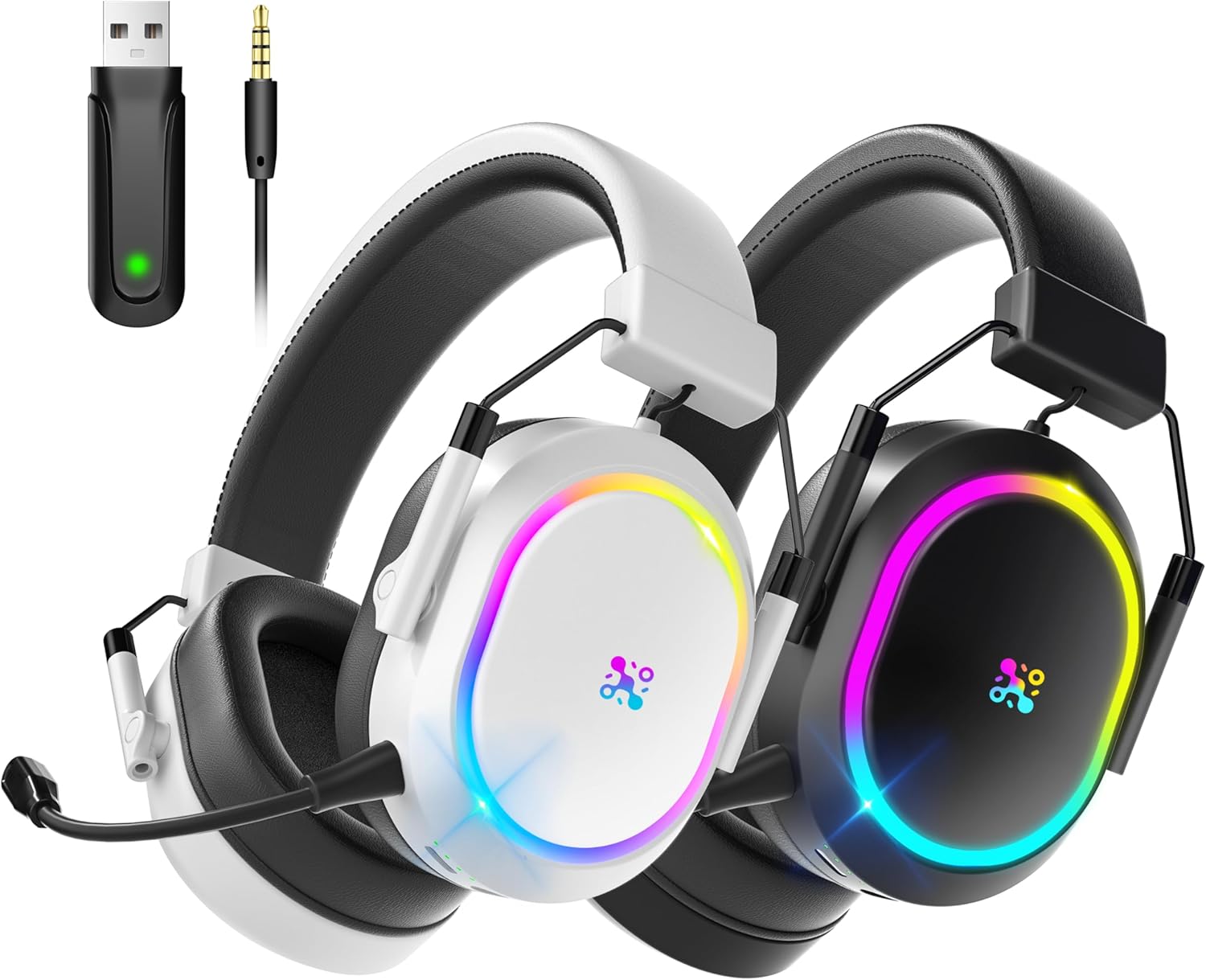
Image: The Taiahiro Dual Wireless Gaming Headset in both black and white, alongside its 2.4GHz USB wireless dongle and 3.5mm audio cable, illustrating the complete package contents.
Продукт бүттүview
Familiarize yourself with the various components and controls of your Taiahiro Gaming Headset.

Image: A detailed diagram highlighting the various control points on the headset, including the Status Light, M Button, Power Button, Volume Control, 3.5mm Port, Battery Level Indicator Light, Charging Port, and Mic Port.
- Кубат баскычы: Used to power the headset on/off and switch modes.
- M баскычы: Multi-function button for various controls depending on the mode.
- Үндү көзөмөлдөө: Rotary dial to adjust audio volume.
- 3.5 мм порт: Зымдуу туташуу үчүн.
- Микрофон порту: Алынуучу микрофонду орнотуу үчүн.
- Заряддоо порту (USB-C): Гарнитураны заряддоо үчүн.
- Статус жарыгы: Indicates power, connection status, and charging.
- Батарея деңгээлинин көрсөткүч жарыгы: Учурдагы батарея зарядын көрсөтөт.
- Алынуучу микрофон: Flexible, omnidirectional microphone with noise cancellation.
- Жөнгө салынуучу баш боосу: Ыңгайлуу ылайыктуу үчүн.
- Жумшак дем алуучу кулакчындар: Designed for comfort during long gaming sessions.
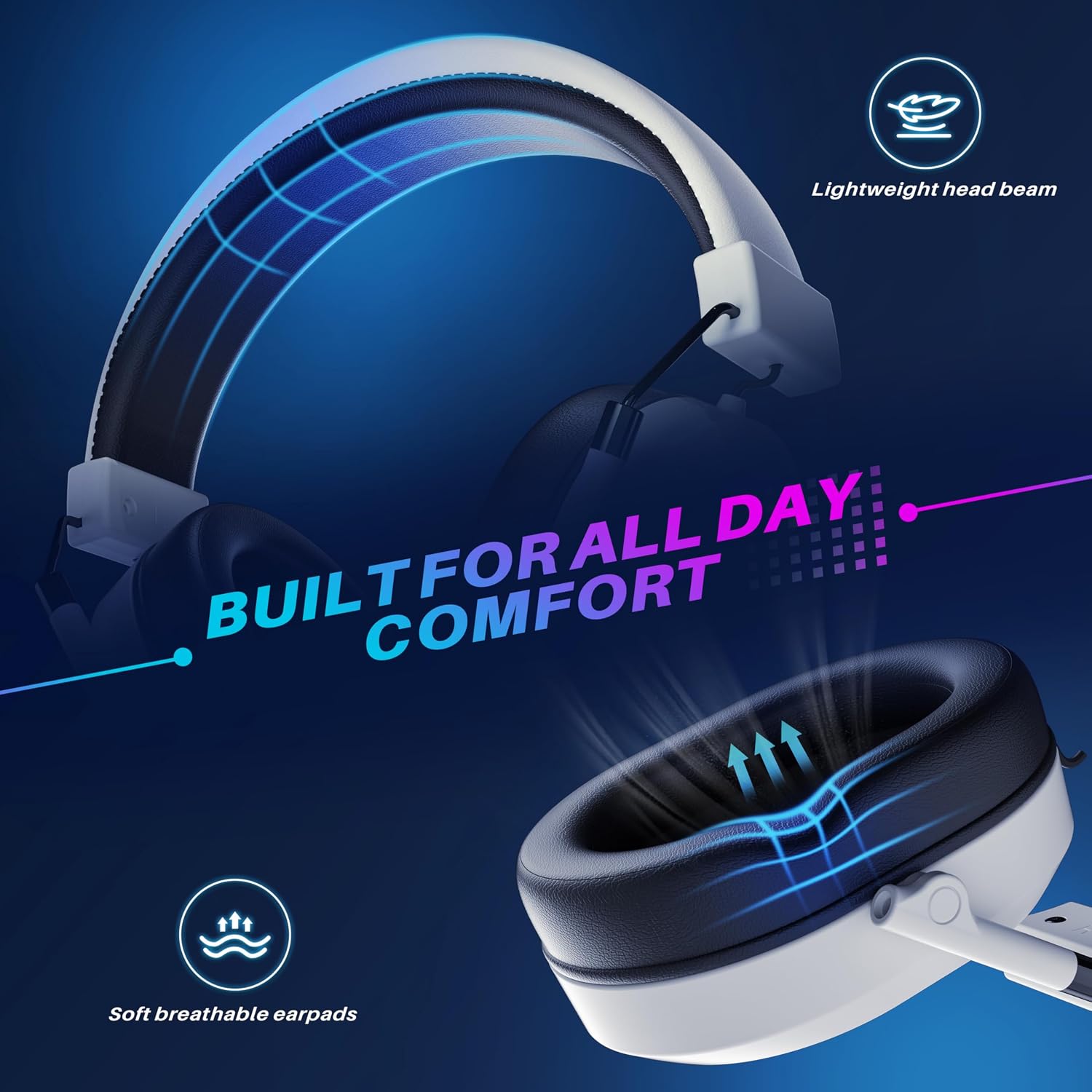
Image: The headset highlighting its comfortable design features, including a lightweight head beam and soft, breathable earpads, engineered for extended wear.

Сүрөт: жарылган view of the headset's internal components, specifically showcasing the 50mm audio drivers responsible for sound production.
Жайгашуу
1. Гарнитураны заряддоо
Биринчи жолу колдонуудан мурун, гарнитураны толугу менен кубаттаңыз. Толук кубаттоо болжол менен 2.5 саатты талап кылат.
- USB-C кубаттоочу кабелин гарнитуранын кубаттоо портуна туташтырыңыз.
- Кабелдин экинчи учун USB кубат булагына туташтырыңыз (мисалы, компьютердин USB порту, USB дубал адаптери).
- The Battery Level Indicator Light will show charging status. It will turn solid when fully charged.
Эскертүү: The headset offers over 50 hours of battery life with lights off, and over 25 hours with lights on.

Image: The headset positioned on a charging platform, visually representing its impressive battery life of over 50 hours and the quick 2.5-hour full charging time.
2. Connecting via 2.4GHz Wireless (USB Dongle)
This mode provides ultra-low latency connection for gaming.
- Insert the 2.4GHz USB wireless dongle into an available USB port on your PS5, PS4, PC, Switch (docked mode), or Mac.
- Power on the headset by pressing and holding the Power Button until the Status Light illuminates.
- The headset will automatically attempt to connect to the dongle. The Status Light will indicate a successful connection (e.g., solid blue).
- On your device, ensure the audio output is set to "Taiahiro Headset" or similar.

Image: A visual representation of the headset's low-latency 2.4GHz wireless technology, featuring the USB dongle and highlighting an ultra-low latency of less than 25ms for stable wireless range up to 33ft.
3. Bluetooth 5.2 аркылуу туташуу
Ideal for mobile devices, tablets, and other Bluetooth-enabled systems.
- Гарнитура күйгүзүлгөнүн текшериңиз.
- Press the Power Button briefly to cycle through modes until the Status Light blinks blue rapidly, indicating Bluetooth pairing mode.
- On your device (Phone, Tablet, PC, Mac), go to Bluetooth settings and search for "Taiahiro Headset".
- Select "Taiahiro Headset" to pair. The Status Light will turn solid blue upon successful connection.
4. Connecting via 3.5mm Wired
For devices without wireless capabilities or when battery is low.
- Insert the 3.5mm audio cable into the headset's 3.5mm port.
- Connect the other end of the cable to the 3.5mm audio jack on your device (PS5 controller, PS4 controller, Xbox controller, PC, Switch, Phone, Tablet).
- The headset will automatically switch to wired mode. The headset does not need to be powered on for wired audio, but power is required for microphone functionality in some cases.
5. Микрофонду тиркөө
The detachable microphone provides clear voice communication.
- Locate the microphone port on the left earcup of the headset.
- Align the microphone's connector with the port and gently push it in until it clicks into place.
- Adjust the flexible microphone boom to position it optimally near your mouth for clear voice pickup.

Image: The headset featuring its detachable noise-cancelling microphone, illustrating its 360-degree adjustability for optimal voice pickup and a 95% reduction in ambient noise.
Иштөө нускамалары
Күйгүзүү/өчүрүү
- Күйгүзүү: Press and hold the Power Button for 3 seconds until the Status Light illuminates.
- Өчүрүү: Press and hold the Power Button for 3 seconds until the Status Light turns off.
Үндү көзөмөлдөө
- Rotate the Volume Control dial up to increase volume.
- Rotate the Volume Control dial down to decrease volume.
Микрофондун үнүн басуу/өчүрүү
- Press the M Button once to mute the microphone. The Status Light may change color or blink to indicate mute status.
- Press the M Button again to unmute the microphone.
Mode Switching
- Briefly press the Power Button to cycle between 2.4GHz wireless mode and Bluetooth mode. The Status Light will indicate the active mode.
- Wired mode (3.5mm) is automatically activated when the audio cable is plugged in.
3D көлөмдүү үн
The headset features 3D surround sound for an immersive gaming experience.

Image: The headset displayed with a graphic overlay illustrating the concept of 3D stereo surround sound, emphasizing its design for immersive gaming.
This feature is automatically enabled when using the headset in wireless modes. Ensure your game or system audio settings are configured for stereo or surround sound output for the best experience.
Техникалык тейлөө
- Тазалоо: Use a soft, dry cloth to wipe the headset. For stubborn dirt, slightly dampчүпүрөктү суу менен. Катуу химиялык заттарды же абразивдүү тазалагычтарды колдонбоңуз.
- Сактагыч: Store the headset in a cool, dry place away from direct sunlight and extreme temperatures. When not in use for extended periods, it is recommended to store it in its original packaging or a protective case.
- Батареяга кам көрүү: To prolong battery life, avoid fully discharging the headset frequently. If storing for a long time, charge it to about 50% every few months.
- Микрофонго кам көрүү: Handle the detachable microphone gently. Avoid bending it excessively or forcing it into the port.
Проблемаларды чечүү
| Көйгөй | Мүмкүн себеп | Чечим |
|---|---|---|
| Гарнитурадан үн жок |
|
|
| Микрофон иштебей жатат |
|
|
| Connection issues (wireless) |
|
|
Техникалык шарттар
| Өзгөчөлүк | Деталь |
|---|---|
| Модель аты | Bundle-2 |
| Байланыш технологиясы | 2.4 ГГц зымсыз, Bluetooth 5.2, 3.5 мм зымдуу |
| Шайкеш түзмөктөр | PS5, PS4, PC, Switch, Xbox, Mac, Phone, Tablet |
| Аудио драйверлери | 50мм динамикалык айдоочулар |
| Жыштык диапазону | 20Гц - 20,000Гц |
| Микрофон | Detachable, 360° Noise Cancelling |
| Батареянын иштөө мөөнөтү | 50+ hours (lights off), 25+ hours (lights on) |
| Заряддоо убактысы | Болжол менен 2.5 саат (USB-C аркылуу) |
| Зымсыз кечигүү | <25ms (2.4GHz) |
| Зымсыз диапазон | 33 фут (10 м) чейин |
| Наушник формасы | Ашыкча кулак |
| Материал | Кездеме, Пластмасса |
Кепилдик жана колдоо
Taiahiro products are designed and manufactured to the highest quality standards. This product is covered by a limited warranty from the date of purchase. Please refer to the warranty card included in your package for specific terms and conditions.
For technical support, troubleshooting assistance, or warranty claims, please contact Taiahiro Customer Service:
- Электрондук почта: support@taiahiro.com (Чыгample email, replace if actual is known)
- Webсайт: Visit the Taiahiro Store on Amazon
Please have your product model number (Bundle-2) and purchase date ready when contacting support.


