1. Киришүү
Thank you for choosing the BoyKeep 2K Outdoor Security Camera. This manual provides essential information for the proper installation, operation, and maintenance of your camera. Please read this manual thoroughly before using the product and retain it for future reference.
Коопсуздук маалыматы
- Зыяндын алдын алуу үчүн кубат булагы камеранын талаптарына дал келгенин текшериңиз.
- Do not expose the camera to extreme temperatures, humidity, or direct water immersion.
- Камераны күчтүү электромагниттик талаалардын жанына коюудан качыңыз.
- Handle the camera with care; avoid dropping or subjecting it to strong impacts.
- For outdoor installation, ensure the camera is securely mounted to prevent falling.
2. Продукт бүтүп калдыview жана Пакеттин мазмуну
The BoyKeep K20-6 is a 2K outdoor security camera featuring 360° pan/tilt capabilities, color night vision, motion detection, tracking, and two-way audio communication. It connects via 2.4GHz Wi-Fi for remote monitoring.

Image: Multiple BoyKeep K20-6 cameras, showcasinалардын дизайны жана компакттуу формасы.
Кутуда эмне бар
- Camera Body (K20-6)
- Кубат адаптери (шнурдуу электр)
- Монтаждоо бурамалар жана дубал сайгычтар
- Колдонуучунун Колдонмосу (бул документ)
Note: A memory card for local storage is not included and must be purchased separately if desired.
3. Орнотуу колдонмосу
3.1 Физикалык орнотуу
Камера дубалга орнотуу үчүн иштелип чыккан. Каалаган жерди тандаңыз viewing angle and is within reach of a power outlet. Ensure the mounting surface is sturdy enough to support the camera.

Image: Illustrates the camera's mounting and its 360° pan and tilt capabilities.
- Mark the drilling positions on the wall using the camera's base as a template.
- Тешиктерди бургула жана дубал тыгындарын салгыла.
- Камеранын негизин берилген бурамалар менен дубалга бекитиңиз.
- Adjust the camera angle as needed after mounting.
3.2 Кубат туташтыруу
Connect the provided power adapter to the camera's power input port and then plug it into a standard electrical outlet. The camera will power on automatically.
3.3 Колдонмону орнотуу жана Wi-Fi туташуусу
The camera operates via a smartphone application. Please ensure your Wi-Fi network is 2.4GHz, as the camera does not support 5GHz Wi-Fi.
- Download the official BoyKeep app from your smartphone's app store (iOS or Android).
- Жаңы аккаунтка катталыңыз же сизде мурунтан эле бар болсо кириңиз.
- Follow the in-app instructions to add your new camera. This typically involves scanning a QR code on the camera or entering its serial number, and then connecting it to your 2.4GHz Wi-Fi network.
- Туташкандан кийин, сиз жасай аласыз view the live feed and control the camera through the app.
4. Иштөө нускамалары
4.1 Live View жана панорамалоо/кыйшайтуу башкаруусу
Open the BoyKeep app and select your camera to access the live video feed. You can control the camera's pan (horizontal) and tilt (vertical) movements directly from the app interface to achieve a 360° field of view.

Image: Demonstrates the 360° view capability controlled via the smartphone app.
4.2 2K Image Quality and Night Vision
The camera provides clear 2K resolution video. It features both color night vision and infrared night vision modes. In low-light conditions, the camera can automatically switch to night vision. Color night vision is activated when sufficient ambient light or the camera's spotlight is on, providing full-color images even in darkness.

Image: Highlights the 2K Full HD resolution for clear video capture.
Image: Compares Color Night Vision (with spotlight) and Infrared Night Vision (without spotlight).
4.3 Кыймылды аныктоо жана көзөмөлдөө
The camera is equipped with intelligent motion and sound detection. When motion or sound is detected, the camera can automatically track the moving object or person, ensuring comprehensive coverage. You will receive warning messages on your mobile phone via the app.

Image: Depicts the smart motion tracking feature, showing the camera's ability to follow moving subjects.
4.4 Customize Activity Area
You can define specific activity zones within the camera's field of view through the app. This allows you to focus motion detection on critical areas and reduce false alarms from irrelevant movements.
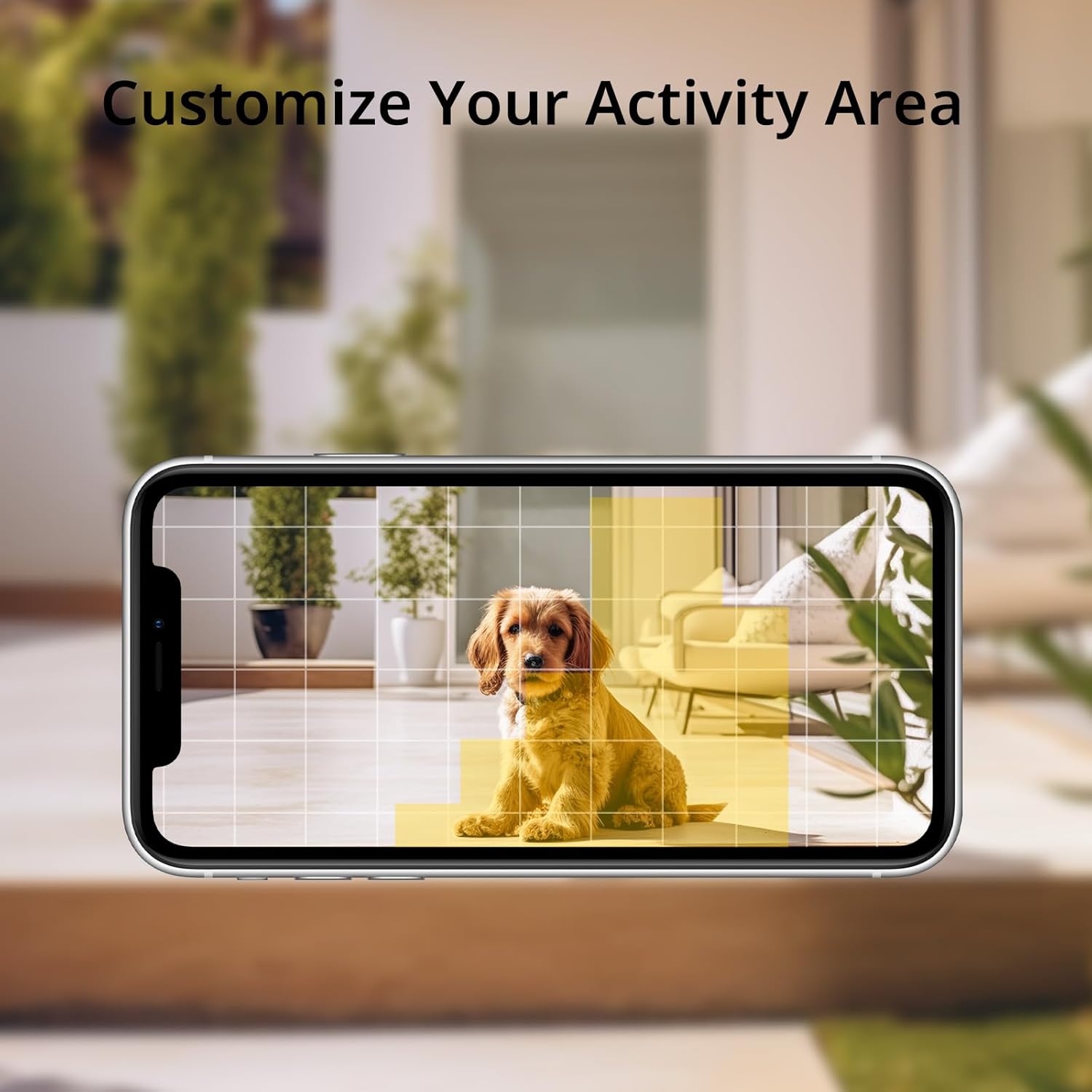
Image: Shows how to customize activity areas for motion detection within the app.
4.5 Эки тараптуу аудио
The camera supports two-way audio communication. You can speak through the camera using your smartphone app and hear responses from the camera's location, allowing for real-time interaction with visitors or delivery personnel.
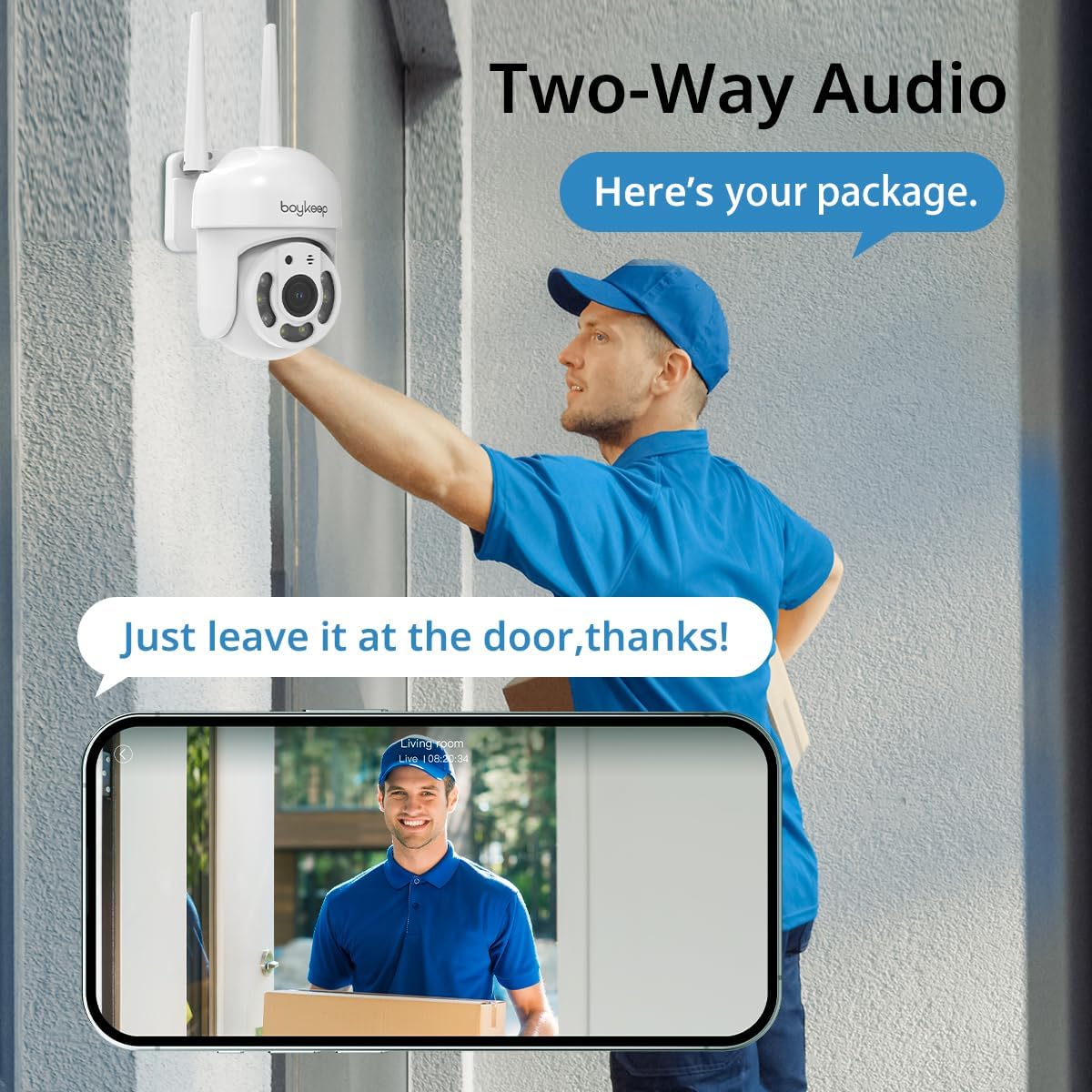
Image: Illustrates the two-way audio feature, enabling communication through the camera.
4.6 Жазуу жана сактоо
The camera supports both cloud storage and local storage via a memory card (not included). You can enable 24/7 continuous recording to a memory card to minimize the risk of losing important information. A 30-day free trial of cloud storage is also available.
4.7 Multi-Device Viewокуу жана бөлүшүү
The BoyKeep app allows you to add multiple cameras and view up to four real-time video feeds simultaneously. You can also share camera access with family members on up to 10 devices, enabling multiple users to monitor the property.
5. Техникалык тейлөө
- Тазалоо: Камера линзасын жана корпусун жумшак, кургак чүпүрөк менен акырын сүртүңүз. Катуу химиялык заттарды же абразивдүү тазалоочу каражаттарды колдонбоңуз.
- Программалык камсыздоонун жаңыртуулары: Periodically check the BoyKeep app for available firmware updates. Keeping your camera's firmware up-to-date ensures optimal performance and security.
- Туташуу текшерүү: Regularly verify that the power cable and Wi-Fi connection are secure and stable.
6. Кыйынчылыктарды
| Көйгөй | Мүмкүн себеп | Чечим |
|---|---|---|
| Камера күйбөй жатат | No power, faulty adapter, loose connection | Check power outlet, ensure adapter is securely connected to camera and outlet. Try a different outlet. |
| Wi-Fi'га туташуу мүмкүн эмес | Туура эмес Wi-Fi сырсөзү, 5 ГГц тармагы, роутерден өтө алыс камера | Ensure correct 2.4GHz Wi-Fi password. Move camera closer to router. Restart router and camera. |
| Сүрөттүн сапаты начар | Dirty lens, poor network connection, low light | Clean the camera lens. Check Wi-Fi signal strength. Ensure adequate lighting for color night vision. |
| Кыймылды аныктоо иштебей жатат | Detection sensitivity too low, activity zone not set correctly, disabled in app | Adjust motion detection sensitivity in the app. Verify activity zones. Ensure motion detection is enabled. |
| Эки тараптуу аудио көйгөйлөр | Microphone/speaker blocked, app permissions, network delay | Микрофонго же динамикке эч нерсе тоскоол болбой турганын текшериңиз. Микрофонго кирүү үчүн колдонмонун уруксаттарын текшериңиз. Туруктуу тармактык байланышты текшериңиз. |
If you encounter issues not listed here or if troubleshooting steps do not resolve the problem, please contact BoyKeep customer support for assistance.
7. Техникалык шарттар
| Өзгөчөлүк | Деталь |
|---|---|
| Модель номери | K20-6 |
| Видео тартуунун резолюциясы | 3 МП (2К) |
| Connectivity Protocol | Wi-Fi (2.4 ГГц гана) |
| Pan/Tilt диапазону | 355° Горизонталдык, 120° Вертикалдуу |
| Түнкү көрүнүш | Түстүү түнкү көрүү, инфракызыл түнкү көрүү |
| Аудио | Эки тараптуу сүйлөшүү |
| Сактагыч параметрлери | Memory Card (not included), Cloud Service |
| Power Source | Электр зымдары |
| Монтаж түрү | Дубалга орнотуу |
| Ички/тышкы колдонуу | Сыртта |
| Шайкеш түзмөктөр | Smartphone (via App) |
8. Кепилдик жана колдоо
BoyKeep provides a 24 айлык кепилдик for this product. If you encounter any issues or have suggestions, please do not hesitate to contact our customer service team. We are committed to providing 100% satisfactory solutions within 3 working days.
For support, please refer to the contact information provided in the BoyKeep app or on the official BoyKeep webсайт.


