1. Киришүү
This manual provides essential instructions for the proper setup, operation, and maintenance of your OnePlus Nord N30 5G smartphone. Please read this guide thoroughly before using your device to ensure optimal performance and longevity.
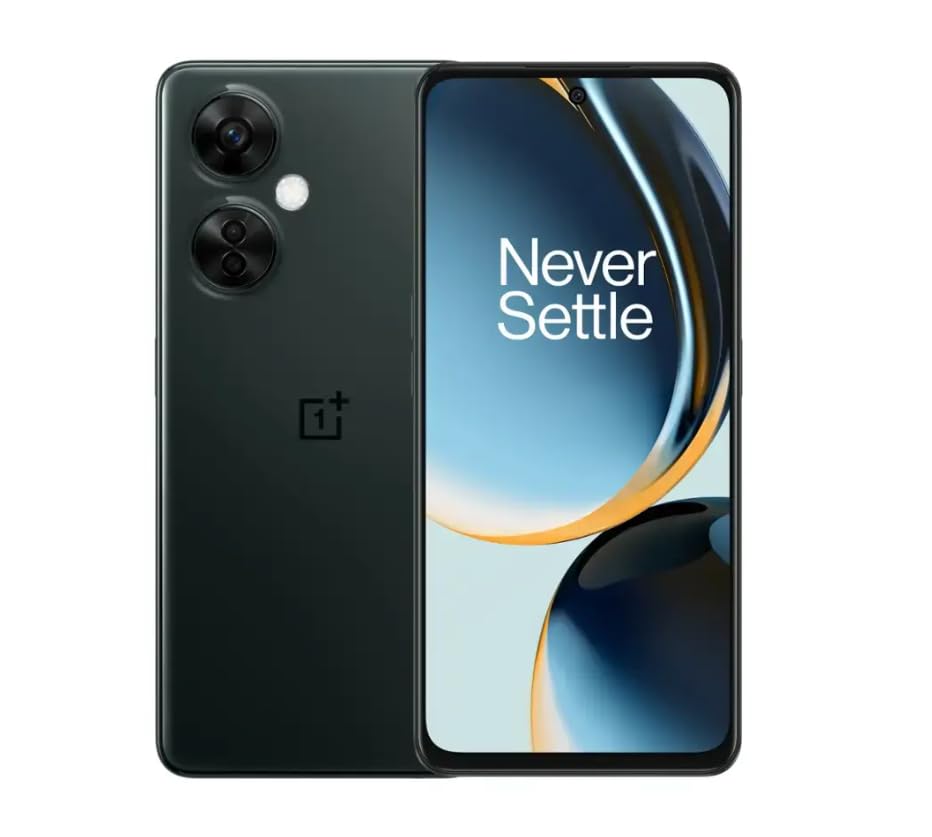
Image 1.1: OnePlus Nord N30 5G smartphone. This image displays the overall design of the device, highlighting its screen and camera module.
2. Кутуда эмне бар
Пакетте бардык буюмдар бар экенин текшериңиз:
- OnePlus Nord N30 5G Smartphone
- Кубаттуу адаптер
- USB кабели
Эскертүү: Аксессуарлар аймакка жараша өзгөрүшү мүмкүн.
3. Орнотуу
3.1. SIM картаны салуу
- Аппараттын капталындагы SIM карта салгычын табыңыз.
- Insert the SIM ejector tool (not included, use a paperclip if necessary) into the small hole next to the tray to open it.
- Place your Nano-SIM card(s) into the tray with the gold contacts facing down. The device supports a single SIM card and a microSDXC card for expandable storage.
- Лотокту телефондун корпусу менен тегиз болгонго чейин акырындык менен уячага түртүңүз.
3.2. Алгачкы заряддоо жана күйгүзүү
Биринчи колдонуудан мурун, аппаратты толук заряддоо сунушталат.
- USB кабелин кубат адаптерине, андан кийин телефондун USB-C портуна туташтырыңыз.
- Plug the power adapter into a wall outlet. The device supports 50W SUPERVOOC fast charging.
- Once sufficiently charged, press and hold the Power button (located on the side) until the OnePlus logo appears.
3.3. Түзмөктүн баштапкы конфигурациясы
Баштапкы орнотууну аяктоо үчүн экрандагы көрсөтмөлөрдү аткарыңыз:
- Каалаган тилиңизди тандаңыз.
- Wi-Fi тармагына туташыңыз.
- Review жана шарттарды кабыл алуу.
- Google аккаунтуңуз менен кириңиз же жаңысын түзүңүз.
- Set up security features such as fingerprint unlock or face unlock.
4. Иштөө нускамалары
4.1. Дисплей жана навигация
The OnePlus Nord N30 5G features a 6.72-inch LCD display with a 120Hz refresh rate for smooth visuals. Navigate the OxygenOS interface using gestures or traditional navigation buttons.
- Өйдө серпүү: Колдонмонун суурмасына кириңиз.
- Төмөн сүрүү: Access notifications and quick settings.
- таптаңыз: Элементтерди тандаңыз.
- Чымчуу: Чоңойтуу же кичирейтүү.
4.2. Камераны колдонуу
The device is equipped with a triple rear camera system and a front camera.
- Негизги камера: 108 MP, f/1.7 (wide) for high-resolution photos.
- Макро камера: 2 MP, f/2.4 for close-up shots.
- Тереңдик камерасы: 2 MP, f/2.4 for portrait mode effects.
- Алдыңкы камера: 16 MP, f/2.4 for selfies and video calls.
Open the Camera app and select your desired mode (Photo, Video, Portrait, Macro, etc.) from the interface. Tap the shutter button to capture images or start/stop video recording.
4.3. Сактагычты башкаруу
The phone comes with 128GB of internal storage. You can expand this up to 1TB using a microSDXC card inserted into the SIM tray.
- Сактагычтын колдонулушун текшерүү үчүн: өтүңүз Орнотуулар > Сактагыч.
- көчүү files to microSD: Use the File Башкаруучу колдонмо.
4.4. Байланыш
The device supports 5G cellular technology, Wi-Fi, and Bluetooth 5.1.
- 5G: Ensure your SIM card and plan support 5G for faster mobile data speeds.
- Wi-Fi: Зымсыз тармактар аркылуу туташыңыз Орнотуулар > Wi-Fi.
- Bluetooth: Pair with wireless headphones or other devices via Орнотуулар > Bluetooth.
4.5. Коопсуздук өзгөчөлүктөрү
Secure your device using the side-mounted fingerprint sensor or face unlock.
- To set up fingerprint unlock: Go to Орнотуулар > Коопсуздук жана купуялык > Манжа изинин кулпусун ачуу.
- To set up face unlock: Go to Орнотуулар > Коопсуздук жана купуялык > Жүзүнөн ачуу.
4.6. Аудио
The device features dual stereo speakers for enhanced audio experience. It also includes a 3.5 mm audio jack for wired headphones.
5. Техникалык тейлөө
5.1. Батареяга кам көрүү
5000 мАч батарея узак убакытка чейин колдонууга мүмкүндүк берет. Батареянын иштөө мөөнөтүн узартуу үчүн:
- Ашыкча температурадан сактаныңыз.
- Use the provided 50W SUPERVOOC charger for optimal charging speed and battery health.
- Батареяны бат-баттан толук түгөтүп коюудан алыс болуңуз.
5.2. Программалык камсыздоону жаңыртуу
Keep your OxygenOS (based on Android 13) updated to ensure optimal performance, security, and access to new features.
- Жаңыртууларды текшерүү үчүн: өтүңүз Орнотуулар > Түзмөк жөнүндө > OxygenOS version.
5.3. Аспапты тазалоо
Телефондун экранын жана корпусун тазалоо үчүн жумшак, түксүз чүпүрөктү колдонуңуз. Катуу химиялык заттарды же абразивдүү материалдарды колдонуудан алыс болуңуз.
6. Кыйынчылыктарды
Бул бөлүм сиз кабылышы мүмкүн болгон жалпы көйгөйлөрдү карайт.
6.1. Түзмөк күйбөй жатат
- Батарея заряддалганын текшериңиз. Аппаратты заряддагычка кеминде 15 мүнөт туташтырыңыз.
- Кайра иштетүү үчүн кубат баскычын 10-15 секунд басып туруңуз.
6.2. Тармакка туташуу маселелери
- SIM карта туура салынганын текшериңиз.
- Verify that mobile data is enabled in Орнотуулар > Мобилдик тармак.
- Аппаратты кайра иштетиңиз.
- Contact your carrier (T-Mobile) to confirm service availability in your area.
6.3. Колдонмолор бузулуп жатат же катып жатат
- Колдонмону жаап, кайра ачыңыз.
- Колдонмонун кэшин тазалоо: Орнотуулар > Колдонмолор > [Колдонмонун аты] > Сактагычтын колдонулушу > Кэшти тазалоо.
- Ensure the app and OxygenOS are updated to the latest versions.
6.4. Батареянын бат түгөнү
- Экран жарыктыгын азайтыңыз.
- Керексиз учурда Bluetooth, GPS же Wi-Fi сыяктуу колдонулбаган функцияларды өчүрүп коюңуз.
- Батареянын колдонулушун текшериңиз Орнотуулар > Батарея кубатка муктаж колдонмолорду аныктоо үчүн.
- Ensure background app refresh is limited for non-essential apps.
7. Техникалык шарттар
| Модель аты | OnePlus Nord N30 5G |
| Операция системасы | OxygenOS (based on Android 13) |
| Процессор | Qualcomm Snapdragon 695 сегиз ядролуу |
| RAM | 8 ГБ |
| Ички сактагыч | 128GB (Expandable up to 1TB via microSDXC) |
| Дисплей | 6.72 inches LCD, 2400 x 1080 resolution, 120Hz Refresh Rate |
| Арткы камера | 108 МП (кеңири), 2 МП (макро), 2 МП (тереңдик) |
| Алдыңкы камера | 16 депутат |
| Батарея сыйымдуулугу | 5000 мАч |
| Заряддоо | 50 Вт SUPERVOOC тез кубаттоо (толук кубаттоо үчүн болжол менен 47 мүнөт) |
| Байланыш | 5G, Wi-Fi, Bluetooth 5.1, USB-C |
| Аудио Jack | 3.5 мм |
| Өлчөмдөр | 6 x 4 x 4 дюйм |
| Салмагы | 10.8 унция |
| Өзгөчөлүктөр | Dual SIM, Side-mounted Fingerprint Sensor, Face Unlock, Dual Stereo Speakers |
8. Жаңыртылган продукт маалыматы
This OnePlus Nord N30 5G is an Amazon Renewed product. Renewed products are pre-owned and professionally inspected, tested, and cleaned to work like new. They come with generic or original accessories and packaging.
8.1. Amazon Renewed Conditions
Amazon Renewed products are categorized based on their cosmetic condition and battery life. All renewed products are fully functional and have a battery life greater than 80% of a new equivalent.

Image 8.1: Amazon Renewed conditions overview. This image illustrates the criteria for Excellent, Good, and Acceptable cosmetic conditions for renewed products.

Сүрөт 8.2: Visual examples of renewed product cosmetic conditions. This image provides visual examples of what 'Excellent', 'Good', and 'Acceptable' cosmetic conditions might look like on a phone's back.

Image 8.3: Customer feedback on Amazon Renewed. This image presents testimonials from customers regarding their positive experiences with Amazon Renewed products.
9. Кепилдик жана колдоо
9.1. Кепилдик маалыматы
As an Amazon Renewed product, this device is backed by the Amazon Renewed Guarantee. Please refer to the Amazon Renewed program terms and conditions for specific warranty details and coverage. This typically includes a limited warranty for a specified period from the date of purchase, covering defects in materials and workmanship.
9.2. Кардарларды колдоо кызматы
For technical assistance, troubleshooting, or warranty claims, please contact Amazon Customer Service or refer to the official OnePlus support webкошумча ресурстар жана көп берилүүчү суроолор үчүн сайт.
- Amazon кардарларды тейлөө: Visit amazon.com/contact-us
- OnePlus Support: Visit the official OnePlus support webсиздин аймак үчүн сайт.


