1. Киришүү
This manual provides detailed instructions for the setup, operation, maintenance, and troubleshooting of your AWOW Mini PC AK11. Please read this manual thoroughly before using the device to ensure optimal performance and longevity.

Сүрөт 1.1: Алдыңкы жана арткы view of the AWOW Mini PC AK11, showcasing анын компакттуу конструкциясы жана ар турдуу порттору.
2. Пакеттин мазмуну
Төмөндө тизмеленген нерселердин баары пакетиңизде бар экенин текшериңиз:
- AWOW Mini PC AK11
- Кубаттуу адаптер
- HDMI кабели
- Кронштейн орнотуу
- SATA Cable (for storage expansion)
- Screw Pack
- Колдонуучунун Колдонмосу (бул документ)
- Quick колдонмо

Image 2.1: Illustration of the AWOW Mini PC AK11 package contents and various device connection possibilities.
3. Продукт бүтүп калдыview
3.1. Түзмөктүн жайгашуусу жана порттору
The AWOW Mini PC AK11 features a compact design with essential ports for connectivity. Familiarize yourself with the port layout before connecting peripherals.

Image 3.1: Detailed diagram of the AWOW Mini PC AK11 ports, including USB, HDMI, DisplayPort, Ethernet, and audio jacks.
- Алдыңкы панели: 2x USB 3.2 ports, 1x Type-C port, 1x 2-in-1 Audio Jack, Power Button, CMOS CLR button.
- Арткы Panel: DC 12V Power Input, 2x RJ45 Gigabit Ethernet ports, 1x HDMI port, 1x DisplayPort (DP), 2x USB 2.0 ports.

Image 3.2: Clear view of the front and rear connectivity options on the AWOW Mini PC AK11.
3.2. Негизги өзгөчөлүктөрү
- Процессор: Intel N150 (up to 3.6 GHz) with 7nm technology.
- Операция системасы: Pre-installed Windows 11 Pro (64-bit).
- Эстутум: 16 ГБ DDR4 RAM.
- Сактагыч: 512GB M.2 PCIe 3.0 SSD, expandable up to 2TB.
- Графика: Intel UHD Graphics with 4K@60Hz dual display support (HDMI 2.0 + DP 1.4).
- Тармак: Dual RJ45 Gigabit Ethernet, Wi-Fi AX101, Bluetooth 5.2.

Сүрөт 3.3: Бүттүview of the AWOW Mini PC AK11's core specifications including CPU, RAM, SSD, WiFi, OS, Bluetooth, and LAN.
4. Орнотуу нускамалары
4.1. Перифериялык түзүлүштөрдү туташтыруу
- Дисплейди туташтыруу: Connect your monitor(s) to the HDMI or DisplayPort (DP) on the rear panel. The Mini PC supports dual 4K@60Hz displays.
- Баскычтоп менен чычканды туташтыруу: Plug your USB keyboard and mouse into the available USB ports (USB 3.2 on the front, USB 2.0 on the rear).
- Тармакка туташуу (милдеттүү эмес): For a wired internet connection, connect an Ethernet cable to one of the RJ45 Gigabit Ethernet ports. Wireless connectivity (Wi-Fi AX101) is also available.
- Туташуу кубаты: Plug the power adapter into the DC 12V input port on the rear panel, then connect the adapter to a power outlet.
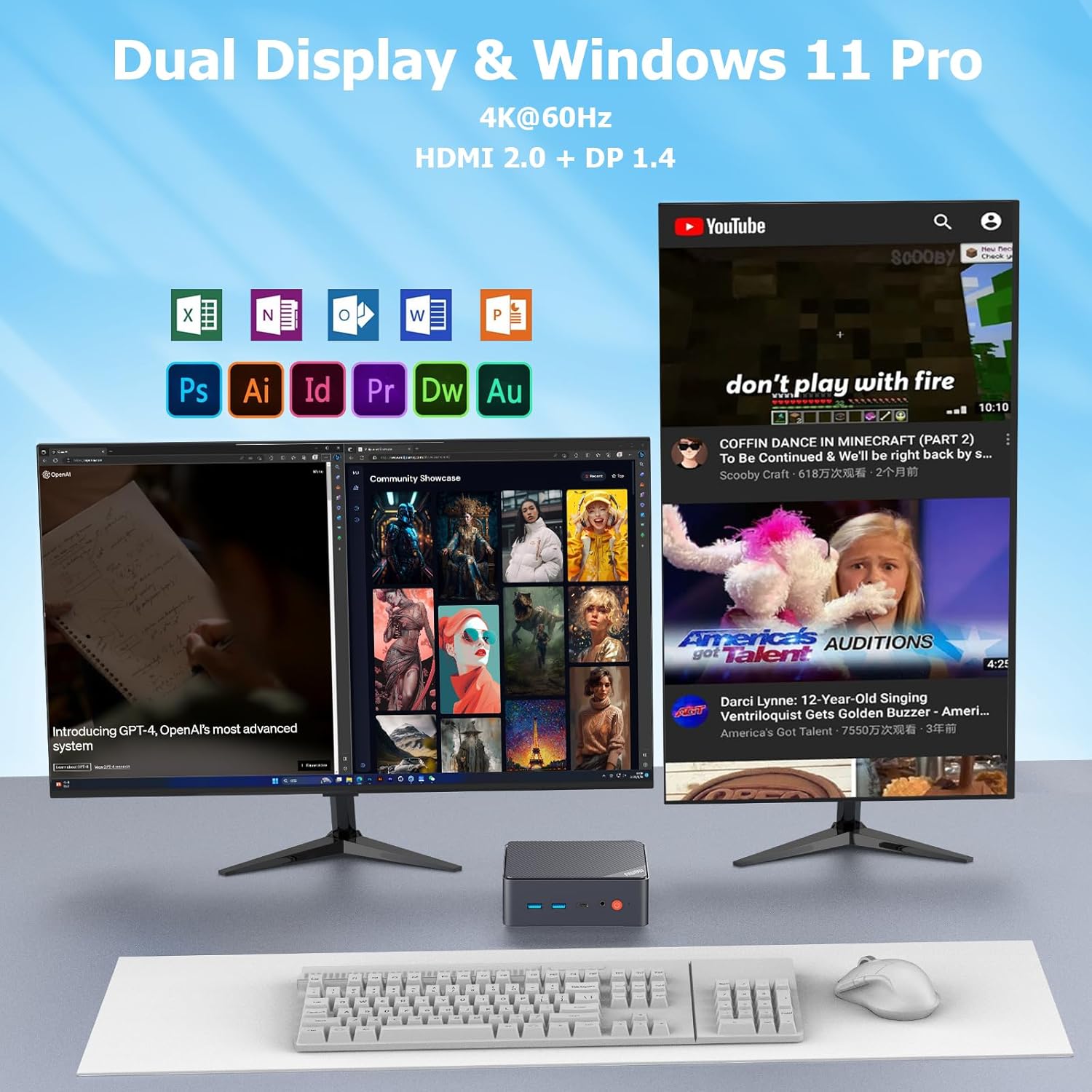
Сүрөт 4.1: Мисample of a dual display setup with the AWOW Mini PC AK11, demonstrating its multi-tasking capabilities.
4.2. Баштапкы күйгүзүү
After connecting all necessary peripherals and power, press the power button on the front panel to turn on the Mini PC. The system will boot into Windows 11 Pro.
5. Иштөө нускамалары
5.1. Windows 11 Pro
Your AWOW Mini PC comes with Windows 11 Pro pre-installed. Follow the on-screen instructions for initial Windows setup, including language selection, network connection, and user account creation.
5.2. Дисплей конфигурациясы
The Mini PC supports dual 4K@60Hz displays via HDMI and DisplayPort. To configure your displays:
- Right-click on the desktop and select "Display settings".
- Here you can detect, identify, arrange, and set the resolution for each connected display.
- ортосунда тандоо "Duplicate these displays", "Extend these displays", же "Show only on 1" / "Show only on 2".

Image 5.1: Visual representation of the AWOW Mini PC AK11's capability to support dual screen displays for enhanced productivity.
5.3. Сактагычты кеңейтүү
The AWOW Mini PC AK11 supports storage expansion up to 2TB. You can add an additional 2.5-inch SATA SSD/HDD. Refer to the quick guide for physical installation instructions.

Image 5.2: This image highlights features like Auto Power On and the 2TB SSD expansion capability of the AWOW Mini PC AK11.
6. Техникалык тейлөө
- Тазалоо: Use a soft, dry cloth to clean the exterior of the Mini PC. Avoid liquid cleaners. Ensure ventilation holes are free from dust.
- Программалык камсыздоо жаңыртуулары: Regularly update Windows 11 and device drivers to ensure system stability and security.
- Вентиляция: Ensure the Mini PC is placed in a well-ventilated area to prevent overheating. Do not block the air vents.

Сүрөт 6.1: Ички view showing the cooling fan and airflow design within the AWOW Mini PC AK11, emphasizing the importance of proper ventilation.
7. Кыйынчылыктарды
| Көйгөй | Мүмкүн себеп | Чечим |
|---|---|---|
| Күч жок | Кубат адаптери туташкан эмес же туура эмес. | Ensure power adapter is securely connected to the Mini PC and a working power outlet. Test with another outlet if possible. |
| Дисплей жок | Monitor not connected, incorrect input source, or faulty cable. | Check HDMI/DP cable connections. Ensure monitor is set to the correct input source. Try a different cable or monitor. |
| Система токтоп калат же бузулат | Overheating, software conflict, or insufficient resources. | Ensure proper ventilation. Close unnecessary applications. Update drivers and Windows. If persistent, consider a system restore or reinstallation. |
| Интернет байланышы жок | Ethernet cable disconnected, Wi-Fi disabled, or network issues. | Check Ethernet cable. Ensure Wi-Fi is enabled and connected to the correct network. Restart your router/modem. |
8. Техникалык шарттар
| Өзгөчөлүк | Деталь |
|---|---|
| Бренд | AWOW |
| Модель номери | AK11 |
| Операция системасы | Windows 11 Pro |
| Процессор | Intel N150 (Quad Core, up to 3.6 GHz) |
| Графика | Intel UHD графикасы |
| RAM | 16 ГБ DDR4 |
| Ички сактагыч | 512 GB M.2 PCIe 3.0 SSD |
| Сактагычты кеңейтүү | Supports 2.5-inch SATA SSD/HDD up to 2TB |
| Video Output | HDMI 2.0, DisplayPort 1.4 (Dual 4K@60Hz support) |
| USB порттору | 2x USB 3.2, 2x USB 2.0, 1x Type-C |
| Network | 2x RJ45 Gigabit Ethernet, Wi-Fi AX101, Bluetooth 5.2 |
| Аудио | 1x 2-in-1 Audio Jack |
| Өлчөмдөр | Болжол менен 12.7 см x 12.7 см x 4.4 см (5.02 x 5.02 x 1.74 дюйм) |
| Салмагы | Болжол менен 800 грамм |
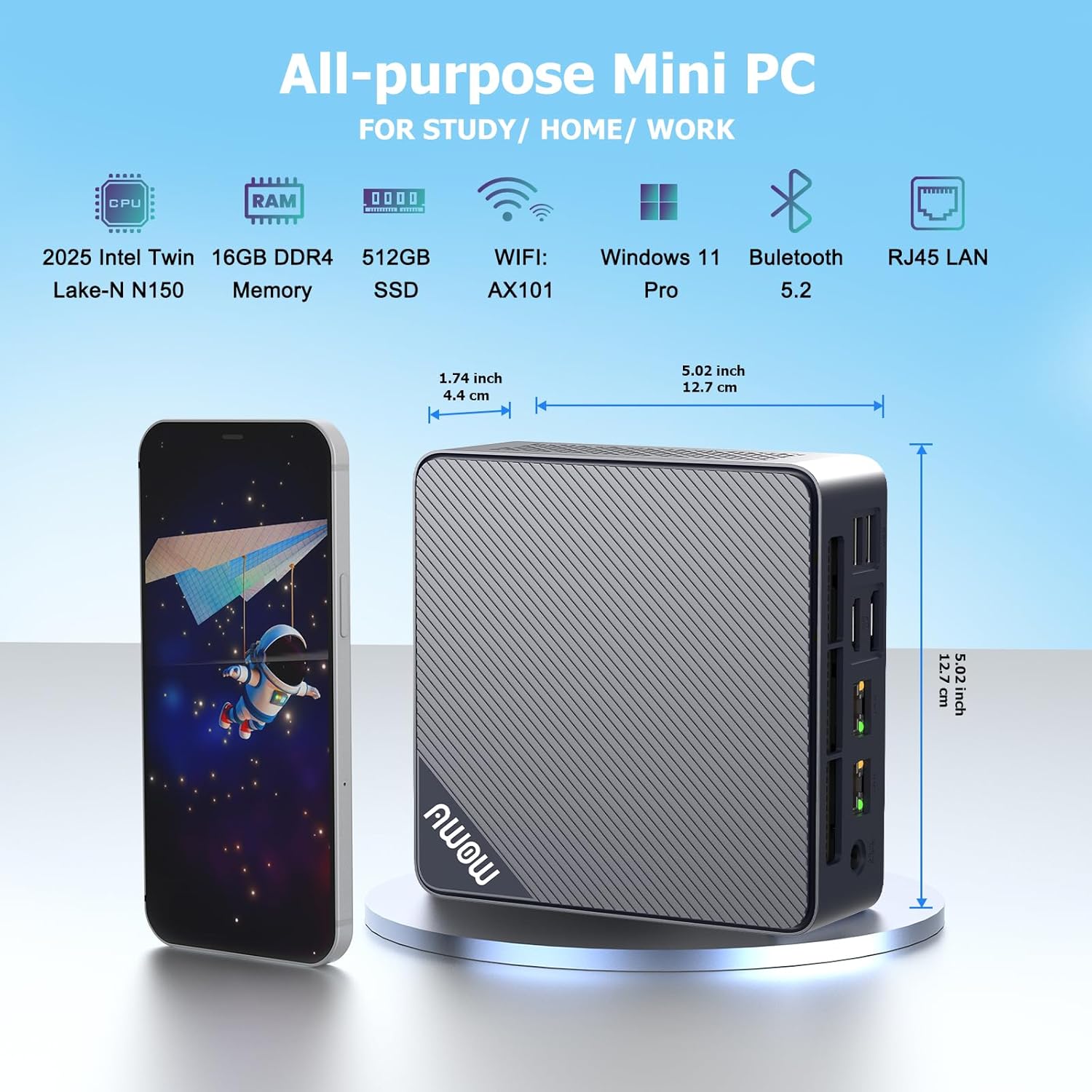
Image 8.1: Visual representation of the AWOW Mini PC AK11's dimensions and a summary of its all-purpose features.
9. Кепилдик жана колдоо
AWOW provides a 12 айлык алмашуу кепилдик жана 24/7 worldwide technical support for your Mini PC AK11.
9.1. Колдоо кызматы менен байланышуу
For technical assistance or warranty claims, please use one of the following methods:
- Электрондук почта: support@awowtech.com
- Телефон: +49-9122 9835682 (Monday-Friday, 9 AM - 5 PM UTC)
- Amazon: Log in to your Amazon account, navigate to "Your Orders", and select "Ask Product Question" for the AWOW Mini PC.
During the warranty period, AWOW offers service centers for exchange or repair of the Mini PC.


