1. Киришүү
This manual provides detailed instructions for the proper setup, operation, and maintenance of your SelfieShow C15 Aluminum Selfie Stick Phone Tripod. Please read this manual thoroughly before using the product to ensure optimal performance and longevity.
Пакеттин мазмуну
- Селфи таякчасынын телефонунун штативдери
- Wireless Remote Control (with 1 CR2032 battery included)
- Instruction Manual

Figure 1: The SelfieShow C15 Aluminum Selfie Stick Phone Tripod shown collapsed, extended as a selfie stick, and set up as a tripod with the remote control.
2. Components Overview
Familiarize yourself with the main parts of your SelfieShow C15 device:
- Extendable Aluminum Pole: The main shaft that extends for selfie stick use or tripod height adjustment.
- штатив негизи: Foldable legs at the bottom for stable freestanding use. Features anti-slip silicone pads.
- Телефон ээси: Жөнгө салынуучу clamp to secure your smartphone. Detachable.
- 360° айлануучу шар башы: Allows for flexible angle adjustments of the phone holder. Includes a 1/4" screw for other accessories and a cold shoe interface.
- Зымсыз алыстан башкаруу: Bluetooth-enabled remote for capturing photos or starting videos from a distance. Stores securely in the handle.
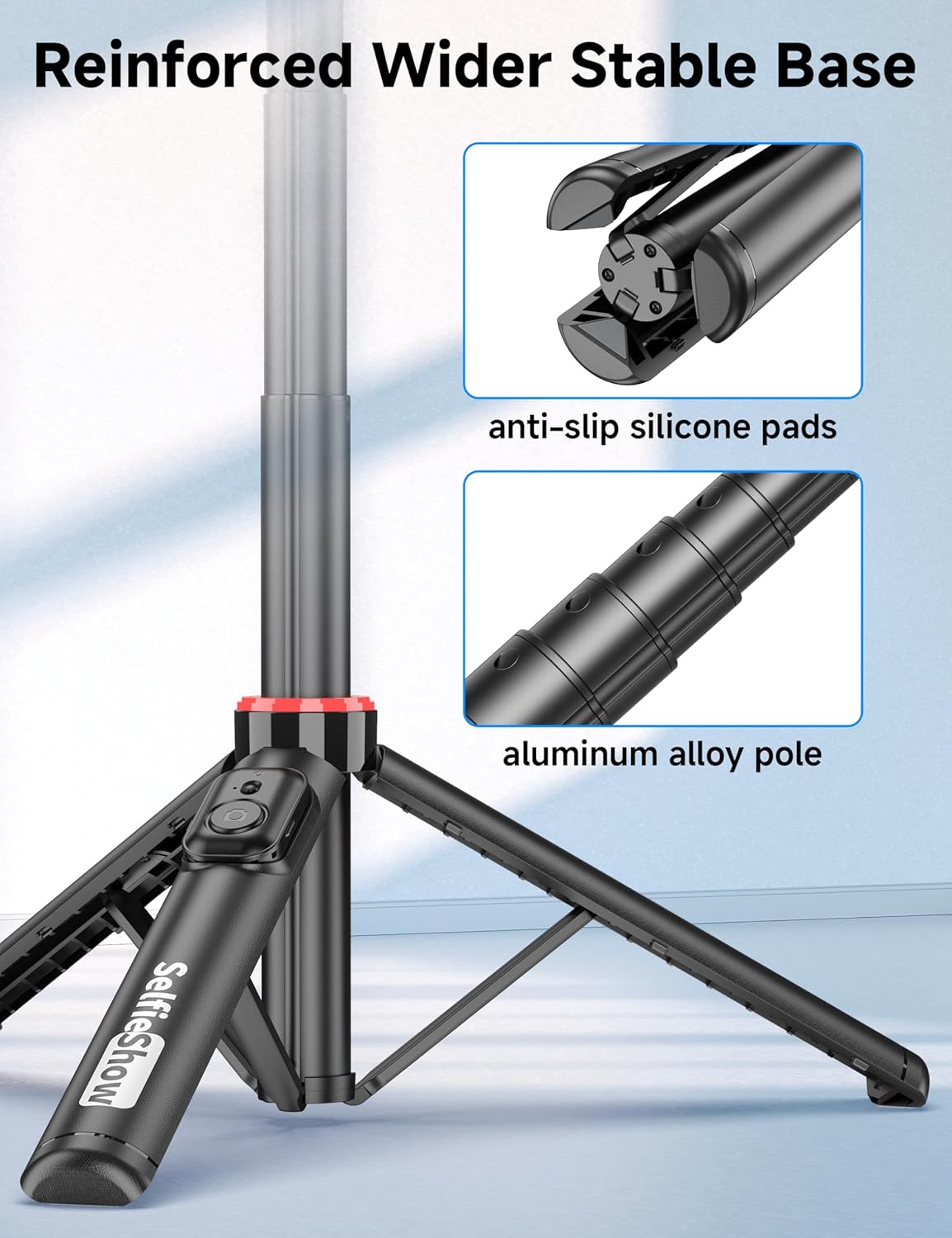
Сүрөт 2: Жакын пландан view of the reinforced tripod base, highlighting the anti-slip silicone pads and the durable aluminum alloy pole construction.
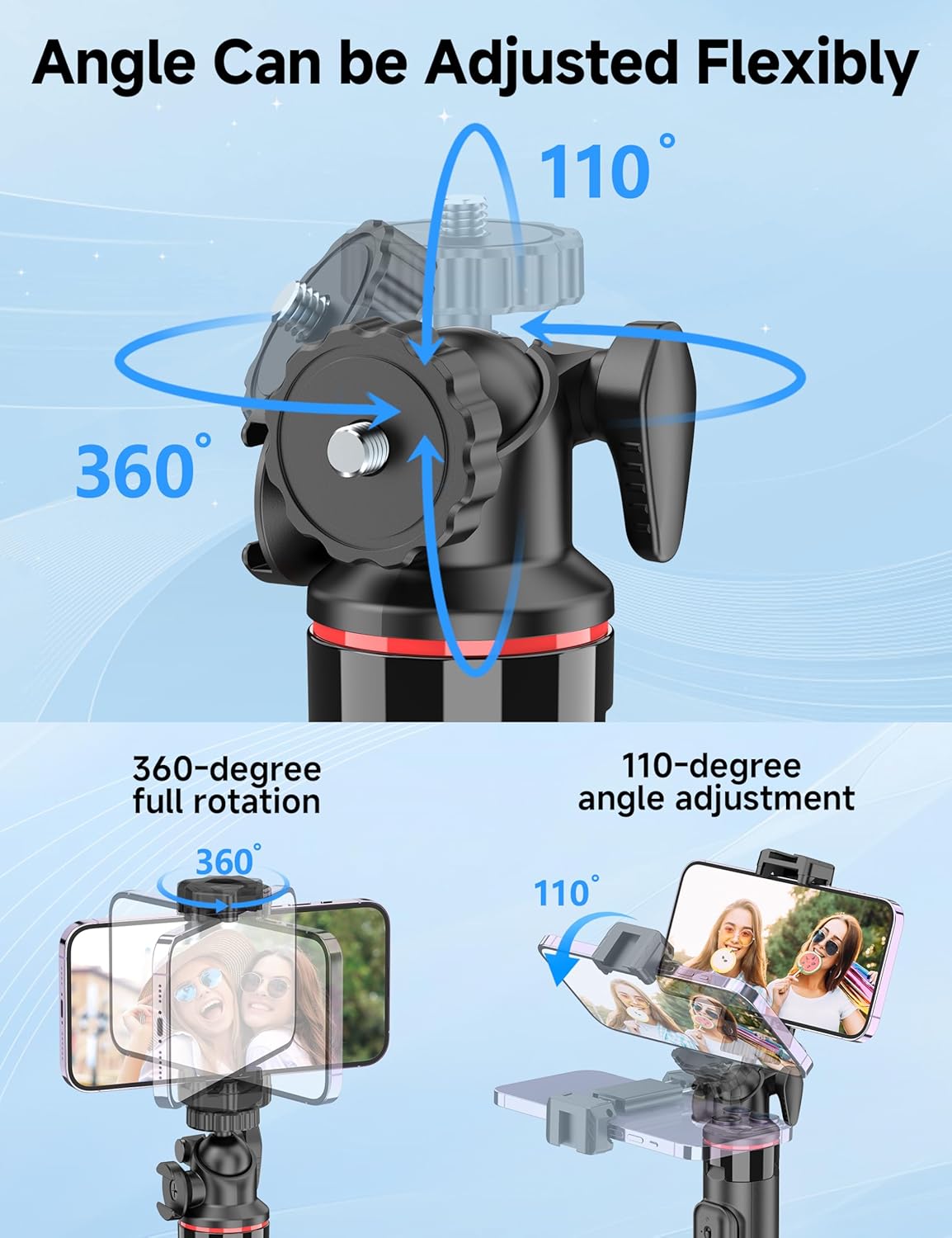
Figure 3: Illustration of the 360-degree full rotation and 110-degree angle adjustment capabilities of the ball head for flexible phone positioning.
3. Орнотуу нускамалары
3.1 Алыстан башкарууну жупташтыруу
- Ensure the remote control has a working CR2032 battery.
- Press and hold the button on the remote control until the indicator light flashes, indicating it is in pairing mode.
- Смартфонуңуздан Bluetooth жөндөөлөрүнө өтүп, жеткиликтүү түзмөктөрдү издеңиз.
- Select "SelfieShow" from the list to pair. The indicator light on the remote will stop flashing once successfully paired.
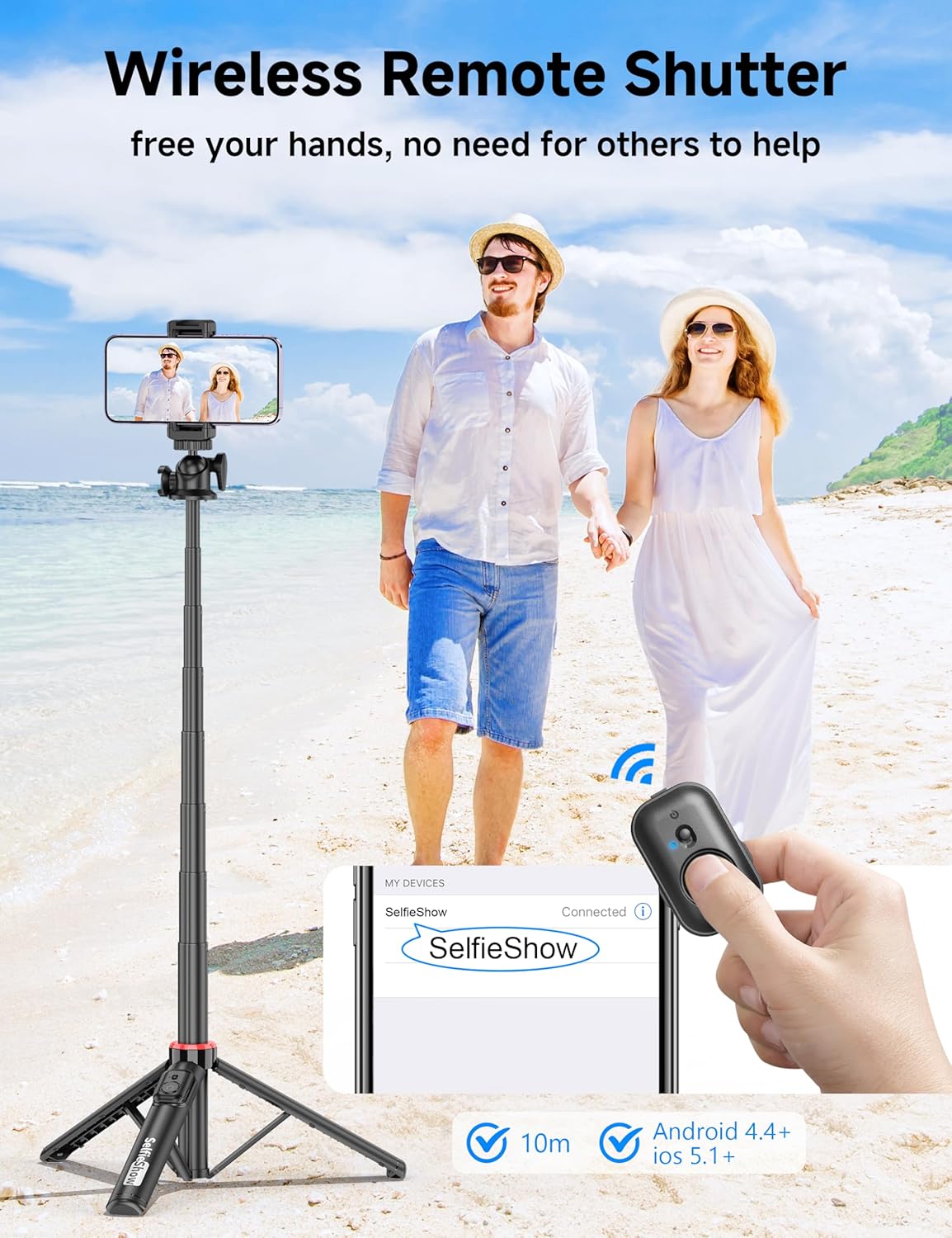
Figure 4: Visual guide for pairing the wireless remote shutter via Bluetooth, showing the remote and a phone screen with 'SelfieShow' connected.
3.2 Смартфонуңузду тиркөө
- Телефон кармагычын акырын ажыратыңызamps to expand them.
- Смартфонуңузду кармагычка салып, анын эки капкактан тең бекем кармалганын текшериңизamps. The holder accommodates phones between 2.5 to 3.7 inches (6.5 to 9.5 cm) in width.
- Ensure your phone's buttons are not obstructed or pressed by the clamps.
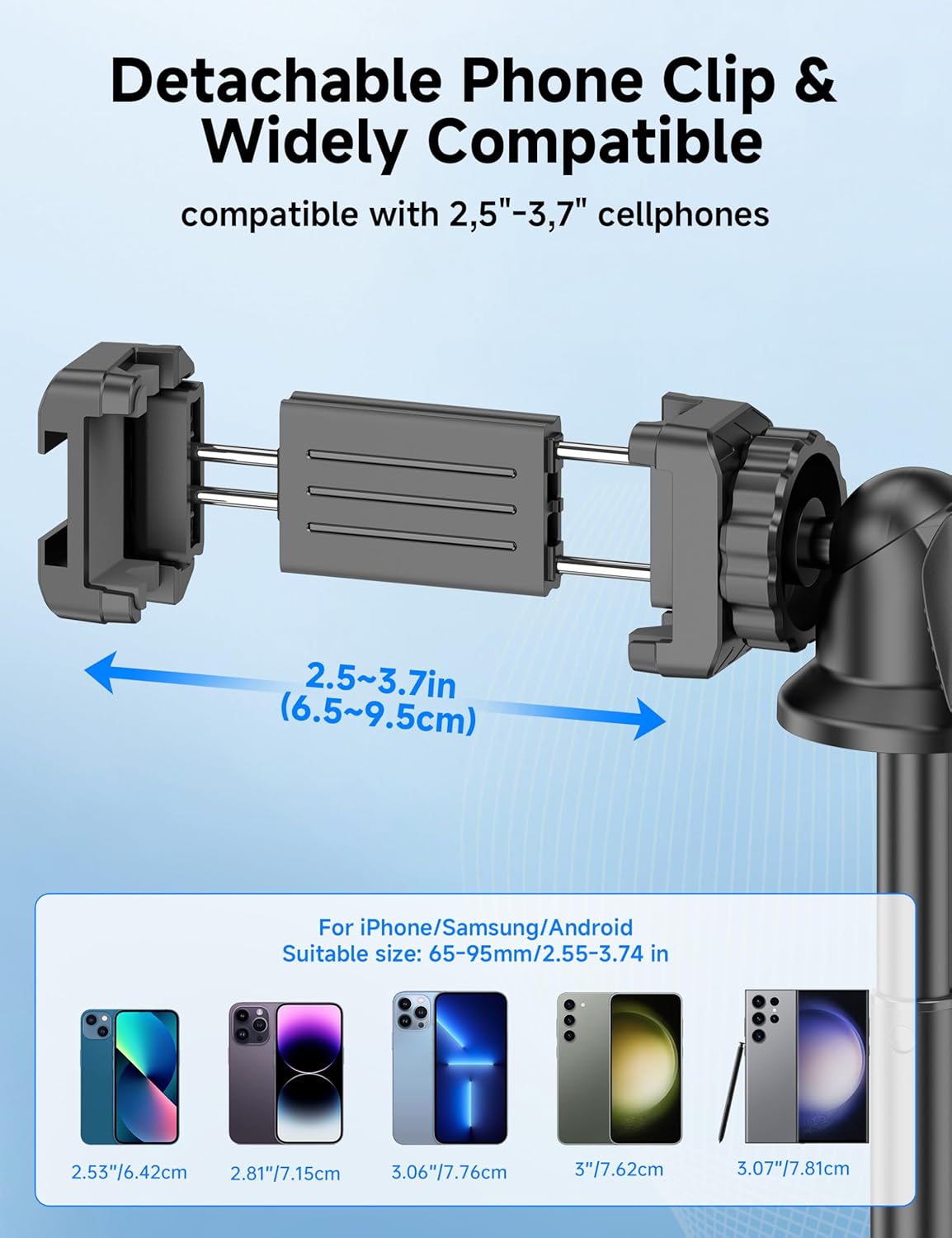
Figure 5: Diagram illustrating the adjustable width of the phone clip (2.5-3.7 inches) and its compatibility with various smartphone models.
4. Иштөө нускамалары
4.1 Селфи таякчасы катары колдонуу
- тутканы бекем кармаңыз.
- Extend the aluminum pole to your desired length. The pole can extend from 9.8 inches (25 cm) to 49 inches (126 cm).
- Adjust the phone holder's angle using the ball head to achieve the desired shot.
- Use the paired wireless remote control to capture photos or start/stop video recording.
4.2 Штатив катары колдонуу
- From the collapsed position, gently pull the bottom handle downwards to deploy the tripod legs. Ensure the legs are fully spread for maximum stability.
- Штативди тегиз, туруктуу бетке коюңуз.
- Extend the aluminum pole to your desired height.
- Adjust the phone holder's angle using the ball head.
- Use the paired wireless remote control to capture photos or start/stop video recording.
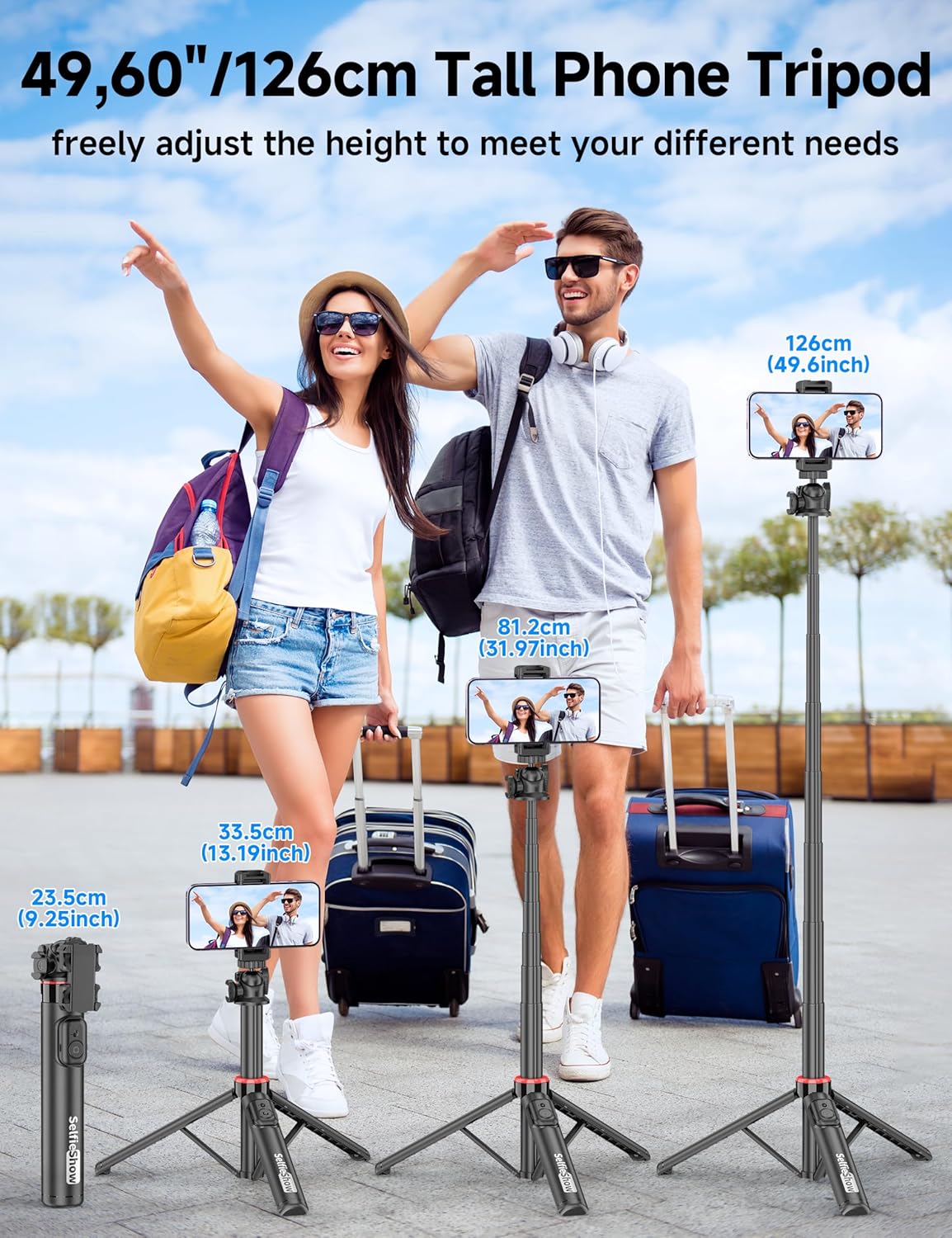
Figure 6: Visual guide demonstrating the adjustable height of the tripod from its folded state to various extended heights, up to 49 inches (126 cm).
4.3 Using the Cold Shoe and 1/4" Screw Mount
The SelfieShow C15 features a cold shoe interface and a standard 1/4" screw mount for expanded functionality:
- Муздак бут кийим: Located on top of the phone holder, this allows you to attach accessories such as external microphones or LED fill lights.
- 1/4" Screw Mount: The ball head features a universal 1/4" screw, allowing direct attachment of compact cameras, action cameras (like GoPro), or other compatible accessories when the phone holder is detached.
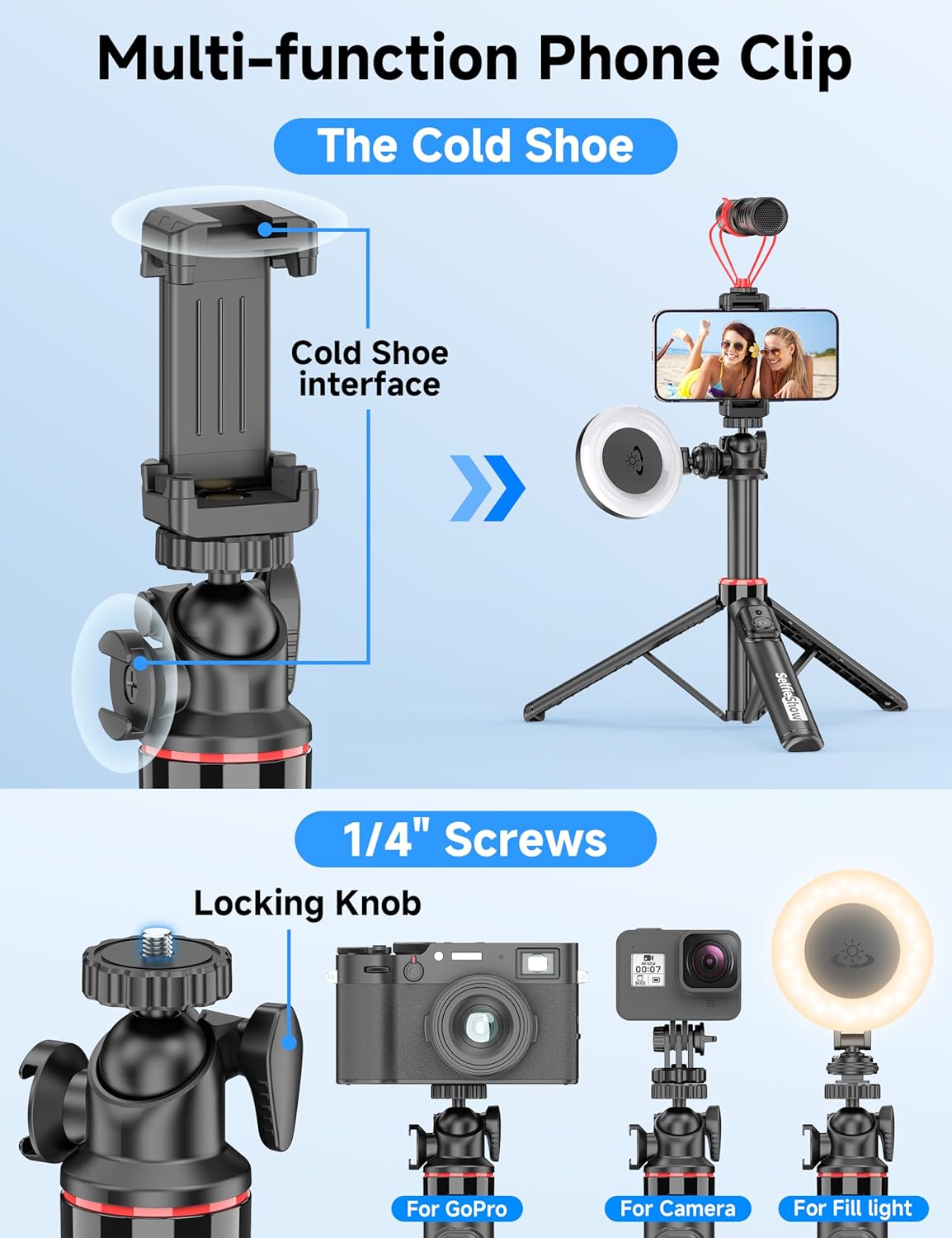
7-сүрөт: Детальдуу view of the multi-function phone clip, highlighting the cold shoe interface for attaching external accessories.
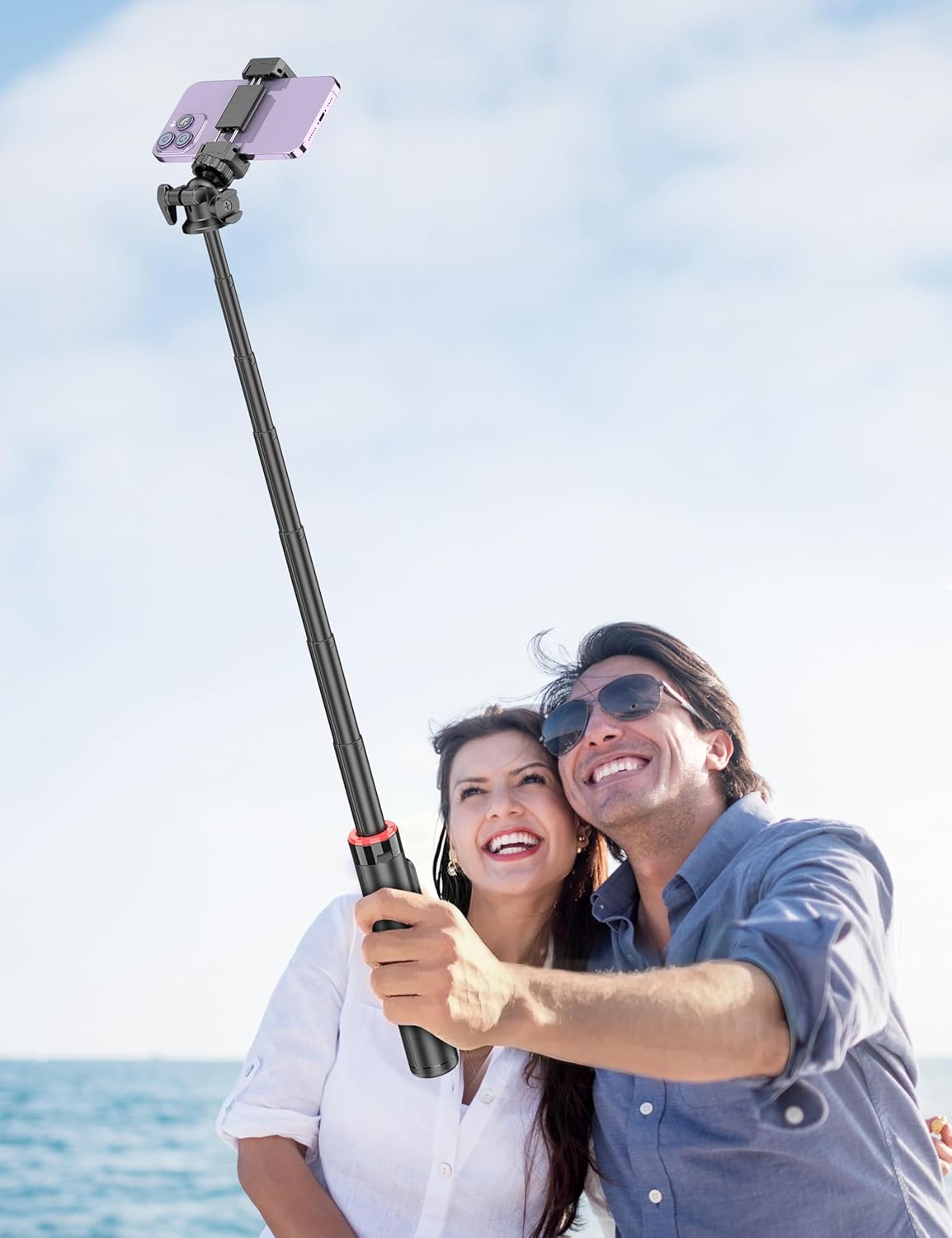
Figure 8: Image demonstrating the 1/4 inch screw mount for connecting cameras, GoPros, or fill lights, showcasing the versatility of the tripod head.
5. Техникалык тейлөө
5.1 Тазалоо
- Аппаратты жумшак, кургак чүпүрөк менен аарчыңыз.
- Катуу химиялык заттарды же абразивдүү тазалоочу каражаттарды колдонбоңуз.
- Түзмөктү ашыкча нымдуулукка дуушар кылбаңыз.
5.2 Сактоо
- Store the selfie stick in a cool, dry place when not in use.
- Ensure the remote control is securely placed in its designated slot to prevent loss.
5.3 Алыстан башкаруу пульту батареясын алмаштыруу
The remote control uses a CR2032 coin cell battery. To replace:
- Алыстан башкаруу пультундагы батарея отсегин табыңыз.
- Use a small coin or tool to open the compartment.
- Эски батареяны алып чыгып, оң (+) тарабын өйдө каратып жаңы CR2032 батареясын салыңыз.
- Батарея отсегин бекем жабыңыз.
6. Кыйынчылыктарды
6.1 Remote Control Not Connecting
- Ensure the remote control battery is not depleted. Replace if necessary.
- Смартфонуңузда Bluetooth иштетилгенин текшериңиз.
- Try unpairing and re-pairing the remote control in your phone's Bluetooth settings.
- Ensure the remote is within the 30 ft (10 m) operating range of your phone.
6.2 Штативдин туруксуздугу
- Штативдин буттары толугу менен сунулуп, тегиз, туруктуу бетке бекитилгенин текшериңиз.
- Шамалдуу шарттарда же тегиз эмес жерлерде мамыны максималдуу бийиктикке чейин көтөрүүдөн алыс болуңуз.
- Verify that your smartphone is securely seated in the phone holder and balanced.
6.3 Phone Not Fitting in Holder
- Check that your phone's width is within the compatible range of 2.5 to 3.7 inches (6.5 to 9.5 cm).
- Remove any bulky phone cases if they prevent a secure fit.
7. Техникалык шарттар
| Өзгөчөлүк | Деталь |
|---|---|
| Модель аты | C15 |
| Бренд | SelfieShow |
| Материал | Алюминий |
| Элемент Салмагы | 10.5 унция (297.67 грамм) |
| Катталган өлчөмү | 9.8 дюйм (25 см) |
| Минималдуу бийиктик | 9.8 дюйм (25 см) |
| Максималдуу бийиктик | 49 дюйм (124.5 см) |
| Телефон кармагычтын туурасы | 2.5 - 3.7 дюйм (6.5 - 9.5 см) |
| Tripod баш түрү | Ball Head (360° rotation) |
| Алыстан башкаруу диапазону | 30 фут (10 м) чейин |
| Алыстан башкаруунун батареясы | 1 x CR2032 (кошулган) |
| Шайкеш түзмөктөр | Смартфондор (iPhone, Android) |
| Кошумча функциялар | Cold Shoe, 1/4" Screw Mount |
8. Кепилдик маалыматы
SelfieShow products are manufactured to high-quality standards. For specific warranty details, please refer to the warranty card included with your purchase or contact customer support. Typically, products are covered against manufacturing defects for a period specified at the time of purchase.
9. Кардарларды колдоо кызматы
If you encounter any issues or have questions regarding your SelfieShow C15 Aluminum Selfie Stick Phone Tripod that are not addressed in this manual, please contact our customer support team. Refer to your product packaging or the SelfieShow official webбайланыш маалыматы үчүн сайт.


