1. Киришүү
This manual provides essential instructions for the setup, operation, and maintenance of your TMY Projector. Please read this manual thoroughly before using the product to ensure proper functionality and to maximize your viewтажрыйбасы. Бул колдонмону келечекте маалымат алуу үчүн сактаңыз.
2. Продукт бүтүп калдыview
2.1 Пакеттин мазмуну
Пакетте бардык буюмдар бар экенин текшериңиз:
- TMY Projector Unit
- Алыстан башкаруу
- HDMI кабели
- Электр кабели
- Кепилдик картасы
2.2 Негизги өзгөчөлүктөрү
- Netflix Officially Licensed: Access streaming services directly without external devices.
- 1080P чечилиши: Delivers clear and detailed images.
- Electric Focus & Auto Keystone: Automatic image adjustment for optimal clarity and shape.
- 270° айлануучу стенд: Flexible projection angles, including ceiling projection.
- Upgraded WiFi 6 Connectivity: Ensures stable and fast wireless streaming.
- Dual-Mode Bluetooth 5.2: Connects to external speakers or functions as a standalone Bluetooth speaker.
- Бир нече туташуу параметрлери: HDMI, USB, Phone/PC mirroring.
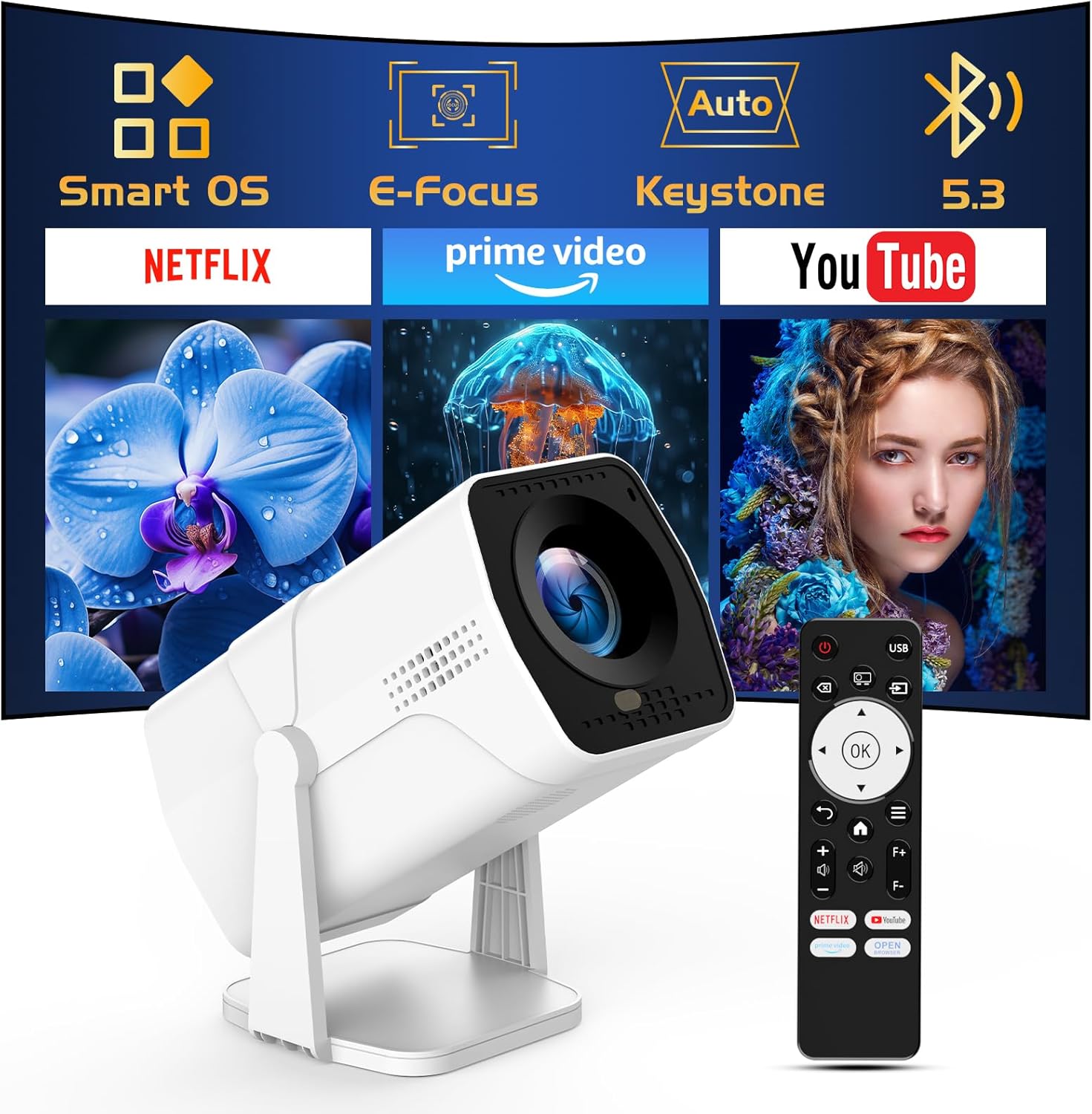
Image: The TMY Projector unit, its remote control, and a projected screen displaying logos for Smart OS, E-Focus, Auto Keystone, Bluetooth 5.3, Netflix, Prime Video, and YouTube.
3. Орнотуу
3.1 Орнотуу
Position the projector on a stable, flat surface. The 270° rotatable stand allows for versatile placement, including projecting onto walls or ceilings. Ensure adequate ventilation around the projector.

Image: A TMY Projector positioned on a bedside table, projecting an image onto the ceiling, demonstrating its 270° rotatable stand for multi-angle viewing.
3.2 Кубат туташтыруу
- Электр шнурун проектордун электр киргизүү портуна туташтырыңыз.
- Электр шнурунун экинчи учун стандарттуу электр розеткасына сайыңыз.
3.3 Баштапкы күйгүзүү жана фокусту жөндөө
- Аппаратты иштетүү үчүн проектордун же пульттун кубат баскычын басыңыз.
- Проектордун өзгөчөлүктөрү Электр Фокус жана Auto Keystone correction. The image will automatically adjust for clarity and a rectangular shape within approximately 2 seconds.
- If further adjustment is needed, use the remote control to fine-tune the focus.

Image: A TMY Projector projecting a vibrant image onto a screen, with an overlay illustrating the 'FOCUS' function and icons for Auto Keystone and 50%-100% Zoom.
3.4 Тармактык туташуу (WiFi)
The projector supports WiFi 6 for a fast and stable internet connection.
- Пультту колдонуу менен "Орнотуулар" менюсуна өтүңүз.
- Select 'Network' or 'WiFi Settings'.
- Choose your desired WiFi network from the list and enter the password.
- Байланышты ырастаңыз.

Image: A TMY Projector wirelessly connected to a tablet, smartphone, and laptop, illustrating its WiFi 6 connectivity for faster streaming with no lagging.
3.5 Bluetooth байланышы
The projector features Dual-Mode Bluetooth 5.2 for audio connectivity.
- Projector Mode (Output): To connect to external Bluetooth speakers or soundbars: Navigate to 'Bluetooth Settings', enable Bluetooth, and pair with your audio device.
- Speaker Mode (Input): To use the projector's built-in speakers as a standalone Bluetooth speaker: Select 'Speaker Mode' in the Bluetooth settings. Your phone or other device can then connect to the projector to play audio.

Image: A TMY Projector illustrating its two-way Bluetooth 5.2 functionality, showing connections to a soundbar (Projector Mode) and a smartphone (Speaker Mode).
4. Операция
4.1 Navigating the Smart OS
The projector runs on a smart TV operating system. Use the provided remote control to navigate menus, select applications, and control playback.

Image: The TMY Projector unit with a projected screen showing a grid of built-in smart OS applications, including Netflix, YouTube, Prime Video, TikTok, and others.
4.2 Accessing Built-in Apps
The projector comes with pre-installed and officially licensed applications such as Netflix, Prime Video, and YouTube. Access these directly from the home screen or through the 'App Store' for additional content.

Image: A TMY Projector projecting a screen filled with content from officially licensed apps like Netflix, Prime Video, and YouTube, with the remote control in the foreground.
4.3 Тышкы түзмөктөрдү туташтыруу
The projector offers multiple ports for connecting external devices:
- HDMI: Connect TV sticks, TV boxes, PCs/Laptops, or gaming consoles (e.g., PS).
- USB: Медиа ойнотуу files directly from USB drives or connect other USB accessories.
- Phone/PC Mirroring: Wirelessly mirror content from your smartphone or PC (refer to the on-screen instructions for specific mirroring protocols).
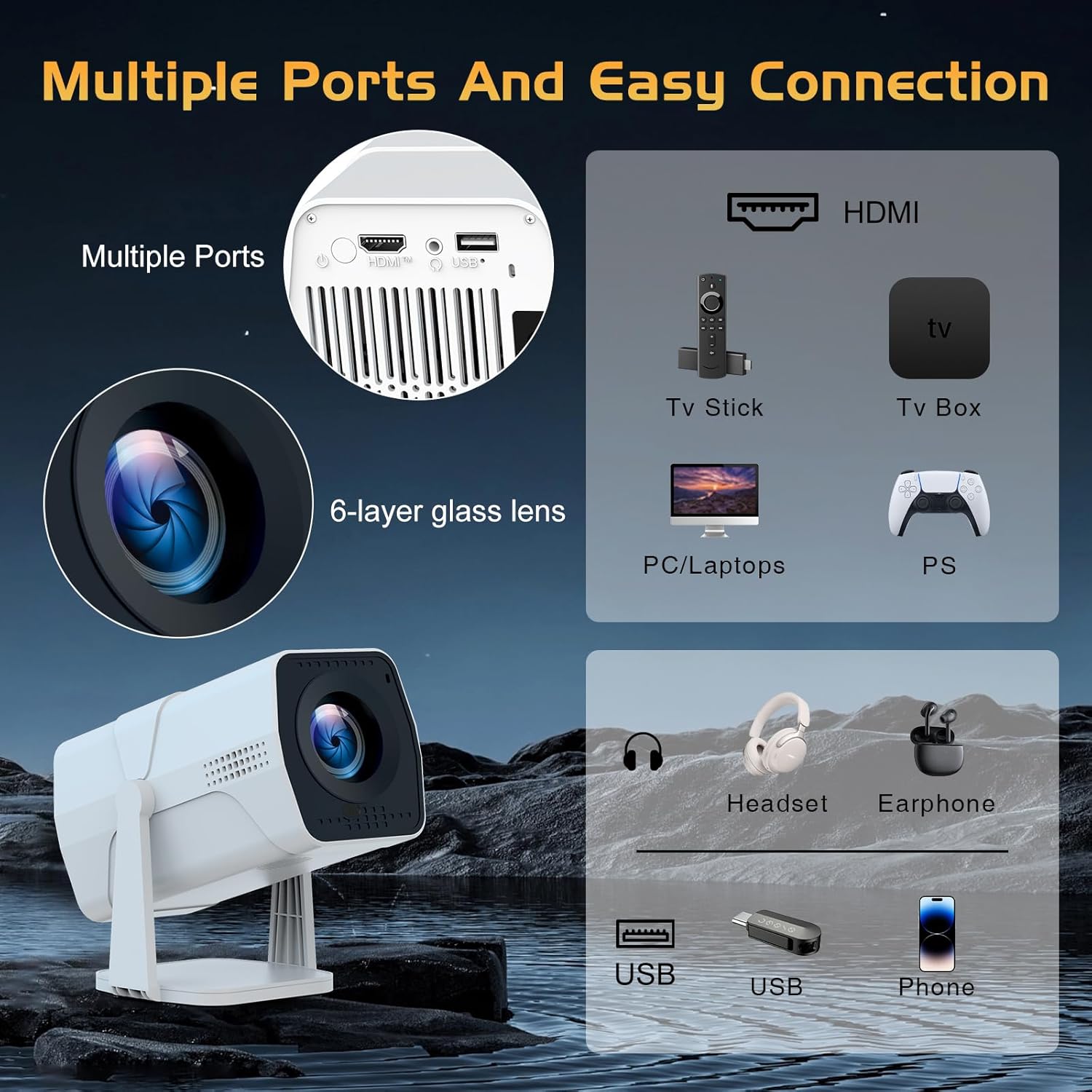
Image: A detailed diagram showing the multiple ports on the TMY Projector (HDMI, USB) and various connection possibilities, including TV sticks, PCs, gaming consoles, headsets, and phones.
4.4 Screen Zoom Function
The projector includes a 50%-100% zoom function, allowing you to adjust the screen size without moving the projector. This feature can be accessed via the remote control or settings menu.
5. Техникалык тейлөө
To ensure the longevity and optimal performance of your TMY Projector, follow these maintenance guidelines:
- Линзаны тазалоо: Оптикалык линзалар үчүн атайын жасалган жумшак, түксүз кездемени колдонуңуз. Абразивдүү материалдардан же катуу химиялык заттардан алыс болуңуз.
- Тышкы тазалоо: Проектордун сыртын жумшак, кургак чүпүрөк менен сүртүңүз. Суюк тазалагычтарды түз эле аппаратта колдонбоңуз.
- Вентиляция: Ашыкча ысып кетүүнүн алдын алуу үчүн желдетүү тешиктери жабылбагандыгын текшериңиз.
- Сактагыч: When not in use for extended periods, store the projector in a cool, dry place, away from direct sunlight and dust.
6. Кыйынчылыктарды
If you encounter issues with your TMY Projector, refer to the following common problems and solutions:
- Кубат жок:
- Кубат шнуру проекторго да, иштеп жаткан электр розеткасына да бекем туташтырылганын текшериңиз.
- Электр розеткасынын иштешин текшериңиз.
- Сүрөт жок / Бүдөмүк сүрөт:
- Verify the projector is powered on and the lens cap is removed.
- Allow the automatic focus and keystone correction to complete. If still blurry, manually adjust focus using the remote.
- Ensure the projection surface is suitable and the projector is within the recommended distance.
- If using an external source (HDMI), ensure the correct input source is selected.
- Үн жок:
- Check the volume level on the projector and any connected external audio devices.
- If using Bluetooth speakers, ensure they are properly paired and connected.
- If using internal speakers, ensure external Bluetooth output is not selected.
- Алыстан башкаруу жооп бербейт:
- Батареялар туура салынганын жана түгөнүп калбагандыгын текшериңиз.
- Пультту түз проектордун IR ресиверине багыттаңыз.
- WiFi туташуу маселелери:
- Ensure your WiFi network is active and within range.
- WiFi сырсөзүн эки жолу текшериңиз.
- Restart the projector and your WiFi router.
- If the connection times out, try moving the projector closer to the router or reducing interference.
7. Техникалык шарттар
| Өзгөчөлүк | Спецификация |
|---|---|
| Бренд | TMY |
| Модел | B0DRFF5KMF |
| Элемент Салмагы | 2.79 фунт |
| Продукциянын өлчөмдөрү | 5.35 x 4.84 x 7.09 дюйм |
| Түс | Ак |
| Өзгөчөлүктөр | Speakers, Electric Focus, Auto Keystone, 270° Rotatable Stand |
| Байланыш технологиясы | HDMI, USB, WiFi 6, Bluetooth 5.2 |
| Display Resolution | 1920 x 1080 (1080P Full HD) |
| Сунушталган Колдонуулар | Indoor |

Image: A visual comparison showing the TMY Projector's 1080P Full HD image quality, emphasizing that it is recommended for use in dark environments for optimal viewing, contrasted with daytime or light-on conditions.
8. Кепилдик жана колдоо
TMY is committed to providing excellent customer service and product support.
- Кепилдик: Бул продукт 3 жылдык кепилдик менен келет.
- Кайтаруу саясаты: Enjoy a 30-day return period.
- Техникалык колдоо: Lifetime after-sale service and technical support are available.
- Жооп убактысы: Expect a quick reply within 24 hours for support inquiries.
Кошумча жардам алуу үчүн расмий кайрылыңыз TMY Store on Amazon or contact customer support through the provided channels in your warranty card.


