
1. Баштапкы орнотуу
1.1 Пакеттин мазмуну
Баштоодон мурун, пакетте бардык элементтер бар экенин текшериңиз:
- ALLDOCUBE iPlay70S Tablet
- USB Type-C кабели
- Power Adapter (5V 3A compatible)
- User Manual
1.2 Планшетти заряддоо
It is recommended to fully charge the tablet before first use. Connect the provided USB Type-C cable to the charging-specific Type-C port on the tablet and the power adapter, then plug the adapter into a power outlet.

Сүрөт: бүттүview of the tablet's ports, including the 6000mAh battery, dedicated charging Type-C port, multi-function Type-C port, 3.5mm headphone jack, and SD card slot.
1.3 Күйгүзүү/өчүрүү
- Күйгүзүү үчүн: Press and hold the power button until the ALLDOCUBE logo appears.
- Өчүрүү үчүн: Press and hold the power button, then select "Power Off" from the options.
- Кайра баштоо үчүн: Press and hold the power button, then select "Restart" from the options.
1.4 Initial Configuration (Android 15)
Upon first startup, follow the on-screen prompts to configure your tablet:
- Каалаган тилиңизди тандаңыз.
- Wi-Fi тармагына туташыңыз.
- Google аккаунтуңуз менен кириңиз же жаңысын түзүңүз.
- Review жана шарттарды кабыл алуу.
Маанилүү эскертүү:
- This is a Wi-Fi model tablet and does not support SIM cards for cellular data.
- GPS, fingerprint authentication, and face recognition are not supported on this device.
- Avoid directly transferring data from other tablets during initial setup, as this may cause errors.
2. Планшетиңизди иштетүү
2.1 AI өзгөчөлүктөрү
The iPlay70S integrates several AI-powered features to enhance user experience:
- AI Gestures: Perform actions like sliding up/down, taking screenshots, or returning to the previous page with simple hand gestures.
- Posture Reminder: An AI posture reminder alerts you if you maintain a hunched posture for extended periods, promoting better ergonomics.
- AI Video Upscaling (AISR): Upscales low-resolution videos to up to 4K quality, supporting both local and online content.
- Auto-Photo: The tablet can detect smiles or an "OK" sign and automatically capture photos, useful for solo travelers.
- Жардамчы: Use voice commands to check weather, news, or perform daily tasks, receiving instant feedback.
- Google Lens: Translate text, get homework help, identify products, plants, and places by simply pointing your camera.

Image: Visual representation of AI gestures for screen control (screenshot, scroll down, scroll up, back) and the AI posture reminder function.

Image: Comparison of video quality with AI upscaling off and on, alongside icons for smile and OK sign detection for the auto-photo feature.
2.2 Android 15 өзгөчөлүктөрү
The iPlay70S runs on the latest Android 15 OS, offering enhanced convenience:
- Clone App: Easily clone popular apps like WeChat, Facebook, Instagram, Messenger, and WhatsApp to log in with two accounts simultaneously, ideal for separating work and personal use.
- Бөлүнгөн экран: Display two applications simultaneously for efficient multitasking.
- Small Window Mode: Display apps in a small window, allowing you to perform other tasks without occupying the entire screen.
- Түс температурасын жөндөө: Adjust the screen's color temperature for visual comfort, adapting to day and night environments.
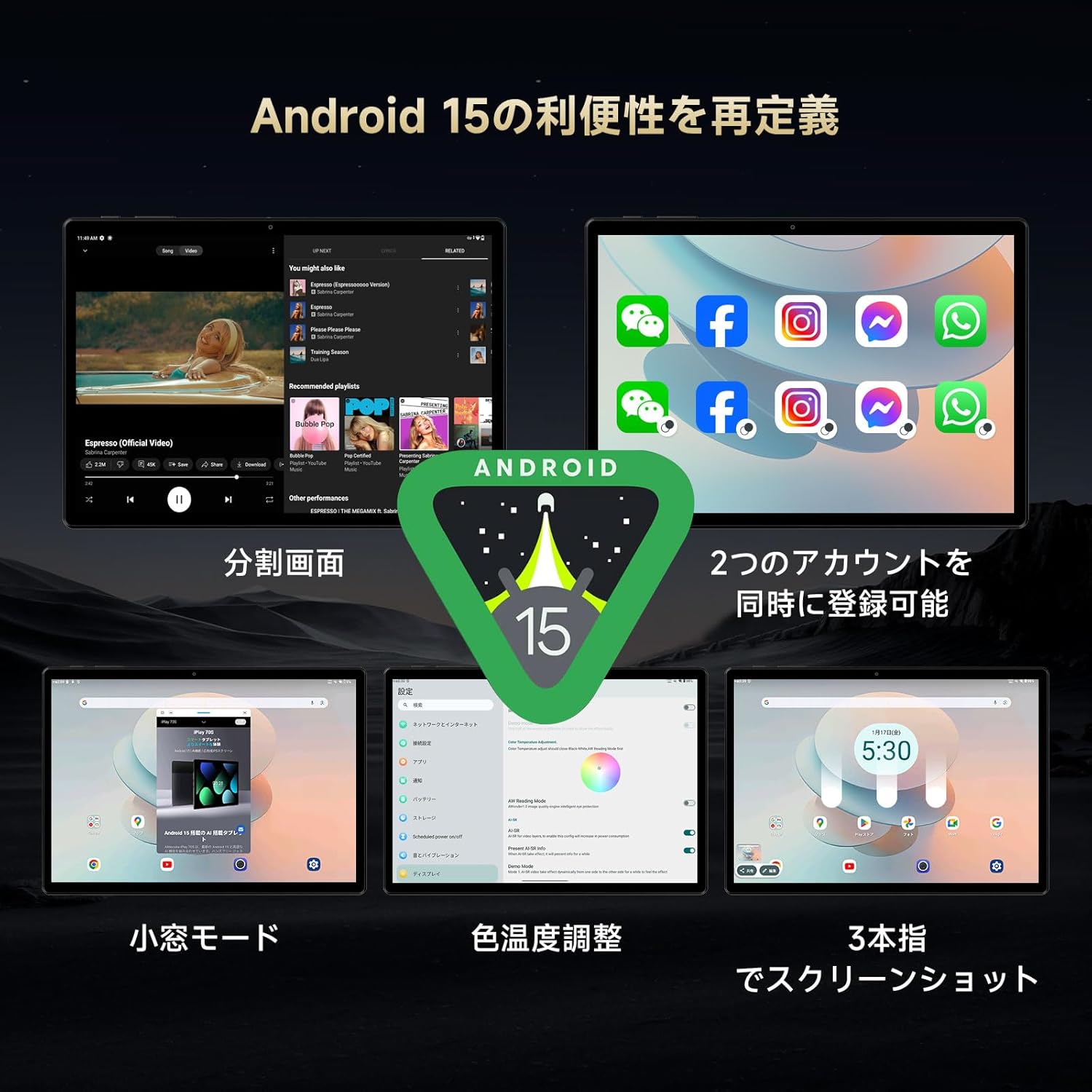
Image: A collage illustrating key Android 15 features on the tablet, including split screen, app cloning, small window mode, and color temperature settings.
2.3 Дисплей
Experience vibrant visuals on the 10.5-inch display:
- Чечим: 1920x1280 pixels, providing clear and detailed images.
- Панелдин түрү: IPS technology ensures vivid colors and clear viewар кандай бурчтардан карап чыгуу.
- Пикселдин тыгыздыгы: 220 PPI for sharp details.
- Жарыктык: Up to 400 cd/m², making the screen visible even outdoors during the day.
- Жаңыртуу ылдамдыгы: Жылмакай визуалдык көрүнүш үчүн 60 Гц.
- тийүү: 10-point multi-touch for smooth and responsive interaction.
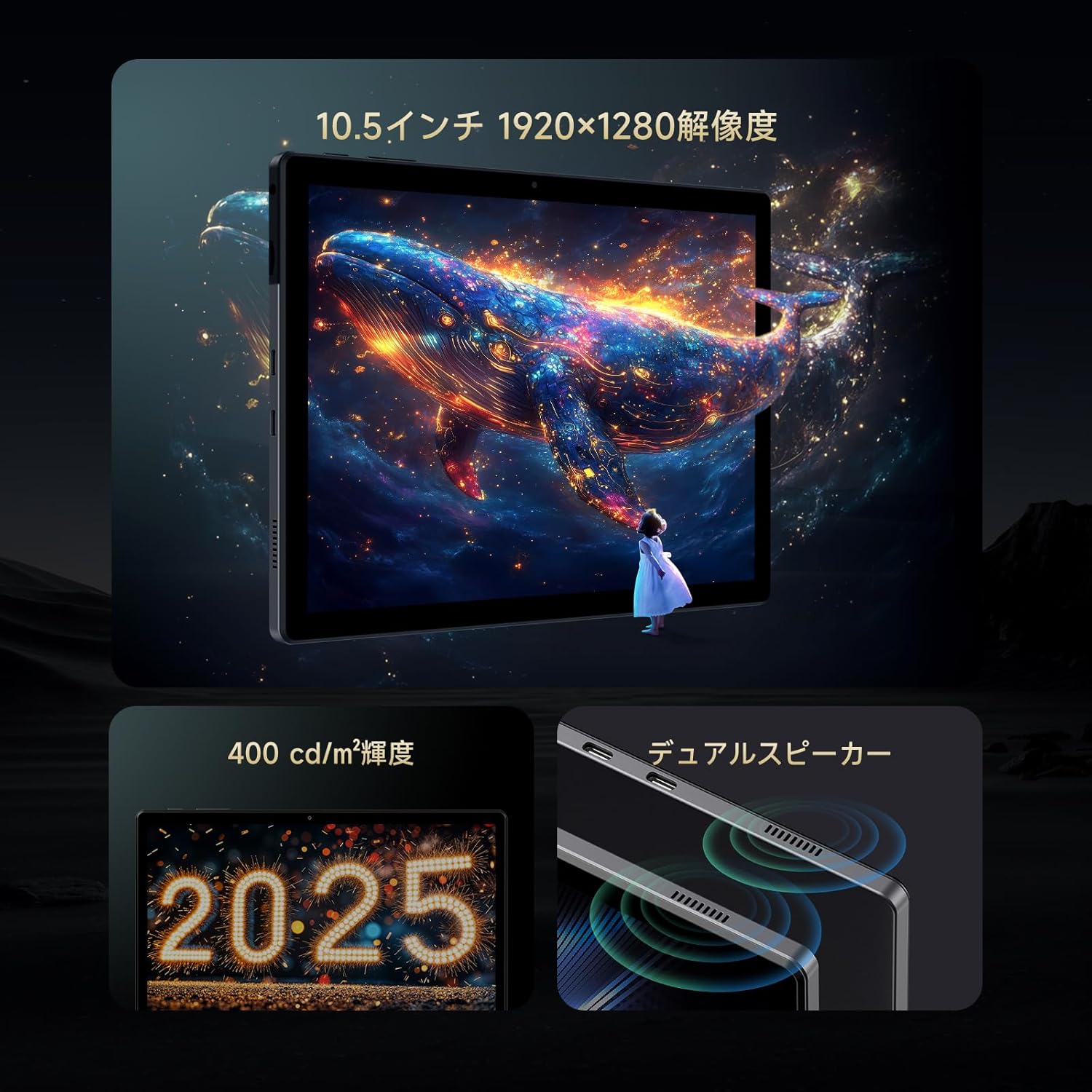
Image: The tablet screen displaying a vibrant image, with callouts for 10.5-inch 1920x1280 resolution, 400 cd/m² brightness, and dual speakers.
2.4 Аткаруу жана сактоо
The iPlay70S is designed for smooth performance:
- Процессор: Powerful A733MX-N3X 8-core processor (12nm process technology) with AI function support. Achieves over 320,000 points in AnTuTu benchmark.
- RAM: 12GB (4GB physical RAM + 8GB virtual memory) LPDDR4X, ensuring smooth multitasking.
- Ички сактагыч: 128GB UFS 2.2 for fast app and data access.
- Кеңейтүүчү сактагыч: Supports up to 1TB via microSD card (not included).

Image: Diagram illustrating the tablet's core specifications: A733MX-N3X CPU, AnTuTu benchmark score, Wi-Fi 6, Bluetooth 5.2, and the 12GB RAM + 128GB ROM configuration.
2.5 Байланыш
- Wi-Fi: Supports Wi-Fi 6 for faster and more stable internet connections, ideal for online streaming and gaming.
- Bluetooth: Bluetooth 5.2 for stable connections with wireless headphones, speakers, and other devices.
- USB Type-C порттору: One dedicated for charging, another multi-functional Type-C port supporting USB 3.1 for charging, OTG, data transfer, and HUB expansion (USB 3.0/2.0, RJ45).
2.6 Аудио жана камералар
- Кош сүйлөөчүлөр: Enjoy immersive audio for movies and music.
- 3.5 мм гарнитура уячасы: Connect your favorite wired headphones or external speakers for high-quality audio.
- Алдыңкы камера: 2MP, suitable for online meetings and selfies.
- Арткы камера: 5MP, for capturing photos of your surroundings.
2.7 Сенсорлор
- Тартылуу сенсору: Automatically adjusts screen orientation when you tilt the device.
- Жарык сенсору: Automatically adjusts screen brightness based on ambient light.
3. Техникалык тейлөө
3.1 Батареяга кам көрүү
Планшет 6000 мАч батарея менен жабдылган. Батареянын иштөө мөөнөтүн максималдуу түрдө көбөйтүү үчүн:
- Оптималдуу кубаттоо үчүн баштапкы заряддагычты жана кабелди колдонуңуз.
- Батареянын иштөөсүн начарлатышы мүмкүн болгондуктан, өтө жогорку температурадан (ысык же суук) алыс болуңуз.
- Батареянын бат-баттан түгөнүп калышына жол бербеңиз.
3.2 Программалык камсыздоо жаңыртуулары
Keep your tablet's software up to date to ensure optimal performance and security. Updates may include bug fixes and new features. For example, the "U1035_B15_V1.0.20250218" update resolved clock drift issues.
3.3 Тазалоо
Планшеттин экранын жана корпусун тазалоо үчүн жумшак, түксүз чүпүрөктү колдонуңуз. Катуу химиялык заттарды же абразивдүү материалдарды колдонуудан алыс болуңуз.
4. Кыйынчылыктарды
If you encounter issues with your ALLDOCUBE iPlay70S, refer to the following common solutions:
| Көйгөй | Мүмкүн чечим |
|---|---|
| Планшет күйбөйт | Батарея заряддалганын текшериңиз. Кайра күйгүзүүдөн мурун заряддагычка кеминде 30 мүнөт туташыңыз. |
| Clock drifts or is inaccurate | Ensure your tablet's software is updated to the latest version (e.g., U1035_B15_V1.0.20250218 or newer). Check date and time settings to ensure automatic synchronization is enabled. |
| Apps freeze or crash frequently | Clear the cache of the problematic app. If the issue persists, uninstall and reinstall the app. Ensure sufficient free storage space. |
| Wi-Fi'га туташпай жатат | Restart the tablet and your Wi-Fi router. Ensure you are entering the correct password. Try connecting to a different Wi-Fi network if available. |
| Video playback issues with streaming services (e.g., Disney+) | Some streaming services may have specific DRM requirements that might not be fully supported. Ensure the app is updated. Try clearing the app's cache and data. |
| Жай аткаруу | Close unnecessary background applications. Clear cached data. Consider reducing the number of widgets on your home screen. |
If these solutions do not resolve your issue, please contact customer support.
5. Продукттун спецификациялары
| Өзгөчөлүк | Деталь |
|---|---|
| Бренд | ALLDOCUBE |
| Модель аты | iPlay 70 S |
| Операция системасы | Android 15 |
| Screen Size | 10.5 дюйм |
| Display Resolution | 1920 x 1280 пиксель |
| CPU | A733MX-N3X 8-core, 1.8 GHz |
| RAM | 12 GB (4GB physical + 8GB virtual) LPDDR4X |
| Сактагыч | 128 GB UFS 2.2 (expandable up to 1TB) |
| Байланыш | Wi-Fi 6, Bluetooth 5.2 |
| Батарея сыйымдуулугу | 6000 мАч |
| Камералар | Front: 2 MP, Rear: 5 MP |
| Порттар | Dual Type-C (one charging-only, one multi-function USB 3.1), 3.5mm headphone jack, MicroSD card slot |
| Сенсорлор | Gravity sensor, Light sensor |
| Өлчөмдөр | 28.5 x 24.5 x 3.4 см |
| Салмагы | 940 г |
6. Кепилдик маалыматы
The ALLDOCUBE iPlay70S comes with a 12 айлык продукт кепилдик from the date of purchase. Please retain your proof of purchase for warranty claims. The warranty covers manufacturing defects but typically excludes damage caused by misuse, accidents, or unauthorized modifications.
7. Кардарларды колдоо кызматы
For any inquiries, technical assistance, or warranty claims, please contact ALLDOCUBE customer support through one of the following methods:
- Official LINE Account: @175lhsbh
- Via Amazon Product Page: Click on the store name on the product page, then select "Ask a question."
- Via Amazon Account: Go to "Your Orders," select the relevant order, and then click "Contact Seller."
Our customer support team is committed to providing solutions and improving our products based on your feedback.


