1. Киришүү
Thank you for choosing the Retekess TD157 Vibrating Pager System. This wireless paging system is designed to enhance customer service and operational efficiency in various settings such as restaurants, food trucks, cafes, and bars. It provides a reliable method for notifying customers when their order is ready or when they are needed.
2. Коопсуздук маалыматы
- Түзмөктү суудан жана нымдуулугу жогору чөйрөлөрдөн алыс кармаңыз.
- Аппаратты өзүңүз ажыратпаңыз же оңдоого аракет кылбаңыз. Квалификациялуу тейлөө кызматкерлерине кайрылыңыз.
- Зыяндын алдын алуу үчүн берилген кубат адаптерин гана колдонуңуз.
- Аппаратты экстремалдык температурага же тике күн нуруна кабылуудан сактаңыз.
- Балдар жетпеген жерде сактаңыз.
3. Пакеттин мазмуну
Пакетиңизде бардык буюмдар бар экенин текшериңиз:
- Transmitter Keyboard x 1
- Pagers x 10
- Кубат адаптери x 1
- Колдонмо колдонмо x 1

4. Продукт бүтүп калдыview
The Retekess TD157 system consists of a main transmitter unit and multiple guest pagers. The transmitter is used to call individual pagers, which then alert the customer through vibration, flashing lights, or a beep.
4.1 Негизги өзгөчөлүктөрү
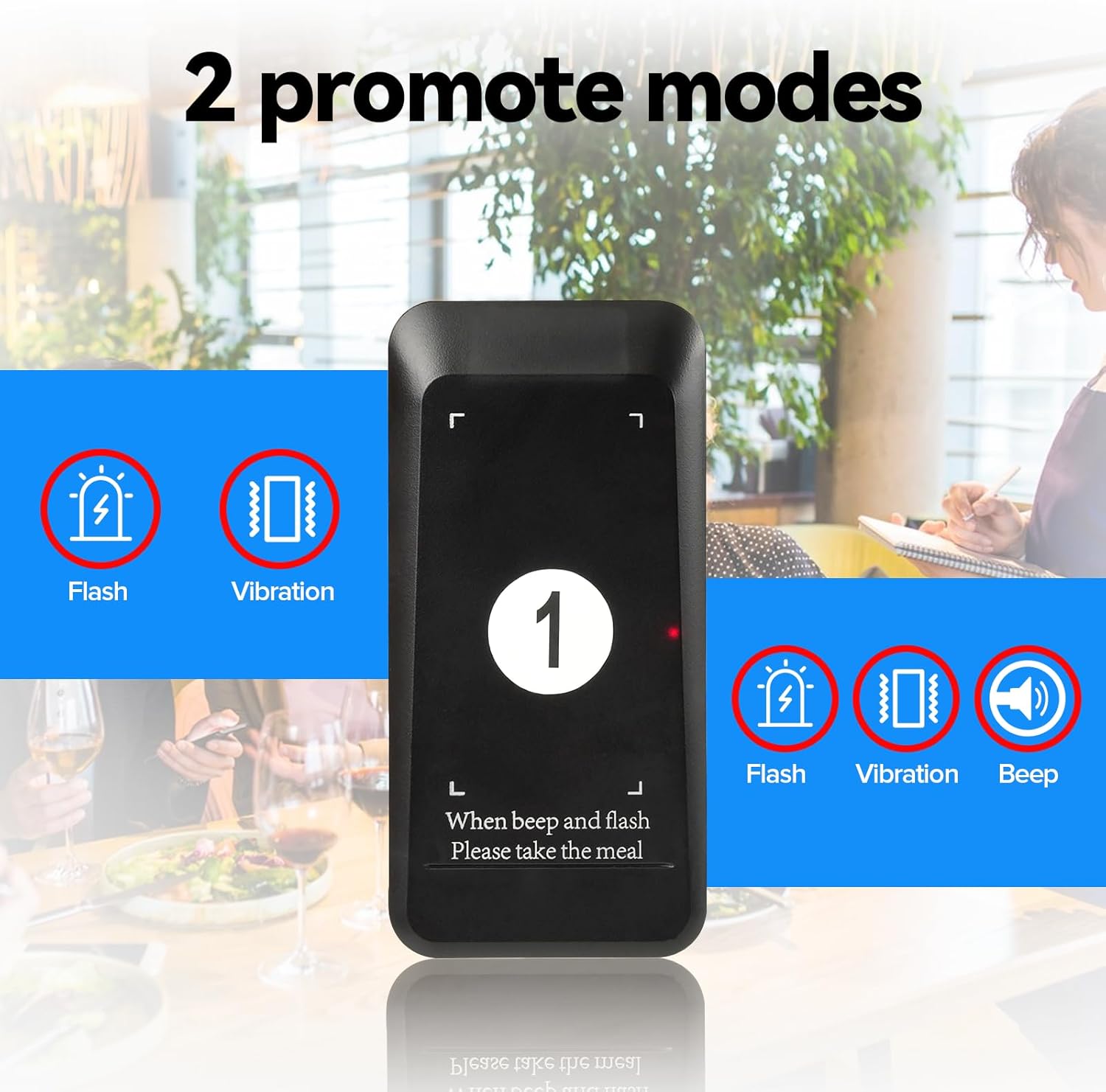
- Өркүндөтүлгөн эскертүү режимдери: Choose between Flash + Vibration, Flash + Vibration + Buzzer, or other combinations to suit your environment.
- Long Operating Range: Up to 400m (984ft) in open, line-of-sight conditions, with stable signal penetration through walls.
- Жогорку кубаттуулуктагы батарея: 200mAh Li-Ion battery in each pager provides over 15 hours of standby time. Pagers automatically charge when placed in the main unit.
- Customizable Advertising Area: Pagers feature an area for promotional stickers.
- Adjustable Reminder Duration: Set the alert duration from 1 to 99 seconds.
- Кеңейтүүчү система: Supports up to 997 pagers.


5. Орнотуу
5.1 Алгачкы заряддоо
Before first use, place all pagers into the charging slots on the transmitter keyboard. Ensure the power adapter is connected to the transmitter and a power outlet. The pagers will begin charging automatically. A full charge takes approximately 7 hours.
5.2 Pager Pairing
Pagers are typically pre-paired. If you need to pair new pagers or re-pair existing ones:
- Remove the shell plate from the pager to access the internal buttons.
- Press the upper corner button and the front button simultaneously until the pager enters pairing mode (lights will flash).
- On the transmitter keyboard, enter the desired pager number (e.g., "01") and press the "CALL" button.
- The pager will beep, flash, and vibrate to confirm successful pairing.
- Replace the shell plate.
5.3 Setting Alert Modes (F2 Pager's Prompt modes)
The system offers various alert modes for pagers. To change the mode:
- Long press the "Set" button (gear icon) on the transmitter until "F1" appears.
- Use the UP/DOWN arrows to navigate to "F2".
- Press "CALL".
- Enter the corresponding code for the desired mode:
- 004: Beep
- 005: Vibrate
- 006: Жарк
- 007: Beep + Vibrate
- 008: Vibrate + Flash
- 009: Beep + Flash
- 010: Beep + Flash + Vibrate
- Place the pager you wish to configure into a charging slot. The pager will update to the selected mode.
5.4 Setting Call Time (F3 Prompt Time)
To adjust how long the pager alerts:
- Long press the "Set" button (gear icon) on the transmitter until "F1" appears.
- Use the UP/DOWN arrows to navigate to "F3".
- Press "CALL".
- Enter the desired duration in seconds (1-999) and press "CALL" to save.
5.5 How to Mute the Pagers (Turn off Beep)
If you wish to disable the beep function on a pager, allowing only vibration or flash:
- Remove the shell plate from the pager.
- Continuously press the middle button on the pager until all five indicator lights turn off.
- Then, press the side button on the pager. The pager will now be muted (no beep).
- To re-enable the beep, repeat the process: continuously press the middle button until the side lights are on, then press the side button.
6. Иштөө нускамалары
6.1 Giving a Pager to a Customer
When a customer places an order or is waiting, give them a charged pager from the transmitter unit. Note the pager number for future reference.

6.2 Пейжерди чакыруу
When an order is ready or a customer is needed:
- On the transmitter keyboard, enter the pager number (e.g., "01").
- Press the "CALL" button. The corresponding pager will activate its set alert mode (vibrate, flash, or beep).

6.3 Returning a Pager
Once the customer returns the pager, place it back into any available charging slot on the transmitter unit. This will stop the alert and begin recharging the pager.
6.4 One-Click Group Call
To call all active pagers simultaneously, press the "0" button followed by the "CALL" button on the transmitter. All pagers will activate their alert modes.

6.5 One-Click Shutdown
To turn off all active pagers simultaneously, press the "DEL" button followed by the "CALL" button on the transmitter. All pagers will cease their alert modes and power down.

7. Техникалык тейлөө
- Тазалоо: Use a soft, dry cloth to clean the transmitter and pagers. Avoid abrasive cleaners or solvents.
- Батареяга кам көрүү: Ensure pagers are regularly charged to maintain battery health. Avoid leaving them fully discharged for extended periods.
- Сактагыч: When not in use for a long time, store the system in a cool, dry place.
8. Кыйынчылыктарды
| Көйгөй | Мүмкүн себеп | Чечим |
|---|---|---|
| Пейжер чалууга жооп бербей жатат. | Out of range, low battery, or not paired. | Move closer to the transmitter, place pager on charger, or re-pair the pager (see Section 5.2). |
| Pager not charging. | Improper placement in slot, dirty charging contacts, or faulty adapter. | Ensure pager is correctly seated, clean contacts with a dry cloth, check power adapter connection. |
| Pager not vibrating/beeping/flashing. | Alert mode incorrectly set or muted. | Check and adjust alert mode settings (see Section 5.3) or unmute pager (see Section 5.5). |
| Кыска иштөө диапазону. | Obstructions (walls, metal structures) or interference. | Relocate transmitter to a central, open area. Minimize obstructions between transmitter and pagers. |
9. Техникалык шарттар
| Өзгөчөлүк | Деталь |
|---|---|
| Модель номери | FF9478H |
| Пакеттин өлчөмдөрү | 8.7 x 7.48 x 4.09 дюйм |
| Элемент Салмагы | 2.03 фунт |
| Өндүрүүчү | Retekess |
| Батареялар | 10 литий-иондук батарейкалар (кошумча) |
| Иштөө диапазону | Up to 400m (984ft) in open area |
| Күтүү убактысы | >15 саат |
| Заряддоо убактысы | Болжол менен 7 саат |
| Max Pager Support | 997 Пейжер |

10. Кепилдик жана колдоо
For warranty information and technical support, please refer to the contact details provided in your product packaging or visit the official Retekess webсайт. Кепилдик дооматтары үчүн сатып алуу дүмүрчөгүңүздү сактаңыз.


