1. Киришүү
This user manual provides comprehensive instructions for the Callsky 10-inch Wi-Fi Tablet, Model Ctab 10. Please read this manual carefully before using your device to ensure proper operation and to maximize its features. Keep this manual for future reference.
2. Продукт бүтүп калдыview
2.1 Пакеттин мазмуну
Пакетти ачканда, төмөндө көрсөтүлгөн бардык буюмдардын бар экендигин текшериңиз:
- Callsky Ctab 10 Tablet
- USB Type-C кубаттоочу кабель
- Кубаттуу адаптер
- Колдонуучунун колдонмосу (жапонча)

Image: Package contents including the tablet, charging cable, power adapter, and user manual.
2.2 Аппараттын компоненттери
Familiarize yourself with the physical layout and ports of your tablet:
- Алдыңкы камера: Видео чалуулар жана селфилер үчүн 5 мегапиксел.
- Арткы камера: 8MP with autofocus for high-resolution photos.
- Кубат баскычы: Located on the side for turning the device on/off and screen lock.
- Үн баскычтары: Аудио деңгээлин тууралоо.
- USB Type-C порту: Заряддоо жана маалыматтарды өткөрүү үчүн.
- 3.5 мм гарнитура уячасы: Аудио чыгаруу үчүн.
- Кош сүйлөөчүлөр: For enhanced audio experience.
- MicroSD картасынын уячасы: Сактоо көлөмүн 2 ТБ чейин кеңейтүү үчүн.

Сүрөт: бүттүview of tablet features including face recognition, wireless projection, and physical dimensions.
2.3 Негизги өзгөчөлүктөрү
- Жеңил дизайн: Ultra-thin at 8.7mm and weighing 425g for easy portability.
- Android 14 OS: Enhanced privacy, personalized settings, and improved user experience.
- Жогорку аткаруу: 1.8GHz Allwinner A523 Octa-core processor and Mali-G57 GPU for smooth multitasking, gaming, and HD video.
- Эстутум жана сактоо: 3GB RAM + 9GB virtual memory, 128GB internal storage, expandable up to 2TB via MicroSD.
- Жандуу дисплей: 10.1-inch 1280x800 Incell IPS display with eye protection mode and Widevine L1 support for high-quality streaming.
- Байланыш: Wi-Fi 6 and Bluetooth 5.4 for stable and high-speed connections.
- Өркүндөтүлгөн өзгөчөлүктөр: Wireless projection, face recognition, and split-screen functionality.
- Узак мөөнөттүү батарея: Узак колдонуу үчүн 6000mAh батарея.

Image: Visual summary of the tablet's core specifications and features.
3. Орнотуу
3.1 Баштапкы күйгүзүү жана негизги орнотуулар
- Press and hold the Power button until the Callsky logo appears.
- Follow the on-screen prompts to select your language (e.g., English).
- Connect to a Wi-Fi network. Select your network from the list and enter the password if required.
- Review and accept the Google Services terms.
- Set up a screen lock (PIN, pattern, or password) for security. You can skip this step and set it up later.
- Complete the remaining setup steps as guided by the Android 14 interface.
3.2 MicroSD картасын салуу
To expand your tablet's storage:
- Планшеттин капталынан MicroSD карта уячасын табыңыз.
- MicroSD картасын ордуна чыкылдаган үн чыкканча акырындык менен уячага салыңыз. Картанын туура багытталганын текшериңиз.
- Планшет жаңы сактагычты аныктайт. Түзмөк менен оптималдуу колдонуу үчүн сизден картаны форматтоо суралышы мүмкүн.
4. Иштөө нускамалары
4.1 Негизги навигация
- Тийүү жаңсоолору: Тандоо үчүн таптаңыз, сыдыруу үчүн серпиңиз, чоңойтуу үчүн чымчыңыз.
- Башкы экран: Колдонмолорго, виджеттерге жана эскертмелерге кирүү.
- Эскертмелер: Экрандын өйдө жагынан төмөн карай сүрүңүз view эскертмелер жана тез орнотуулар.
4.2 Memory and Storage Management
The tablet comes with 3GB of physical RAM and 9GB of virtual memory, totaling 12GB, along with 128GB of internal storage. You can expand storage up to 2TB using a MicroSD card.
- Сактагычты текшерүү үчүн: өтүңүз Орнотуулар > Сактагыч.
- To manage apps: Go to Орнотуулар > Колдонмолор.

Image: Details on memory and storage, including RAM, internal storage, and MicroSD expansion.
4.3 Дисплей жана визуалдык тажрыйба
The 10.1-inch 1280x800 Incell IPS display provides clear and vibrant visuals. It supports Widevine L1 for high-definition streaming from platforms like Netflix and YouTube.
- Көздү коргоо режими: Activate this mode in settings to reduce blue light and eye strain during prolonged use.
- Бөлүнгөн экран: Use two applications simultaneously for enhanced productivity.

Image: Tablet demonstrating Widevine L1 support for streaming services.
4.4 Байланыш
The tablet supports Wi-Fi 6 and Bluetooth 5.4 for reliable and fast wireless connections.
- Wi-Fi: Connect to 2.4G or 5G networks. Go to Орнотуулар > Тармак жана интернет > Wi-Fi байланыштарды башкаруу үчүн.
- Bluetooth: Pair with wireless devices like headphones or keyboards. Go to Орнотуулар > Туташкан түзмөктөр > Bluetooth.
- Зымсыз проекция: Share your screen with compatible displays. Access this feature from the quick settings panel.
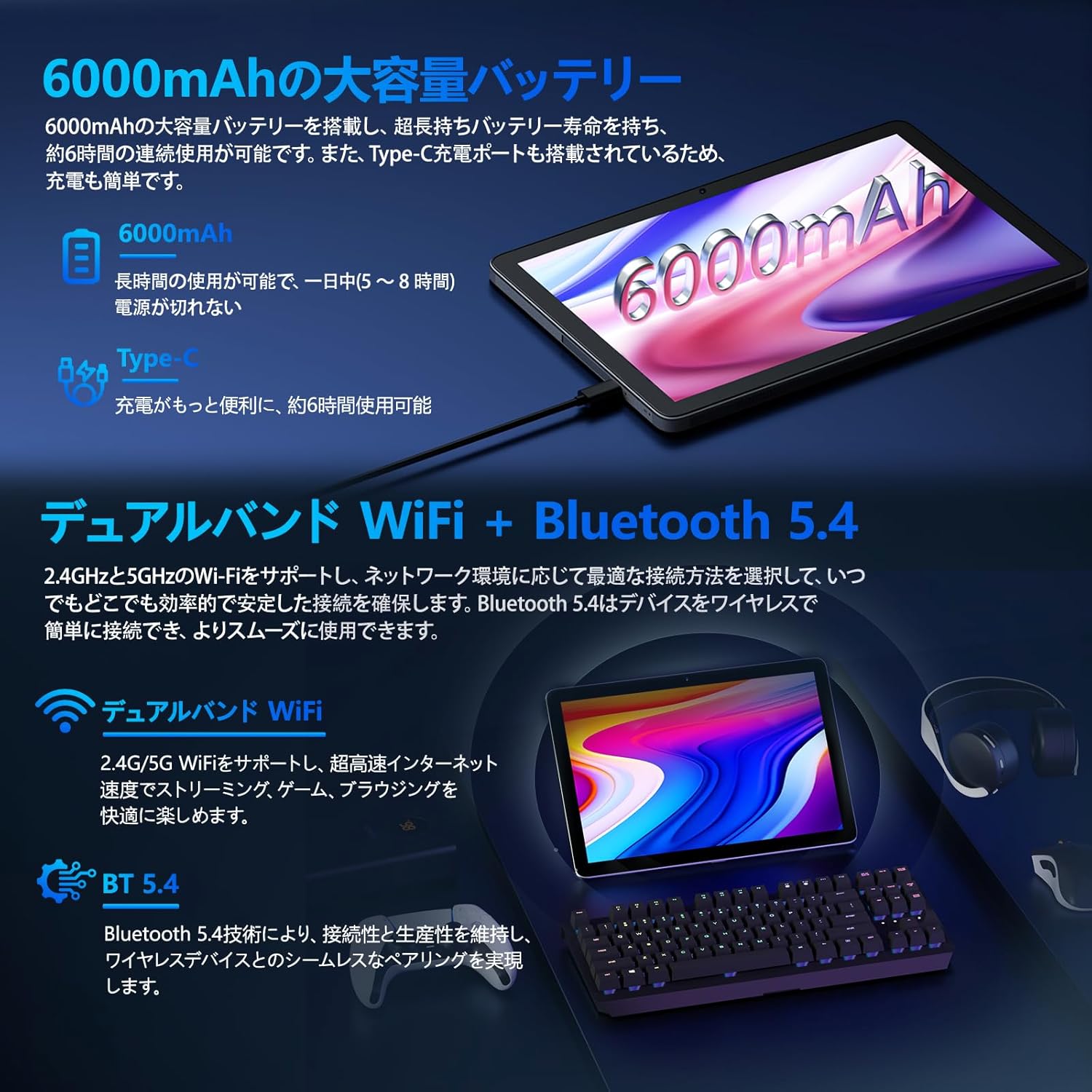
Image: Tablet highlighting battery capacity, Type-C charging, Wi-Fi, and Bluetooth features.
4.5 Камералар
The tablet features a 5MP front camera and an 8MP rear camera with autofocus, suitable for video calls and capturing photos.
- Сүрөткө тартуу же видео жаздыруу үчүн Камера колдонмосун ачыңыз.
- Жүздү таануу: Use the front camera for quick and secure unlocking. Set this up in Орнотуулар > Коопсуздук жана купуялык > Жүз менен таануу.

Image: Illustration of the tablet's front and rear cameras and their resolutions.
4.6 Kids Mode (Parental Controls)
The tablet includes a dedicated Kids Mode and parental control features to ensure a safe and controlled environment for children.
- Access Kids Mode to provide curated content and limit screen time.
- Parents can manage app usage and content access through parental control settings.
4.7 Сенсорлор
The tablet is equipped with various sensors for enhanced functionality:
- GPS: Жайгашкан жерди аныктоо кызматтары жана навигация үчүн.
- Geomagnetic Sensor: Functions as a compass.
- Жакындык сенсору: Prevents unintended screen operations.
- Айланадагы жарык сенсору: Automatically adjusts screen brightness.
- Гироскоп: For tilt operations and AR applications.
- Акселерометр: Detects tilt, shock, and movement.
5. Техникалык тейлөө
5.1 Батареяга кам көрүү
The 6000mAh battery provides long usage times. To prolong battery life:
- Ашыкча температурадан сактаныңыз.
- Батареянын бат-баттан түгөнүп калышына жол бербеңиз.
- Берилген заряддагычты жана кабелди колдонуңуз.
- Optimize battery usage in Орнотуулар > Батарея.

Image: Tablet connected to a Type-C charger, highlighting the 6000mAh battery.
5.2 Тазалоо
Планшеттин экранын жана корпусун тазалоо үчүн жумшак, түксүз чүпүрөктү колдонуңуз. Катуу химиялык заттарды же абразивдүү материалдарды колдонуудан алыс болуңуз.
6. Кыйынчылыктарды
If you encounter issues with your tablet, refer to the following common problems and solutions:
| Көйгөй | Мүмкүн болгон себеп / Чечим |
|---|---|
| Планшет күйбөйт | Батарея заряддалганын текшериңиз. Заряддагычты туташтырыңыз жана кайра күйгүзүү аракетинен мурун бир нече мүнөт күтүңүз. |
| Экран жооп бербей жатат | Restart the tablet by holding the power button. If unresponsive, force restart by holding the power button for a longer duration (e.g., 10-15 seconds). |
| Wi-Fi туташуу маселелери | Жөндөөлөрдө Wi-Fi иштетилгенин текшериңиз. Роутериңизди өчүрүп-күйгүзүңүз. Тармакты унутуп, кайра туташыңыз. |
| Device overheating / unexpected shutdowns | Close background applications. Avoid using the tablet in direct sunlight or hot environments. If the issue persists, contact customer support. |
| Колдонмолор бузулуп же катып калууда | Clear the app's cache (Settings > Apps > [App Name] > Storage & cache > Clear cache). Update the app. Reinstall the app. |
| Жай аткаруу | Керексиз фондо колдонмолорду жабыңыз. Кэшти жана убактылуу тазалоо files. Ensure sufficient storage space. |
If the problem persists after trying these solutions, please contact Callsky customer support.
7. Техникалык шарттар
| Өзгөчөлүк | Деталь |
|---|---|
| Бренд | Callsky |
| Модель аты | Ctab 10 |
| Операция системасы | Android 14 |
| Screen Size | 10.1 дюйм |
| Display Resolution | 1280x800 pixels (Incell IPS) |
| CPU | Allwinner A523 Octa-core (1.8 GHz) |
| GPU | Mali-G57 (Integrated) |
| RAM | 3GB Physical + 9GB Virtual (Total 12GB) |
| Ички сактагыч | 128 ГБ |
| Кеңейтүүчү сактагыч | MicroSD картасы аркылуу 2 ТБ чейин |
| Арткы камера | 8 депутат |
| Алдыңкы камера | 5 депутат |
| Wi-Fi | Wi-Fi 6 (802.11ac, 802.11b, 802.11g, 802.11n) |
| Bluetooth | Bluetooth 5.4 |
| Батарея сыйымдуулугу | 6000mAh (22.8 Watt-hours, 1 Lithium Polymer cell) |
| Заряддоо порту | Type-C |
| Өлчөмдөр | 32.4 x 20.3 x 3.4 см |
| Салмагы | 425 г |
| Сертификаттар | GMS Certified, PSE Certified |
8. Кепилдик жана колдоо
The Callsky Ctab 10 tablet comes with a 2 жылдык кепилдик. This warranty covers manufacturing defects and ensures long-term reliability.
8.1 Кардарларды колдоо
If you encounter any issues or have questions regarding your Callsky tablet, please contact our customer support team. We are committed to providing prompt assistance.
- Байланыш ыкмасы: Refer to your purchase platform (e.g., Amazon) for specific contact details. Typically, you can find seller contact information through your order history.
- Жооп убактысы: We aim to respond to inquiries within 24 hours on weekdays and within 48-72 hours on weekends or holidays.
Please have your product model (Ctab 10) and purchase details ready when contacting support.


