Introduction
The infiniity DM56 Sport Smartwatch is designed to enhance your active lifestyle by providing comprehensive fitness and health tracking capabilities. Featuring a vibrant 1.43-inch AMOLED HD display, built-in GPS, and extensive health monitoring, this smartwatch is a reliable companion for both daily wear and rigorous activities. This manual provides essential information for setting up, operating, and maintaining your DM56 smartwatch.
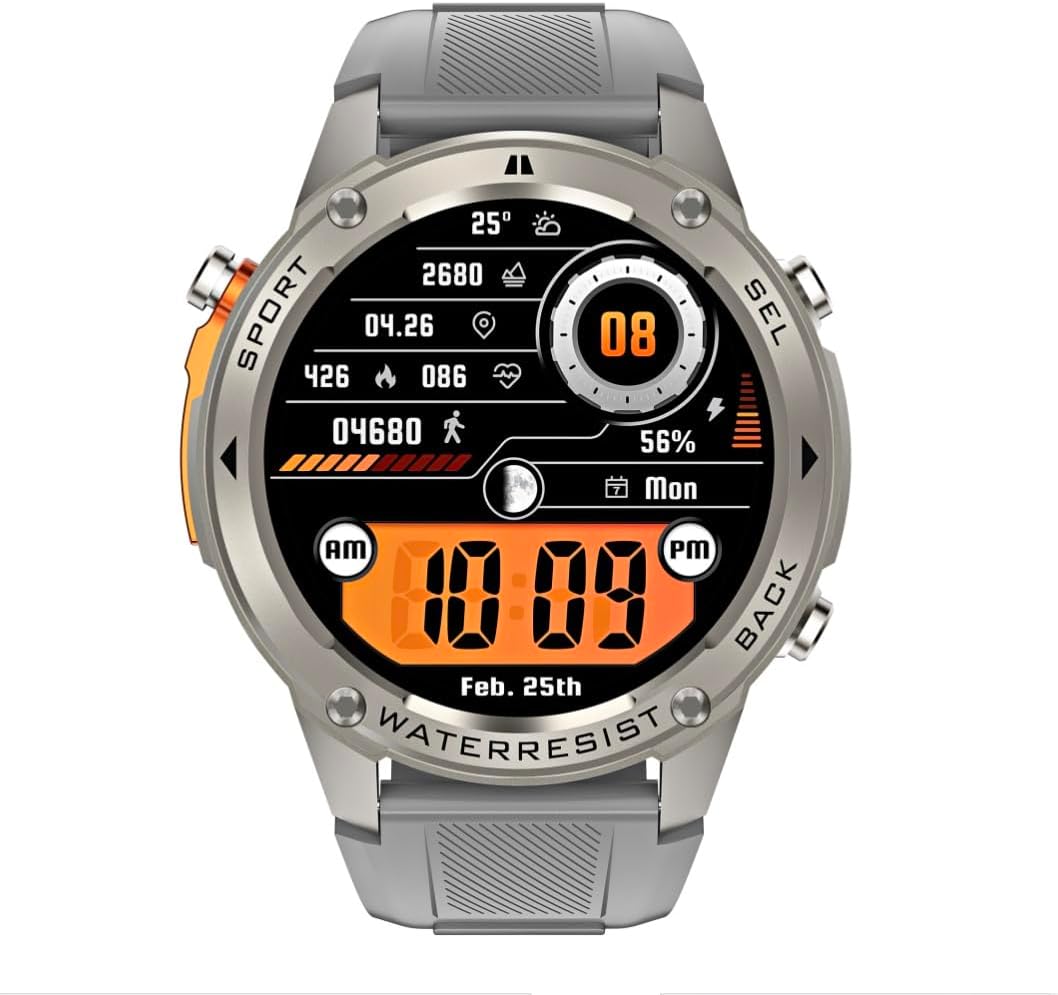
Сүрөт: алдыңкы view of the infiniity DM56 Sport Smartwatch, displaying a digital watch face with time, date, activity data, and battery level. The watch features a silver bezel and a light grey silicone strap.
Коопсуздук маалыматы
- Түзмөктү бөлүктөргө бөлүүгө же өзгөртүүгө аракет кылбаңыз. Бул кепилдикти жокко чыгарып, зыян келтириши мүмкүн.
- Аппаратты экстремалдык температурадан, тике күн нурларынан жана жегич суюктуктардан алыс кармаңыз.
- Түзмөктү катуу соккуларга же кулап түшүүлөргө дуушар кылбаңыз.
- Кандайдыр бир жаңы көнүгүү режимин баштоодон мурун, айрыкча, ден-соолукка байланыштуу шарттарыңыз бар болсо, дарыгер менен кеңешиңиз.
- The device is 5ATM waterproof, suitable for swimming and showering, but not for diving or high-pressure water activities.
- Use only the provided charging cable and a compatible power adapter (5V, 0.5A) to prevent damage.
Кутуда эмне бар
- infiniity DM56 Sport Smartwatch
- Заряддоо кабели
- Колдонуучунун Колдонмосу (бул документ)
Жайгашуу
1. Акылдуу саатты заряддоо
Before first use, fully charge your DM56 smartwatch. Connect the magnetic charging cable to the charging contacts on the back of the watch and plug the USB end into a power source (e.g., computer USB port or a 5V/0.5A USB power adapter).

Сүрөт: Арткы view of the DM56 smartwatch, highlighting the optical heart rate sensor and magnetic charging contacts. The watch features a light grey silicone strap.
The watch display will show the charging status. A full charge typically takes approximately 2 hours.
2. Колдонмону орнотуу жана жупташтыруу
To unlock the full functionality of your DM56 smartwatch, you need to download and install the companion application on your smartphone.
- Колдонмону жүктөп алыңыз: Издөө the "infiniity Fit" app (or similar, check packaging for exact name) in the Apple App Store (for iOS 11 and above) or Google Play Store (for Android 5.0 and above).
- Эсеп түзүү: Колдонмону ачып, жаңы колдонуучу каттоо эсебин түзүү үчүн экрандагы нускамаларды аткарыңыз же сизде мурунтан эле бар болсо кириңиз.
- Bluetooth иштетүү: Смартфонуңузда Bluetooth иштетилгенин текшериңиз.
- Түзмөктү жупташтыруу: In the app, navigate to the "Device" or "Add Device" section. The app will scan for available smartwatches. Select "DM56" from the list of discovered devices.
- Жупташтыруу ырастоо: A pairing request may appear on both your phone and the smartwatch. Confirm the pairing on both devices.
- Толук орнотуу: Жупташтырылгандан кийин, колдонмо сизге жеке адис сыяктуу баштапкы жөндөөлөрдү көрсөтөтfile, notification preferences, and health monitoring permissions.
Иштөө нускамалары
1. Негизги навигация
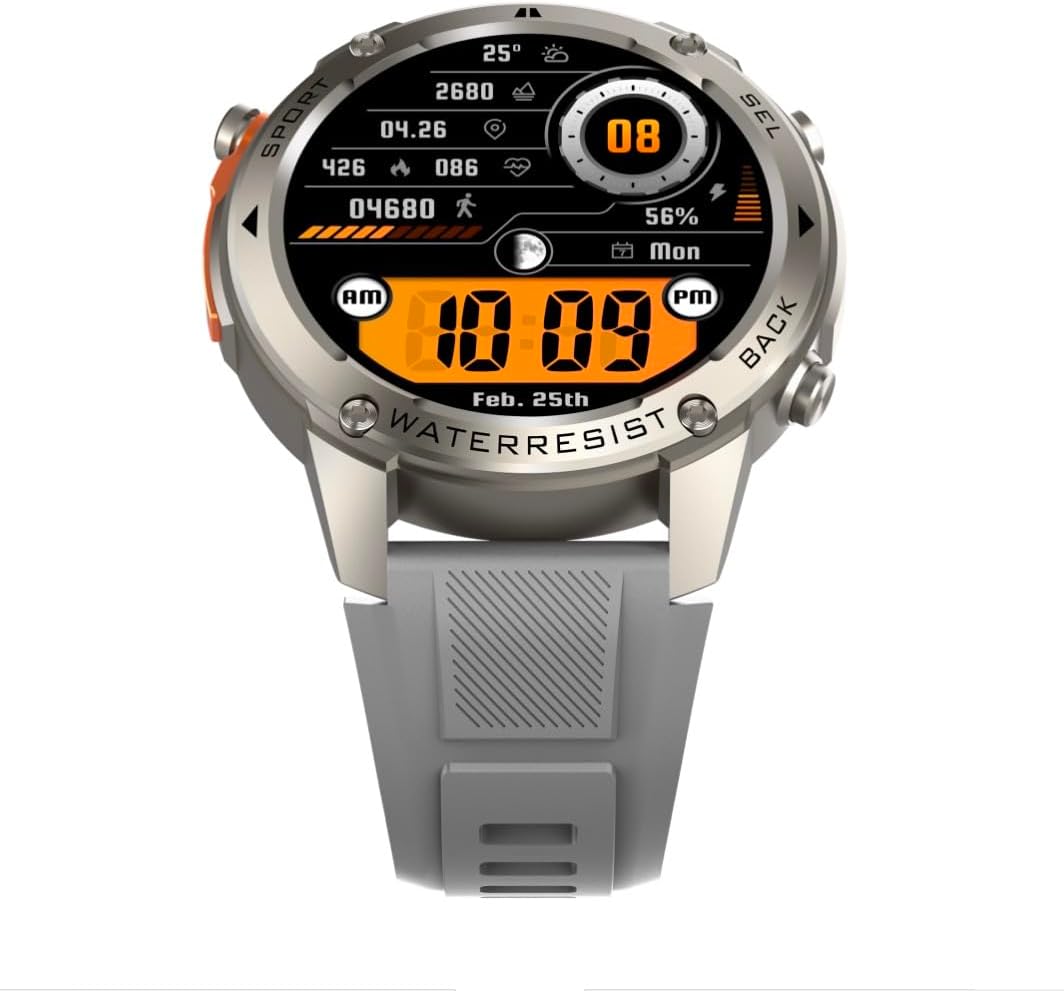
Сүрөт: алдыңкы view of the DM56 smartwatch, showcasing its 1.43-inch AMOLED display with a digital watch face showing time, date, steps, heart rate, and battery level. The watch has a silver bezel and light grey strap.
- Сенсордук экран: Swipe left/right to navigate between main screens (e.g., activity, heart rate, weather). Swipe up to access notifications. Swipe down to access quick settings. Tap to select an item or enter a menu.
- Каптал баскычтары: The DM56 features multiple physical buttons.
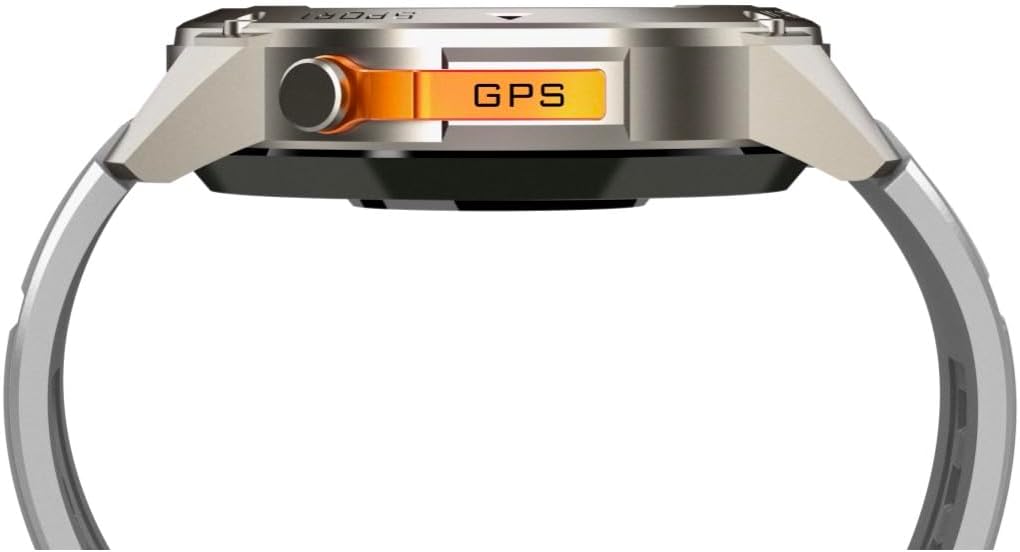
Сүрөт: каптал view of the DM56 smartwatch, highlighting the orange "GPS" button on the right side of the watch case. This button is used for quick access to GPS functions or sport modes.
- Кубат/Үй баскычы: Typically located on the top right. Press to wake/sleep the screen, or long-press to power on/off. From any screen, press to return to the watch face.
- Sport/GPS Button: Often highlighted (e.g., orange). Press to quickly launch sport modes or activate GPS.
- Select/Back Buttons: Used for navigating menus, confirming selections, or going back to the previous screen. Refer to the on-screen prompts for specific button functions.
2. Дисплей өзгөчөлүктөрү
The 1.43-inch AMOLED display offers vibrant colors and deep blacks. It supports an Always-On Display (AOD) mode, allowing you to see the time and essential information without raising your wrist or tapping the screen. AOD settings can be configured in the companion app.
3. Ден соолуктун мониторинги
The DM56 smartwatch is equipped with the VC30F sensor for comprehensive health tracking:
- Жүрөктүн кагышын көзөмөлдөө: Үзгүлтүксүз жүрөктүн кагышын көзөмөлдөө жүрөк-кан тамыр ден соолугуңузга түшүнүк берет. View саат боюнча реалдуу убакыт дайындары же колдонмодогу деталдуу тренддер.
- Кандагы кычкылтектин (SpO2) мониторинги: Каныңыздагы кычкылтек менен каныккандыктын деңгээлин өлчөйт.
- Уйкунун мониторинги: Уйкуңузду автоматтык түрдө көзөмөлдөйтtages (deep, light, REM) and provides a sleep quality score.
- Стресске көз салуу: Күн бою стресс деңгээлиңизди көзөмөлдөйт.
- жөө: Күнүмдүк кадамдарыңызды, аралыкты жана күйгөн калорияларды эсептейт.
Note: Health monitoring data is for reference only and should not be used for medical diagnosis or treatment.
4. Sports Modes and GPS
The DM56 supports over 170 sports modes, with 14 built-in modes and the ability to add more via the app. It features L1+L5 dual-frequency GPS and multi-system positioning (GPS, GLONASS, BDS, Galileo, NAVIC, QZSS) for accurate outdoor activity tracking.
- Машыгууну баштоо: Press the Sport/GPS button or navigate to the "Workout" menu on the watch. Select your desired activity (e.g., Outdoor Running, Cycling).
- GPS алуу: For outdoor activities, ensure you are in an open area for faster GPS signal acquisition. The watch will indicate when GPS is ready.
- Машыгуу учурунда: The watch will display real-time metrics such as duration, distance, pace, heart rate, and calories burned.
- Машыгууну аяктоо: Press the appropriate button or swipe on the screen to pause or end the workout. Confirm to save the data. Detailed workout summaries are available in the app.
5. Smart Notifications and Calls
Once paired with your smartphone, the DM56 can receive notifications for calls, SMS messages, and various apps. You can answer or reject calls directly from the watch.
- Эскертмелерди иштетүү: Configure which app notifications you wish to receive in the companion app settings.
- ViewЭскертмелер: Сааттын жүзүн өйдө сүрүңүз view акыркы эскертмелер.
- Чалууларга жооп берүү/чокко чыгаруу: When an incoming call arrives, tap the green icon to answer or the red icon to reject. The watch uses its built-in microphone and speaker for calls.
6. Water Resistance (5ATM)
The DM56 has a 5ATM waterproof rating, meaning it can withstand water pressures equivalent to a depth of 50 meters. It is suitable for swimming in pools or shallow water, showering, and daily use. It is not recommended for diving, snorkeling, or high-speed water sports.
- Суу астында баскычтарды иштетпеңиз.
- Туздуу сууга түшкөндөн кийин, саатты таза суу менен чайкап, жакшылап кургатыңыз.
Техникалык тейлөө
- Тазалоо: Сааттын корпусун жана боонун жумшак, г менен дайыма тазалап туруңузamp cloth. For the charging contacts and sensors on the back, use a dry cotton swab to remove any dust or debris.
- Боону алмаштыруу: The silicone straps are replaceable. Refer to the quick-release pins on the underside of the strap for removal and attachment.
- Программалык камсыздоо жаңыртуулары: Periodically check the companion app for firmware updates. Updates often include performance improvements, bug fixes, and new features. Ensure your watch is sufficiently charged before starting an update.
- Сактагыч: Саатты узак убакытка сактасаңыз, аны болжол менен 50% кубаттап, салкын, кургак жерде сактаңыз.
Проблемаларды чечүү
| Көйгөй | Мүмкүн чечим |
|---|---|
| Саат күйбөйт. | Саат толук заряддалганын текшериңиз. Аны заряддоо кабелине жана кубат булагына кеминде 30 мүнөт туташтырыңыз. |
| Смартфон менен жупташтыруу мүмкүн эмес. |
|
| Эскертмелер алынган жок. |
|
| Туура эмес ден соолук маалыматы. |
|
| GPS signal acquisition is slow. |
|
Техникалык шарттар
| Өзгөчөлүк | Деталь |
|---|---|
| Модель аты | DM 56 |
| Бренд | Infinity |
| Дисплей | 1.43 Inches AMOLED, 466x466 pixels |
| Сенсорлор | Жүрөктүн кагышын өлчөө (VC30F), акселерометр (STK8321), магнитометр (компас), барометр+бийиктик (SPL07-03) |
| Байланыш | Bluetooth 5.3 |
| Батарея сыйымдуулугу | 500 мАч (литий-ион) |
| Суу өткөрбөйт деңгээл | 5ATM (50 метрге чейин) |
| GPS | Built-in GPS (L1+L5 dual-frequency), Multi-System Positioning (GPS, GLONASS, BDS, Galileo, NAVIC, QZSS) |
| Шайкештик | Android 5.0+ жана iOS 11 жана андан жогорку версиялары |
| Өзгөчө өзгөчөлүк | AMOLED ар дайым күйгүзүлгөн дисплей |
| Элемент Салмагы | 0.65 унция |
| Пакеттин өлчөмдөрү | 4.25 x 4.25 x 2.8 дюйм |
Кепилдик жана колдоо
For warranty information and technical support, please refer to the official Infinity webсайтка же түздөн-түз кардарларды тейлөөгө кайрылыңыз. Сатып алуу квитанциясын кепилдик дооматтары үчүн сатып алуунун далили катары сактаңыз.
Өндүрүүчү: Infiniity


