1. Продукт бүтүп калдыview
The AOLON Prime 3 Smart Watch is a versatile device designed for daily use, fitness tracking, and health monitoring. It features a high-resolution AMOLED touchscreen, durable construction, and comprehensive connectivity options for both Android and iOS devices.

Сүрөт: алдыңкы view of the AOLON Prime 3 Smart Watch with a silver stainless steel band, displaying a watch face with time, heart rate, and weather.
Негизги өзгөчөлүктөрү:
- 1.43" HD AMOLED Touchscreen: Offers a 466*466 resolution for clear, vibrant display and energy efficiency. Includes Always-On Display (AOD).
- Ден соолук мониторинги: Equipped with a high-quality biosensor for accurate heart rate, SpO2, sleep tracking, and motion recognition reminders.
- Туруктуу дизайн: Crafted from zinc alloy and ABS&PC with a sturdy brushed metal texture and a stainless steel strap.
- IP68 Суу өткөрбөйт: Suitable for daily activities like hand washing and showering.
- Батареянын узак иштөө мөөнөтү: 300 mAh battery provides 5-7 days of continuous use on a 2-hour charge.
- 100+ Спорт режимдери: Tracks various fitness activities, allowing goal setting and data synchronization.
- Колдонуучуга ыңгайлуу интерфейс: Features three physical buttons, including a rotating encoder for intuitive navigation. Includes practical tools like flashlight, calculator, and alarm.
- Call and Message Functionality: Answer/make calls directly from the watch and receive message notifications.

Image: Infographic detailing key features of the AOLON Prime 3 Smart Watch, including 1.43" AMOLED HD screen, textured metal body, 3 physical keys, 100+ sport modes, BT5.3, IP68 waterproof, SOS, built-in compass, and various watch faces.
2. Орнотуу колдонмосу
2.1. Кутудан чыгаруу жана баштапкы төлөм
Кутудан чыгаргандан кийин, бардык компоненттер бар экенин текшериңиз:
- AOLON Prime 3 Smart Watch
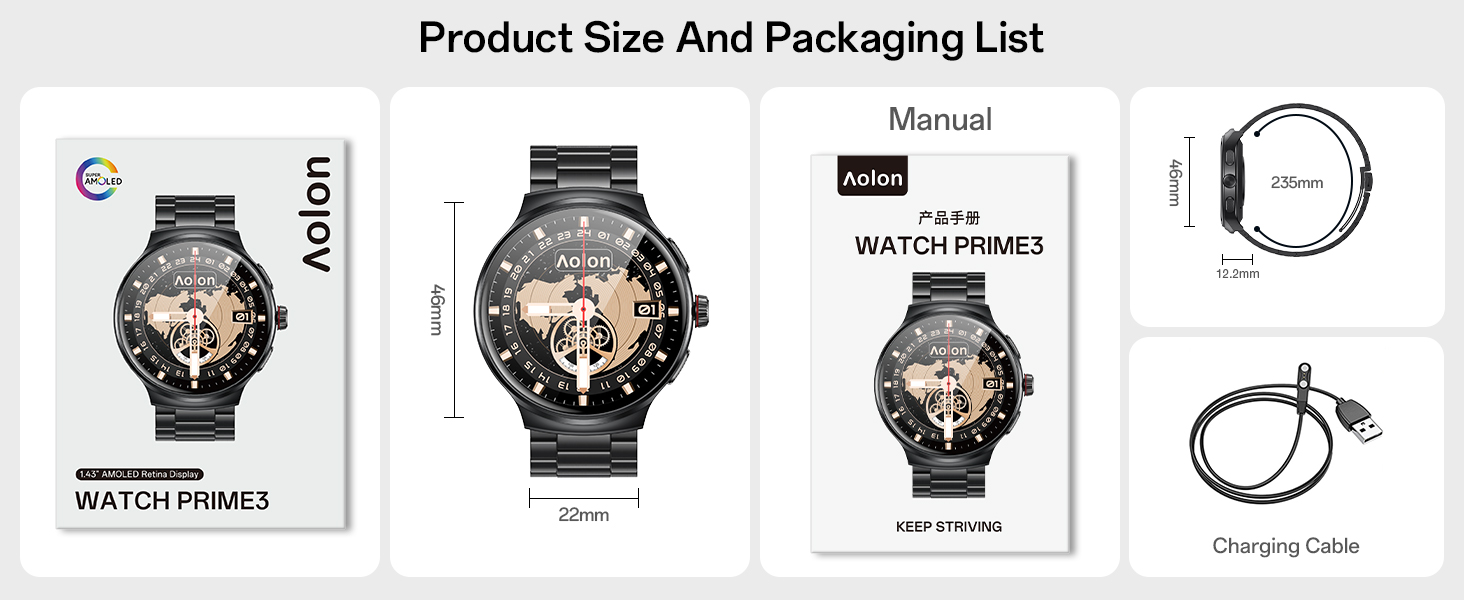
- Заряддоо кабели
- User Manual
- Watch Band (if not pre-attached)
Before first use, fully charge the watch using the provided charging cable. Connect the magnetic end of the cable to the charging points on the back of the watch and the USB end to a power adapter (not included) or a computer USB port. A full charge typically takes approximately 2 hours.
2.2. Колдонмону орнотуу жана жупташтыруу
The AOLON Prime 3 Smart Watch connects to your smartphone via the GloryFitPro application. Follow these steps to pair your watch:
- Колдонмону жүктөп алыңыз: Open your smartphone's App Store (iOS) or Google Play Store (Android). Издөө "GloryFitPro" and download the application. Alternatively, scan the QR code provided in the physical user manual to quickly access the download link.
- Bluetooth иштетүү: On your smartphone, navigate to your Bluetooth settings and ensure Bluetooth is turned on.
- Open GloryFitPro App: Launch the GloryFitPro application on your smartphone.
- Түзмөк кошуу: Within the app, navigate to the "Device" or "Add Device" section. The app will begin searching for nearby devices.
- Саатыңызды тандаңыз: From the list of found devices, select "AOLON Prime 3" to initiate the connection.
- Жупташтыруу ырастоо: Follow any on-screen prompts on both your watch and phone to confirm the pairing. Once connected, the watch will synchronize time and data with your phone.
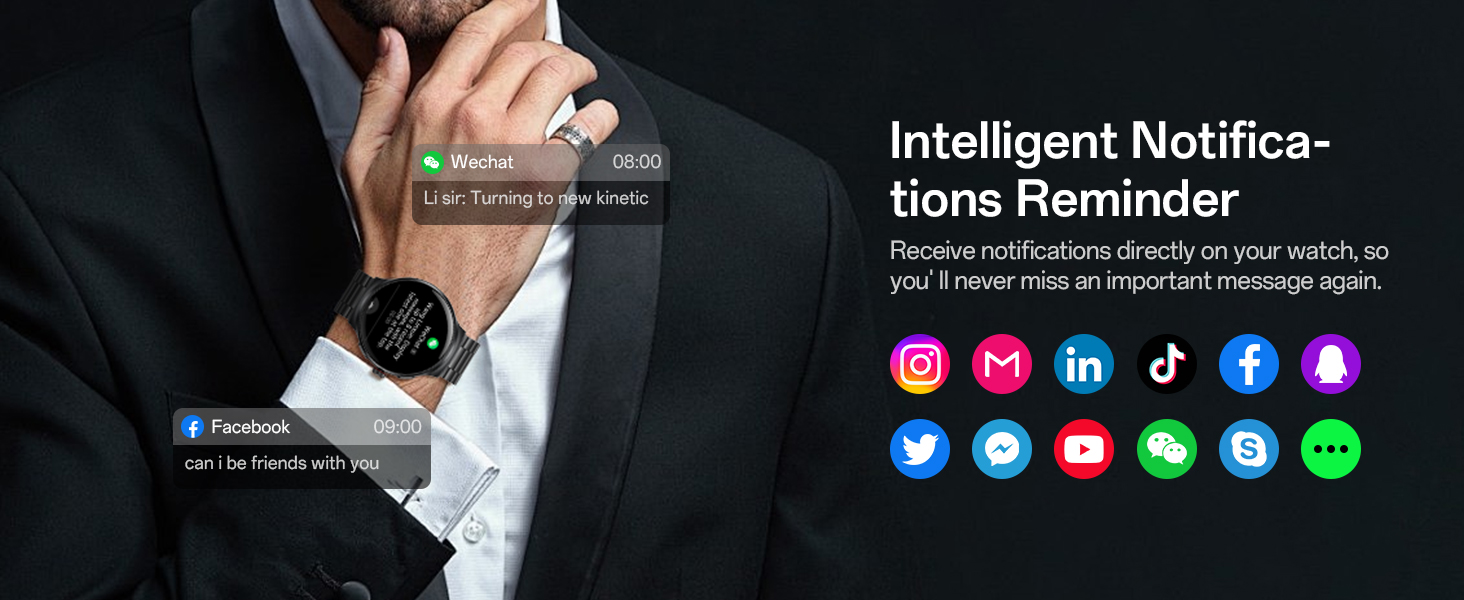
Image: Visual guide showing the steps to connect the AOLON Prime 3 Smart Watch to a smartphone using the GloryFitPro app, including downloading the app, enabling Bluetooth, adding a device, and selecting "AOLON Prime 3".
3. Иштөө нускамалары
3.1. Негизги навигация
The AOLON Prime 3 features a responsive touchscreen and three physical buttons for navigation:
- Сенсордук экран: Менюлар жана эскертмелер аркылуу өтүү үчүн солго/оңго, өйдө/ылдый серпиңиз. Элементтерди тандоо үчүн таптаңыз.
- Middle Button (Rotating Encoder): Rotate to scroll through lists and options. Press to confirm selections or return to the home screen.
- Top Button (Customize Button): Configurable for quick access to a specific function via the app.
- Bottom Button (Screen Off Button): Press to turn off the screen.

Сүрөт: Жакын план view of the AOLON Prime 3 Smart Watch showing the three physical buttons on the side, labeled as "Customize Buttons", "Encoder Buttons", and "Screen Off".
3.2. Call and Message Management
Once paired with your smartphone, the watch allows for direct call and message interaction:
- Чалууларга жооп берүү/кабыл алуу: The watch is equipped with a microphone and speaker. You can answer incoming calls directly from the watch or dial numbers from your contacts/call logs.
- Билдирүү эскертмелери: Receive notifications from various apps (e.g., WeChat, Facebook, Instagram, LinkedIn, TikTok, Twitter, YouTube, Skype, WhatsApp) directly on your watch.
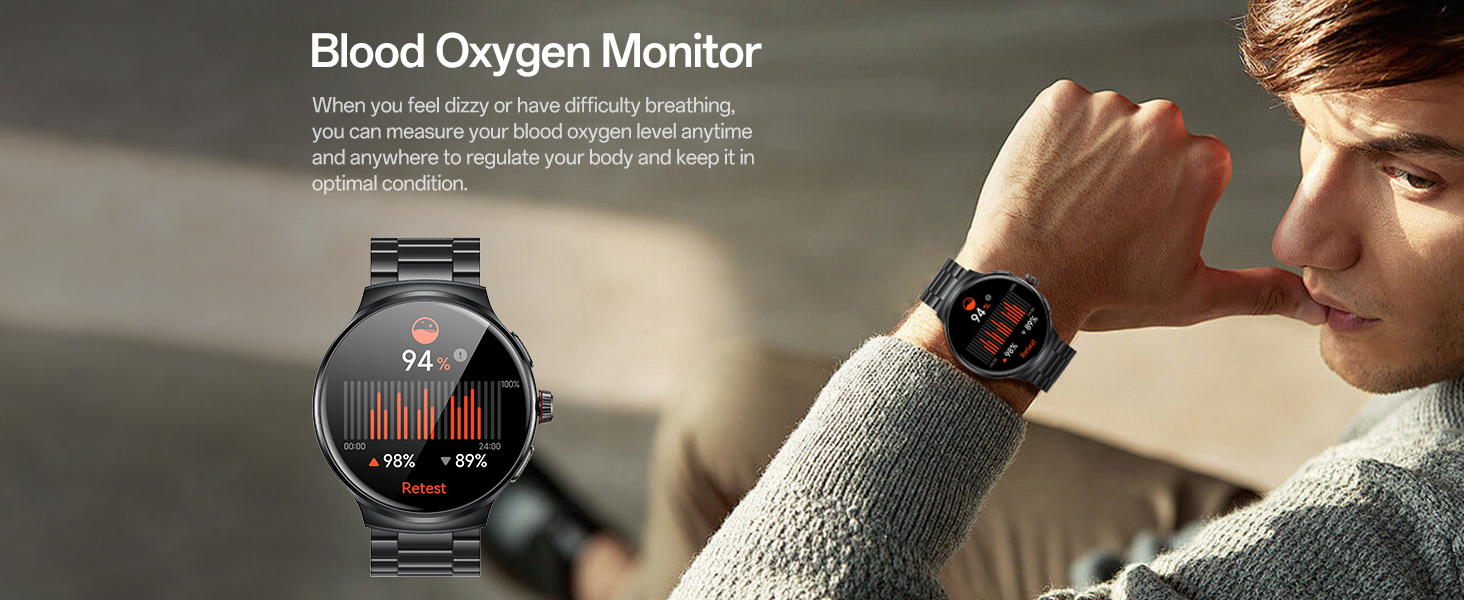
Image: Infographic demonstrating the call and message features of the AOLON Prime 3 Smart Watch, showing icons for dial/receive, contacts, call logs, and dial pad, along with examples of incoming calls and message notifications.
3.3. Ден соолуктун мониторинги
Саат ден соолукту көзөмөлдөөнүн комплекстүү функцияларын камсыз кылат:
- Жүрөктүн кагышын көзөмөлдөө: Continuously monitors your heart rate throughout the day. Access historical data in the GloryFitPro app.
- Кандагы кычкылтектин (SpO2) мониторинги: Кандагы кычкылтектин деңгээлин өлчөйт.
- Уйкунун мониторинги: Tracks your sleep patterns, including deep sleep, light sleep, and REM, to help assess sleep quality.
- Стресс деңгээлин көзөмөлдөө: Monitors stress levels and provides insights into your mental well-being.
- Women's Health Reminder: Менструалдык циклдерди көзөмөлдөөнү жана эскертүүлөрдү берет.
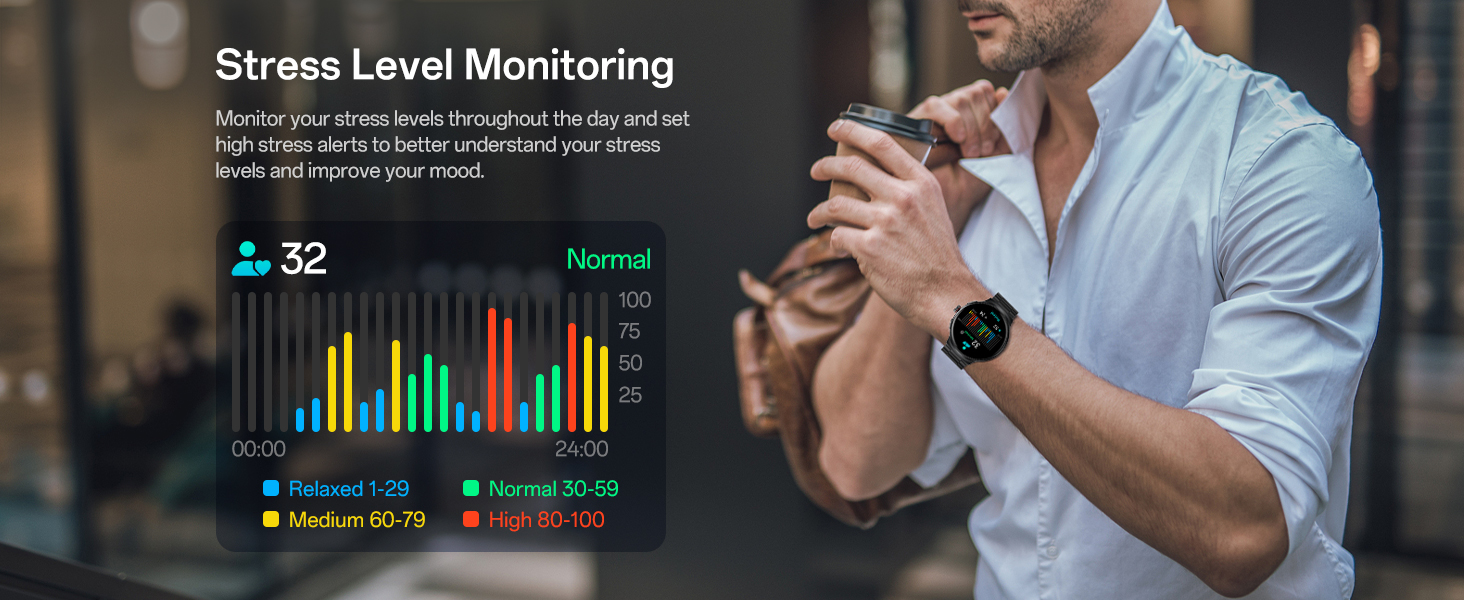
Image: Infographic illustrating the 24/7 health monitoring capabilities of the AOLON Prime 3 Smart Watch, including heart rate monitoring, sleep monitoring, and women's health reminders.
3.4. Спорт режимдери жана аракеттерге көз салуу
The watch supports over 100 sports modes to track your fitness journey:
- 100+ Спорт режимдери: Select from a wide range of activities like walking, running, cycling, hiking, swimming, and more.
- Фитнеске көз салуу: Monitors steps, distance, calories burned, and active minutes. Data can be synced to the GloryFitPro app for detailed analysis and progress tracking.
- Motion Recognition: Includes motion recognition reminders to encourage activity.
Сүрөт: Инфографика шоусуasing the 100+ sports modes available on the AOLON Prime 3 Smart Watch, with icons representing various activities like running, cycling, swimming, and skiing.
3.5. Башка практикалык функциялар
The AOLON Prime 3 includes several useful tools for daily convenience:
- Кол чырак: Provides a quick light source.
- Калькулятор: Негизги арифметикалык функциялар.
- Ойготкуч саат: Бир нече ойготкучтарды коюу.
- Музыкалык башкаруу: Туташкан смартфонуңузда музыканы ойнотууну башкарыңыз.
- Камераны башкаруу: Смартфонуңуздун камерасын алыстан иштетиңиз.
- Аба ырайы жаңыртуулары: Аба ырайынын божомолун реалдуу убакыт режиминде алыңыз.
- Телефонуңузду табыңыз: Жупташкан смартфонуңузду шыңгыратып, аны табыңыз.
- Built-in Compass & AGPS: Provides directional guidance. AGPS uses your phone's GPS for assistance.
- Ыңгайлаштырылган саат жүздөрү: Choose from over 150 dials or use custom photos.
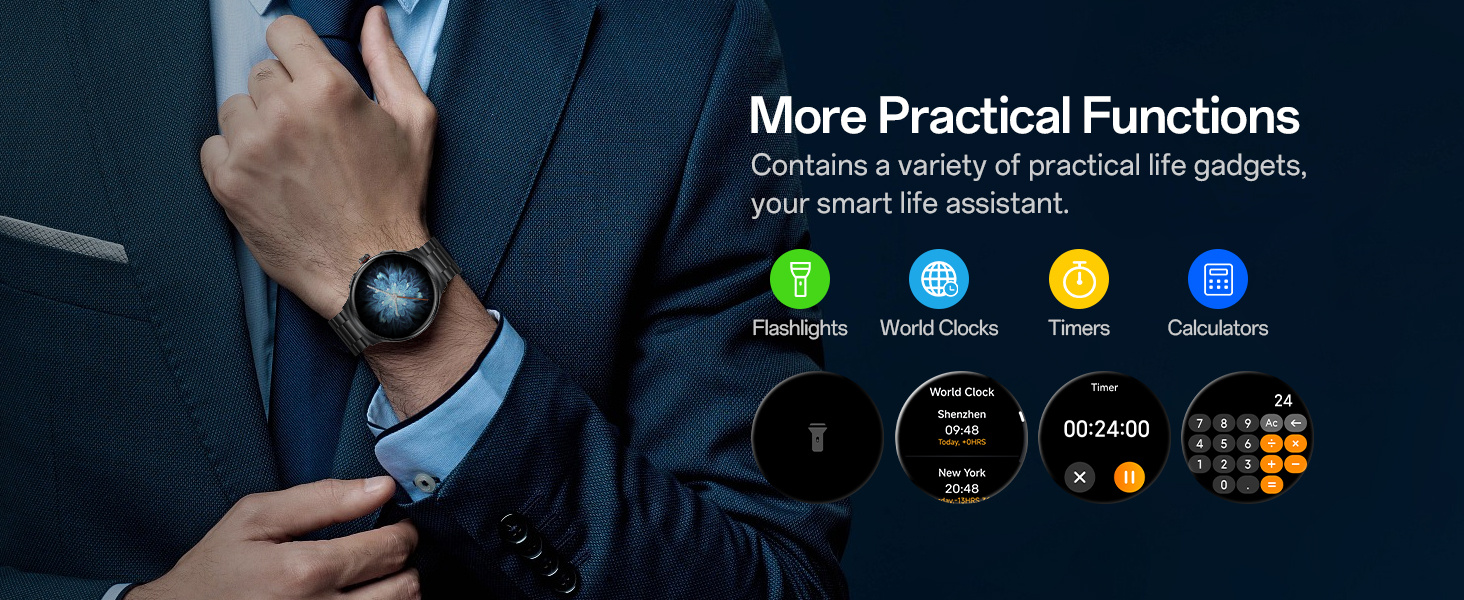
Image: Infographic displaying various practical functions of the AOLON Prime 3 Smart Watch, including camera control, weather forecast, music control, and find your phone feature.
4. Техникалык тейлөө
4.1. Саатыңызды тазалоо
To maintain the appearance and functionality of your AOLON Prime 3 Smart Watch:
- Wipe the screen and watch body regularly with a soft, lint-free cloth.
- өжөр тактар үчүн, бир аз гampчүпүрөктү суу менен. Катуу химиялык заттарды, абразивдүү тазалагычтарды же эриткичтерди колдонуудан алыс болуңуз.
- Clean the charging contacts on the back of the watch periodically to ensure proper charging.
4.2. Сууга туруктуулук (IP68)
The watch has an IP68 waterproof rating, meaning it is resistant to dust and can withstand immersion in water up to 1.5 meters for up to 30 minutes. It is suitable for daily use such as hand washing, showering, and light rain exposure.
Маанилүү:
- Do not use the watch in hot water, saunas, or steam rooms, as steam can penetrate the seals and cause damage.
- Суу астында баскычтарды басуудан качыңыз.
- Сууга, айрыкча туздуу сууга түшкөндөн кийин, саатты таза суу менен чайкап, жакшылап кургатыңыз.

Image: The AOLON Prime 3 Smart Watch shown with water splashing around it, illustrating its IP68 waterproof rating.
4.3. Батареяга кам көрүү
Батареянын иштөө мөөнөтүн узартуу үчүн:
- Ашыкча температурадан сактаныңыз.
- Батареянын бат-баттан түгөнүп калышына жол бербеңиз.
- Use the original charging cable.
5. Кыйынчылыктарды
If you encounter issues with your AOLON Prime 3 Smart Watch, refer to the following common solutions:
5.1. Байланыш маселелери
- Телефонго туташпай турган саат:
- Телефонуңузда Bluetooth иштетилгенин текшериңиз.
- Саат телефонуңуздун диапазонунда экенин текшериңиз.
- Саатты да, телефонуңузду да өчүрүп күйгүзүңүз.
- Check if the GloryFitPro app is running in the background.
- If previously paired, try "forgetting" the device in your phone's Bluetooth settings and re-pairing through the app.
- Эскертмелер көрүнбөй жатат:
- Verify notification permissions are enabled for the GloryFitPro app in your phone's settings.
- Ensure notification access is granted to the app.
- Саатта же телефондо "Тынчымды алба" режими иштеп турганын текшериңиз.
5.2. Charging and Battery Issues
- Саат заряддалбай жатат:
- Кубаттоочу кабелдин саатка да, кубат булагына да бекем туташтырылганын текшериңиз.
- Сааттагы жана кабелдеги заряддоочу контакттарды тазалаңыз.
- Башка USB портун же кубат адаптерин колдонуп көрүңүз.
- Батареянын иштөө мөөнөтү начар:
- Экран жарыктыгын азайтыңыз.
- Limit the use of Always-On Display (AOD) if enabled.
- Керексиз эскертмелерди өчүрүңүз.
- Frequent use of call functions and continuous health monitoring can consume more battery.
5.3. Sensor Accuracy and Tracking
- Так эмес жүрөктүн кагышы/SpO2 көрсөткүчтөрү:
- Саат өтө тар же өтө бош эмес, билегиңизге бекем тагылганын текшериңиз.
- Сааттын артындагы сенсорду тазалаңыз.
- Өлчөө учурунда ашыкча кыймылдан качыңыз.
- Step count discrepancies:
- Ensure your personal information (height, weight) is accurately set in the GloryFitPro app.
- Wear the watch consistently on your dominant wrist for better accuracy.
5.4. Screen and Button Issues
- Экран жооп бербейт:
- Restart the watch by pressing and holding the power button (if applicable, or the encoder button for a few seconds).
- Экран таза жана кургак экенин текшериңиз.
- Баскычтар жооп бербейт:
- Check for any debris or obstruction around the buttons.
- Саатты кайра иштетиңиз.
6. Техникалык шарттар
| Өзгөчөлүк | Деталь |
|---|---|
| Модель номери | Премьер 3 |
| Screen Size | 1.43 дюйм AMOLED |
| Screen Resolution | 466*466 пиксель |
| Батарея сыйымдуулугу | 300 мАч |
| Типтүү колдонуу Батареянын иштөө мөөнөтү | 5-7 күн |
| Күтүү убактысы | 15 күнгө чейин |
| Суу өткөрбөйт рейтинги | IP68 |
| Байланыш | Bluetooth 5.3 |
| Операциялык системанын шайкештиги | iOS, Android |
| Эстутум сактоо сыйымдуулугу | 128 MB |
| Элемент Салмагы | 117 грамм (4.1 унция) |
| Өлчөмдөрү (пакет) | 5.39 x 4.09 x 2.24 дюйм |
| Өндүрүүчү | AOLON |
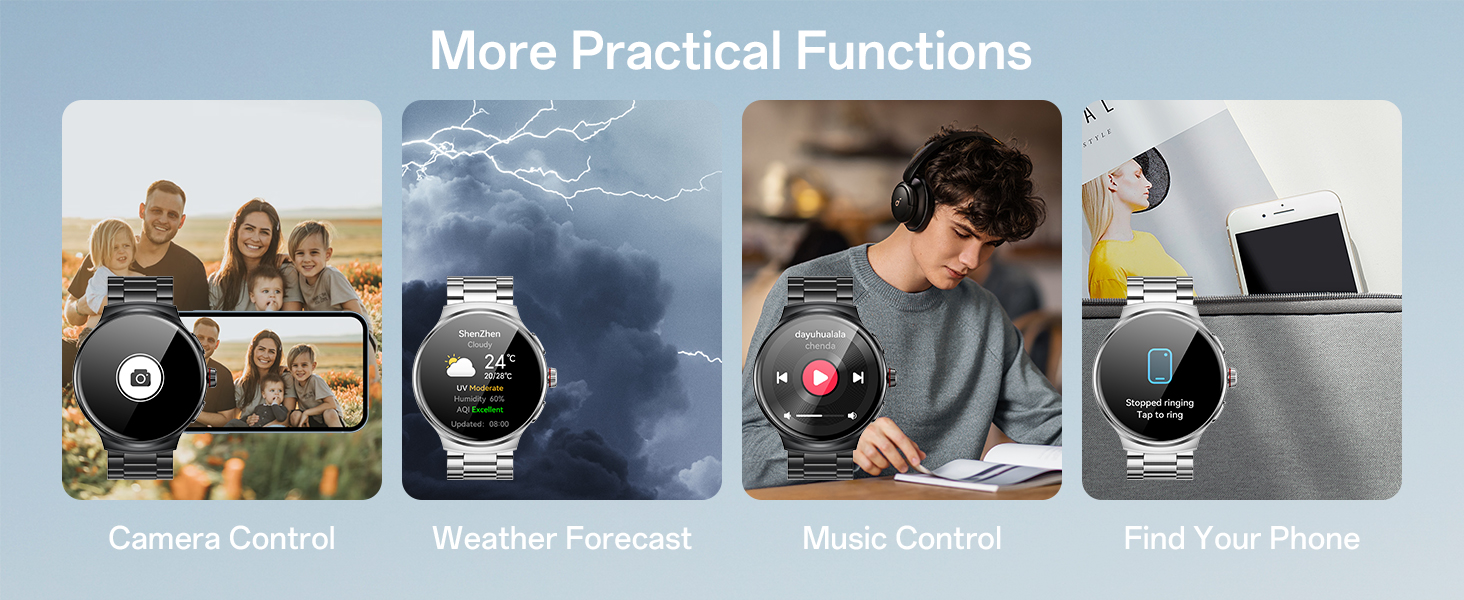
Image: Diagram showing the product dimensions and the contents of the packaging, including the watch, manual, and charging cable.
7. Кепилдик жана колдоо
For warranty information and customer support, please refer to the warranty card included in your product packaging or contact AOLON customer service directly. Details regarding specific warranty periods and terms are typically provided at the time of purchase.
For technical assistance or further inquiries, please visit the official AOLON website or contact their support channels as listed in your product documentation.


