1. Киришүү
This manual provides detailed instructions for the installation, operation, and maintenance of your RESTMO Smart Water Flow Meter. Please read this manual thoroughly before use to ensure proper function and longevity of the device.
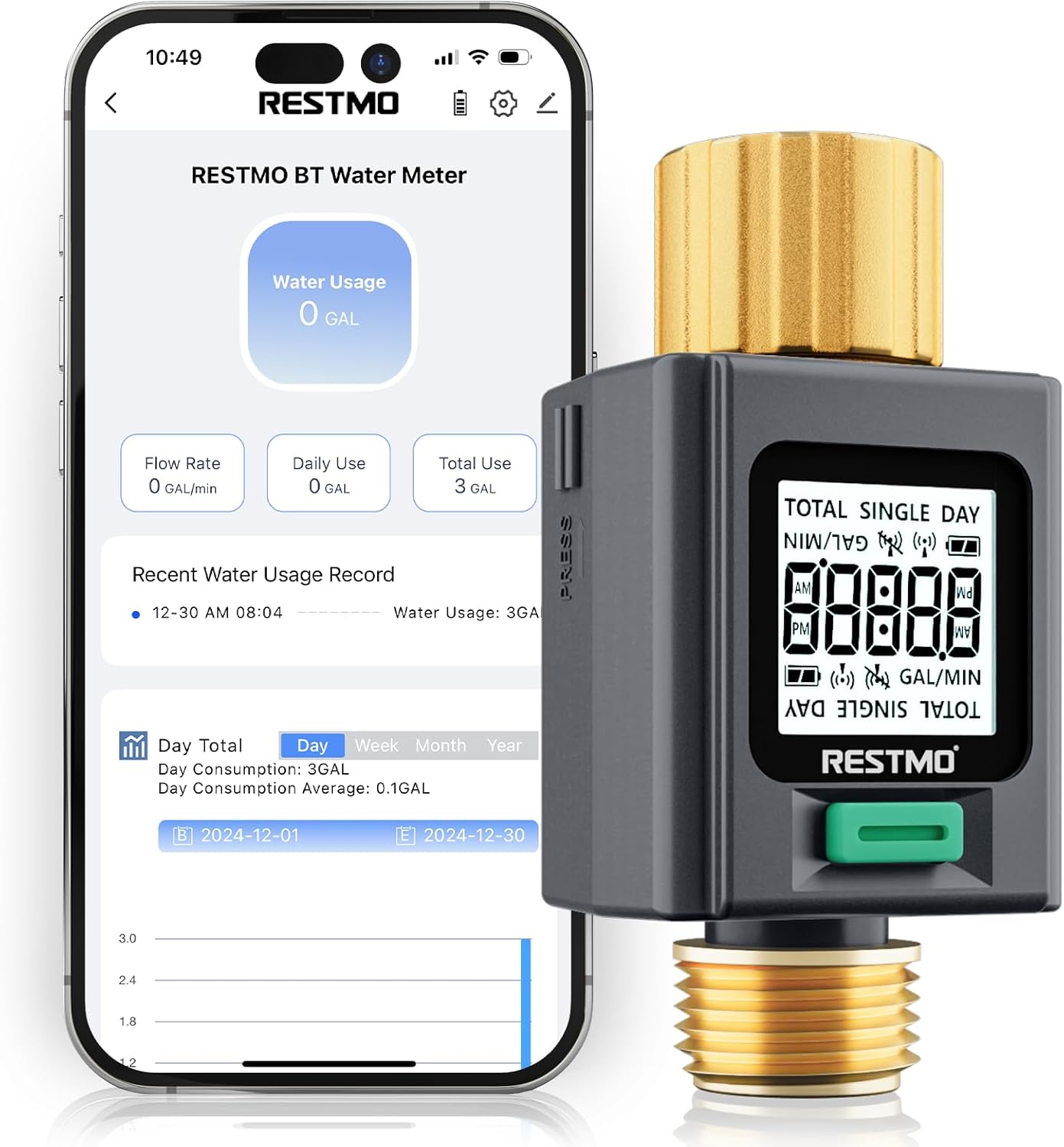
Image 1.1: RESTMO Smart Water Flow Meter connected to a smartphone app.
2. Орнотуу
2.1 Пакеттин мазмуну
- RESTMO Smart Water Flow Meter (Model O-WM-2-BT)
- Колдонуучунун Колдонмосу (бул документ)
Note: Batteries are not included. Two AAA batteries are required for operation.
2.2 Батареяны орнотуу
- Аппараттын артындагы батарея бөлүкчөсүн табыңыз.
- Батарея уясынын капкагын ачыңыз.
- Туура полярдуулукту (+/-) камсыз кылуу менен эки AAA батарейкасын салыңыз.
- Батарея уясынын капкагын бекем жабыңыз.
2.3 Физикалык орнотуу
The water flow meter features durable brass inlet and outlet connections for secure attachment.

Image 2.1: Detail of the brass inlet and outlet connections, highlighting durability and leak-proof design.
- туташтыруу brass inlet (top connection, often with a swivel feature) to your water source (e.g., outdoor faucet). Ensure the connection is tight to prevent leaks.
- Connect your garden hose, RV water tank filler, or sprinkler system to the brass outlet (bottom connection, 3/4" NH thread). Ensure a secure connection.
- Verify that the flow direction arrow on the meter aligns with the direction of water flow.
2.4 Колдонмону жүктөп алуу жана жупташтыруу
The RESTMO Smart Water Flow Meter connects via Bluetooth to the Smart Life app for monitoring and control.
- жүктөп алып, орнотуңуз Smart Life колдонмосу App Store'дон (iOS) же Google Play Store'дон (Android).
- Log in or create your account within the Smart Life app.
- Смартфонуңузда Bluetooth иштетилгенин текшериңиз.
- On the water meter, the LCD will display "Uncon" and flash if it has not been connected. If it has been connected previously, it will display the current time. To enter pairing mode, long-press the button until the display turns to "Uncon".
- In the Smart Life app, click the "+" icon or "Add Device" to search for nearby devices.
- Select "RESTMO BT Water Flow Meter" from the list of discovered devices to complete pairing.

Image 2.2: App download and pairing instructions.
Connection Tip:
- This device can only be paired with one smartphone at a time. If you are unable to connect, ensure it has been unbound from any previous phone via the Smart Life app before attempting to pair with a new one.
- Please update the Smart Life app to the latest version for optimal performance.
3. Иштөө нускамалары
3.1 Дисплейдин өзгөчөлүктөрү
The meter features a bright backlit display and 180° adaptive screen orientation for easy readability in various conditions.

Image 3.1: The backlit display ensures visibility day or night.
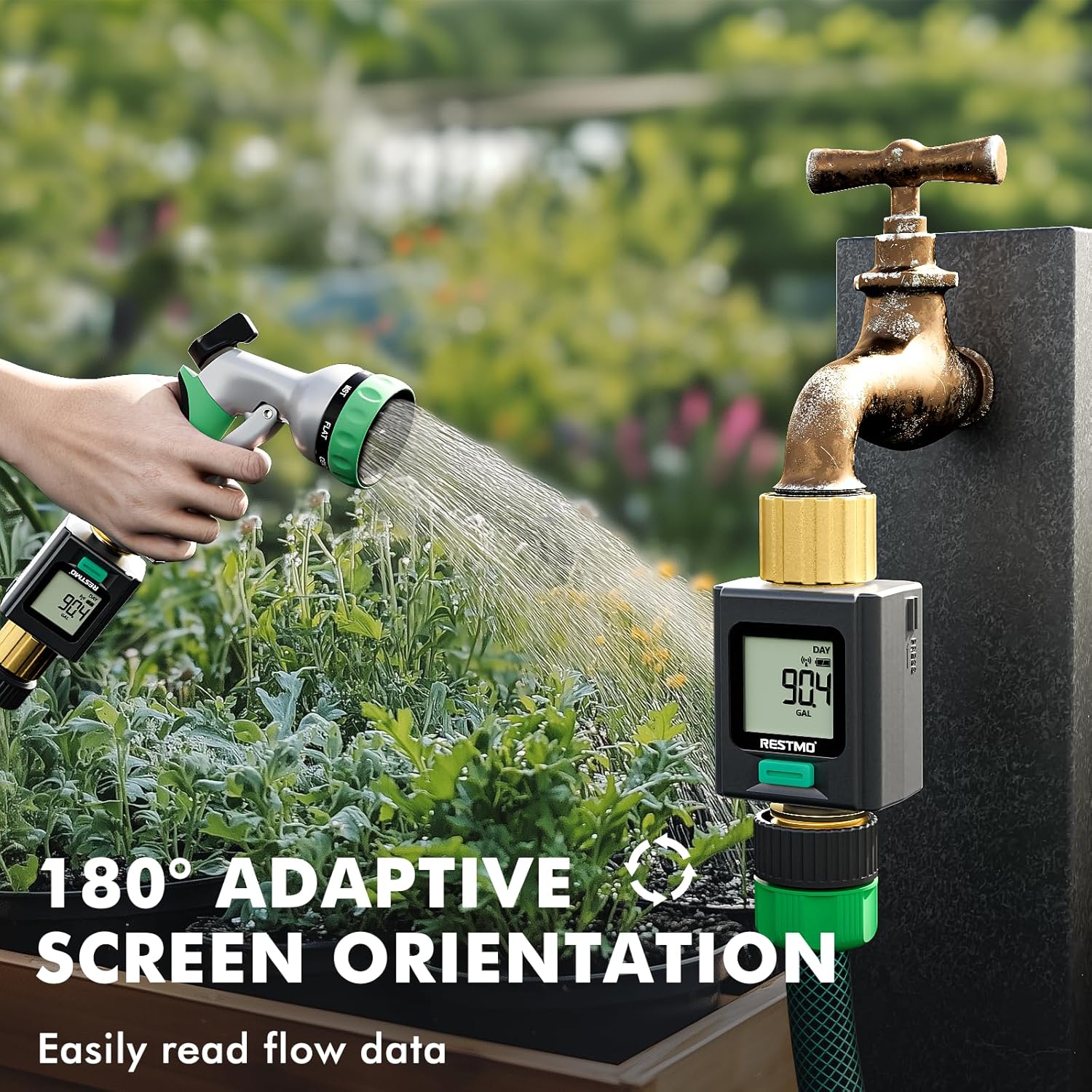
Image 3.2: The 180° adaptive screen orientation allows for comfortable viewкаалаган бурчтан.
3.2 Өлчөө режимдери
The meter offers four distinct measurement modes, accessible by a short press of the main button:

Image 3.3: Visual representation of the four measurement modes.
- FLOW Mode: Displays the real-time water flow rate (e.g., Gallons per Minute).
- CONSUMPTION Mode: Shows the water usage from the last watering session.
- КҮНДҮН Режими: Displays today's total water consumption.
- TOTAL Mode: Shows the cumulative total water usage since the last reset.
3.3 Units Conversion
To switch between US Gallons and Liters:
- Ensure the meter is in FLOW Mode.
- Long-press the button to toggle between US Gallons and Liters.

Image 3.4: Instructions for units conversion.
3.4 Маалыматтарды баштапкы абалга келтирүү
To reset data for Consumption, Daily, or Total modes:
- Navigate to the desired mode (CONSUMPTION, DAILY, or TOTAL) using a short press of the button.
- Long-press the button while in that mode to clear the displayed data.
3.5 Колдонмолорду көзөмөлдөө жана маалыматтарды жазуу
The Smart Life app allows you to monitor water usage remotely and view тарыхый маалыматтар.
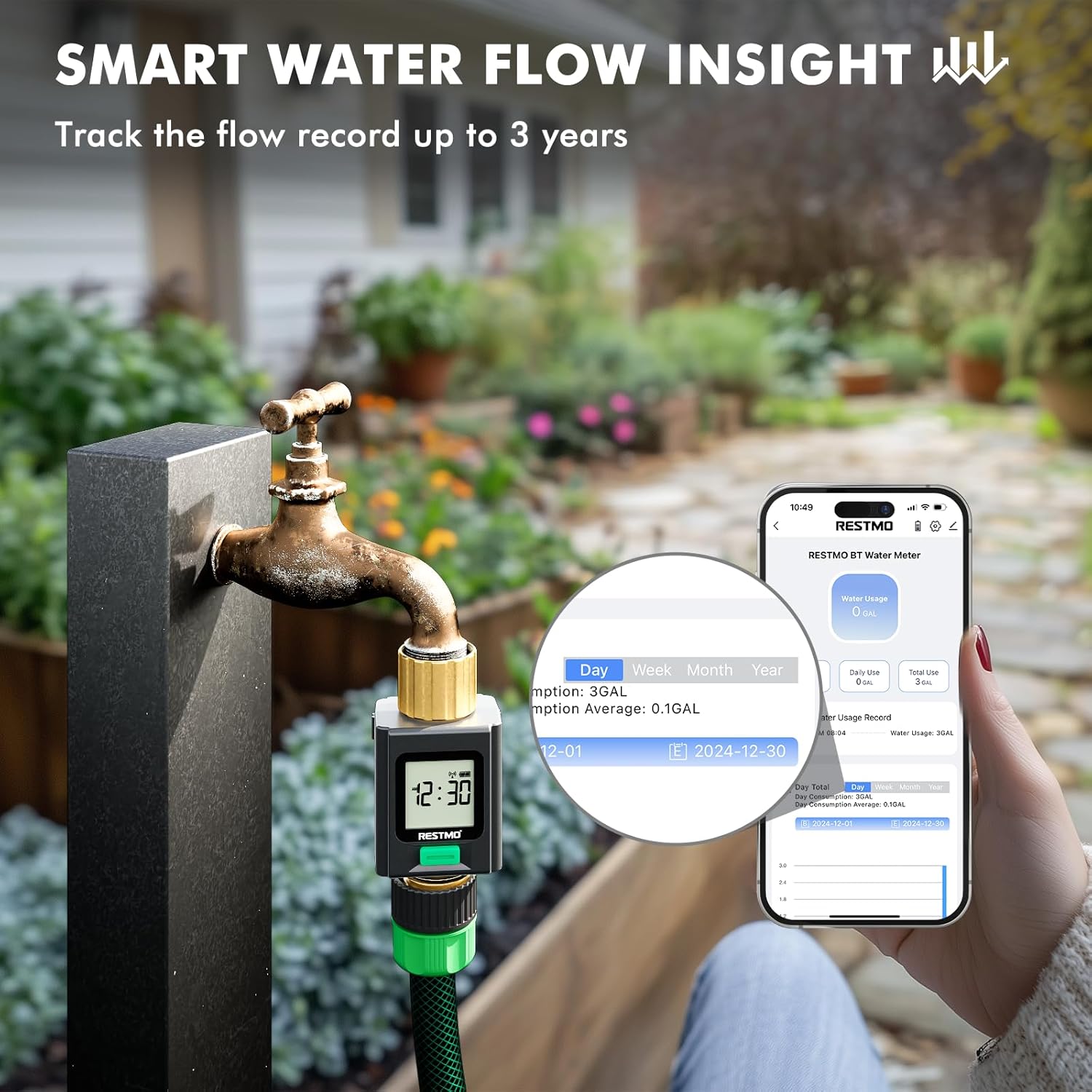
Image 3.5: Smart Life app interface showing water usage insights and historical data.
- The app records water usage data for up to 3 years, enabling analysis of usage patterns.
- The device can save up to 100 records internally if disconnected from the app. Once 100 records are exceeded, the oldest records will be automatically cleared.
4. Техникалык тейлөө
4.1 Жалпы кам көрүү
- Аппаратты жумшак менен сүртүңүз, гamp cloth to clean. Do not use abrasive cleaners or solvents.
- Ensure the brass fittings are kept clean and free of debris to maintain a good seal.
4.2 Кышкы сактоо
For optimal longevity, especially in regions with freezing temperatures, it is recommended to disconnect the water flow meter from the water source and store it indoors during winter months.
5. Кыйынчылыктарды
| Көйгөй | Мүмкүн себеп | Чечим |
|---|---|---|
| Device not pairing with app | Device is already paired with another phone; Bluetooth is off; App is outdated. | Unbind from previous phone via Smart Life app. Ensure Bluetooth is on. Update Smart Life app. Long-press meter button to enter pairing mode ("Uncon" display). |
| No water usage displayed/meter stopped measuring | Low batteries; Obstruction in flow path; Device malfunction. | Replace batteries. Check for debris in the inlet filter. Ensure water is flowing through the device. If problem persists, contact support. |
| Poor Bluetooth connection/limited range | Environmental interference; Distance from device. | Bluetooth range can be affected by obstacles. Try to maintain a closer proximity to the device for stable connection. |
| Туташууларда суунун агып кетиши | Бош туташуулар; Эскирген шайбалар. | Ensure all connections are tightened securely. Check and replace rubber washers if they appear worn or damaged. |
6. Техникалык шарттар
- Модел: O-WM-2-BT
- Бренд: Restmo
- Материал: Brass (Inlet & Outlet)
- Түсү: Боз
- Продукциянын өлчөмдөрү: 1.6"D x 1.6"W x 3.4"H
- Элемент Салмагы: 0.18 килограмм (6.4 унция)
- Орнотуулардын саны: 4 (Measurement Modes)
- Экрандын өлчөмү: 4.2 дюйм
- Байланыш: Bluetooth (Wi-Fi not supported)
- Кубат булагы: 2 x AAA Батареялар (киргизилген эмес)
7. Кепилдик маалыматы
The RESTMO Smart Water Flow Meter (Model O-WM-2-BT) typically comes with an 18 айлык кепилдик сатып алынган күндөн тартып. Бул кепилдик өндүрүштүк кемчиликтерди камтыйт жана өнүмдүн кадимки колдонууда максатка ылайыктуу иштешин камсыздайт. Кепилдик дооматтары үчүн сатып алгандыгыңызды тастыктаган документти сактап коюңуз.
For specific warranty terms and conditions, refer to the documentation included with your product or contact Restmo customer support.
8. Кардарларды колдоо кызматы
If you encounter any issues or have questions regarding your RESTMO Smart Water Flow Meter, please contact Restmo customer support. You can often find contact information on the product packaging, the official Restmo website, or through the Smart Life app's help section.
When contacting support, please provide your product model number (O-WM-2-BT) and a detailed description of the issue.


