1. Киришүү
This manual provides comprehensive instructions for the CUBOT X1 Smart Watch. Please read this manual carefully before using your device to ensure proper operation and to maximize its features. The CUBOT X1 is designed for durability and smart functionality, suitable for various activities.

Image: The CUBOT X1 Smart Watch displaying its blue digital interface with time, battery, and activity metrics.
2. Кутуда эмне бар
Пакетти ачкандан кийин, төмөнкү нерселердин бардыгы бар экенин текшериңиз:
- CUBOT X1 Smart Watch
- Заряддоо кабели
- Колдонуучунун Колдонмосу (бул документ)
3. Орнотуу
3.1. Аппаратты заряддоо
Before initial use, fully charge your CUBOT X1 Smart Watch. The device features an 850 mAh battery, providing an average life of up to 100 days on standby and 20-30 days of work time. A full charge typically takes approximately 2 hours.
- Заряддоо кабелин сааттын арткы бетиндеги заряддоо портуна туташтырыңыз.
- Кубаттоочу кабелдин экинчи учун USB кубат адаптерине (кошулмада жок) же компьютердин USB портуна туташтырыңыз.
- The watch display will indicate charging status. Ensure the watch is fully charged before disconnecting.

Image: The CUBOT X1 Smart Watch screen showing "Charge completed" with a lightning bolt icon, indicating the 850mAh battery capacity and standby/work times.
3.2. Смартфонуңуз менен жупташуу
To unlock the full potential of your CUBOT X1 Smart Watch, pair it with your smartphone via Bluetooth. The watch is compatible with both Android and iOS operating systems.
- Download the official CUBOT companion application from your smartphone's app store (Google Play Store for Android, Apple App Store for iOS).
- Смартфонуңузда Bluetooth иштетилгенин текшериңиз.
- Open the CUBOT application and follow the on-screen instructions to search for and connect to your CUBOT X1 Smart Watch.
- Смартфонуңузда жана саатыңызда жупташтыруу өтүнүчүн ырастаңыз.
4. Иштөө нускамалары
4.1. Негизги навигация
The CUBOT X1 Smart Watch features both buttons and a touchscreen for navigation. Use the touchscreen for swiping and tapping, and the side buttons for quick access to functions such as power and menu navigation.
4.2. Интерфейсти ыңгайлаштыруу
Personalize your watch experience with multiple watch faces and display options. The intuitive controls allow for easy customization of the user interface.
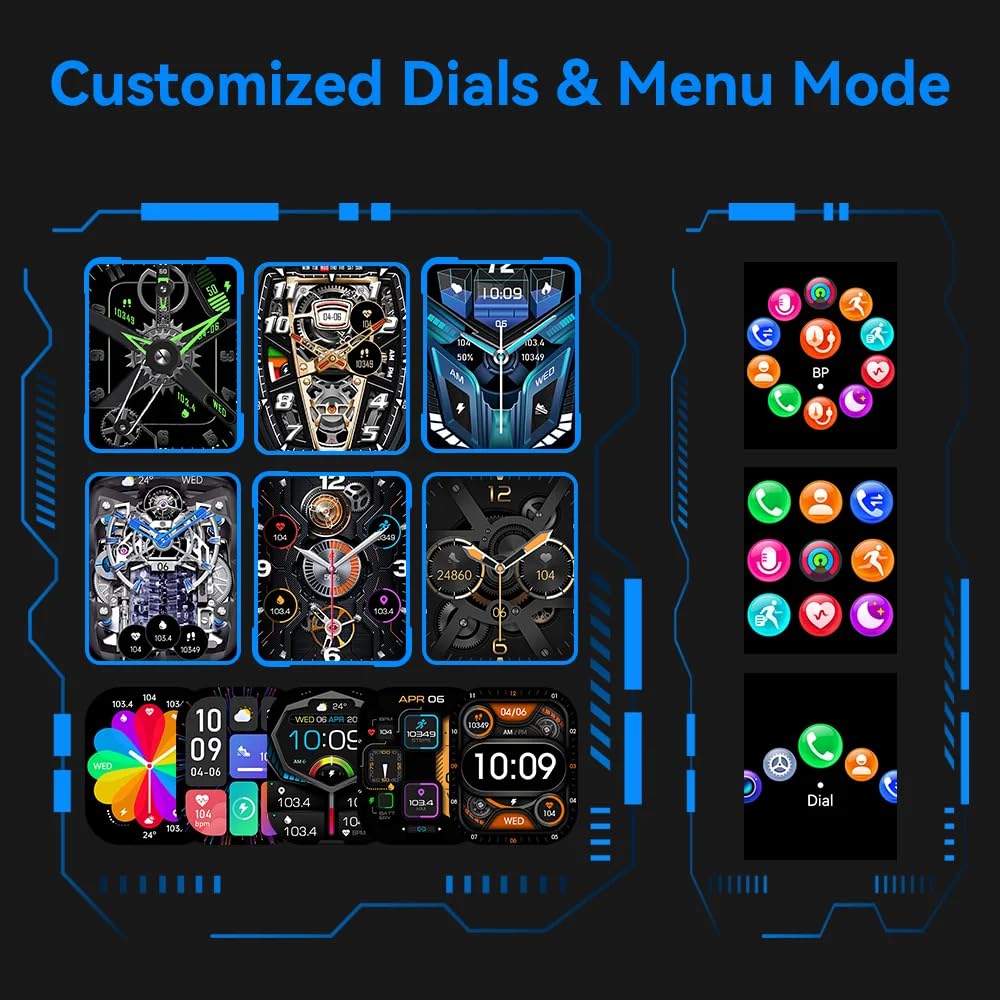
Image: A visual representation of various customizable watch faces and different menu display modes available on the CUBOT X1 Smart Watch.
4.3. Health Assessment System
The CUBOT X1 Smart Watch includes a comprehensive health assessment system to monitor various vital statistics. Access these features through the watch's menu.
- Жүрөктүн кагышы: Monitor your heart rate in real-time.
- Кандагы кычкылтек: Сиздин кандын кычкылтек каныккандыгын өлчөө.
- Кан басымы: Track your blood pressure readings.
- Дем алуу тренинги: Эс алуу үчүн дем алуу көнүгүүлөрүн жасоо.
- Уйкунун мониторинги: Уйкуңуздун үлгүсүн жана сапатын анализдеңиз.
- Female Ovulation Period: Track and predict female physiological cycles.

Image: Six individual screens of the CUBOT X1 Smart Watch showing data for Heart Rate, Blood Oxygen, Blood Pressure, Breath Training, Sleep, and Female Ovulation Period tracking.
4.4. Multiple Sports Modes
The CUBOT X1 Smart Watch serves as your training partner with over 100 sports modes. Select the appropriate mode for your activity to accurately track your performance and metrics.
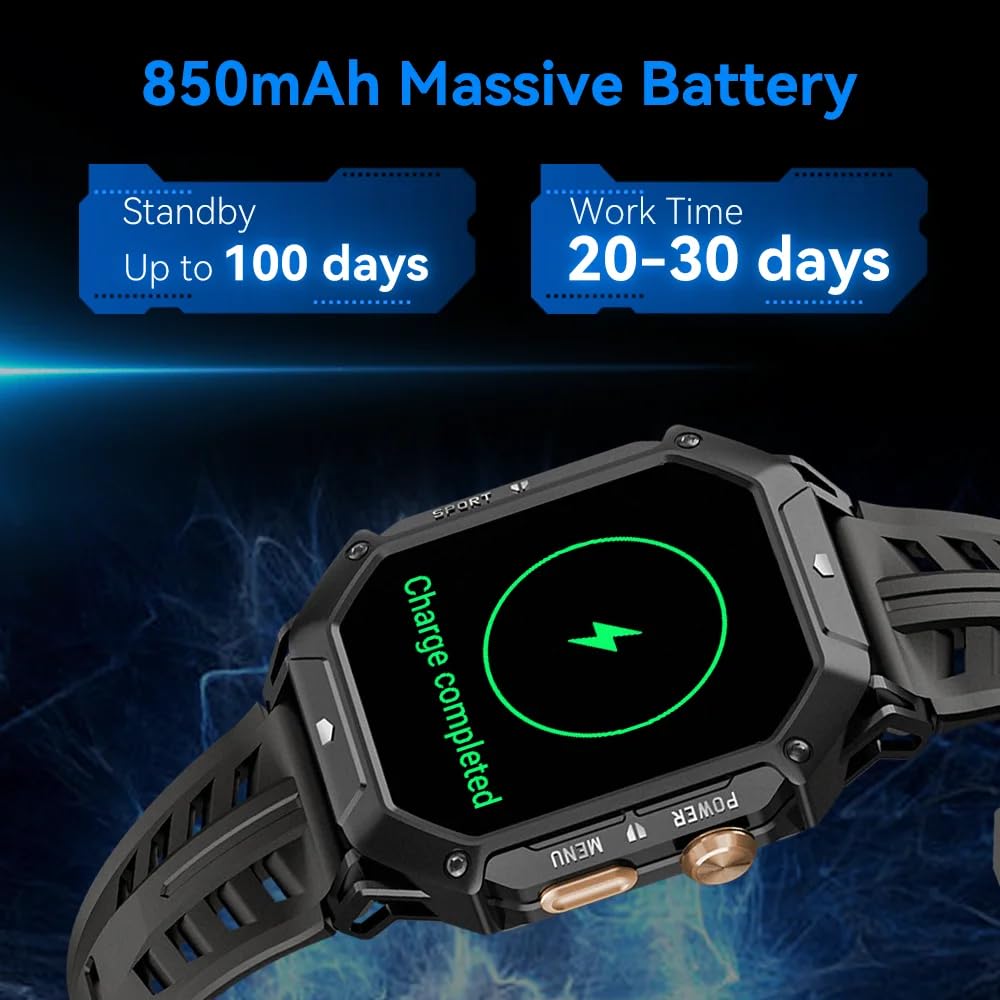
Image: A grid of small icons depicting various sports and activities, illustrating the "100+ Sports modes" feature of the CUBOT X1 Smart Watch.
4.5. Өркүндөтүлгөн функциялар
The CUBOT X1 Smart Watch integrates several advanced features for enhanced utility:
- Bluetooth чалуу: Смартфонуңузга туташып турганда, түздөн-түз саатыңыздан чалууларды жасаңыз жана кабыл алыңыз.
- 2 банкомат суу өткөрбөйт: The watch is resistant to water up to 2 atmospheres, suitable for activities like swimming and showering, but not deep diving.
- Compass Navigation: Utilize the built-in compass for directional guidance.
- Барометр: Supports measurement of current air pressure and altitude.

Image: A composite image showing four key features of the CUBOT X1 Smart Watch: a user making a Bluetooth call, the watch being used during swimming (2 ATM waterproof), the compass navigation display, and the barometer displaying air pressure and altitude.
5. Техникалык тейлөө
Proper maintenance ensures the longevity and optimal performance of your CUBOT X1 Smart Watch.
- Тазалоо: Сааттын экранын жана боосун жумшак, кургак чүпүрөк менен үзгүлтүксүз сүртүп туруңуз. Өтө кир болсо, бир аз сүртүңүз.amp кездеме жана жумшак самын менен жууп, жакшылап кургатыңыз. Күчтүү химиялык заттардан алыс болуңуз.
- Суу таасири: While the watch is 2 ATM waterproof, avoid prolonged exposure to hot water, steam, or high-pressure water jets. Dry the watch completely after exposure to water.
- Температура: Do not expose the watch to extreme temperatures (very hot or very cold) for extended periods, as this can affect battery life and internal components.
- Заряддоо: Use only the provided charging cable. Avoid overcharging the battery.
6. Кыйынчылыктарды
If you encounter issues with your CUBOT X1 Smart Watch, refer to the following common solutions:
- Күйгүзүлбөй жаткан саат: Саат толук заряддалганын текшериңиз. Аны заряддагычка кеминде 30 мүнөт туташтырыңыз.
- Смартфон менен жупташуу мүмкүн эмес:
- Смартфонуңузда жана саатыңызда Bluetooth иштетилгенин текшериңиз.
- Саат телефонуңуздун Bluetooth диапазонунда экенин текшериңиз.
- Саатыңызды да, смартфонуңузду да өчүрүп күйгүзүңүз.
- Clear the Bluetooth cache on your phone (Android) or forget the device and try pairing again (iOS/Android).
- Туура эмес ден соолук маалыматтары: Сааттын билегиңизге бекем тагылганын, өтө тар же өтө кенен эмес экенин текшериңиз. Сенсорлорду үзгүлтүксүз тазалап туруңуз.
- Экран жооп бербейт: Try restarting the watch by pressing and holding the power button. If unresponsive, allow the battery to drain completely and then recharge.
Кошумча жардам алуу үчүн кардарларды колдоо бөлүмүнө кайрылыңыз.
7. Техникалык шарттар
| Өзгөчөлүк | Деталь |
|---|---|
| Бренд | CUBOT |
| Модел | X1 |
| Элемент моделинин номери | X1 |
| Операция системасы | Android, iOS |
| Шайкеш түзмөктөр | Смартфон |
| Өзгөчөлүктөр | Digital Display, Fitness Tracking, Rugged Design, Shock Resistant, Water Resistant |
| Туруктуу экран дисплей өлчөмү | 1.91 дюйм |
| Дисплей түрү | Санарип |
| Батареянын орточо иштөө мөөнөтү | 100 Days (Standby) |
| Заряддоо убактысы | 2 саат |
| Батарея сыйымдуулугу | 850 Amp Саат (мАч) |
| Батарея клеткасынын курамы | Литий полимери |
| Зымсыз түрү | Bluetooth |
| Туташтыргыч түрү | Bluetooth, GPS |
| Түзмөктүн интерфейси - Негизги | Баскычтар, сенсордук экран |
| Элемент Салмагы | 85 г |
| Келип чыккан өлкө | Кытай |
8. Кепилдик жана колдоо
The CUBOT X1 Smart Watch comes with a standard manufacturer's warranty. For specific warranty terms and conditions, please refer to the documentation included with your purchase or contact the seller.
For product support, inquiries, or warranty claims, you may contact the importer/packer:
PandoraBiz
Khokla Busty, Jaigaon, West Bengal - 736182
Байланыш номери: +91 96793 37014
Электрондук почта: hi@pandorabiz.com


