1. Киришүү
This user manual provides detailed instructions for the AOBOCAM Q18 4K HD Mini Spy Camera. Designed for both indoor and outdoor surveillance, this compact wireless camera offers high-definition video recording, advanced motion detection, and clear night vision capabilities. Please read this manual thoroughly before using the device to ensure proper operation and to maximize its features for your security needs.
2. Коопсуздук маалыматы
- Кубат булагы: Use only the provided charging cable and a compatible USB power adapter (not included) to charge the camera. Ensure the power source meets the camera's voltagд талаптар.
- Суу каршылык: Бул камера суу өткөрбөйт. Avoid exposing it to rain, moisture, or any liquids. Use only in dry environments or with appropriate weather protection for outdoor use.
- Температура: Operate the camera within recommended temperature ranges. Extreme temperatures can affect battery life and device performance.
- Жайгашкан жери: Install the camera securely to prevent it from falling. Ensure it is placed out of reach of children and pets.
- Демонтаж: Do not attempt to disassemble, repair, or modify the camera yourself. This will void the warranty and may cause damage or injury.
- Жоюу: Dispose of the camera and its battery responsibly according to local regulations. Do not dispose of batteries in fire.
3. Пакеттин мазмуну
Кутучаны ачканда таңгактын ичиндегисин текшериңиз. Эгерде кандайдыр бир буюмдар жок болсо же бузулуп калса, кардарларды колдоо кызматына кайрылыңыз.
- 1 x AOBOCAM Q18 Mini Spy Camera
- 1 x USB заряддоо кабели
- 1 x Multi-angle Rotating Stand
- 1 x User Manual

Image: The AOBOCAM Q18 Mini Spy Camera shown with its included USB charging cable and a small, multi-angle rotating stand, demonstrating its compact size and accessories.
4. Продукт бүтүп калдыview
The AOBOCAM Q18 is a highly compact and versatile surveillance camera, designed for discreet monitoring. Its small form factor (1.5 inches, 3x3x3 cm, 50 grams) allows for easy placement in various locations.
Негизги өзгөчөлүктөрү:
- 4K HD видео чечилиши: Так жана деталдуу фоону тартатtage.
- 150° Ultra-Wide Angle Lens: кенен чөйрөсүн камсыз кылат view, сокур тактарды азайтуу.
- Жакшыртылган түнкү көрүнүш: Ensures clear visibility even in low-light or complete darkness up to 20 meters.
- 2.4 ГГц Wi-Fi байланышы: Алыстан башкарууга мүмкүндүк берет viewing and control via a dedicated mobile application. (Note: 5GHz WiFi is not supported).
- Батареянын узак иштөө мөөнөтү: Equipped with a 1500mAh battery, offering up to 6 hours of continuous operation. Supports 24/7 monitoring when connected to power.
- Ийкемдүү орнотуу: Can be easily installed on walls, ceilings, or other suitable surfaces using its multi-angle rotating stand or magnetic body.

Image: The AOBOCAM Q18 Mini Spy Camera demonstrating its compact size and 4K resolution capability, shown alongside a smartphone interface and various camera angles.

Image: A visual comparison highlighting the superior clarity, vivid colors, and lack of color cast in 4K Ultra HD images compared to 1080p resolution.
5. Орнотуу колдонмосу
Setting up your AOBOCAM Q18 camera is a straightforward process. Follow these steps to get your camera connected and ready for use.
5.1. Колдонмону жүктөп алыңыз
Издөө the dedicated AOBOCAM application on your smartphone's app store (iOS App Store or Android Google Play Store) and download it. Ensure your phone's Bluetooth is enabled for easier pairing.
5.2. Камераны күйгүзүңүз
Press and hold the power button on the AOBOCAM Q18 camera until the indicator light turns on, indicating it is powered on and ready for pairing.
5.3. Wi-Fiга туташыңыз
- Open the AOBOCAM app on your smartphone.
- Follow the on-screen instructions to add a new device. The app will guide you through the process of connecting the camera to your 2.4GHz Wi-Fi network.
- Ensure your Wi-Fi router is broadcasting a 2.4GHz signal. The camera does not support 5GHz Wi-Fi.
- Once connected, the camera's indicator light will change, and you will be able to view the live feed from the app.

Image: A visual guide to connecting the AOBOCAM Q18 camera via Bluetooth and Wi-Fi, showing the three simple steps for app pairing and network configuration.
6. Иштөө нускамалары
Once your AOBOCAM Q18 is set up, you can utilize its various features for effective surveillance.
6.1. Түз эфир View жана Жаздыруу
- Open the AOBOCAM app to access the live video feed from your camera.
- You can manually start and stop recordings directly from the app.
- The camera supports local storage via a micro SD card (up to 256GB, not included) and cloud storage options (subscription may be required).

Image: The AOBOCAM app interface on a smartphone, demonstrating the ability to view live video recordings from multiple cameras, with options for cloud storage and micro SD card support.
6.2. Motion Detection
- Колдонмонун жөндөөлөрүнөн кыймылды аныктоону иштетиңиз.
- When motion is detected, the camera will automatically start recording and send instant push notifications to your smartphone.
- Adjust sensitivity settings within the app to minimize false alarms.

Image: A visual representation of the camera's motion detection feature, showing an intruder being detected and an alert notification appearing on a smartphone.

Image: The intelligent AI motion detection feature in action, showing instant alerts being sent to a smartphone when movement is detected, such as by a pet.
6.3. Түнкү көрүнүш
- Камера автоматтык түрдө жарык аз болгон шарттарда түнкү көрүү режимине өтөт.
- Its advanced infrared LEDs provide clear black-and-white images up to 20 meters in complete darkness.

Image: A demonstration of the camera's night vision capability, showing a clear monochrome image of a sleeping baby in darkness compared to a color image in daylight.

Сүрөт: Колдонуучу viewing the HD night vision feed on their smartphone, illustrating the clarity provided by the AOBOCAM camera even in dark conditions.
6.4. Battery and Power
- The built-in 1500mAh battery provides up to 6 hours of continuous operation.
- For 24/7 surveillance, it is recommended to keep the camera connected to a power source using the provided USB cable.
- The camera can record while charging.
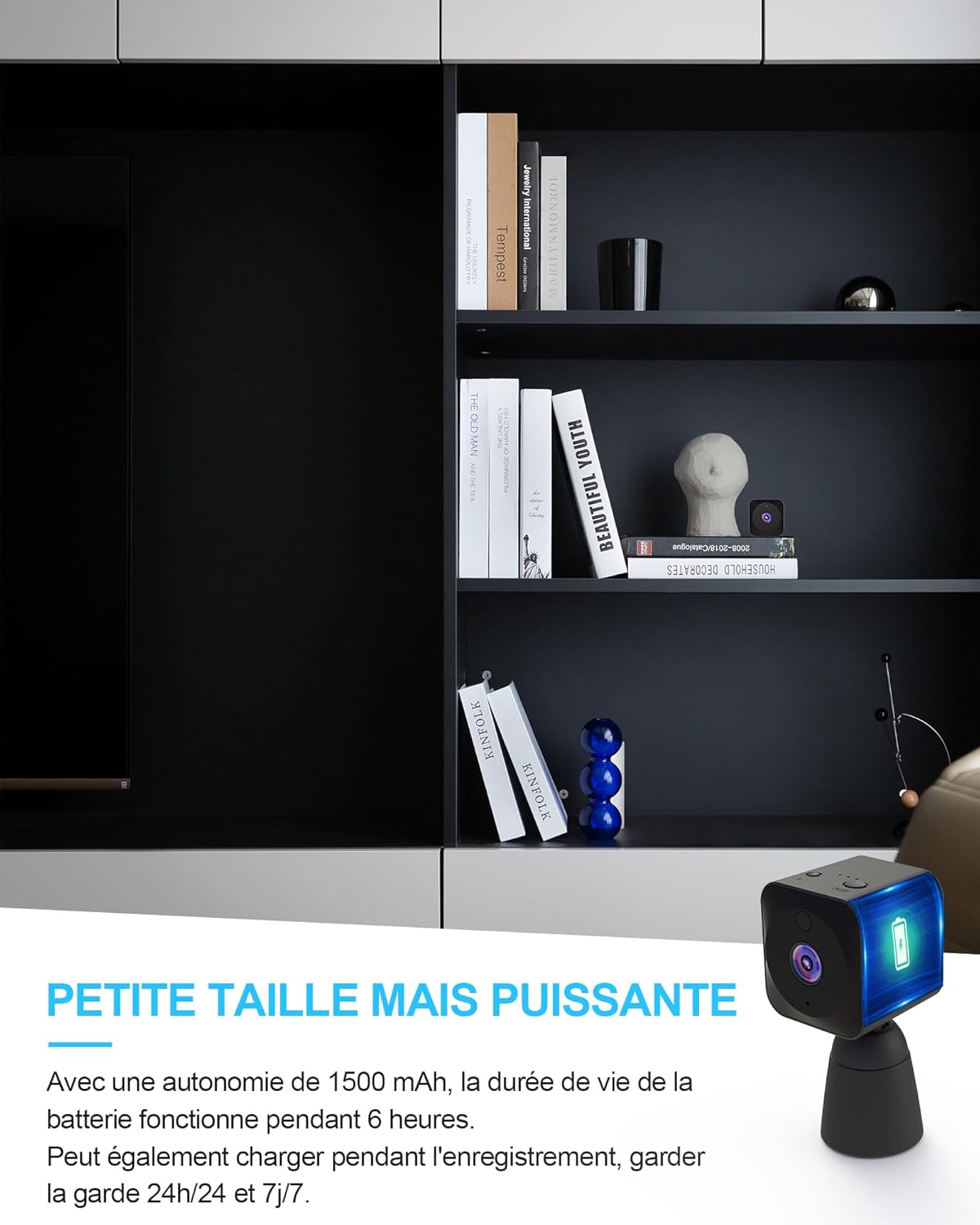
Image: The AOBOCAM Q18 camera discreetly placed on a shelf, highlighting its small size and powerful battery life, capable of continuous operation or 24/7 monitoring when plugged in.
7. Техникалык тейлөө
Proper maintenance ensures the longevity and optimal performance of your AOBOCAM Q18 camera.
- Тазалоо: Камера линзасын жана корпусун тазалоо үчүн жумшак, кургак чүпүрөктү колдонуңуз. Суюк тазалоочу каражаттарды же абразивдүү материалдарды колдонбоңуз.
- Сактагыч: Узак мөөнөткө пайдаланылбаганда, камераны салкын, кургак жерде, тике күндүн нурунан жана экстремалдык температурадан алыс сактаңыз.
- Батареяга кам көрүү: If storing for a long time, charge the battery to about 50% every few months to prevent deep discharge.
- Программалык камсыздоонун жаңыртуулары: Periodically check the AOBOCAM app for any available firmware updates for your camera to ensure the best performance and security.
8. Кыйынчылыктарды
If you encounter issues with your AOBOCAM Q18 camera, refer to the following common problems and solutions.
| Көйгөй | Мүмкүн себеп | Чечим |
|---|---|---|
| Камера күйбөйт. | Батарея түгөнүп калды. | Charge the camera using the USB cable for at least 2 hours. |
| Wi-Fi'га туташпай жатат. | Incorrect Wi-Fi band (5GHz not supported); incorrect password; camera too far from router. | Ensure your router is broadcasting a 2.4GHz signal. Double-check Wi-Fi password. Move camera closer to the router. Reset camera and try pairing again. |
| Poor image quality / distorted colors. | Lens is dirty; insufficient lighting; camera placed too far from subject. | Clean the camera lens with a soft, dry cloth. Ensure adequate lighting or enable night vision. Adjust camera position. |
| Motion detection alerts are too frequent or not working. | Sensitivity settings are too high/low; environmental factors (e.g., shadows, moving branches). | Adjust motion detection sensitivity in the app. Ensure the camera is placed in an area with minimal false triggers. Check app notification settings. |
| App is not responding or crashing. | Outdated app version; phone operating system issues. | Update the AOBOCAM app to the latest version. Restart your smartphone. Reinstall the app if necessary. |
9. Техникалык шарттар
Detailed technical specifications for the AOBOCAM Q18 Mini Spy Camera.
| Өзгөчөлүк | Деталь |
|---|---|
| Модель аты | Q18 |
| Бренд | AOBOCAM |
| Өлчөмдөрү (L x W x Y) | 30 x 30 x 30 миллиметр (болжол менен 1.2 x 1.2 x 1.2 дюйм) |
| Салмагы | 50 грамм |
| Материал | Пластик |
| Байланыш технологиясы | Зымсыз (Wi-Fi 2.4 ГГц) |
| Видео жаздыруу чечими | 4K HD (also supports 1080p) |
| Viewбурч | 150 градус |
| Түнкү көрүү диапазону | 20 метрге чейин |
| Өзгөчөлүктөр | APP Control, Night Vision, Motion Detector, 4K, Bluetooth & Wi-Fi |
| Батарея түрү | Литий-полимер (1500 мАч) |
| Батареянын иштөө мөөнөтү (үзгүлтүксүз) | 6 саатка чейин |
| Сууга туруктуулук деңгээли | Суу өткөрбөйт |
| Сунушталган Колдонуулар | Indoor Security, Outdoor Security, Baby Monitoring |
10. Кепилдик жана колдоо
10.1. Кепилдик маалыматы
AOBOCAM products typically come with a manufacturer's warranty. For specific warranty terms, duration, and conditions, please refer to the warranty card included in your product packaging or contact AOBOCAM customer service directly. Keep your purchase receipt as proof of purchase for warranty claims.
10.2. Кардарларды колдоо кызматы
If you have any questions, require technical assistance, or need to report an issue that cannot be resolved using the troubleshooting guide, please contact AOBOCAM customer support. You can usually find contact information (email, phone, or website) on the product packaging or on the official AOBOCAM webсайт.
For the most up-to-date support information, please visit the official AOBOCAM webпродуктту сатып алган сайт же платформа.


