1. Киришүү
This manual provides detailed instructions for setting up, operating, and maintaining your WONLINK AX1500 WiFi 6 Extender Booster. This device is designed to expand your existing WiFi network coverage, eliminate dead zones, and provide stable, high-speed internet access throughout your home or office.
2. Продукт бүтүп калдыview
The WONLINK AX1500 WiFi 6 Extender Booster (Model WL-NE3601) is a dual-band device supporting both 2.4 GHz and 5 GHz frequencies, compliant with the 802.11ax (WiFi 6) standard. It features four high-gain, rotatable antennas for optimal signal transmission and reception.

Фронт view of the WONLINK AX1500 WiFi 6 Extender Booster, illustrating its signal broadcasting capabilities.
Негизги өзгөчөлүктөрү:
- WiFi 6 технологиясы: Experience faster speeds and improved network efficiency.
- Dual Band колдоо: Operates on both 2.4 GHz and 5 GHz bands for versatile connectivity.
- Кеңири камтуу: Extends WiFi signal to eliminate dead zones and cover large areas.
- Жогорку кирешелүү антенналар: Four adjustable antennas enhance signal strength and stability.
- Көп режимдүү функциялар: Supports Repeater, Access Point (AP), and Router modes.
- Оңой орнотуу: Quick installation via WPS or web браузер интерфейси.
- Ethernet порту: Includes a Gigabit Ethernet port for wired connections.
- Кеңири шайкештик: Works with various WiFi-enabled devices including gaming consoles, laptops, smartphones, and smart TVs.

The extender showcasing its core features: WiFi 6 technology, ultra-speed performance, dual-band support, and one-tap WPS setup.

Close-up of the extender highlighting its four high-gain, rotatable external antennas, designed for flexible positioning, stable WiFi coverage, and enhanced signal transmission.
3. Орнотуу жана орнотуу
The WONLINK AX1500 Extender offers multiple setup methods for your convenience. Choose the method that best suits your needs.
Метод 1: WPS (Wi-Fi менен корголгон орнотуу)
- Plug the extender into a power outlet near your main router.
- Кеңейткичтеги кубаттуулук LED индикатору көк түскө күйгөнчө күтө туруңуз.
- Негизги роутериңиздеги WPS баскычын басыңыз.
- Within 2 minutes, press the WPS button on the extender (located on the side).
- Wait for the WiFi, 2.4GHz, and 5GHz LEDs on the extender to turn solid blue, indicating a successful connection.
Метод 2: Аркылуу Web Browser (Manual Setup)
- Узарткычты розеткага сайыңыз.
- Connect your computer or smartphone to the extender's default WiFi network (e.g., "WONLINK_Ext").
- ачуу а web браузер жана кирүү
192.168.10.1дарек тилкесинде. - Enter the default password (usually "admin") to access the configuration page.
- Follow the on-screen instructions to select your existing WiFi network and enter its password.
- The extender will reboot. Reconnect your device to the new extended WiFi network (usually your original network name with "_EXT" appended).

Step-by-step visual guide for quick setup using a smartphone or WPS one-tap setup.
Relocation for Optimal Performance:
After initial setup, relocate the extender to a position about halfway between your router and the WiFi dead zone. Ensure the location is within the range of your router. The signal indicator LEDs on the extender will help you find the best spot (solid blue indicates a strong signal).
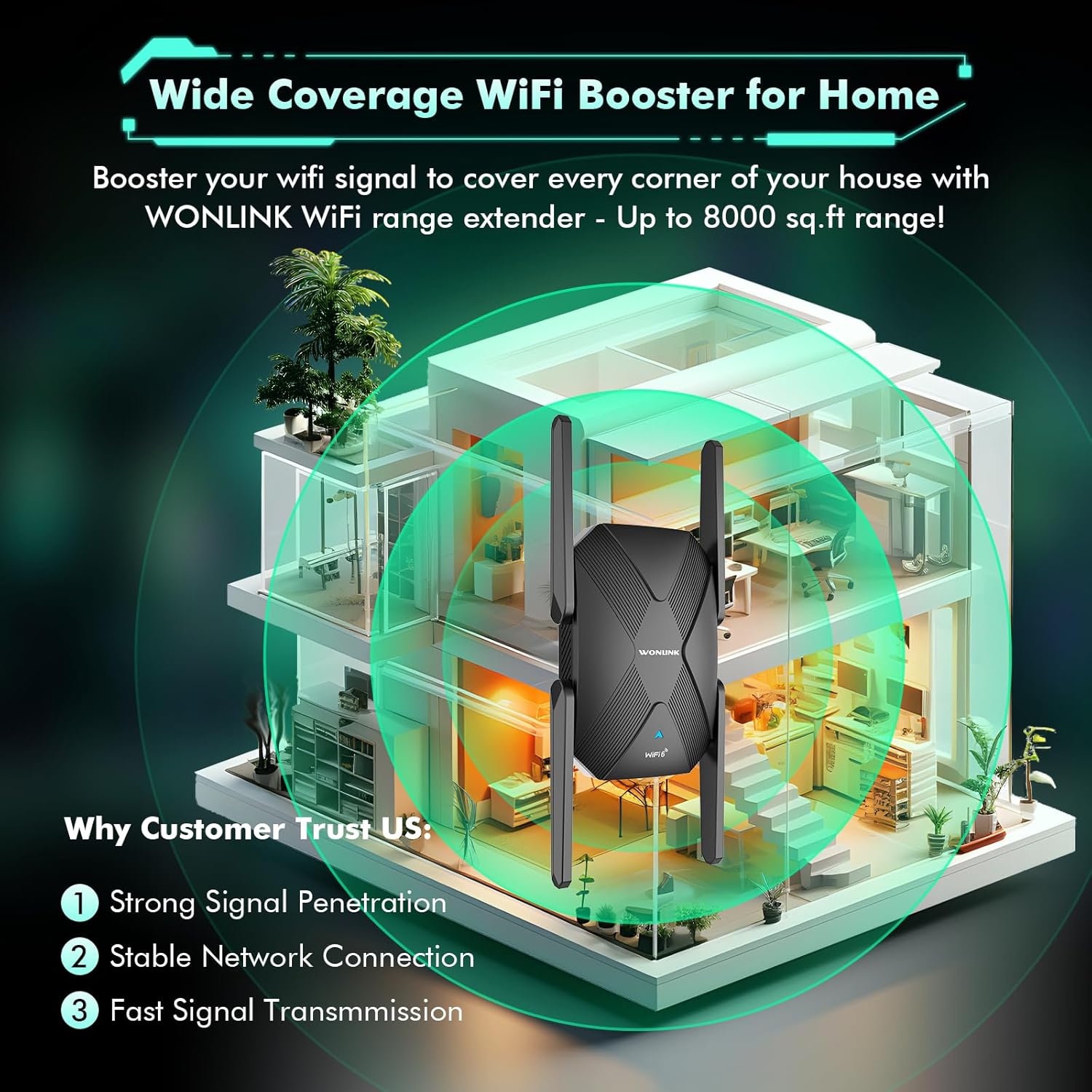
Diagram illustrating the extender's ability to boost WiFi signal and cover large areas within a home, ensuring strong signal penetration and stable connections.
4. Иштөө режимдери
The WONLINK AX1500 Extender supports multiple operating modes to suit various networking needs:
- Кайталоо режими: Extends the range of your existing wireless network. This is the most common mode for eliminating WiFi dead zones.
- Кирүү чекити (AP) режими: Transforms your existing wired network into a wireless one. Connect an Ethernet cable from your router to the extender's Ethernet port, and the extender will broadcast a new WiFi signal.
- Багыттоочу режим: Негизги роутер катары иштейт, жаңы жеке тармакты түзөт. Бул режим, адатта, модемиңиз бар, бирок роутериңиз жок болгондо колдонулат.
You can switch between modes via the web башкаруу интерфейси (192.168.10.1) after logging in.
5. Performance
The AX1500 WiFi 6 Extender is designed to deliver high-speed, lag-free internet. With dual-band support, it offers:
- 5 ГГц диапазону: Up to 1200 Mbps, ideal for high-bandwidth activities like online gaming, 4K/8K video streaming, and video conferencing.
- 2.4 ГГц диапазону: Up to 300 Mbps, suitable for general web серептөө, file transfers, and downloading.
The device's advanced dual-core chip and four high-gain antennas ensure stable network connections and efficient data transfer, even with multiple devices connected simultaneously.

Visual representation of the extender's dual-band speeds: 1200Mbps for 5GHz and 300Mbps for 2.4GHz.

Image demonstrating the broad compatibility of the extender with devices such as laptops, smartphones, tablets, gaming consoles, smart TVs, and security cameras.
6. Техникалык тейлөө
To ensure optimal performance and longevity of your WONLINK AX1500 Extender, consider the following maintenance tips:
- Жайгашкан жери: Avoid placing the extender near obstructions, large metal objects, or devices that emit strong electromagnetic interference (e.g., microwaves, cordless phones).
- Программалык камсыздоонун жаңыртуулары: Дайыма өндүрүүчүнүн текшерүү webоптималдуу иштөөнү жана коопсуздукту камсыз кылуу үчүн эң акыркы микропрограмма жаңыртуулары үчүн сайт.
- Тазалоо: Түзмөктү таза жана чаңсыз кармаңыз. Тазалоо үчүн жумшак, кургак чүпүрөк колдонуңуз. Суюк тазалоочу каражаттарды же аэрозольдорду колдонбоңуз.
- Вентиляция: Ensure the extender has adequate ventilation to prevent overheating. Do not block the ventilation holes.
- Кайтаруу: If you experience persistent issues, a factory reset may resolve them. Use a pin to press and hold the Reset button (often combined with WPS) for about 5-10 seconds until the LEDs flash.
7. Кыйынчылыктарды
If you encounter issues with your WONLINK AX1500 Extender, try the following troubleshooting steps:
- Кубат жок: Ensure the extender is securely plugged into a working power outlet. Check if the power outlet is functional.
- Интернет байланышы жок:
- Негизги роутериңизде активдүү интернет байланышы бар экенин текшериңиз.
- Check the signal strength LEDs on the extender. If they are red or off, relocate the extender closer to your main router.
- Негизги роутериңизди да, кеңейтүүчүнү да өчүрүп-күйгүзүңүз.
- Жай ылдамдык:
- Ensure the extender is placed in an optimal location (refer to 'Relocation for Optimal Performance' above).
- Try connecting to the 5 GHz band for higher speeds if your device supports it.
- Башка электрондук түзүлүштөрдүн кийлигишүүсүн азайтыңыз.
- Кирүү мүмкүн эмес Web Башкаруу баракчасы:
- Ensure your device is connected to the extender's WiFi network.
- Туура IP дарегин колдонуп жатканыңызды текшериңиз (
192.168.10.1) and default password ("admin"). - Браузериңиздин кэшин тазалаңыз же башка браузерди колдонуп көрүңүз.
- WPS Setup Failure: If WPS setup fails, try the manual setup method via web браузер.
8. Техникалык шарттар
| Бренд | WONLINK |
| Модел | WL-NE3601 |
| Зымсыз стандарт | 802.11ax (WiFi 6) |
| Маалыматтарды өткөрүү ылдамдыгы | 1500 Мбит/сек чейин (5 ГГцде 1200 Мбит/сек, 2.4 ГГцде 300 Мбит/сек) |
| Жыштык тилкелери | 2.4 ГГц жана 5 ГГц (кош диапазондуу) |
| Антенналар | 4 x High-Gain External Antennas |
| Порттар | 1 x Gigabit Ethernet порту |
| Шайкеш түзмөктөр | Gaming Console, Laptop, Personal Computer, Smart Television, Smartphone, Tablet |

Close-up of the product label, indicating the model number WL-NE3601, default IP address 192.168.10.1, and default password 'admin'.
9. Кепилдик жана колдоо
Кепилдик жөнүндө маалымат жана техникалык колдоо алуу үчүн, өнүмүңүз менен кошо берилген документтерди караңыз же расмий WONLINK сайтына кириңиз. webсайт. Кепилдик дооматтары үчүн сатып алуу дүмүрчөгүңүздү сактаңыз.


