1. Киришүү
This manual provides essential instructions for the safe and effective use of your GODOX KNOWLED MS60Bi Bi-Color LED Video Light. Please read this manual thoroughly before operating the device to ensure proper function and to prevent damage.
2. Коопсуздук маалыматы
Observe the following safety precautions to prevent electric shock, fire, or damage to the product and property:
- Продукцияны ажыратпаңыз же өзгөртпөңүз.
- Продукцияны кургак кармаңыз. Нымдуу кол менен кармабаңыз же сууга батырбаңыз.
- Балдар жетпеген жерде сактаңыз.
- Күйүүчү газдар же суюктуктар бар жерде колдонбоңуз.
- Кубат булагынын көрсөтүлгөн вольтко дал келгенин текшериңизtage.
- Көздүн LED жарыгынын түздөн-түз таасиринен алыс болуңуз.
- Always use the specified battery and charger.
3. Кутуда эмне бар
Таңгактан чыгарганда бардык буюмдар бар экенин текшериңиз:
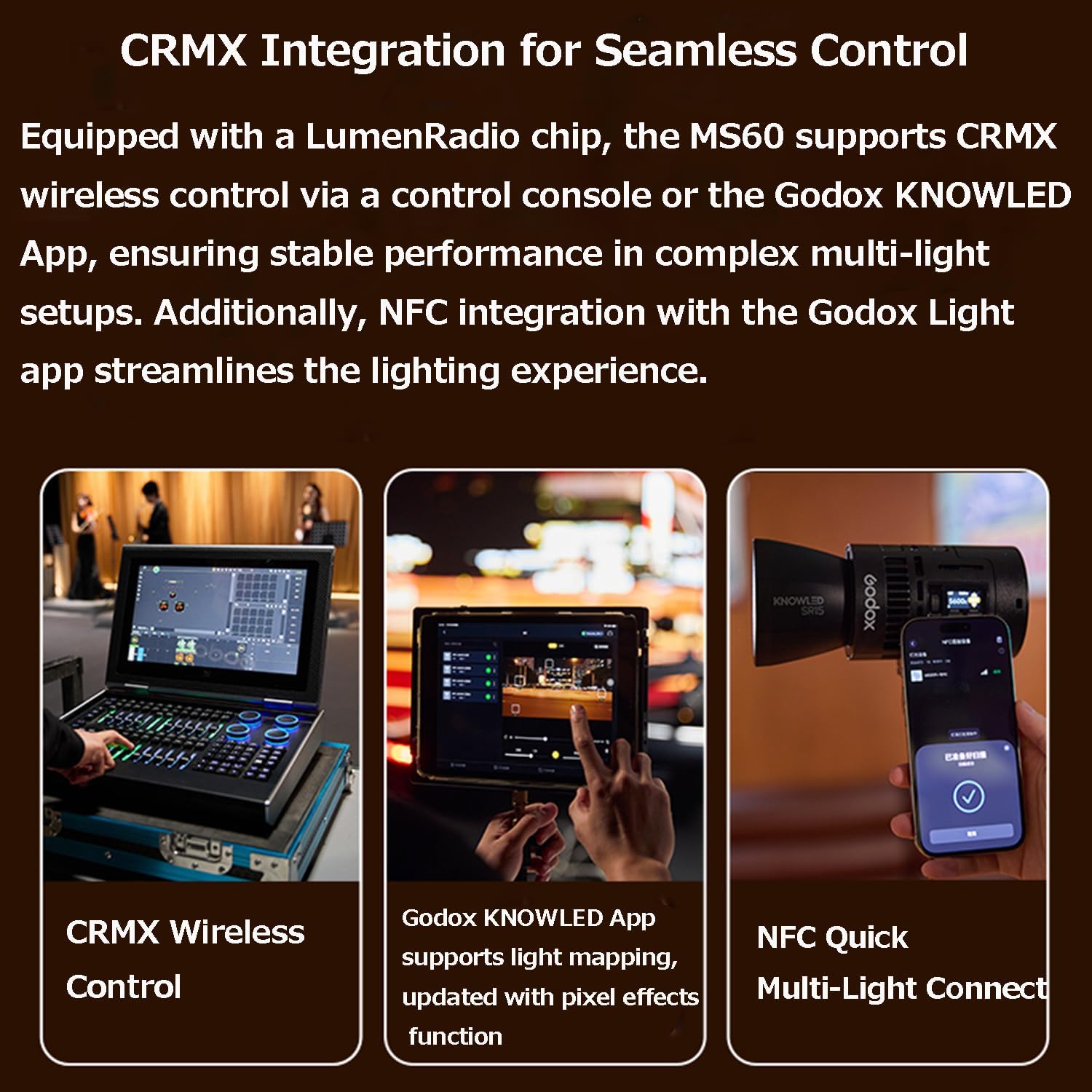
Image: The GODOX KNOWLED MS60Bi package contents, showing the light body, lens reflector, battery, metal holder bracket, and USB-C charging cord.
- Light Body x 1
- Объектив рефлектор x 1
- Батарея x 1
- Metal Holder Bracket x 1
- USB-C charging cord x 1
4. Продукт бүтүп калдыview
The GODOX KNOWLED MS60Bi is a compact and versatile bi-color LED video light designed for various professional lighting needs.

Image: The GODOX KNOWLED MS60Bi Bi-Color LED Video Light.
Негизги өзгөчөлүктөрү
- Mini Size, Portable Design: Compact and lightweight, weighing approximately 311g.
- Bi-Color Output: Offers adjustable color temperature for various lighting scenarios.
- Бир нече жарык режимдери: Includes CCT, HSI, X-Y, and FX modes for creative control.
- CRMX Wireless Control: Integrated LumenRadio chip for stable wireless control via console or Godox KNOWLED App.
- NFC Integration: Streamlined connection with the Godox Light app.
- Flexible Power Solutions: Supports fast-charging removable battery, GaN power adapter, USB-C, NPF battery adapter, and E27 socket adapter.
- Godox Optical Ecosystem: Compatible with various light modifiers for precise beam control.
5. Орнотуу
5.1 Жарыкты орнотуу
Attach the MS60Bi to a light stand or other support using the included metal holder bracket. Ensure it is securely fastened before operation.
5.2 Аппаратты кубаттоо
The MS60Bi offers multiple power options:
- Алынуучу батарея: Insert the included fast-charging battery for portable use.
- AC кубаттуу адаптер: Connect the all-in-one detachable GaN power adapter to the light and then to an AC outlet using the 8-shaped power cable.
- USB-C кубаттуулугу: For power supply only (does not charge the battery), connect a USB-C power source (requires >60W) to the light.
- NPF Battery Power Supply: Use an NPF battery adapter (sold separately) to power the light with NPF batteries.
- E27 розетка адаптери: For seamless integration into existing lighting setups, use an E27 socket adapter (sold separately) to power the light as a downlight, spotlight, or stagд жарык.

Image: The MS60Bi with its detachable battery, ideal for mobile use.

Image: Connecting the AC power adapter.

Image: USB-C power supply connection.

Image: NPF battery power supply setup.

Image: MS60Bi powered via E27 socket adapter.
6. Операция
6.1 Негизги башкаруу каражаттары
The MS60Bi features intuitive controls for adjusting light output and settings. Refer to the on-device display for current parameters.
- Кубат баскычы: Жарыкты күйгүзүү же өчүрүү үчүн басыңыз.
- Control терүү: Rotate to adjust brightness (0-100%) and color temperature (2800K-6500K). Press to confirm selections or navigate menus.
- Режим баскычы: Ар кандай жарыктандыруу режимдери аркылуу айланып өтүңүз.
6.2 Жарык режимдери
The MS60Bi offers various modes for creative lighting:

Image: Display of various color modes.
- CCT режими: Adjust color temperature from 2800K to 6500K.
- HSI режими: Control Hue, Saturation, and Intensity for a wide range of colors.
- XY режими: Precise color selection using X and Y coordinates.
- FX режими: Access special effects like lightning, fire, TV, etc.
6.3 Зымсыз башкаруу
The MS60Bi supports advanced wireless control options:
- CRMX Wireless Control: Utilize a DMX control console for stable performance in multi-light setups.
- Godox KNOWLED App Control: Download the Godox KNOWLED App to control the light via Bluetooth. The app supports light mapping and pixel effects.
- NFC Quick Multi-Light Connect: Use NFC to quickly connect and streamline the lighting experience with the Godox Light app.
- Колдонмону жүктөө: For the latest version of the Godox Light App, visit: Godox Light App Download

Image: CRMX Wireless Control in use.

Image: Godox KNOWLED App interface.

Image: NFC Quick Multi-Light Connect via Godox Light App.
6.4 Жарык модфикаторлорун колдонуу
The MS60Bi is compatible with various light modifiers from the Godox optical ecosystem to shape and control your light:

Image: Various compatible light modifiers (accessories not included).
- Lens Reflector: The included lens reflector can increase brightness significantly compared to bare light.
- DL5 Lite Parallel Beam Booster: When paired with the SZL2 zoom lens, this booster provides a 5° beam angle and can increase brightness by approximately 50 times.
- Magnetic Kit: Utilize the magnetic kit for quick attachment of diffusers and deformation films for efficient lighting adjustments.

Image: Lens Reflector performance comparison.

Image: DL5 Lite Parallel Beam Booster with SZL2 Zoom Lens.

Image: Magnetic Kit for quick setup.
7. Техникалык тейлөө
Proper maintenance ensures the longevity and optimal performance of your MS60Bi:
- Тазалоо: Use a soft, dry cloth to clean the light body. Do not use harsh chemicals or abrasive materials.
- Сактагыч: Store the light in a cool, dry place away from direct sunlight and extreme temperatures. Remove the battery if storing for extended periods.
- Батареяга кам көрүү: Батарейканын ден соолугун сактоо үчүн колдонулбаса да, аны үзгүлтүксүз заряддап туруңуз.
8. Кыйынчылыктарды
If you encounter issues with your MS60Bi, refer to the table below for common problems and solutions:
| Көйгөй | Мүмкүн себеп | Чечим |
|---|---|---|
| Жарык күйбөйт | Электр кубаты жок, батарея аз же туура эмес туташуу. | Check battery charge, ensure AC adapter is properly connected, or try a different power source. |
| Жарык чыгаруу начар | Brightness set too low, or battery is nearly depleted. | Increase brightness setting. Recharge or replace the battery. |
| Cannot connect via App | Bluetooth/NFC disabled, app not updated, or interference. | Ensure Bluetooth/NFC is enabled on your device. Update the Godox Light App. Move closer to the light. |
| Ашыкча ысып кетүү эскертүүсү | Prolonged use at high power, or obstructed ventilation. | Reduce power output. Ensure ventilation holes are clear. Allow the unit to cool down. |
9. Техникалык шарттар
Technical specifications for the GODOX KNOWLED MS60Bi:
| Өзгөчөлүк | Деталь |
|---|---|
| Модель номери | MS60Bi |
| Продукциянын өлчөмдөрү | 3.58 x 3.03 x 3.58 дюйм |
| Элемент Салмагы | 2.64 фунт |
| Батареялар | 1 D батарейка талап кылынат (кошулган) |
| Байланыш технологиясы | Bluetooth |
| Аппараттык интерфейс | USB |
| Өндүрүүчү | GODOX |
10. Кепилдик жана колдоо
For warranty information and technical support, please refer to the documentation included with your purchase or visit the official GODOX webсайт. Кепилдик дооматтар үчүн сатып алганыңыздын далилин сактаңыз.


