1. Киришүү
This manual provides essential information for setting up, operating, and maintaining your DOOGEE Note 58 Android 15 Unlocked Cellphone. Please read this guide thoroughly to ensure proper usage and to maximize your device's capabilities.

Сүрөт 1.1: Алдыңкы жана арткы view of the DOOGEE Note 58 cellphone.
2. Пакеттин мазмуну
Продукцияңыздын таңгагында бардык элементтер бар экенин текшериңиз:
- DOOGEE Note 58 Cellphone
- Кубаттуу адаптер
- USB кабели
- User Manual
- Screen Protector Accessories

Figure 2.1: Included accessories with the DOOGEE Note 58 cellphone.
3. Түзмөк бүттүview
3.1 Физикалык дизайн
The DOOGEE Note 58 features a slim design, measuring approximately 8.66mm in thickness, making it lightweight and comfortable to hold.

3.1-сүрөт: Каптал view Slim Pro компаниясын көрсөтүүfile аппараттын.

Figure 3.2: Visual representation of the phone's 8.6mm ultra-thin body.
3.2 Порттор жана баскычтар
The device includes standard ports and buttons for connectivity and control:
- USB-C порту: Заряддоо жана маалыматтарды өткөрүү үчүн.
- SIM/TF карта уячасы: Supports dual SIM cards and expandable storage.
- Кубат баскычы: To turn the device on/off and lock/unlock the screen.
- Үн баскычтары: Аудио деңгээлин тууралоо үчүн.

3.3-сүрөт: Төмөнкү view of the device, detailing the USB-C port and speaker grille.
4. Баштапкы орнотуу
4.1 SIM жана TF карталарын салуу
The DOOGEE Note 58 supports two Nano-SIM cards and one TF (microSD) card for expanded storage. Use the provided SIM ejector tool to open the card tray.

Figure 4.1: The SIM card tray, designed for dual SIM and TF card expansion.
4.2 Күйгүзүү жана негизги конфигурация
Press and hold the power button to turn on your device. Follow the on-screen prompts to select your language, connect to a Wi-Fi network, and complete the initial setup process.
Видео 4.1: Бүттүview of the DOOGEE Note 58, including initial boot-up and setup screens.
5. Аппаратыңызды иштетүү
5.1 Android 15 системасы
The DOOGEE Note 58 operates on the Android 15 system, offering enhanced security, privacy controls, and a user-friendly interface. Key features include:
- Супер алмашуу буфери: Advanced clipboard functionalities.
- Бөлүнгөн экран режими: Multitask efficiently by running two apps simultaneously.
- Эки системалуу режим: Provides separate environments for different uses.

5.1-сүрөт: Мисamples of Android 15 system features on the DOOGEE Note 58.
5.2 Дисплей
The device features a 6.75-inch HD+ IPS Waterdrop display with a 90Hz refresh rate for smooth visuals. The 720 x 1600 resolution and in-cell technology provide clear and vibrant images.
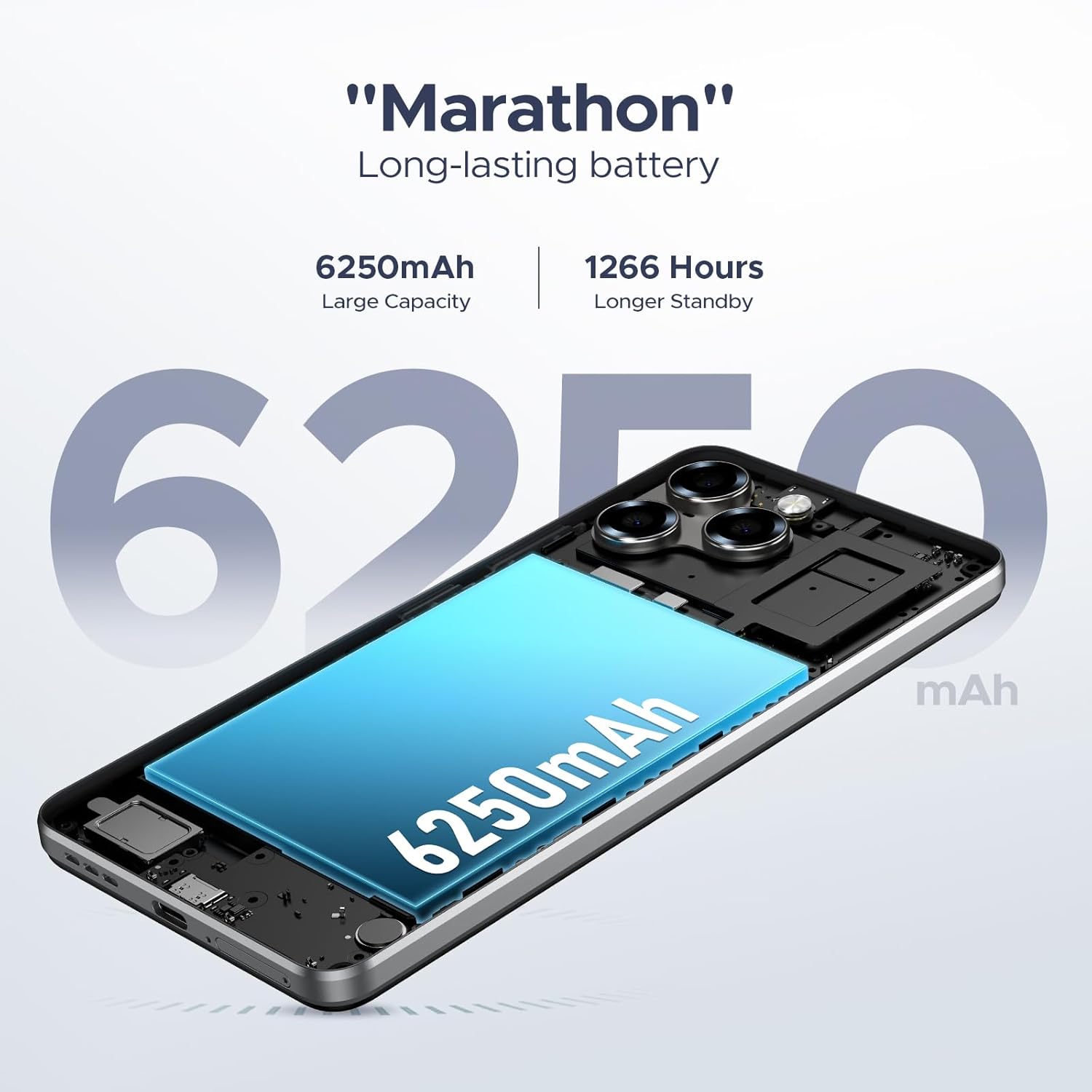
Figure 5.2: The 6.75-inch HD+ display in use.

Figure 5.3: Detailed specifications of the device's display.
5.3 Аткаруу жана сактоо
Powered by the UNISOC T7250 octa-core processor, the device ensures efficient performance. It comes with 32GB RAM (8GB physical + 24GB expandable) and 128GB of internal storage, expandable up to 2TB via a TF card.

Figure 5.4: The UNISOC T7250 Octa-core processor, central to the phone's performance.

Figure 5.5: Illustration of the 32GB RAM configuration, including extended RAM.

Figure 5.6: Storage options, including 128GB internal and up to 2TB expandable storage.
6. Камеранын өзгөчөлүктөрү
The DOOGEE Note 58 is equipped with a 16MP AI main camera and an 8MP front camera, supporting various photography modes for diverse shooting conditions.
- Негизги камера: 16MP with AI enhancements, supporting autofocus and rear flashes.
- Алдыңкы камера: 8 МП селфи жана видео чалуулар үчүн.
- Атуу режимдери: HDR, Night Mode, Time-Lapse, Portrait, Panorama, Pro Mode, Beauty Mode, Filters, Smile Shutter, Audio Note.
- Видео жаздыруу: Supports 1080p video capture.

Figure 6.1: The rear camera module of the DOOGEE Note 58.

Figure 6.2: Specifications of the 16MP main camera.

Figure 6.3: Specifications of the 8MP front-mounted camera.
Video 6.1: Demonstration of the 16MP AI main camera and its versatile photography modes.
7. Байланыш жана коопсуздук
7.1 Network and Wireless
The DOOGEE Note 58 supports 4G dual SIM functionality, allowing for two SIM cards to be active simultaneously. It is compatible with GSM carriers like T-Mobile and supports various network bands (GSM:B2/3/5/8, WCDMA: B1/2/4/5/8, TDD: B38/40/41, EDGE/GPRS, FDD: B1/2/3/4/5/7/8/18/19/20/25/26/28A/28B/6). Wi-Fi connectivity is also available.
7.2 Navigation and NFC
The device includes GPS, GLONASS, Galileo, and Beidou for precise navigation. NFC with Google Pay enables convenient contactless payments.

Figure 7.1: Using NFC for mobile payments.

Figure 7.2: The device's navigation capabilities.
7.3 Коопсуздук өзгөчөлүктөрү
The device supports Face Unlock for quick and secure access. It also features Widevine L1 support, enabling high-quality 1080P streaming for various content platforms.

Figure 7.3: Face Unlock in action.
8. Батареяны башкаруу
The DOOGEE Note 58 is equipped with a 6250mAh long-lasting battery. It also supports OTG reverse charging, allowing you to use your phone to power other compatible devices.

Figure 8.1: Estimated battery life for various activities.

Figure 8.2: The OTG reverse charging feature.
9. Техникалык тейлөө
To ensure the longevity and optimal performance of your DOOGEE Note 58, follow these maintenance guidelines:
- Тазалоо: Экранды жана денени тазалоо үчүн жумшак, түксүз чүпүрөктү колдонуңуз. Катуу химиялык заттардан алыс болуңуз.
- Программалык камсыздоо жаңыртуулары: Акыркы мүмкүнчүлүктөрдөн, коопсуздук жаңыртууларынан жана майнаптуулукту жакшыртуулардан пайда алуу үчүн системанын жаңыртууларын дайыма текшерип, орнотуп туруңуз.
- Сактагычты башкаруу: Мезгил-мезгили менен кайраview жана түзмөгүңүздүн сактагычын башкарыңыз. Керексизин жок кылыңыз files and apps, or utilize the expandable TF card slot for additional space.
- Температура: Avoid exposing the device to extreme temperatures, direct sunlight, or very humid conditions.
10. Кыйынчылыктарды
If you encounter issues with your DOOGEE Note 58, refer to the following common solutions:
- Түзмөк күйбөй жатат: Ensure the battery is charged. Connect the device to its charger for at least 30 minutes before attempting to power it on again.
- Экран жооп бербейт: Try restarting the device by holding down the power button for approximately 10-15 seconds until it reboots.
- Колдонмонун бузулушу: Clear the cache and data for the problematic app in the device settings, or uninstall and reinstall the app.
- Начар тармак туташуусу: Check if your SIM card is properly inserted. Ensure you are within network coverage. Try toggling Airplane Mode on and off.
- Батареянын бат түгөнүп калышы: Reduce screen brightness, close unused apps running in the background, and disable unnecessary features like GPS or Wi-Fi when not in use.
Татаал маселелер үчүн кардарларды колдоо бөлүмүнө кайрылыңыз.
11. Техникалык шарттар
| Өзгөчөлүк | Спецификация |
|---|---|
| Модель аты | DOOGEE Note 58 Phone |
| Операция системасы | Android 15 |
| Процессор | UNISOC T7250 Octa-core |
| RAM | 32GB (8GB + 24GB expandable) |
| Ички сактагыч | 128 ГБ |
| Кеңейтүүчү сактагыч | TF картасы аркылуу 2 ТБ чейин |
| Screen Size | 6.75 дюйм |
| Дисплей түрү | HD+ IPS суу тамчы дисплейи |
| Жаңыртуу ылдамдыгы | 90Hz |
| Башкы камера | 16MP AI |
| Алдыңкы камера | 8MP |
| Батарея сыйымдуулугу | 6250mAh |
| Байланыш | 4G Dual SIM, Wi-Fi, NFC, GPS, GLONASS, Galileo, Beidou |
| Өзгөчөлүктөр | Face Unlock, OTG Reverse Charging, Widevine L1 |
| Өлчөмдөрү (пакет) | 7.6 x 4.06 x 2.13 дюйм |
| Элемент Салмагы | 14.9 унция |
12. Кепилдик жана колдоо
Your DOOGEE Note 58 comes with a limited warranty. Please refer to the warranty card included in your package for specific terms and conditions. For technical support, service inquiries, or further assistance, please visit the official DOOGEE webсайтка же кардарларды тейлөөгө кайрылыңыз.
Онлайн ресурстар:
- Official DOOGEE Store: Amazon'догу DOOGEE дүкөнү


