Introduction
Thank you for choosing the Philips S2508 Portable Karaoke Machine. This device combines a powerful Bluetooth speaker with dual wireless microphones, multi-colored light modes, and various input options to enhance your entertainment experience. This manual provides essential information for safe and effective use, setup, operation, and maintenance of your karaoke machine.
Коопсуздук маалыматы
- Продукцияны колдонуудан мурун бардык нускамаларды окуп чыгыңыз.
- Аппаратты суудан, нымдан жана экстремалдык температурадан алыс кармаңыз.
- Аппаратты өз алдынча бөлүүгө же оңдоого аракет кылбаңыз. Квалификациялуу тейлөө кызматкерлерине кайрылыңыз.
- Use only the charging cables provided or recommended by the manufacturer.
- Avoid prolonged exposure to very high volume levels to prevent hearing damage.
Пакеттин мазмуну
Пакетте бардык буюмдар бар экенин текшериңиз:
- Philips S2508 Portable Karaoke Machine (Main Unit)
- 2 Wireless Karaoke Microphones
- USB Charging Cable for Main Unit
- USB Charging Cable for Microphones
- AUX кабели
- Кепилдик картасы
Продукт бүттүview
The Philips S2508 features a compact design with a comfortable carry strap for portability. It includes a display screen for song titles and light modes, along with intuitive controls for volume, vocal effects, and playback.

Figure 1: Philips S2508 Portable Karaoke Machine with two wireless microphones.
Негизги блоктун өзгөчөлүктөрү
- Дисплей экраны: Shows song titles, light modes, and other information.
- Башкаруу баскычтары: For power, mode selection, volume adjustment, and track control.
- Динамик тор: Так жана күчтүү аудиону камсыз кылат.
- Ташуу боосу: Soft, flexible rubber strap for easy transport.
Микрофондун өзгөчөлүктөрү
- Power/Volume Buttons: Control microphone power and volume levels.
- Vocal Effect Buttons: Apply 6 different vocal effects.
- Заряддоо порту: Micro-USB port for recharging.

Figure 2: Two wireless microphones included with the Philips S2508.
Киргизүү/чыгыш порттору
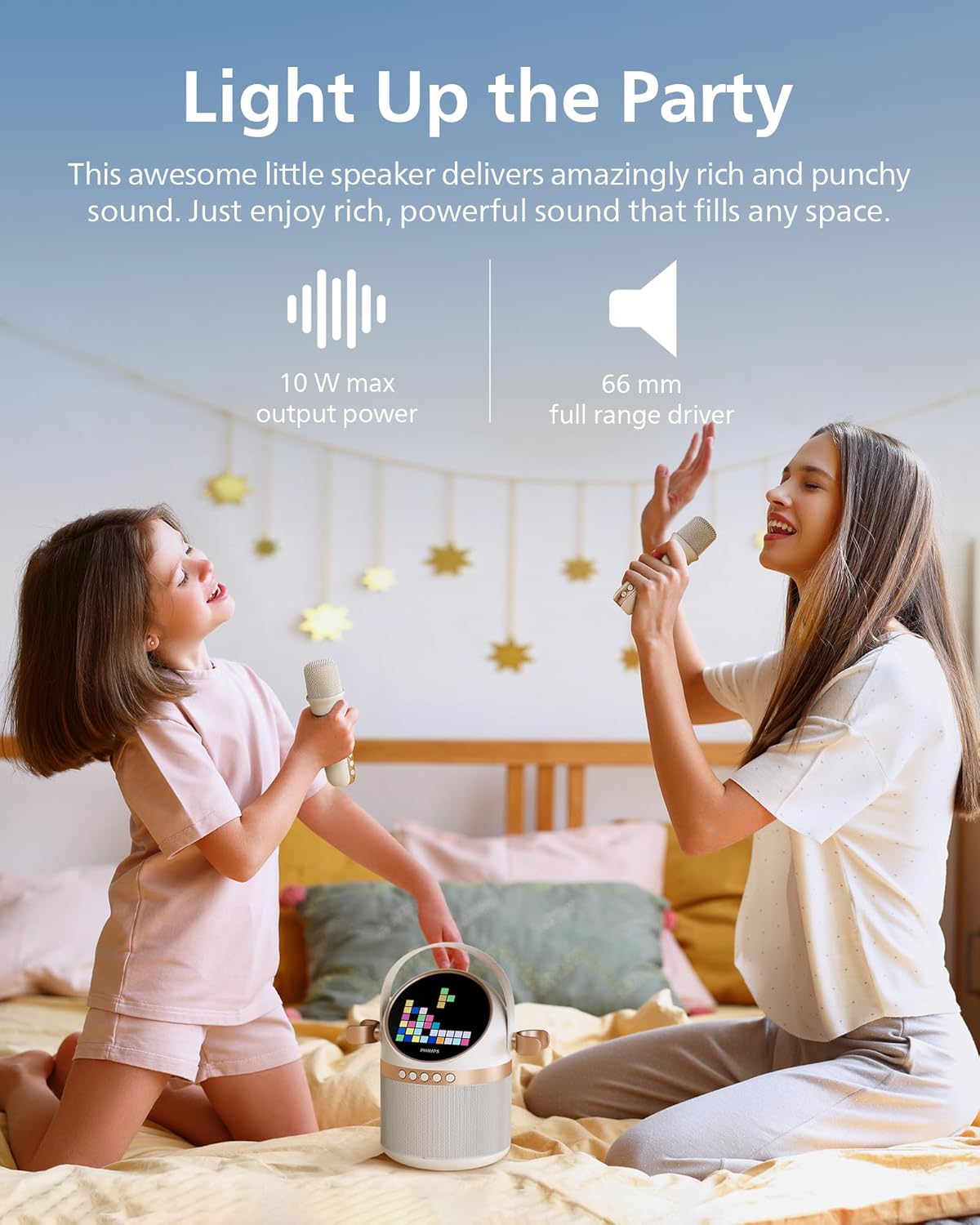
Figure 3: Rear panel with various input and charging ports.
- AUX киргизүү: Connect external audio devices via 3.5mm cable.
- TF карта уячасы: TF (microSD) картасынан түз музыка ойнотуңуз.
- USB порт: USB дисктен музыка ойнотуңуз.
- DC 5V заряддоо порту: For charging the main unit.
Жайгашуу
1. Аппаратты заряддоо
Before first use, fully charge the karaoke machine and microphones.
- Connect the main unit to a 5V DC power source using the provided USB charging cable. The charging indicator will light up.
- Connect each microphone to a 5V DC power source using their respective USB charging cables. The indicator on the microphone will show charging status.
- A full charge provides up to 7 hours of playtime for the main unit.
2. Микрофонду орнотуу
The two wireless microphones are pre-paired with the main unit. Simply turn them on to connect.
- Press and hold the power button on each microphone until it turns on.
- The microphones will automatically connect to the main unit.
3. Bluetooth Жупташтыруу
To play music from your mobile device, connect via Bluetooth:
- Turn on the Philips S2508 karaoke machine. It will automatically enter Bluetooth pairing mode.
- On your mobile device, go to Bluetooth settings and search for
Тектеш документтер - S2508

Philips TAX5000E Ballītes skaļrunis Lietotāja rokasgramata
Детализациялоо Philips TAX5000E баллистикалык файлдарын, файлдарды колдонууну, жеңилдетүүнү, сактоону, сактоону (Bluetooth, TWS, Auracast, USB), жана башка функцияларды жок кылуу novēršanu.
Philips TAX4000 Party Speaker User Manual
Philips TAX4000 тараптын динамиги үчүн комплекстүү колдонуучу колдонмо. Кантип орнотууну, Bluetooth же USB аркылуу туташтыруу, Auracast колдонуу, микрофондорду жана гитараларды туташтыруу, Philips Entertainment колдонмосу менен функцияларды башкаруу, көйгөйлөрдү чечүү жана view продукт спецификациялары.
Philips TAX4000 Party Speaker User Manual
Comprehensive user manual for the Philips TAX4000 Party Speaker, covering setup, features, troubleshooting, and technical specifications. Learn how to connect devices, use Bluetooth, Auracast, microphones, guitars, and the Philips Entertainment app.
Philips TAX4000 Portable Bluetooth Speaker User Manual
This user manual provides comprehensive instructions for operating the Philips TAX4000 portable Bluetooth speaker. It covers safety precautions, setup, Bluetooth connectivity, TWS, Auracast, USB playback, microphone and guitar inputs, app integration, troubleshooting, technical specifications, and environmental information.
Philips Party Speaker TAX5000 Колдонуучунун колдонмосу
Бул колдонуучу колдонмосу Philips Party Speaker TAX5000 үчүн комплекстүү нускамаларды камтыйт, анда орнотуу, иштетүү, Bluetooth жана Auracast сыяктуу функциялар, бузулууларды оңдоо жана продукттун спецификациялары камтылган.
Philips TANX100 Bluetooth кече динамиги үчүн тез баштоо боюнча колдонмо
Philips TANX100 Bluetooth Party динамигин орнотуу, туташуулар, жарыктандыруу жана үн эффекттери сыяктуу функциялар жана көйгөйлөрдү чечүү боюнча кыскача колдонмо.