1. Киришүү
This manual provides essential information for the installation, operation, and maintenance of your ENERMAX Revolution III 650W ATX 3.1 Power Supply. Please read this manual thoroughly before installation and keep it for future reference.
1.1 Коопсуздук маалыматы
- Орнотуудан же техникалык тейлөөдөн мурун ар дайым кубат булагын AC розеткасынан сууруп коюңуз.
- Электр менен камсыздоо блогун ачпаңыз. Жогорку томtages are present inside, and it contains no user-serviceable parts.
- Электрдик коркунучтарды алдын алуу үчүн туура жерге туташтырууну камсыз кылыңыз.
- Электр менен камсыздоону жакшы желдетилген жерге орнотуңуз.
- Бул кубат булагы менен кошо берилген модулдук кабелдерди гана колдонуңуз. Шайкеш келбеген кабелдерди колдонуу түзмөккө же туташкан компоненттерге зыян келтириши мүмкүн.
- Бул продукт жеке компьютер системаларында колдонуу үчүн иштелип чыккан. Аны башка эч кандай максатта колдонбоңуз.
1.2 Пакеттин мазмуну
- ENERMAX Revolution III 650W Power Supply
- Modular Cable Set (including 12V-2x6 cable for PCIe 5.1)
- AC Power Cord
- Монтаждоо бурамалар
- Cable Combs (16 pieces for 650W model)
- User Manual

Image 1.1: The ENERMAX Revolution III 650W power supply, showcasing анын компакттуу дизайны жана желдеткич тор.
2. Орнотуу жана орнотуу
Follow these steps to properly install your ENERMAX Revolution III 650W power supply into your computer system.
2.1 Орнотууга чейинки текшерүүлөр
- Компьютериңиздин корпусу ATX форм-фактор кубат булактары менен шайкеш келерин текшериңиз.
- Verify that your motherboard and other components are compatible with the power requirements of a 650W power supply.
- Unpack the power supply and all modular cables.
2.2 Физикалык орнотуу
- Mount the power supply into the designated bay in your computer case using the provided screws. Ensure the fan is oriented correctly for optimal airflow (typically facing downwards if there's a bottom vent, or upwards if not).
- Connect the necessary modular cables to the power supply unit. The Revolution III is fully modular, allowing you to connect only the cables you need. Refer to the labels on the power supply for correct port identification.
Сүрөт 2.1: Арткы view of the power supply showing the clearly labeled modular cable ports for motherboard, CPU/PCIe, and SATA/Molex connections.
2.3 Кабелдик байланыштар
Connect the modular cables from the power supply to your system components:
- Motherboard: 24-пин ATX кабелин энеңизге туташтырыңыз.
- CPU: Connect the 4+4-pin or 8-pin EPS/CPU cable to your motherboard's CPU power connector.
- Графикалык карта (GPU): For modern GPUs, use the dedicated 12V-2x6 cable (PCIe 5.1) for high-power graphics cards. For other GPUs, use the 6+2-pin PCIe cables. The Revolution III supports PCIe 5.1, providing a 450W 12V-2x6 cable for demanding GPUs.
- Сактагыч түзмөктөр: SATA кубат кабелдерин SSD, HDD жана оптикалык дисктерге туташтырыңыз.
- Перифериялык түзүлүштөр: Connect Molex cables for any other peripherals requiring power.

Image 2.2: The power supply highlighting the native PCIe 5.1 12V-2x6 connector, designed for high-performance graphics cards.
2.4 Кабелди башкаруу
Utilize the included cable combs to organize the premium mesh-sleeved cables for a clean and efficient build. Proper cable management improves airflow and aesthetics within your PC case.

Image 2.3: Modular cables with mesh sleeving and cable combs, demonstrating organized cable routing.
3. Иштөө нускамалары
Once all connections are secure, you can power on your system.
3.1 Күйгүзүү
- Ensure the power switch on the back of the power supply is in the 'OFF' (0) position.
- AC кубат шнурын кубат булагына, андан кийин розеткага туташтырыңыз.
- Flip the power switch on the power supply to the 'ON' (I) position.
- Системаны баштоо үчүн компьютериңиздин корпусундагы кубат баскычын басыңыз.
3.2 Желдетүүчүнүн иштеши
The Revolution III 650W features a whisper-quiet 120mm FDB (Fluid Dynamic Bearing) fan. This fan is designed for silent operation under typical loads and will adjust its speed based on the power supply's temperature to maintain optimal cooling and noise levels.
3.3 Натыйжалуулук
This power supply is 80 PLUS Gold certified, indicating an efficiency of over 90% at standard load conditions. This means less energy is wasted as heat, contributing to lower operating temperatures and reduced energy consumption.
4. Техникалык тейлөө
Үзгүлтүксүз техникалык тейлөө электр менен камсыздооңуздун узак мөөнөттүү жана оптималдуу иштешин камсыз кылууга жардам берет.
4.1 Тазалоо
- Periodically clean the exterior of the power supply and its fan grille to prevent dust buildup.
- Use compressed air to gently remove dust from the fan and internal components (without opening the unit).
- Ensure the power supply is disconnected from the AC outlet before cleaning.
4.2 Экологиялык шарттар
Operate the power supply within recommended temperature and humidity ranges. Avoid exposing the unit to extreme temperatures or moisture.
5. Кыйынчылыктарды
Эгер сиз кубат менен камсыз кылууда көйгөйлөргө туш болсоңуз, төмөнкү жалпы көйгөйлөрдү чечүү кадамдарын караңыз:
- Кубат жок:
- AC кубат шнурунун кубат булагына жана розеткага бекем туташкандыгын текшериңиз.
- Кубат булагынын арткы жагындагы кубат которгучу 'ON' (I) абалында экенин текшериңиз.
- Verify that the 24-pin ATX and CPU power cables are correctly seated in the motherboard.
- Дубалдагы розеткада кубат бар экенин ырастоо үчүн башка аспап менен сынап көрүңүз.
- Системанын туруксуздугу/бузуулар:
- Ensure all modular cables are fully inserted into both the power supply and the components.
- Системаңыздын кубаттуулук талаптары кубат булагынын 650 Вт кубаттуулугунан ашпаганын текшериңиз.
- The Revolution III features a 6-way protection circuit (OVP, UVP, OPP, SCP, OCP, OTP) to safeguard against various electrical issues. If the system is unstable, these protections might be activating due to an underlying component issue or excessive load.
- Желдетүүчү ызы-чуу:
- While designed for quiet operation, ensure the power supply fan grille is not obstructed.
- Clean any dust buildup from the fan.
If problems persist after following these steps, please contact ENERMAX customer support.
6. Техникалык шарттар
| Өзгөчөлүк | Description |
|---|---|
| Модель аты | РЕВОЛЮЦИЯ III |
| Элемент моделинин номери | ERV650G-AHG-MAC |
| Чыгуу Wattage | 650 Ватт |
| Форма фактору | ATX |
| Натыйжалуулуктун сертификациясы | 80 PLUS Gold (over 90% efficiency at standard load) |
| ATX стандарты | ATX 3.1 |
| PCIe туташтыргычы | Native PCIe 5.1 (12V-2x6 cable) |
| Конденсаторлор | 105°C Japanese Capacitors |
| Муздатуу ыкмасы | Air (120mm FDB fan) |
| Продукциянын өлчөмдөрү (L x W x Y) | 5.51 x 5.91 x 3.39 дюйм (140 x 150 x 86 мм) |
| Элемент Салмагы | 3.41 фунт (1.55 килограмм) |
| Коргоо схемасы | 6-way (OVP, UVP, OPP, SCP, OCP, OTP) |
7. Кепилдик жана колдоо
ENERMAX products are manufactured under strict quality control standards. For warranty information and technical support, please refer to the official ENERMAX webсайтка кайрылыңыз же жергиликтүү дистрибьютериңиз менен байланышыңыз.
7.1 Өндүрүүчүнүн маалыматы
Өндүрүүчү: ENERMAX Technology Corporation
2F-1, No. 888, Jingguo Road, Taoyuan Dist.
Taoyuan City, 330, Taiwan
www.enermax.com
Responsible Person (Germany):
Coolergiant Computers Handels GmbH
Billbrookdeich 32, 22113 Hamburg
sales@enermax.de

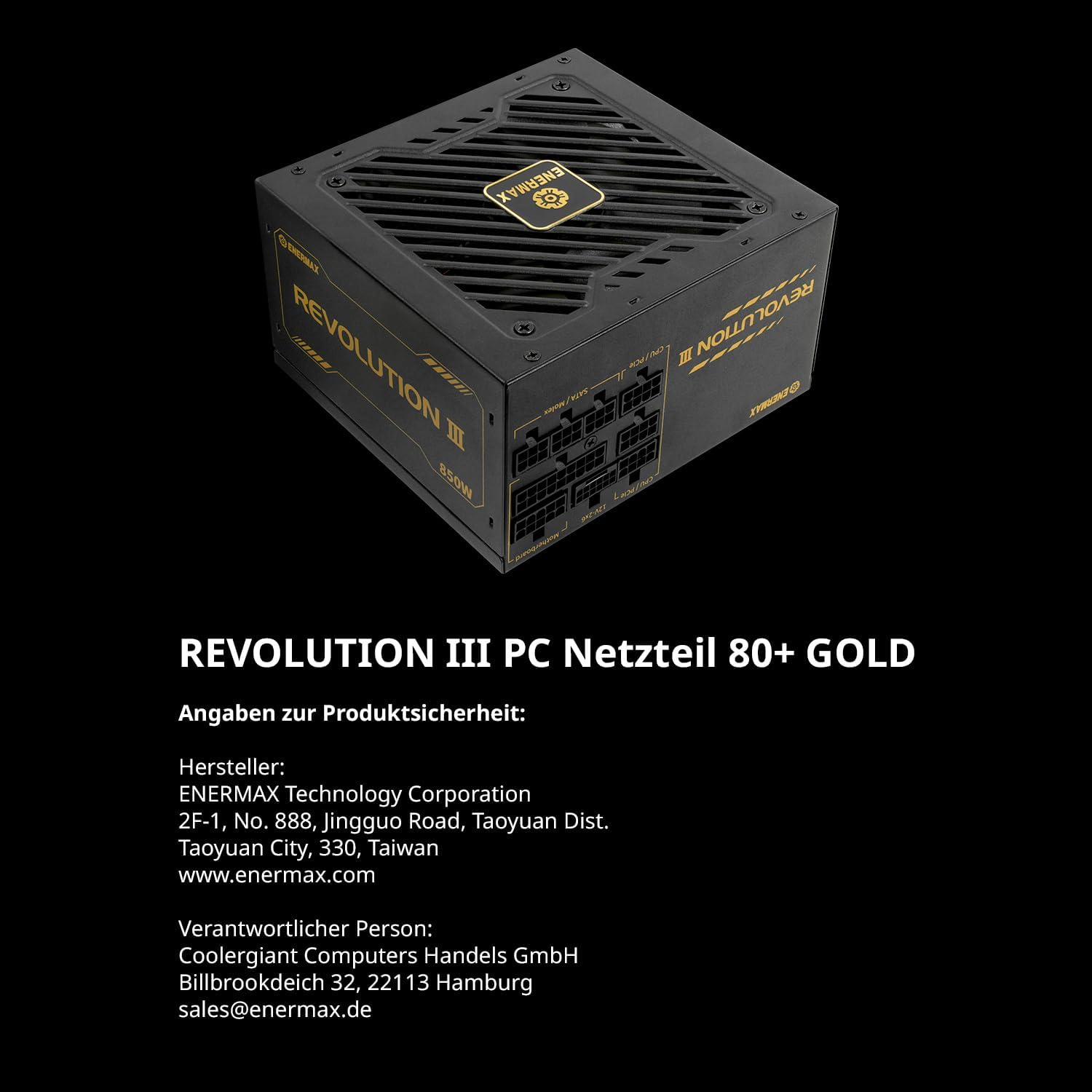
Image 7.1: Manufacturer and responsible party contact details, as well as 80 PLUS Gold certification information.


