1. Киришүү
The ENERMAX Revolution III is a state-of-the-art, fully modular power supply designed to meet the demands of high-performance computing systems. This 1000W unit supports the Intel ATX 3.1 standard and features PCIe 5.1 compatibility, making it suitable for modern gaming PCs, workstations, and creative applications. With an 80 PLUS Gold certification, it delivers high efficiency, reducing energy consumption and heat generation. The power supply incorporates a high-quality 120mm FDB (Fluid Dynamic Bearing) fan for reliable cooling and 100% Japanese industrial-grade capacitors for exceptional durability and stable performance.

Сүрөт 1.1: Бүттүview of the ENERMAX Revolution III 1000W Power Supply.
2. Коопсуздук маалыматы
- Электр менен камсыздоо блогун ачпаңыз. Жогорку томtagичинде электр тогуна урунууга алып келиши мүмкүн болгон заттар бар.
- Ашыкча ысып кетүүнүн алдын алуу үчүн электр менен камсыздоо жакшы желдетилген жерге орнотулганын текшериңиз.
- Бул кубат булагы менен кошо берилген модулдук кабелдерди гана колдонуңуз. Шайкеш келбеген кабелдерди колдонуу түзмөккө же туташкан компоненттерге зыян келтириши мүмкүн.
- Электр булагын жерге туташтырылган розеткага туташтырыңыз.
- This power supply features an optimized safety design with a 6-way protection circuit and is certified for use up to 5,000 meters altitude.
- Түзмөктү суудан, нымдуулуктан жана өтө жогорку температурадан алыс кармаңыз.
3. Пакеттин мазмуну
Пакетте бардык буюмдар бар экенин текшериңиз:
- ENERMAX Revolution III 1000W Power Supply Unit
- Modular Cable Set (including 24-pin ATX, 4+4-pin CPU, 6+2-pin PCIe, 12V-2x6 PCIe 5.1, SATA, Molex)
- AC Power Cord
- Монтаждоо бурамалар
- Колдонуучунун Колдонмосу (бул документ)
- Cable Combs (for sleeved cables)
4. Орнотуу жана орнотуу
Follow these steps to install your ENERMAX Revolution III power supply:
- Даярдоо: Компьютериңиздин өчүрүлгөнүн жана розеткадан суурулганын текшериңиз. Компьютериңиздин корпусун ачыңыз.
- PSU орнотуу: Carefully place the power supply into the designated PSU bay in your PC case. Secure it with the provided mounting screws.
- Модулдук кабелдерди туташтыруу: Due to the fully modular design, connect only the necessary cables to the power supply first. Refer to the labels on the PSU for correct port identification.

Сүрөт 4.1: Арткы view of the power supply showing modular cable ports.

Image 4.2: Detailed diagram of the modular connector layout.
- Motherboard Connection: 24-пин ATX кабелин энеңизге туташтырыңыз.
- CPU кубаттуулугу: Connect the 4+4-pin or 8-pin CPU power cable(s) to your motherboard.
- GPU Power: For modern graphics cards, use the native 12V-2x6 (600W) cable. For other GPUs, use the 6+2-pin PCIe cables. Ensure all required power connectors for your graphics card(s) are securely attached.
- Перифериялык кубаттуулук: SATA кубат кабелдерин сактоочу дисктериңизге (SSD, HDD), ал эми Molex кабелдерин аларды талап кылган башка перифериялык түзүлүштөргө туташтырыңыз.
- Кабелдик башкаруу: Utilize the flexible, sleeved cables and included cable combs to organize your wiring for optimal airflow and aesthetics.
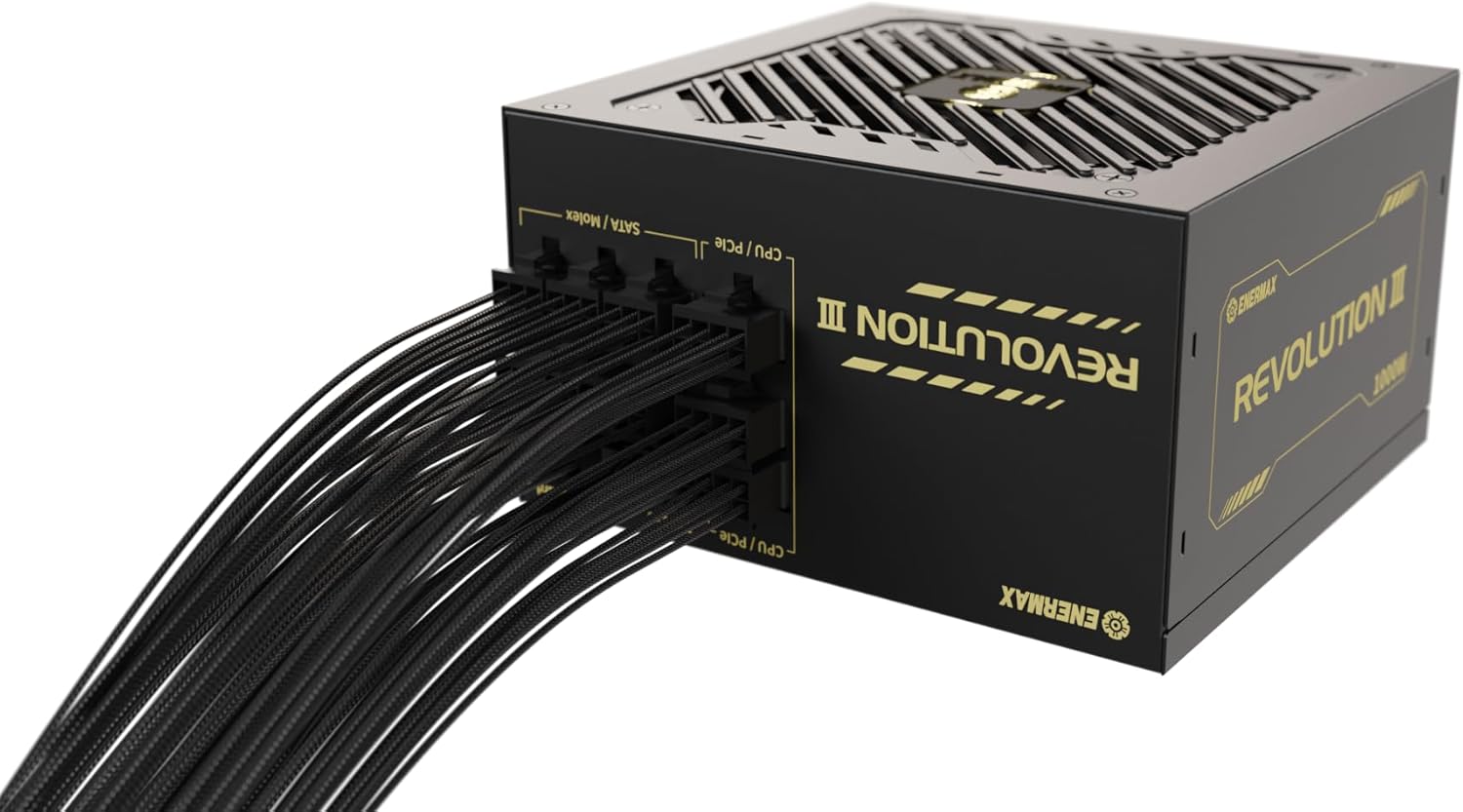
Сүрөт 4.3: Каптал view of the power supply with modular cables connected, demonstrating cable management potential.
- Акыркы текшерүү: Double-check all connections to ensure they are firm and correctly seated. Close your PC case.
- Күйгүзүү: Connect the AC power cord to the power supply and then to a wall outlet. Flip the power switch on the PSU to the 'ON' position.
5. Иштөө нускамалары
The ENERMAX Revolution III power supply is designed for straightforward operation. Once installed and connected, simply power on your computer system. The unit's 80 PLUS Gold certification ensures efficient power delivery, converting over 90% of AC power into usable DC power under typical loads, thereby minimizing wasted energy and heat.
The integrated 120mm FDB fan operates to maintain optimal internal temperatures. While designed for quiet operation, the fan speed adjusts based on the power supply's load and temperature to ensure stable and reliable performance.

Image 5.1: 80 PLUS Gold efficiency curve showing high efficiency across various loads.
6. Техникалык тейлөө
Туура тейлөө сиздин энергия менен камсыздооңуздун узак мөөнөттүү жана оптималдуу иштешин камсыз кылат:
- Чаңды тазалоо: Periodically clean the exterior of the power supply and the fan grille to prevent dust buildup. Use compressed air to gently clear dust from the fan blades and internal components. Ensure the system is powered off and unplugged before cleaning.
- Аба агымы: Ensure that the PC case has adequate airflow and that the power supply's fan intake and exhaust are not obstructed.
- Кабелдин бүтүндүгү: Occasionally check that all modular cables are securely connected and not damaged.
7. Кыйынчылыктарды
Эгерде сиз электр менен камсыздооңузда көйгөйлөргө туш болсоңуз, төмөнкү көйгөйлөрдү чечүү кадамдарын карап көрүңүз:
- Кубат жок:
- AC кубат шнуру кубат булагына жана розеткага бекем сайылганын текшериңиз.
- PSU артындагы кубат которгучу "ON" абалында экенин текшериңиз.
- Verify that all modular cables (24-pin ATX, CPU, PCIe) are correctly and firmly connected to both the PSU and the respective components.
- Дубал розеткасын башка аспап менен сынап көрүңүз, ал кубат берип жатканын ырастаңыз.
- Системанын туруксуздугу/бузуулар:
- Электр менен камсыздооңуздун кубаттуулугун текшериңизtage сиздин системаңыздын бардык компоненттери, айрыкча видео карта жана процессор үчүн жетиштүү.
- Кабелдик туташуулардын боштугун текшериңиз.
- Компоненттердин ысып кетпеши үчүн системанын температурасына көз салыңыз.
- адаттан тыш ызы-чуу:
- A slight fan noise is normal, especially under load. If the noise is excessive or unusual (e.g., grinding, ticking), ensure no cables are obstructing the fan.
- If the noise persists and is disruptive, contact customer support.
If these steps do not resolve the issue, please refer to the Support Information section for further assistance.
8. Техникалык шарттар
| Өзгөчөлүк | Спецификация |
|---|---|
| Бренд | Enermax |
| Модель аты | РЕВОЛЮЦИЯ III |
| Модель номери | ERV1000G-AHG-MAC |
| Чыгуу күчү | 1000 Ватт |
| Форма фактору | ATX |
| ATX стандарты | 3.1 |
| PCIe стандарты | 5.1 (with native 12V-2x6 connector) |
| Натыйжалуулуктун сертификациясы | 80 PLUS Gold |
| Муздатуу ыкмасы | 120 мм FDB желдеткич |
| Конденсаторлор | 100% Japanese Industrial-Grade 105°C |
| Өлчөмдөрү (L x W x Y) | 14 x 15 x 8.6 см |
| Салмагы | 1.9 килограмм |
| Шайкеш түзмөктөр | PC gaming, workstation, high-performance computer |
| Коопсуздук өзгөчөлүктөрү | 6-way protection circuit, certified for use up to 5,000m altitude |

Image 8.1: ATX 3.1 and PCIe 5.1 readiness of the power supply.
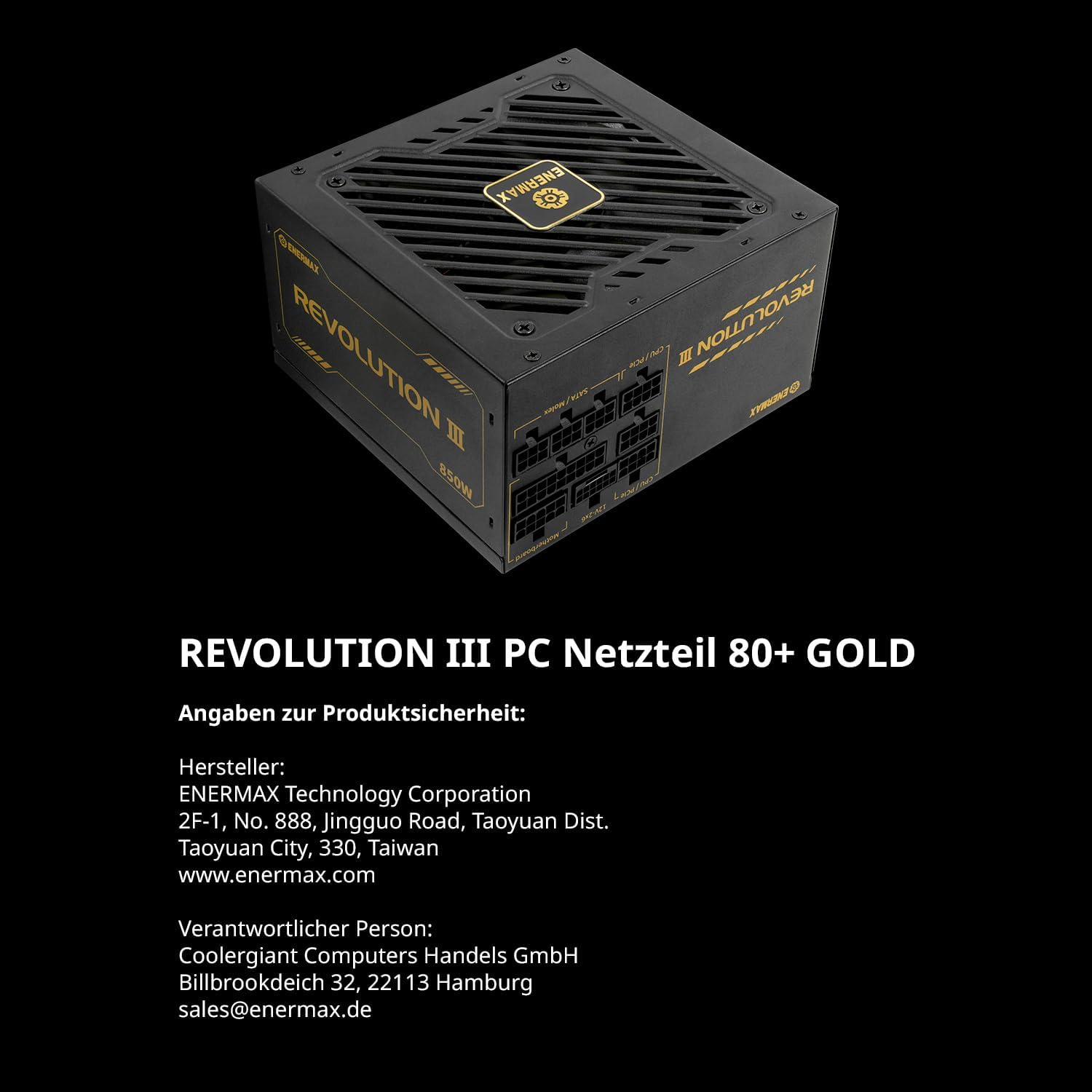
Image 8.2: Highlighting the use of 100% Japanese industrial-grade capacitors for reliability.
9. Кепилдик маалыматы
ENERMAX provides a manufacturer's warranty for the Revolution III power supply. In Europe, this product is covered by a 7-year manufacturer's warranty from the date of purchase. For specific terms and conditions, including warranty claims and regional variations, please refer to the official ENERMAX webсайтына кириңиз же жергиликтүү сатуучуңузга кайрылыңыз.
10. Колдоо маалыматы
For technical support, product inquiries, or warranty claims, please contact ENERMAX through the following channels:
- Өндүрүүчү: ENERMAX Technology Corporation
2F-1, No. 888, Jingguo Road, Taoyuan Dist.
Taoyuan City, 330, Taiwan
www.enermax.com - Европа байланышы: Coolergigant Computers Handels GmbH
Billbrookdeich 32, 22113 Hamburg, Germany
Электрондук почта: sales@enermax.de
Please have your product model number (ERV1000G-AHG-MAC) and proof of purchase ready when contacting support.