Бүттүview
The VTech VM3258 Digital Video Baby Monitor allows you to keep a close eye on your baby with its high-resolution 2.8-inch color LCD screen. This monitor features a multi-color night-light, soothing lullabies and sounds, two-way audio communication, and a temperature sensor to ensure your baby's comfort. Designed for ease of use, it offers long battery life for extended monitoring.

Image: The VTech VM3258 monitor system, featuring the parent unit with a 2.8-inch LCD screen displaying a baby, and the baby unit with a night-light feature. Both units are white with VTech branding.
Пакеттин мазмуну
Пакетте бардык буюмдар бар экенин текшериңиз:
- Ата-эне бирдиги
- Baby Unit
- 2 AC адаптер
- 4 Screws (for wall mounting, if applicable)
- Колдонуучунун Колдонмосу (бул документ)
- Ыкчам баштоо боюнча колдонмо
Продукт өзгөчөлүктөрү
- High-resolution 2.8-inch Color LCD Screen: Provides clear video of your baby.
- Night-light on Baby Unit: Soothing multi-color light with an auto-on feature based on noise detection.
- Тынчтандыруучу үндөр жана бешик ырлары: Includes 2 melodies and 2 ambient sounds (trickling stream, white noise) to help baby sleep.
- Two-way, Talk-back Intercom: Allows you to speak to your baby from the parent unit.
- Батареянын узак иштөө мөөнөтү: Up to 19 hours of video streaming or 29 hours of audio-only monitoring on a single charge.
- Температура сенсору: Monitors the nursery temperature, displayed on the parent unit.
- Автоматтык инфракызыл түнкү көрүү: Жарык аз шарттарда даана видео көрсөтөт.
- Sound Activation Screen Mode: Screen turns on when noise is detected.
- 2x Digital Zoom: Allows for closer viewсенин балаңдын.
- Up to 1,000 feet of Range: Ensures monitoring across larger homes.
Жайгашуу
1. Ата-эне блогун заряддоо
Before first use, charge the parent unit for at least 12 hours. Connect one of the AC adapters to the parent unit and a power outlet. The battery indicator will show charging status.
2. Ымыркай бөлүмүнө электр кубатын туташтыруу
Connect the second AC adapter to the baby unit and a power outlet. The baby unit will power on automatically.
3. Бирдиктерди жайгаштыруу
Place the baby unit in your baby's room, at least 3 feet (1 meter) away from the baby. Position it on a flat surface or mount it to a wall using the provided screws. Ensure the camera has a clear view of the baby's crib. Keep the parent unit within range of the baby unit for optimal signal.

Image: An overhead diagram of a multi-story house illustrating the VTech baby monitor's long range capability, showing the baby unit in a nursery and the parent unit being used in various rooms up to 1000 feet away.
4. Secure Connection
The VTech VM3258 uses a secure, non-Wi-Fi connection, ensuring your privacy. No internet connection or app is required for operation.
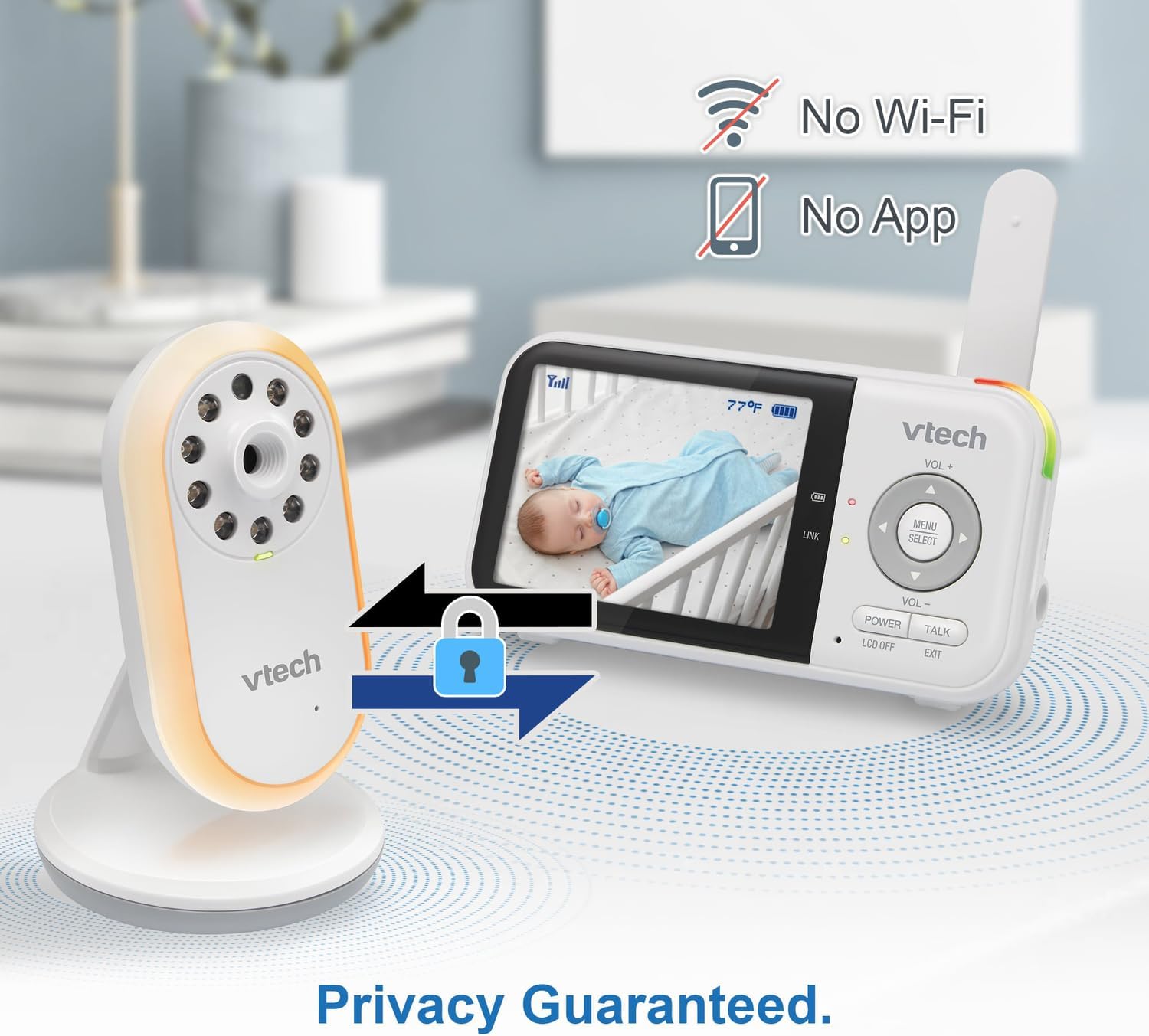
Image: The VTech baby monitor setup, showing the parent unit and baby unit with icons indicating "No Wi-Fi" and "No App," highlighting the secure, private connection.
Иштөө нускамалары
1. Күйгүзүү/өчүрүү
- Ата-эне бирдиги: басып, кармап туруңуз КҮЧ button until the screen turns on/off.
- Бөбөк бирдиги: Ымыркайдын блогу электр кубатына туташтырылганда автоматтык түрдө күйөт.
2. Үндү тууралоо
колдонуу VOL+ жана VOL- угуу үнүн тууралоо үчүн ата-эне блогундагы баскычтарды басыңыз.
3. Two-Way Talk-Back Intercom
басып, кармап туруңуз СҮЙЛӨШҮҮ button on the parent unit to speak to your baby through the baby unit's speaker. Release the button to hear your baby.

Image: A split image depicting a parent holding the VTech parent unit and a baby playing, illustrating the two-way talk-back intercom functionality.
4. Night-Light and Lullabies
Access the menu on the parent unit to control the baby unit's night-light (choose from 3 colors) and to play soothing lullabies or ambient sounds. You can also enable the auto-on night-light feature, which activates when noise is detected.

Image: The VTech baby unit with its night light softly glowing, surrounded by musical notes, symbolizing its ability to play lullabies and soothing sounds.
5. Температураны көзөмөлдөө
The current nursery temperature is displayed on the parent unit's LCD screen, allowing you to ensure a comfortable environment for your baby.
6. Түнкү көрүнүш
Ымыркай блогу жарык аз шарттарда инфракызыл түнкү көрүүнү автоматтык түрдө иштетип, ата-эне блогунда кара жана ак түстөгү так сүрөттү камсыз кылат.

Image: A side-by-side comparison showing a baby in a crib, with one side labeled "Standard night vision" (darker, less clear) and the other "Our night vision" (brighter, clearer, without glare).
7. Battery Life Management
The parent unit offers extended battery life. To conserve battery, you can use the audio-only mode or enable the sound activation screen mode, which turns the screen off until sound is detected.

Image: A circular diagram showing a battery icon in the center, with two halves representing "19 hours in screen-on mode" (depicting a person exercising) and "29 hours in audio-only mode" (depicting a person watching TV at night), illustrating the monitor's long battery life.
Техникалык тейлөө
Cleaning the Units
Wipe the surfaces of the parent unit and baby unit with a soft, damp кездеме. Тазалоочу чачыраткычтарды же суюк тазалоочу каражаттарды колдонбоңуз. Электр кубатына кайра туташтыруудан мурун, шаймандардын кургак экенин текшериңиз.
Батареяга кам көрүү
To prolong battery life, avoid fully discharging the parent unit battery frequently. If storing the unit for an extended period, charge it fully before storage and recharge every few months.
Проблемаларды чечүү
| Көйгөй | Мүмкүн чечим |
|---|---|
| Ата-эне бөлүгүндө сүрөт/үн жок. |
|
| Picture is black and white. | This is normal when the baby unit's infrared night vision is active due to low light conditions. |
| Статикалык же тоскоолдук. |
|
| Ата-эне бөлүгүнүн батареясы бат эле түгөнөт. |
|
Техникалык шарттар
- Модель номери: VTVM3258
- Продукциянын өлчөмдөрү: 4.72 x 2.5 x 1.32 inches (Parent Unit)
- Элемент Салмагы: 1.25 фунт (жалпысынан)
- Батареялар: 1 A battery required (included) for Parent Unit
- Жыштык диапазону: 400-470 МГц
- Сүйлөшүү диапазону максималдуу: 1,000 футка чейин (көрүү сызыгы)
- Каналдардын саны: 32
- Түсү: Ак
- Өндүрүүчү: VTech Communications
- Биринчи жеткиликтүү болгон күнү: 9-январь, 2025-жыл


