Introduction
The MCHOSE V9 PRO Wireless Gaming Headset delivers an immersive audio experience with 7.1 surround sound, low-latency wireless connectivity, and an AI noise-canceling microphone. This manual provides detailed instructions for setup, operation, and maintenance to ensure optimal performance.
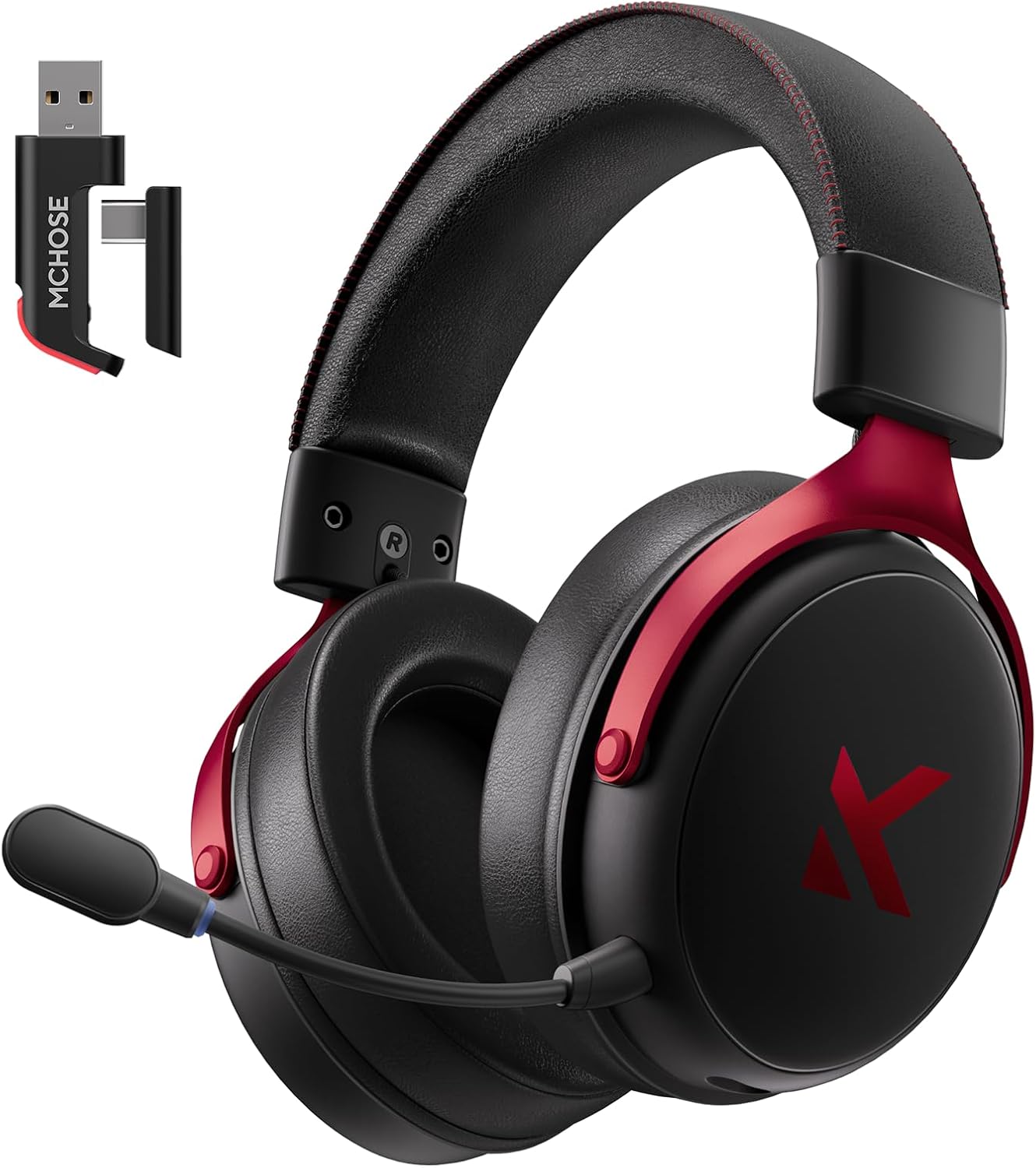
Image: MCHOSE V9 PRO Wireless Gaming Headset with its 2.4GHz USB receiver.
Пакеттин мазмуну
Төмөндө тизмеленген нерселердин баары пакетиңизге камтылганын текшериңиз:
- MCHOSE V9 PRO Wireless Gaming Headset
- 2.5GHz Receiver (USB-A & Type-C compatible)
- USB-C заряддоо кабели
- Алынуучу микрофон
- Foam Windscreen (pre-installed on microphone)
- User Manual

Image: Diagram illustrating the headset, receiver, cables, microphone, and user manual.
Продукт бүттүview
Башкаруу каражаттары жана көрсөткүчтөр

Image: Handy guide showing the location and function of buttons and indicator lights on the headset.
- Кубат баскычы: Long press for approximately 3 seconds to power on/off.
- Туташуу режимин которуу: Double-click the power button to switch between 2.4GHz wireless, Bluetooth, and wired modes.
- Оюн/Музыка режимин которуу: Triple-click the power button to switch between Game Mode 1, Game Mode 2, and Music Mode.
- Ойнотуу/тындыруу: Кубат баскычын бир чыкылдатыңыз.
- Чалууга жооп берүү/аяктоо: Кубат баскычын бир чыкылдатыңыз.
- Чакырууну четке кагуу: Long press the power button for approximately 1.5 seconds.
- Микрофон баскычы: Микрофонду күйгүзүү/өчүрүү үчүн бир чыкылдатыңыз.
- Көлөм дөңгөлөгү: Slide upwards to increase volume, slide downwards to decrease volume.
Индикатор жарыктары
- Bluetooth (BT) Waiting for Connection: Кызыл жана көк жарыктар кезектешип күйөт.
- 2.4G Waiting for Connection: Red and green lights flash alternately.
- Заряддоо: Кызыл жарык күйүп турат.
- Толугу менен заряддалган: Көк жарык күйүп турат.
- 2.4G Mode Active: Жашыл жарык.
- Bluetooth Mode Active: Көк жарык.
- Microphone Active: Blue light on microphone tip.
Орнотуу жана туташуу
2.4GHz Wireless Connection (PC, PS5, PS4, Switch)
- Remove the 2.4GHz USB receiver from its storage slot on the headset.
- Plug the 2.4GHz receiver into an available USB-A port on your computer or gaming console. For devices with only USB-C ports, detach the USB-A adapter from the receiver and plug in the USB-C end.
- Press and hold the power button on the headset for approximately 3 seconds to power it on.
- Double-click the power button to ensure the headset is in 2.4GHz wireless mode (indicated by a green light). The headset should automatically connect to the receiver.
Bluetooth Wireless Connection (Mobile Phone, Tablet, PC, Switch)
- Press and hold the power button on the headset for approximately 3 seconds to power it on.
- Double-click the power button to switch the headset to Bluetooth mode (indicated by a blue light flashing alternately with red).
- On your device (phone, tablet, PC, Switch), navigate to Bluetooth settings and search for "MCHOSE V9 PRO".
- Select the headset to pair. Once connected, the blue light will remain steady.
Wired Connection (PC, PS5, PS4, Switch, Mobile Phone, Tablet)
The headset supports a wired connection via the included USB-C cable. This mode is primarily for charging and can also be used for audio if wireless options are not preferred or available.
- Connect the USB-C cable to the headset's charging port.
- USB-C кабелинин экинчи учун түзмөгүңүзгө туташтырыңыз.
- The headset will function as a wired device.
Микрофонду орнотуу
- Plug the detachable microphone into the designated port on the left earcup of the headset. Ensure it is securely inserted.
- Үндү оптималдуу кабыл алуу үчүн микрофондун абалын тууралаңыз.
- Single-click the microphone button on the headset to toggle the microphone on or off. A blue light on the microphone tip indicates it is active.
Video: This video demonstrates the initial setup of the MCHOSE V9 PRO Wireless Gaming Headset, including connecting the 2.4GHz receiver, powering on, switching modes, and attaching the microphone.
Software Installation and Customization (MCHOSE HUB)
The MCHOSE HUB software allows for advanced customization of your headset's audio settings. It is compatible with Windows 10 and above.
Орнотуу кадамдары
- Visit the official MCHOSE webсайт (mchose.store).
- Navigate to the 'Support' section and click on 'Drivers & Firmwares'.
- Locate the 'V9 / V9 Pro Driver' and download the desktop driver.
- Before installing the driver, ensure the 2.4GHz receiver is plugged into your computer.
- Install the downloaded driver and follow the on-screen instructions.
- Once installed, open the MCHOSE HUB application. You can switch the application language to English from the settings.
Video: This video guides you through the process of connecting and installing the MCHOSE desktop driver for your headset.
Audio Equalizer Customization
The MCHOSE HUB features a customizable equalizer to fine-tune your audio output.
- In the MCHOSE HUB, right-click on 'Speakers' and select 'Equalizer'.
- Enable the equalizer.
- Adjust the frequency bands as needed to create your desired sound profile.
- You can save your custom settings as a preset or choose from official presets like Dance, Rap, Metal, Jazz, etc.
- You can also restore the default equalizer settings.

Image: Screenshot of the MCHOSE HUB software interface displaying the audio equalizer settings.
7.1 Айлана үн
Enable 7.1 surround sound for enhanced spatial awareness in games and movies.
- In the MCHOSE HUB, right-click on 'Speakers' and select 'Xear Surround Headphone'.
- Enable Xear Surround.
- Choose between 'Music/Gaming mode' or 'Movie mode' based on your content.
- Adjust the 'Room Size' for optimal effect.

Image: Visual representation of 7.1 surround sound technology with the MCHOSE V9 PRO headset.
Voice Effects (Magic Voice)
The software includes various voice effects for fun or specific communication needs.
- In the MCHOSE HUB, right-click on 'Mic' and select 'Xear Magic Voice'.
- Enable 'Magic Voice' and choose from different voice effects.
Микрофон үчүн жасалма интеллект менен ызы-чууну азайтуу
Enhance microphone clarity by enabling AI noise reduction.
- In the MCHOSE HUB, right-click on 'Mic' and select 'AI NoiseReduction'.
- Enable 'AI NoiseReduction' to filter out background noise.
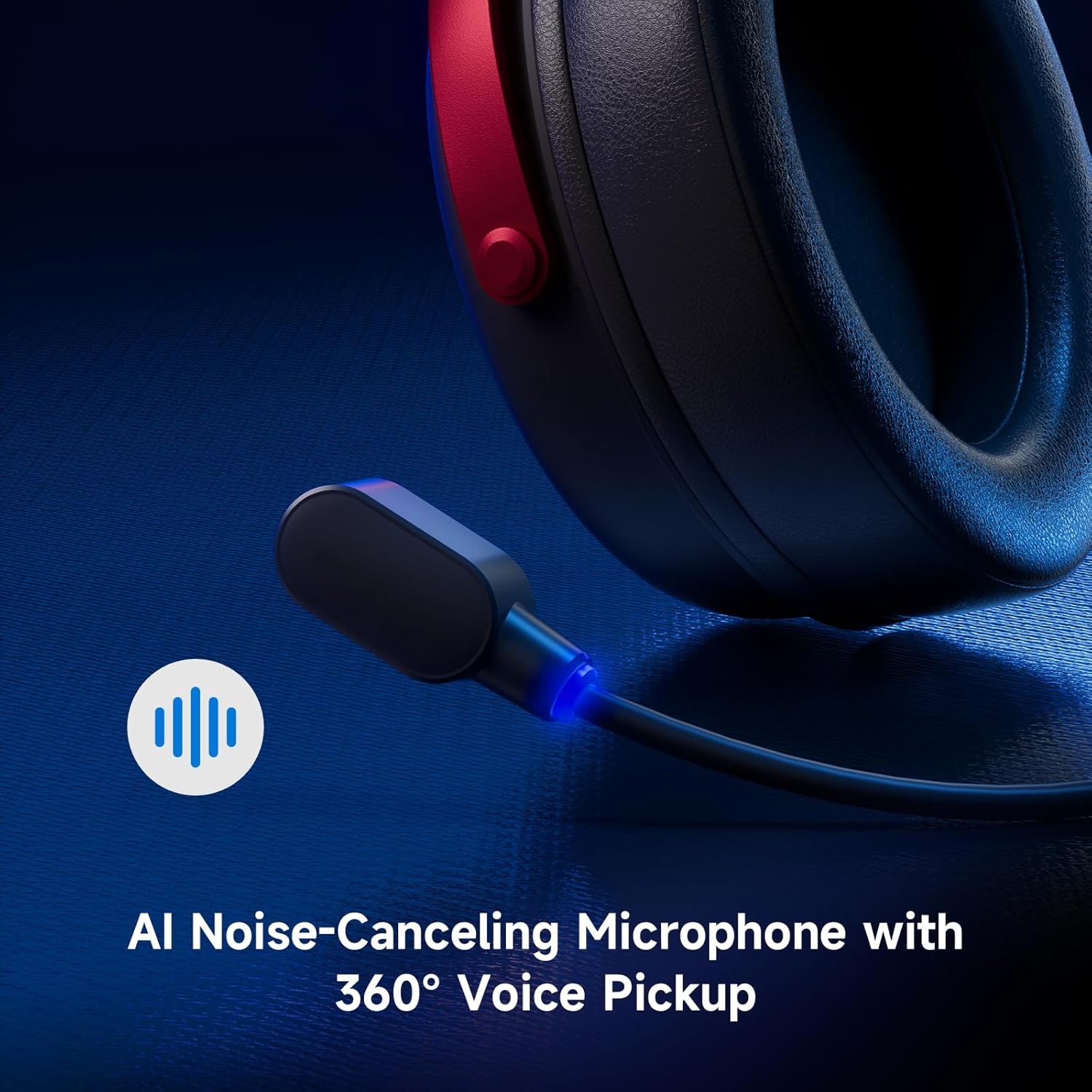
Image: Close-up of the AI Noise-Canceling Microphone on the MCHOSE V9 PRO headset.
Иштөө нускамалары
Күйгүзүү/өчүрүү
To power on the headset, press and hold the power button for approximately 3 seconds. To power off, repeat the action.
Которуу режимдери
Double-click the power button to cycle through 2.4GHz wireless, Bluetooth, and wired connection modes. The indicator light color will change accordingly (Green for 2.4GHz, Blue for Bluetooth).
Triple-click the power button to switch between Game Mode 1, Game Mode 2, and Music Mode, optimizing audio profiles for different content.
Үндү көзөмөлдөө
Use the volume wheel located on the earcup to adjust the audio output level. Slide up to increase volume, slide down to decrease volume.
Микрофонду өчүрүү
Single-click the microphone button to mute or unmute the microphone. The blue light on the microphone tip indicates its active status.
Техникалык тейлөө
- Тазалоо: Гарнитураны тазалоо үчүн жумшак, кургак чүпүрөктү колдонуңуз. Катуу химиялык заттарды же абразивдүү материалдарды колдонуудан алыс болуңуз.
- Сактагыч: Гарнитураны күн нурунан жана экстремалдык температурадан алыс салкын, кургак жерде сактаңыз.
- Батареяга кам көрүү: Батареянын кубаттуулугун оптималдуу түрдө сактоо үчүн, гарнитуранын зарядын тез-тез толук заряддабай туруңуз. Аны үзгүлтүксүз кубаттап туруңуз.
- Микрофон: Handle the detachable microphone carefully. Ensure the foam windscreen is properly seated.
Проблемаларды чечүү
- Үн жок/Төмөн үнү:
- Check headset volume wheel and device volume settings.
- Ensure the headset is correctly connected (2.4GHz receiver, Bluetooth, or wired).
- Компьютериңиздин үн жөндөөлөрүндө туура аудио чыгаруу түзмөгү тандалганын текшериңиз.
- Микрофон иштебейт:
- Микрофон гарнитурага бекем сайылганын текшериңиз.
- Check if the microphone is muted (blue light on tip should be on).
- Түзмөгүңүздүн үн жөндөөлөрүндө туура микрофон киргизүү түзмөгү тандалганын текшериңиз.
- If using MCHOSE HUB, check AI Noise Reduction settings.
- Туташуу көйгөйлөрү (2.4 ГГц/Bluetooth):
- Ensure the headset is in the correct connection mode (green light for 2.4GHz, blue for Bluetooth).
- 2.4 ГГц үчүн ресиверди башка USB портуна сайып көрүңүз.
- Bluetooth үчүн, гарнитураны түзмөгүңүз менен жупташтырбай, кайра жупташтырып көрүңүз.
- Гарнитура заряддалганын текшериңиз.
- Software Not Detecting Headset:
- Ensure the 2.4GHz receiver is plugged into the computer before launching the MCHOSE HUB.
- Restart the MCHOSE HUB application and/or your computer.
Техникалык шарттар
| Модель аты | V9 Pro |
| Бренд | CHSE |
| Байланыш технологиясы | 2.4GHz Wireless, Bluetooth (BT 5.1), Wired |
| Аудио драйверлери | 53mm Neodymium Drivers with Bio-cellulose Diaphragm |
| Surround Sound | 7.1 Айлана үн |
| Микрофон | AI Noise-Canceling Microphone with 360° Voice Pickup |
| Зымсыз кечигүү | 15ms (TOPSPEED 2.4GHz) |
| Батареянын иштөө мөөнөтү | 250 саатка чейин ойноо убактысы |
| Bluetooth версиясы | 5.1 |
| Bluetooth диапазону | 40 метрге чейин |
| Шайкеш түзмөктөр | PC, Laptop, Switch, PS5, PS4, Mobile Phone, Tablet |
| Салмагы | 0.60 фунт (болжол менен 275 г) |
| Материал | Metal, Plastic, Polyurethane (PU) |
| Кулак жайгаштыруу | Кулак үстүндө |
Кепилдик жана колдоо
MCHOSE products are designed for quality and reliability. For warranty information, technical support, or to contact customer service, please visit the official MCHOSE webсайтында mchose.store. You can find detailed warranty policies and support contact information in the 'Support' section of the webсайт.


