1. Киришүү
This manual provides essential information for the safe and effective use of your YESWELDER Auto Darkening Welding Goggles with Mask, Model LYG-32-110R. Please read this manual thoroughly before operation and retain it for future reference. This product is designed to provide eye and face protection during various welding and cutting processes.
2. Коопсуздук маалыматы
WARNING: Failure to follow these safety instructions may result in serious personal injury or damage to the product.
- Always wear appropriate personal protective equipment (PPE) in addition to these goggles, such as flame-resistant clothing and gloves.
- Do not use these goggles for laser welding or overhead welding applications unless specifically rated for such use.
- Inspect the goggles and mask for any damage before each use. Replace any damaged parts immediately.
- Ensure the outer protection lenses are clean and free from scratches or debris to maintain optimal visibility and protection.
- Do not modify the goggles or mask in any way. Unauthorized modifications can compromise safety and void the warranty.
- Avoid direct exposure to welding arc without proper eye protection. The auto-darkening function may have a slight delay.
- Продукцияны балдардан алыс кармаңыз.
3. Пакеттин мазмуну
Төмөндө тизмеленген нерселердин баары пакетиңизге камтылганын текшериңиз:
- 1x YESWELDER Auto Darkening Welding Goggles
- 1x Safety Face Shield
- 1x Type-C заряддоо кабели
- 10x Outer Protection Lenses (for LYG-32-110R)
- 1x Сактоочу баштык

Image: Contents of the YESWELDER welding goggles package, including the goggles, face shield, charging cable, and storage bag.

Image: A set of ten replacement outer protection lenses for the welding goggles.
4. Продукциянын өзгөчөлүктөрү
- Auto Darkening Function: Automatically adjusts shade level upon arc ignition.
- LED жарыктандыруу: Integrated LED lights provide illumination in low-light welding environments.
- TYPE-C заряддоо: Rechargeable battery via a modern Type-C port, eliminating the need for disposable batteries.
- Кеңири колдонуу диапазону: Shade range 4/5-9/9-13 suitable for TIG, MIG, MMA, CUT, and GRIND modes.
- Таза View: Viewing area of 5.51" x 1.57" with 4 premium arc sensors for enhanced visibility and faster response.
- Туруктуу курулуш: Made from Polycarbonate and Plastic materials.

Image: Illustration of the LED lighting control switch on the goggles, showing OFF, ON, and AUTO settings.
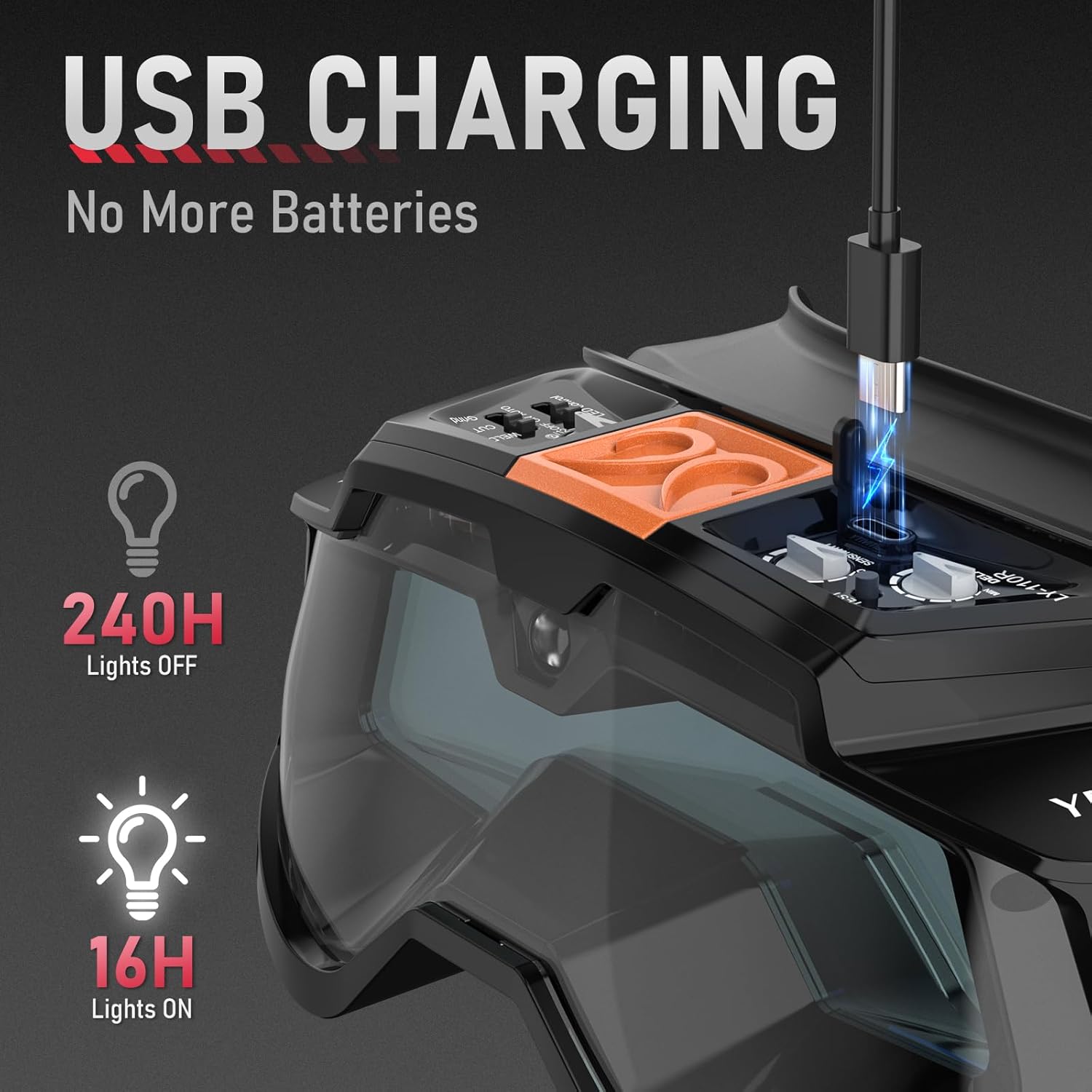
Image: Close-up of the USB-C charging port on the goggles, highlighting the rechargeable battery feature and indicating battery life with lights off (240H) and lights on (16H).
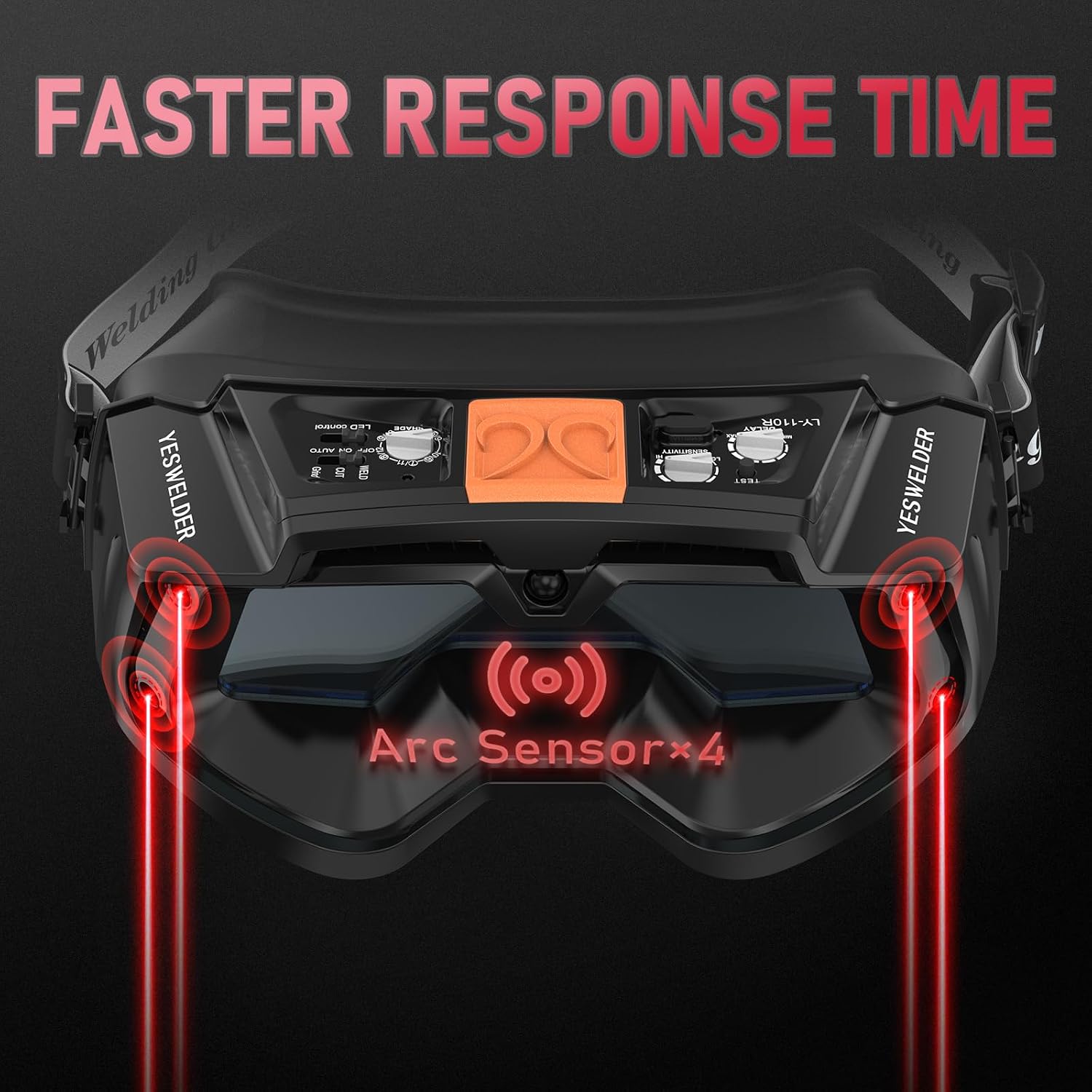
Image: Diagram showing the four arc sensors on the front of the goggles, indicating faster response time to welding arcs.

Image: Detailed diagram of the goggles' lens specifications, showing the viewing area dimensions (5.51" x 1.57") and highlighting features like UV/IR filter, LED light, solar power, and arc sensors.
5. Орнотуу
- Пакеттен чыгаруу: Бардык компоненттерди таңгактан кылдаттык менен алып салыңыз. Ар кандай жеткирүү зыянын текшериңиз.
- Charging the Goggles: Connect the provided Type-C charging cable to the charging port on the goggles and to a suitable USB power source (e.g., computer, wall adapter). The charging indicator will show the charging status. Ensure the goggles are fully charged before first use.
- Attaching the Face Shield: Align the face shield with the attachment points on the welding goggles. Securely snap or slide the face shield into place until it is firmly attached.
- Баш боонун тууралоо: Place the goggles on your head. Adjust the elastic head strap for a snug, comfortable fit. The goggles should sit securely without being too tight or loose.
- Installing Outer Protection Lenses: The goggles come with a protective film on the outer lenses. Remove this film before use. To replace an outer lens, carefully remove the old lens and insert a new one, ensuring it is seated correctly to prevent debris entry.

Image: The YESWELDER auto darkening welding goggles with the face mask attached, alongside a set of outer protection lenses.
6. Иштөө нускамалары
- Күйгүзүү/өчүрүү: The goggles typically power on automatically when exposed to light or an arc. Some models may have a manual power button. Refer to the specific controls on your device.
- LED жарык башкаруу: Locate the LED control switch on the goggles. It usually has three positions: ON (LEDs are constantly on), АВТО (LEDs turn on automatically in low light conditions), and ӨЧҮРҮҮ (LEDs are off). Select the desired mode based on your working environment.
- Ширетүү режими: Ensure the goggles are in welding mode (not grind mode, if applicable). When an arc is struck, the lens will automatically darken to the pre-set shade level (4/5-9/9-13). The 4 arc sensors ensure a fast and reliable darkening response.
- Майдалоо режими: If your goggles feature a grind mode, activate it when performing grinding operations. In grind mode, the auto-darkening function is typically disabled, and the lens remains in a light shade (usually shade 4) to provide clear vision while protecting against grinding sparks and debris. Remember to switch back to welding mode before welding.
7. Техникалык тейлөө
- Тазалоочу линзалар: Clean the inner and outer protection lenses regularly with a soft, clean cloth. Do not use abrasive cleaners or solvents, as these can damage the lens coatings.
- Replacing Outer Protection Lenses: The outer protection lenses are consumable items and should be replaced when they become scratched, pitted, or too dirty to clean effectively. Refer to Section 5 for installation instructions.
- Батареяны заряддоо: Recharge the goggles' battery as needed. A full charge ensures optimal performance of the auto-darkening and LED lighting features.
- Сактагыч: Store the goggles in a clean, dry place, preferably in the provided storage bag, away from direct sunlight, extreme temperatures, and corrosive materials.
- Текшерүү: Periodically inspect the head strap, face shield, and goggle body for signs of wear, cracks, or damage. Replace components as necessary.

Image: Illustration showing the goggles with a transparent silicone case, indicating protection and fit.
8. Кыйынчылыктарды
- Goggles not darkening:
- Батарея заряддалганын текшериңиз.
- Check that the arc sensors are clean and unobstructed.
- Verify that the goggles are in welding mode (not grind mode).
- Confirm the welding current is sufficient to trigger the auto-darkening function.
- LED жарыгы иштебейт:
- Check the LED control switch position (ON/AUTO).
- Батарея заряддалганын текшериңиз.
- Poor visibility:
- Clean the inner and outer protection lenses.
- Replace scratched or damaged outer protection lenses.
9. Техникалык шарттар
| Өзгөчөлүк | Спецификация |
|---|---|
| Модел | LYG-32-110R |
| Viewing Size | 5.51" x 1.57" |
| Shade Range | 4/5-9/9-13 |
| Arc Sensors | 4 |
| Электр камсыздоо | TYPE-C Charged Battery, Solar Powered |
| Материал | Polycarbonate, Plastic |
| Өзгөчөлүктөр | LED Lighting, TYPE-C Charging |
| Түс | Кара |
10. Кепилдик жана колдоо
Warranty information for the YESWELDER Auto Darkening Welding Goggles with Mask, Model LYG-32-110R, is typically provided with your purchase documentation or can be found on the official YESWELDER website. For technical support, replacement parts, or warranty claims, please contact YESWELDER customer service through their official channels.


